
Avol ALT1970AD Bedienungsanleitung

Attention:
Please kindly refer to “TV Broadcasting system”(Page 19 of User’s manual) for the choosing suitable
TV broadcasting system as per your living area when you use this unit firstly. TV Color system is
automatically searched regardless of your living area.
Model No.: ALT1970AD
19" ATSC/Multi System LCD TV


1
Contents
Contents
Caution
Safety Information
Unit and Accessories
Product Feature
Introduction
1. Front View
2. Rear View
3. Remote Control
Connection
Basic Operation
OSD Menu
1. Picture menu
2. Audio menu
3. Time menu
4. Setup menu
5. Lock menu
6. Channel menu
Simple Troubleshooting
Technical Specications
2
3
4
4
5-8
5
6
7-8
9-12
13
14-20
14
15
16
17
18
19-20
21
22
2
Caution
Caution
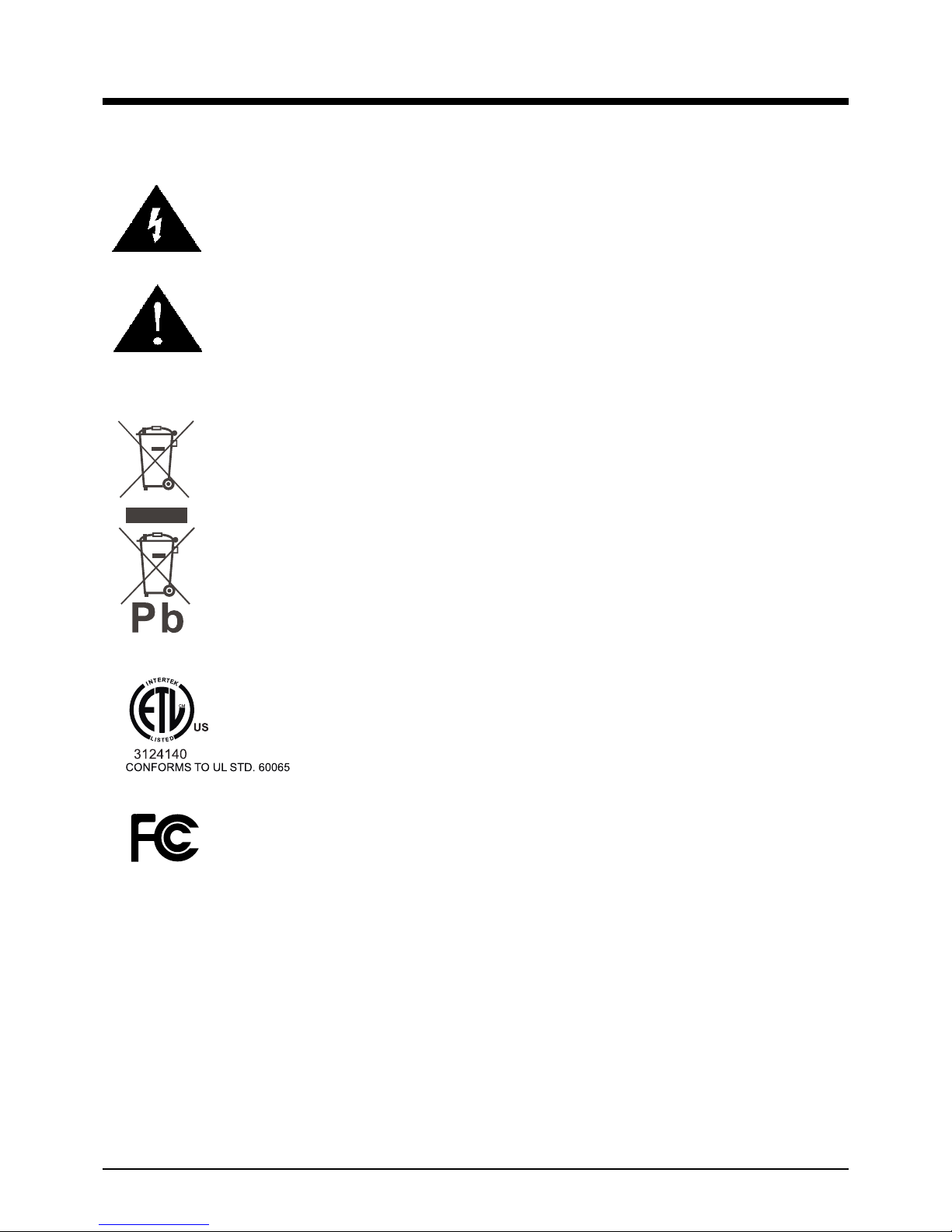
The lightening ash with arrowhead symbol, within an equilateral triangle
is intended to alert the user to the presence of un-insulated "dangerous
voltage" within the products enclosure that may be of sufcient magnitude
to constitute a risk of electric shock to the persons.
The exclamation point within an equilateral triangle is intend to alert the
user to the presence of important operating and maintenance (servicing)
instructions in the literature accompanying the appliance.
Correct disposal of this Product
(Waste Electrical & Electronic Equipment (WEEE)
Your product is designed and manufactured with high quality materials and
components which can be recycled and reused.
This symbol means that electrical and electronic equipment, at their end-
of-life should be disposed of separately from your household waste.
Please dispose of this equipment at your local community waste collection/
recycling centre.
In the USA there are separate collection systems for used electrical and
electronic products. Please help us to conserve the environment we live
in!
This unit complies with America Safety directives.
This unit complies with FCC directives.

3
Safety Information
Safety Information
To ensure reliable and safe operation of this equipment, please read carefully all the
instructions in this user guide, especially the safety information below.
Electrical safety
• The TV set should only be connected to a mains supply which matches that stated on
the label on the mains adaptor
• To prevent overload, don't share the same mains supply socket with too many other
items of equipment.
-Do not place any connecting wires where they may be stepped on or tripped over.
-Do not place heavy items on the leads, which may damage them.
-Hold the Mains plug, not the wires, when removing from a socket.
-During a thunderstorm or while leaving the TV for long periods, disconnect the aerial (if
outdoor) and mains adaptor from the supply.
-Do not allow water or moisture to enter the TV or mains adaptor. Do NOT use in wet
or moist areas such as Bathrooms, steamy kitchens or near swimming pools.
• Pull the plug out immediately, and seek professional help if:
-the mains plug or cable is damaged
-liquid is spilt onto the set, or if it is accidentally exposed to water or moisture
-anything accidentally penetrates the ventilation slots
-the set does not work normally.
-Do NOT remove the safety covers. There are no user serviceable parts inside.
You may invalidate the warranty. Qualied personnel only are permitted to service this
apparatus.
-To avoid battery leakage, remove exhausted batteries from the remote control
handset, or when not using for along period.
-Do NOT break open or throw exhausted batteries on a re.
Physical safety
• Do NOT block ventilation slots in the back cover. You may place the TV in a cabinet, but
ensure at least 5cm (2") clearance all around the unit.
• Do NOT tap or shake the TV screen, you may damage the internal circuitry. Take good
care of the remote control, do not drop it or allow it to come into contact with liquids.
• To clean the TV use a soft dry cloth. Do NOT use solvents or petrol based uids. For
stubborn stains, you may use a damp soft cloth with diluted detergent.

4
Unit and Accessories and Product Feature
Unit and Accessories
TV set
User's manual Remote control
Batteries: 2xAA
Mains Cable Mains adaptor
Product Feature
- Inputs: RF, VIDEO, VGA, YPbPr, HDMI, S-VIDEO
- Audio Input: AV Audio R/L, PC Audio
- Support TV mode: NTSC-M, ATSC, PAL, Secam - B/G, D/K, I.
- Search TV: Auto/Manual
- Auto-shutting down
- Program exchange and edit
FREEZE
220V Power Socket
5
Introduction
Introduction
1. Front View
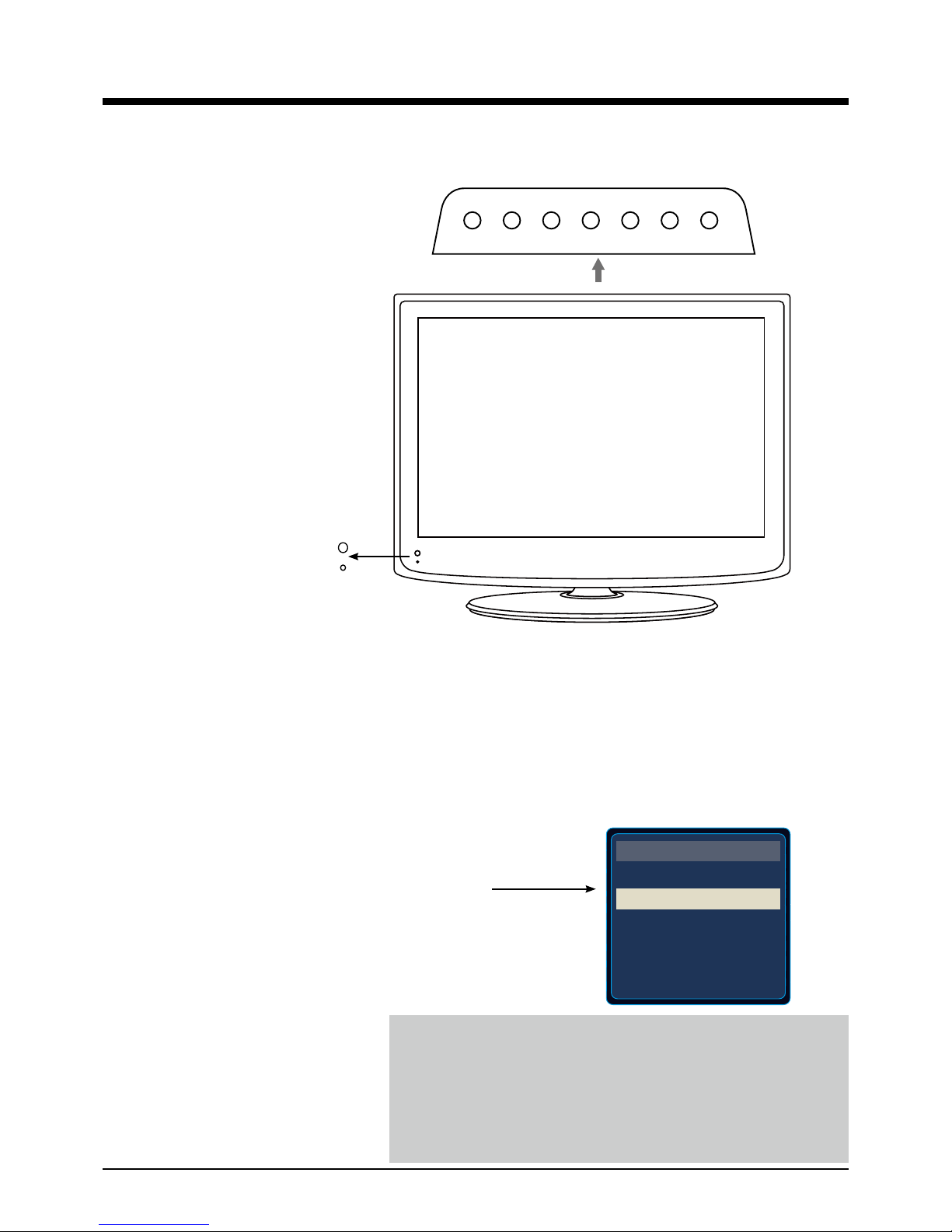
1. (IR) Infrared Receiver: Receives IR signals from the remote control.
(Power on/Standby)LED Indicator: Press POWER to turn on and off.
Indicator on(Red) Standby mode
Indicator on(Green) Power on mode
2. The functions of the buttons:
SOURCE: Press to display the input source menu.
MENU: Press to display the OSD menu,
press again to exit the menu.
CH+/-: Press to scan through channels.
VOL+/-: Press to adjust the volume.
POWER: Turn on/standby the TV set.
The effective receiving range for the signal is 5-8 metres from the front of the remote
control window, and 300to the left or right side and 200above or below the remote control
window.
Press TV/AV button on the TV set or remote control to
display the input source menu, and use CH+/- button on
the TV set or ∧/∨ button on remote control to select the
input source, press OK button on the remote control to
enter.
Note: Before you select the input source, make sure the
connections are prepared.
TV
AV
S-Video
Component
HDMI
VGA
INPUT SOURCE
MENU CH- CH+ VOL- VOL+ SOURCE POWER
Led Indicator
Remote Control window
(Keep clear)

6
Introduction
2. Rear View
Wall Mounting
The TV is provided with mounting holes for a VESA approved wall mounting bracket(NOT
SUPPLIED). Remove the Two Posi screws holding the base to the base bracket and lift the
base away (do not remove the base mounting bracket). Mount the VESA bracket using
4 x M4 x10 Iso metric threaded screws (not supplied). Do not use screws longer than 10 mm,
damage will occur to the internal parts. Fit the wall bracket securely following the manufacturers
instructions.
1. RF(for USA): Connect antenna or cable 75 Ohm coaxial to receive TV signal.
2. RF(for Europe): Connect antenna or cable 75 Ohm coaxial to receive TV signal.
3. Headphone: Connect to a headphone.
4. VIDEO: Connect it to video output terminal of DVD.
L/R in: Connect them to the audio output terminal of DVD(shared with YPbPr and S-Video)
5. S-VIDEO: Connect it to S-video output terminal of DVD.
6. YPbPr: Connect them to the YPbPr video output terminal of DVD.
7. PC IN: Connect it to the audio output terminal of PC.
8. VGA: For PC display.Connect it to the D-Sub 15 pins analog output connector of the PC.
9. HDMI: Connect it to the HDMI of DVD or other equipment.
10.POWER: Connect to power adaptor.
RF1 R L VIDEO S-VIDEO Pr Pb Y PC-IN VGA HDMI POWER
Headphone out
Audio in
RF2
1 2 3 4 5 6 7 8 9 10

7
Introduction
3. Remote Control
The remote control is using Infra-Red(IR). Point it towards the front of the LCD TV. The remote
control may not work correctly if it is operated out of range or out of angle.
POWER(red button): Turn the TV on/standby.
TV/AV: Press to display the input source menu.
CC: Press to display the closed caption.
MTS: Press to select the audio channels.
FAV: Press to add or remove favorite channel.
EPG: Press to enter the EPG menu directly.
MUTE: Press to mute the sound, press again or press VOL+ to
unmute.
DISPLAY: Display the information of current mode.
Thumbstick(< > ∧∨ ): Allows you to navigate the on-screen
menus and adjust the system settings to your preference.
OK: CONFIRM button.
MENU: Press to display the OSD menu.
EXIT: Press to exit the OSD menu.
VOL+/-: Press to adjust the volume.
CH+/-: Press to scan through channels.
RETURN: Return to the previous channel viewed.
TIMER: Shutdown timer.
Number Buttons: Choose channel directly.
Select channel 5, Press button "5";
Select channel 62, Press button "6", then press button "2" in 2
seconds;
Select channel 151, Press button "1", and press button "5" in 2
seconds, and press button "1" in 2 seconds;
Select channel 5-1, Press button "5", and press button "- / - -"
in 2 seconds, and press button "1" in 2 seconds;
PICTURE: Press repeatedly to cycle through the available
video picture modes.
SOUND: Press to cycle through the different sound settings.
ASPECT: Press to change the screen display mode.
FREEZE: Press to catch the current picture.
OK
+ +
TV/AV
FREEZE

8
Introduction
Installing Batteries
1. Open the battery compartment cover on the back of the remote control.
2. Insert two 1.5V AA size batteries observing the polarity markings inside the battery
compartment. Don’t mix different types or used batteries with new ones.
3. Close the cover.
Batteries shall not be exposed to excessive heat such as sunshine or re.
- The remote control should be operated within 30 feet(7m) and 300 to the left and right of the
IR receive at the front of the LCD TV.
- Used batteries should be disposed properly.
Inhaltsverzeichnis
Andere Avol Fernseher Handbücher


Beliebte Fernseher Handbücher anderer Marken

Philips
Philips Colour Television Bedienungsanleitung

Toshiba
Toshiba 27A10 Bedienungsanleitung

Philips
Philips 42PF9630A/37 Bedienungsanleitung

Hitachi
Hitachi 32FX48B Bedienungsanleitung

DAEWOO ELECTRONICS
DAEWOO ELECTRONICS DTQ-14V1FC Bedienungsanleitung

Changhong Electric
Changhong Electric uhd55b6000is Bedienungsanleitung


