BENZING Express G2 DOC
Quick start Guide
GANTNER Pigeon Systems Gm H • www. enzing.cc
The lights on the top of the BENZING Express G2 DOC indicate the current system
status.
Status Description
LED 1:
red permanent Charging of internal attery in progress
green permanent Charging of internal attery is complete
LED 2:
lue permanent The external power supply is active
lue flashing Supply y the internal attery
lue fast flashing The attery is nearly empty
The attery is designed to supply the fanciers system for approx. 5
hours (if one Antenna Controller and as many Antennas as desired are
connected) resp. 3 hours (if two Antenna Controllers and as many
Antennas as desired are connected).
To charge the attery, perform the following steps:
1.
Plug-in the power supply unit (C) to the BENZING Express G2
DOC (A) and connect the power supply unit to mains.
2.
Switch-on the BENZING Express G2 DOC with the On/Off utton
(The utton remains in On-position).
The light LED 1 on the top of the docking station will light red while
the attery is eing charged. The completely loading time of the
attery will take approx. 12 hours. When the attery is fully loaded the
light LED1 colour will turn to green.
Note: The attery is also loaded in normal operation.
Before the BENZING Express G2 DOC is used the first time
the internal attery has to e completely charged once. This
takes a out 15 hours. Do not interrupt the power supply
(the charging) during this time!
1.
Connect the BENZING Express G2 DOC (A) to the BENZING Antenna Controller (E) with the connection ca le (D).
2.
Connect the Loft Antenna EFA (F) to the BENZING Antenna Controller (E). Any of the four plugs can e used.
3.
a) If there is mains power availa le, plug-in the power supply unit (C) to the BENZING Express G2 DOC (A) and connect the power supply unit to
mains. The system will e supplied y mains power and only in case of a power surge or outage the BENZING Express G2 DOC (A) will take-over
the supply of the system.
) If there is no mains power availa le, the BENZING Express G2 DOC (A) will supply the system.
4.
Plug-in the BENZING Express G2 (B) into the BENZING Express G2 DOC. The DB-9 plug must sit firmly.
5.
Switch-on the BENZING Express G2 DOC (A) with the On/Off utton (H) (The utton remains in ON-Position).
The BENZING Express G2 starts up and the lights on the front of the docking station are switched on and they show the system status (see "Status
information").
Clocking of pigeons with the BENZING Express G2 without any gaps, even in the event of a power surge or outage is guaranteed y the BENZING Express
G2 DOC. The BENZING Express G2 DOC is equipped with an internal attery and additionally with a USB interface for convenient transfer of statistical
data to the PC at home and for device updates.
For transmission of flight data from the BENZING Express G2 to a PC
and for loading data or new software from the PC to the BENZING
Express G2 and for printing with the BENZING Printer Manager (see
ackside) perform the following steps:
1.
Switch-on the BENZING Express G2 DOC.
2.
Plug-in the USB-Connection ca le (G) into the USB-Connection of
the BENZING Express G2 DOC (A).
3.
Plug-in the USB-Connection ca le into a free PC USB port.
4.
Plug-in the BENZING Express G2 (B) into the docking station. The
DB-9 plug must sit firmly.
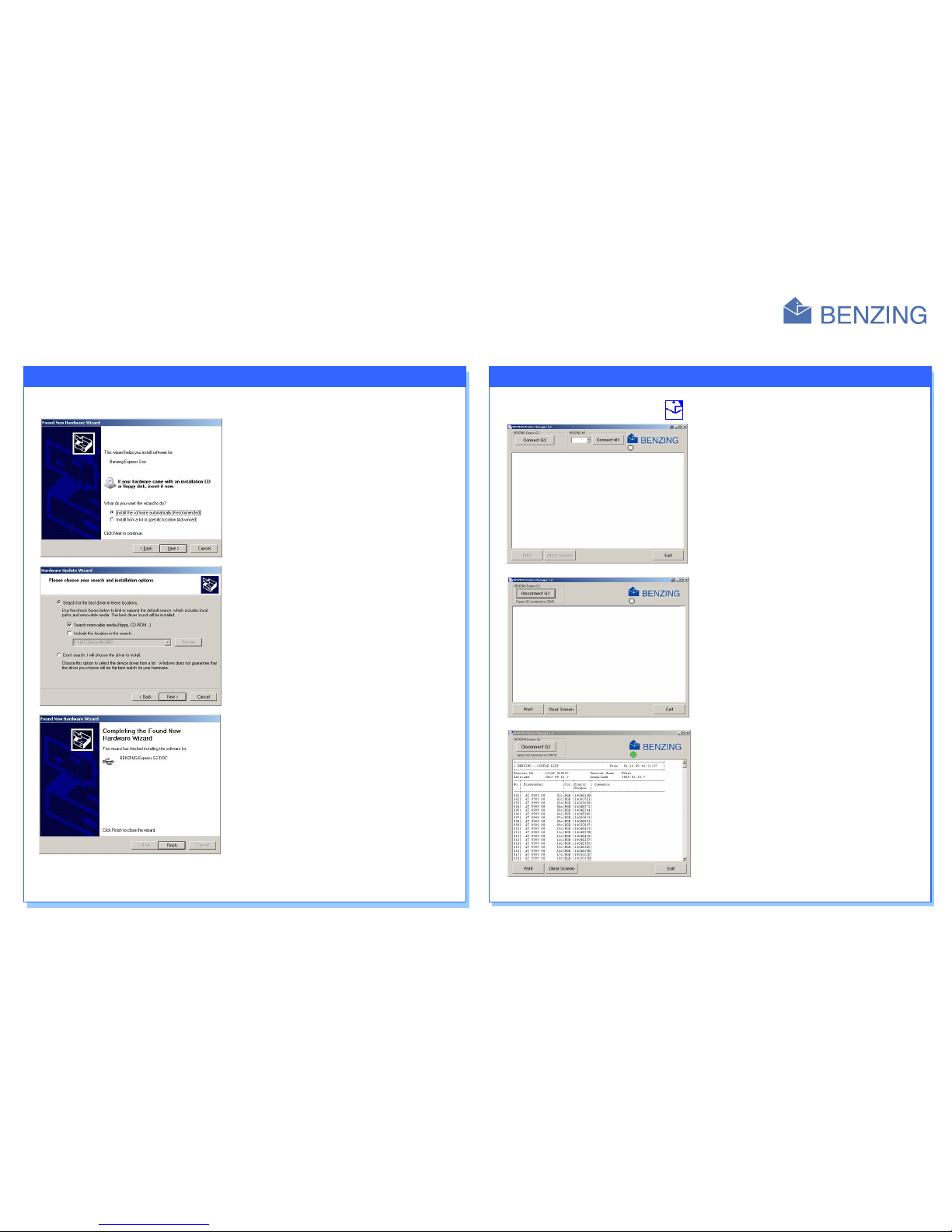
Note: If the BENZING Express G2 DOC is connected the first time to
the PC, the USB-driver must e installed. (See Software
description on ackside).
Note: The BENZING Antenna Controller does not have to e
additionally connected with a power supply, if the Controller
is connected with the BENZING Express G2 DOC.
LED 1: green/red (Battery status)
Not used
LED 2: lue (Power supply)
A BENZING Express G2 DOC
B BENZING Express G2
C Power Supply unit
D Connection ca le 5 m (16 feet)
E BENZING Antenna Controller
F Loft Antenna (EFA) with 3 m (10 feet) ca le
G USB-socket for PC-connection
H On/Off utton (at the ack of the BENZING
Express G2 DOC)