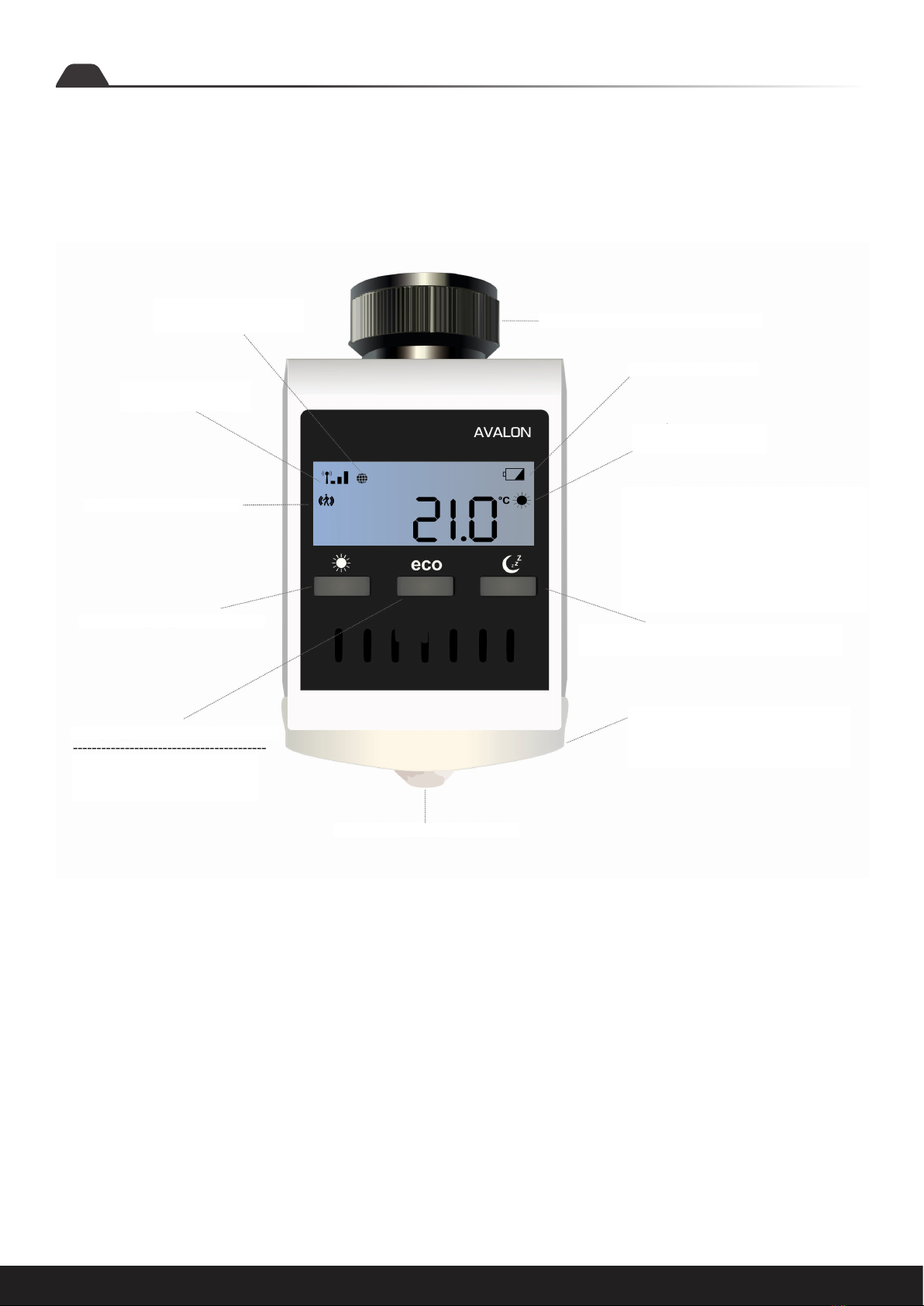
Assembly instructions: Avalon 9
Settings via the thermostat
At wake-up time (e.g. 7:00 a.m.) the boiler starts to heat up. The con-
troller automatically switches to Comfort mode. (The settings on the
thermostat are optional. With the app, all heating programs and set-
tings can be made more easily and conveniently)
Please note: These thermostats only control the individual rooms
(temperature and times).
Please note to which times the boiler is set. (“Night setback” and
“Heat in the morning”). When selecting the heating times in rooms,
you must pay attention to the boiler heating times. You can also use
our Magelan or Magelan Combo boiler controllers.
All heating programs and settings can also be made easily and con-
veniently with the blossomic app.
With this program you control the heating times of your comfort tem-
perature. Factory set to 22°. You can easily set the desired tempera-
ture and program time using the thermostat and app. If the sensor is
activated and no movement is registered within 30 minutes, the sys-
tem lowers the temperature by 2° and switches to eco mode or night
setback mode aer another 30 minutes without any further move-
ment signal, depending on the time of day. If the sensor registers a
movement, the program immediately switches to comfort mode. If
the sensor is deactivated (only possible via the app), the temperature
remains constant until the next switching phase (eco or night-time
reduction). A detailed description can also be found in the app de-
scription
Comfort heating program
In the eco-program you set the desired temperature for longer pe-
riods of absence. Factory set to 12°. The desired Temperature and
program time can be conveniently set using the thermostat and app.
By pressing the eco button on the thermostat, you can switch directly
from Comfort mode to eco mode. To do this, the motion sensor is
deactivated for 10 minutes. If the sensor registers a movement aer
10 minutes, the program switches back to Comfort mode. At When
the sensor is deactivated (only possible via the app), the tempera-
ture remains until the next switching phase (comfort or night-time
reduction) constant. A detailed description can also be found in the
App description.
By the way: If you press and hold the “eco” button for 3 seconds, the
current temperature is displayed for about 3 seconds.
Eco heating program
Explanation of the heating programs
This program lowers the temperature at night to save energy. Factory
set to 16°. You can easily set the desired temperature and program
time using the thermostat and app. When the sensor is activated and
registers a movement, the system switches to Comfort mode. If the
sensor is activated and motion is registered within 30 minutes, the
system reduces the temperature by 2° and switches to night setback
mode aer another 30 minutes without any further motion signal. By
pressing the night setback button on the thermostat, you can switch
directly from Comfort mode to night setback mode. To do this, the
motion sensor is deactivated for 10 minutes. When the sensor is de-
activated (only possible via the app), the temperature remains con-
stant until the next switching phase (eco or Comfort). A detailed de-
scription can also be found in the app description.
Night Setback heating program
By pressing the night setback button on the thermostat twice, you
can set the time from which your heating is to switch to Comfort
mode in the morning. Set the desired time and confirm the setting by
pressing the night setback button again. You can also conveniently
set the desired temperature and program time via the app. A detailed
description can also be found in the app description.
Heating time setting
In the first 2-3 days aer commissioning, the valves are operated by
the Avalon System automatically adjusted and set.
This process is repeated several times as required. Through this pro-
cess, the system adapts to the individual conditions in the premises.
Adjustment phase Avalon System