620 16th Street #300, Denver Colorado 80202 720-961-4056 www.borgdisplays.com
BORG DISPLAYS
FAQ – Features
VGA Port: The VGA D-Sub connector outputs exactly the same display as the internal LCD panel, thus it has two
display devices with one screen layout.
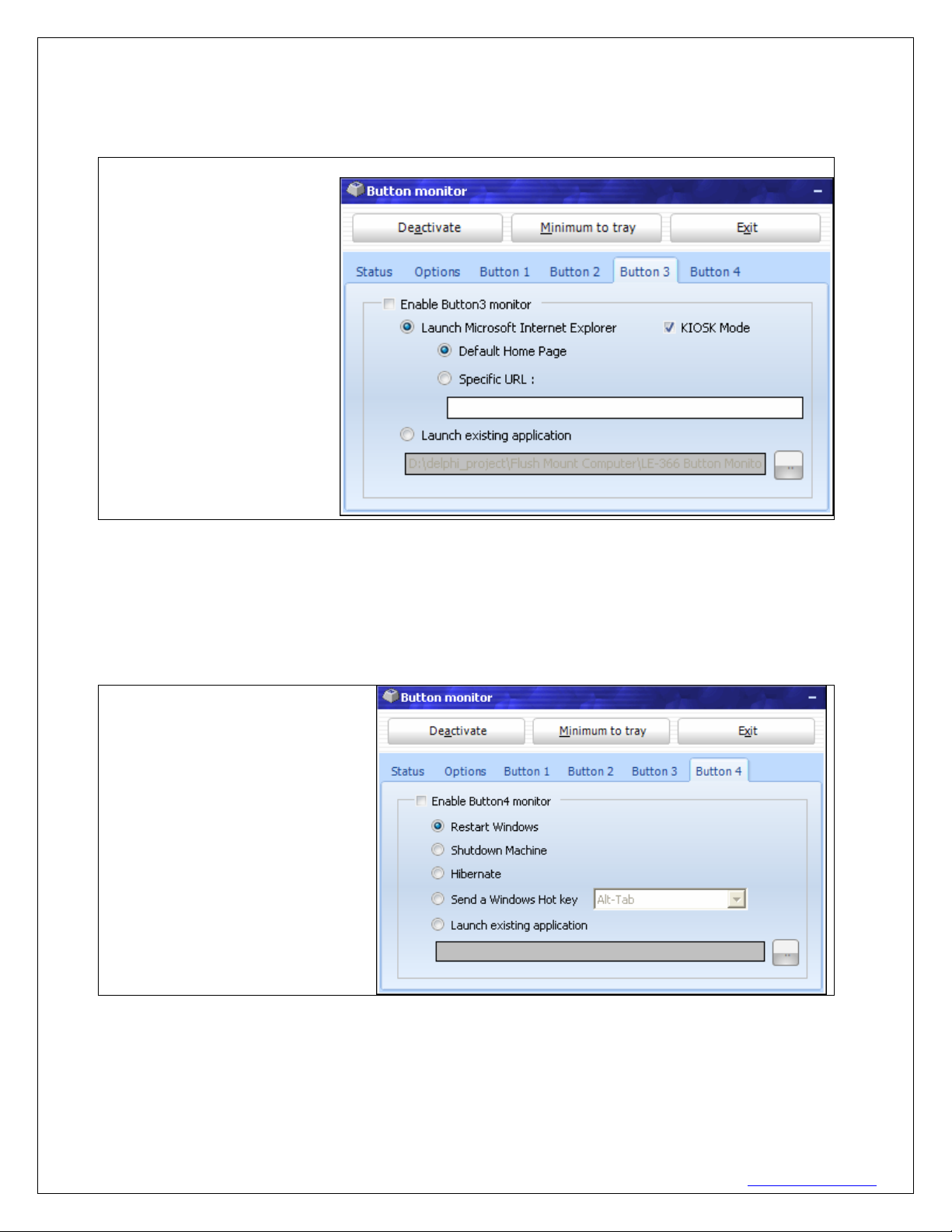
Button Monitor: If it is not present please contact customer support to get the zipped file. Setup procedure:
extract it and copy the extracted file named BtnMonitor_setup.exe to a USB drive, insert this USB to Pro8a and run
this setup file, it will create the directory and copy all necessary files for you automatically. If Button Monitor is
disabled, go to Start menu and open a window for the internet, connect a USB keyboard and type in c:\ on the
address line. A list comes up and I chose “c:\Button Monitor” This brings up a button monitor window and I double
clicked/tapped on btnMonitor.exe That restores the button monitor and places an icon on task bar to begin
configuration (See Installation Guide).
Disable Button Monitor: On the task bar there is a button monitor icon on the right hand side. Tap the button
for a drop-down menu. Select Hide/Restore, then click “deactivate” button and then “exit”
Screen Saver: >Button Monitor > Options – set time delay
Screen Resolution Pro15a > All 15” LCDs have XGA (1024x768) resolution maximum. Be careful to set
monitor properties in XPe to frequency, 1024x768 with 60Hz.
User Mgmt: > Start > Control Panel > User Account
Mirror: (Pro15a only)
Glow Bezel: (Pro8agl only) To test the edge glow function in QC application, first Disable Button Monitor (see
FAQ), then click on “GPIO Information” in main menu and you can see a green and red square as below image,
click on it will enable/disable edge glow feature for different colors. > Start > QC Application > GPIO
Network Drive:Our XPe image does support network drive by using TCP/IP, we have not tried Windows Home
Server in our lab, but believe WHS uses Client for Microsoft Network to access and it can be connected or mapped
as a network drive.
Power Consumption:
Pro8 AMD GEODE LX800 CPU:
1. Running at full power (LCD on, playing video, also playing music with its volume at maximum): 12W.
2. Idling with LCD on: 9.5W.
3. Idling with LCD off: 7.4W
Pro8a Intel ATOM 1.6GHz CPU:
1. Running at full power (LCD on, playing video, also playing music with its volume at maximum): 17.7W.
2. Idling with LCD on: 15.8W.
3. Idling with LCD off: 13W
Pro15a Intel ATOM 1.6GHz CPU:
1. Running at full power (LCD on, playing video, also playing music with its volume at maximum): 25.7W.
2. Idling with LCD on: 23.8W.
3. Idling with LCD off: 13W