KP58D Thermal POS printer User’s manual
1
Contents
1 Introduction ............................................................................................................................................................... 2
1.1 Brief introduction ........................................................................................................................................... 2
1.2 Main features ..................................................................................................................................................2
2 Specification .............................................................................................................................................................. 3
2.1 Specification ...................................................................................................................................................3
2.2 Printing material requirements .......................................................................................................................5
2.2.1 Paper parameters ................................................................................................................................. 5
2.2.2 Paper using attention ........................................................................................................................... 5
2.3 Printing and paper cutting position ................................................................................................................ 5
2.3.1 Printing position .................................................................................................................................. 5
2.3.2 Paper cutting position ..........................................................................................................................6
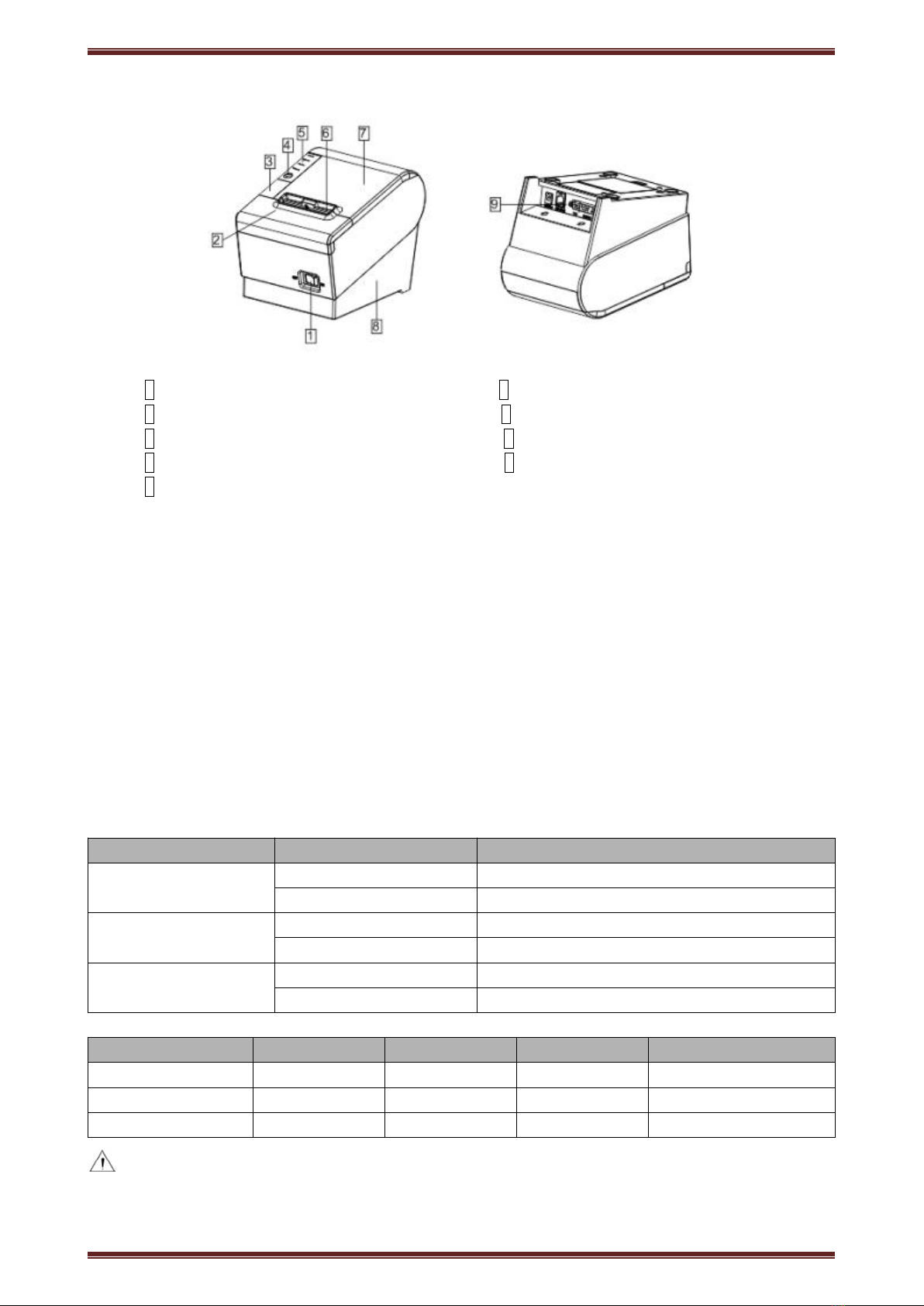
3 Appearance and components .....................................................................................................................................7
3.1 Appearance and components ..........................................................................................................................7
3.2 Indicator and buzzer instruction .....................................................................................................................8
4 Printer installation ..................................................................................................................................................... 9
4.1 Open the package ........................................................................................................................................... 9
4.2 Requirements of installation position ............................................................................................................ 9
4.3 Connect to power adapter ...............................................................................................................................9
4.4 Connect Communication cables .....................................................................................................................9
4.5 Connect to cash drawer .................................................................................................................................. 9
4.6 Paper roll loading ........................................................................................................................................... 9
4.6.1 Printing paper type confirmation ........................................................................................................ 9
4.6.2 Loading or change paper roll ............................................................................................................ 10
4.7 Printing self-test page ...................................................................................................................................11
4.8 Set Ethernet port IP Address. ....................................................................................................................... 11
5 Interface pin definitions .......................................................................................................................................... 13
5.1 Parallel interface pin definition(DB25M)...............................................................................................13
5.2 USB interface pin definition(standard B type female base) ..................................................................... 13
5.3 Power interface pin definition(MPC-3-001B)........................................................................................14
5.4 Cash drawer interface pin definition(RJ11-6P6C)................................................................................. 14
5.5 Serial port pin definition(DB9F)............................................................................................................ 15
5.6 Ethernet interface pin definition(RJ45).................................................................................................. 15
6 Faults handling ........................................................................................................................................................ 16
6.1 Printer does not work ................................................................................................................................... 16
6.2 Indicator error and buzzer warning ..............................................................................................................16
6.3 Problems when it is printing ........................................................................................................................ 16
6.4 Problems when cutting paper ....................................................................................................................... 17
6.5 Paper jam and cutter retraction troubles removal ........................................................................................ 17