
Clarus TOP-131KTV Bedienungsanleitung

1
User Manual
13.3“ Kitchen TV

2
CONTENTS
1. Safety instructions ............................................................................... 3
2. Accessories ......................................................................................... 5
3. Controls and connections .................................................................... 5
3.1 Front view/side view ..................................................................... 5
3.2 Rear View .................................................................................... 6
3.3 Remote Control ............................................................................ 7
4. Operating Your Television...................... .......................................... 12
5. Troubleshooting............................................................................... . 20

3
1. Safety instructions
Welcome
Congratulations! You now own one of the most state of the art and technologically advanced
high definition Television products available. In order to make set-up as easy as possible, we
would like to familiarize you with the features and functions of this special product. Please
read this user‟s manual carefully and thoroughly and keep in a safe place for future reference.
We thank you for your business and hope you enjoy this product.
Caution
This symbol is intended to alert the
user to the presence of uninsurable
“dangerous Voltage” within the
Product‟s enclosure that may be of
sufficient magnitude to constitute a risk of electric
shock to persons.
This symbol is intended to alert the
user to the presence of important
operating and maintenance
(servicing) instructions in the
literature accompanying the appliance.
CAUTION: TO REDUCE THE RISK OF ELECTRIC
SHOCK, DO NOT REMOVE COVER (OR
BACK), NO USER-SERVICEABLE PARTS
INSIDE.REFER SERVICING TO
QUALIFIED SERVICE PERSONNEL
CAUTION
-TO PREVENT DAIMAGE WHICH MAY
RESULT IN FIRE OR SHOCK HAZARD
-DO NOT EXPOSE THIS APPLIANCE TO RAIN
OR MOISTURE.
-SHOCK HAZARD DO NOT OPEN
CAUTION
These servicing instructions are use by qualified
service personnel only. To reduce the risk of
electric shock, do not perform any servicing
other than that contained in the operating
instruction unless you are qualified to do so.
CAUTION
The stand intended for use only with this TV.
Use with other apparatus is capable of resulting
in instability causing possible injury.
WARNING
-Apparatus shall not be exposed to dripping or splashing and no objects filled with liquids, such as vases,
shall be placed on the apparatus.
-This is Class B product. In a domestic environment this product may cause radio interference in which
case the user may be required to take adequate measures.
To reduce the risk of fire and electric shock, do not expose this product to rain moisture.
WARNING
-Apparatus shall not be exposed to dripping or splashing and no objects filled with liquids, such as vases,
shall be placed on the apparatus.
-This is Class B product. In a domestic environment this product may cause radio interference in which
case the user may be required to take adequate measures.
To reduce the risk of fire and electric shock, do not expose this product to rain moisture.
RISK OF ELECTRIC SHOCK
DO NOT OPEN

4
Always be careful when using your television. To reduce the risk of fire, electrical
shocks, and other injuries, keep these safety precautions in mind when installing,
using, and maintaining your Television.
Read these instructions and keep them in a safe place.
Heed all warnings.
Follow all instructions.
Install it in accordance with the manufacturer‟s instructions.
Protect the power cord from being walked on or pinched particularly at plugs,
convenience receptacles, and the point where they exit from the Television.
Only use the attachments/accessories specified by the manufacturer.
Unplug this Television during lightning storms or when unused for long periods of
time.
Refer all servicing to qualified service personnel. Servicing is required when the
Television has been damaged in any way, such as power supply cord or plug is
damaged, does not operate normally, or has been dropped.
Clean only with a lint free cloth.
Important Safety Precautions
5
2. Accessories
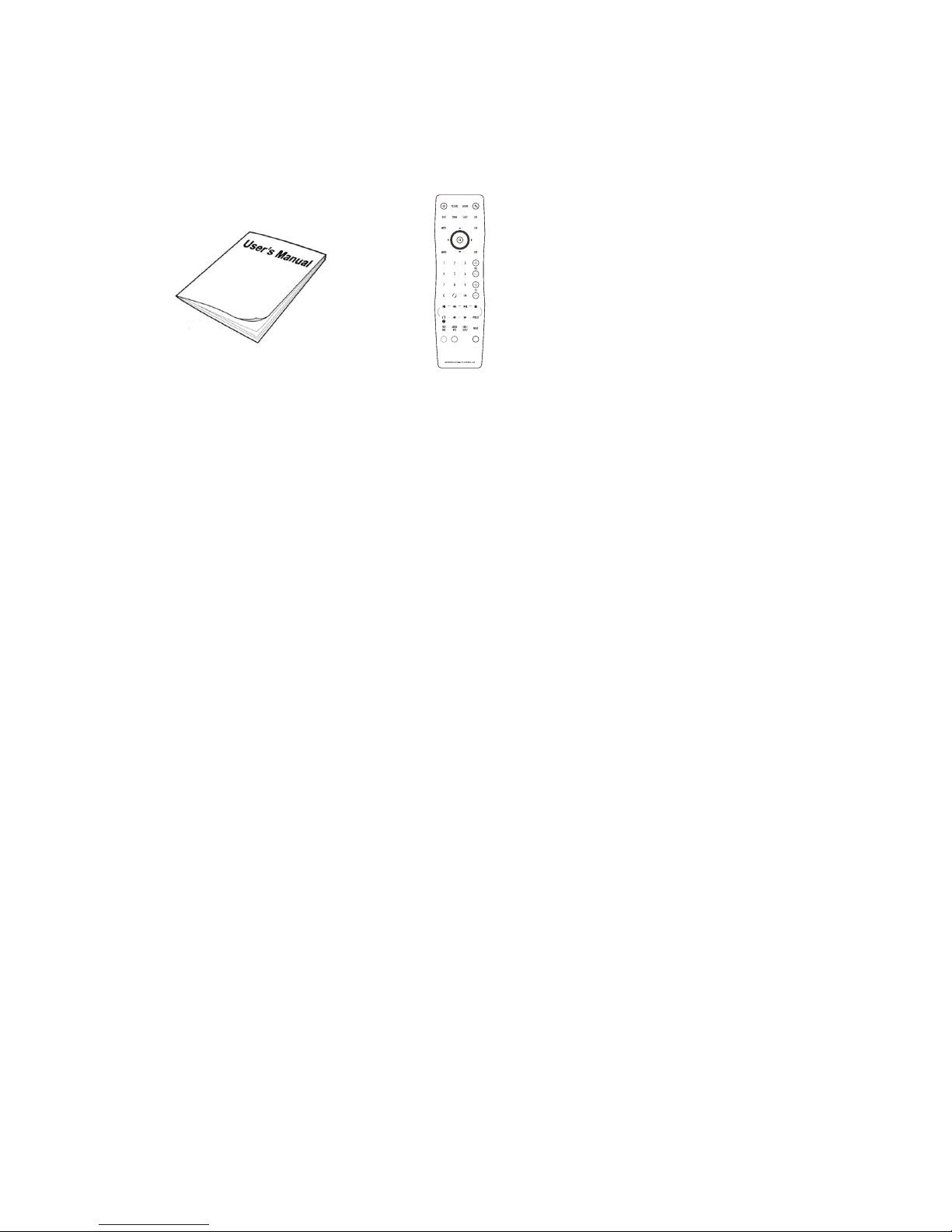
User Manual Remote Control Power adapter
3. Controls and connections
3.1 Front view/side view
6
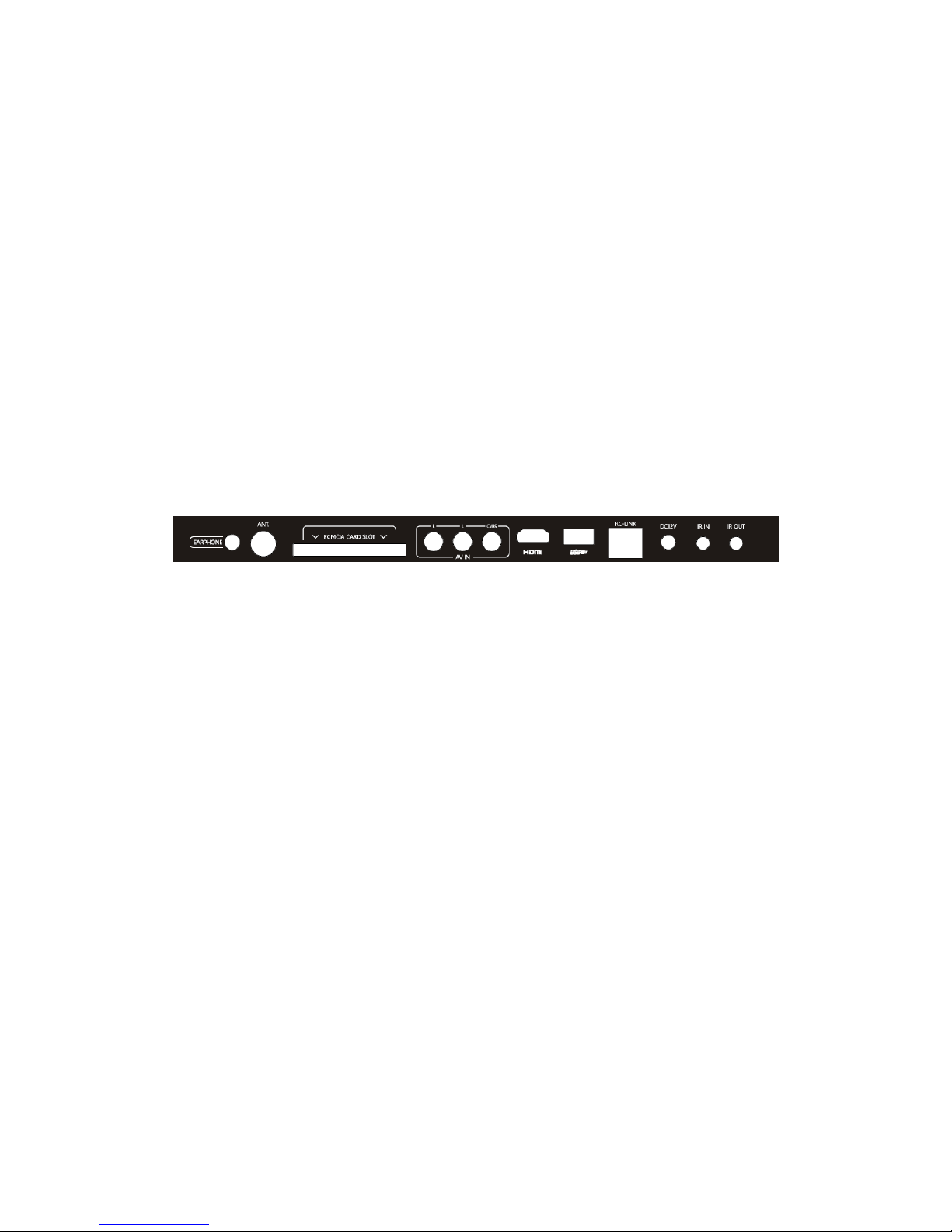
3.2 Rear View
1. HDMI Input Jack
HDMI Cable input.
2. Power adapter DC12V
3. RC-LINK
Connect to the Home automation.
4. IR IN
5. AV Input Jacks
Connection for AV signal input in
composite mode.
6. CI Card Slot
Use to insert the CI card.
7. IR OUT
Connecting for headphone.
8. Antenna Input Jack
Connect to external antenna to receive
the ATV/DTV program in ATV/DTV
mode.
9. Headphone Jack
Input connection for headphones.
10. USB Host
Input connection for USB Device.
7
3.3 Remote Control
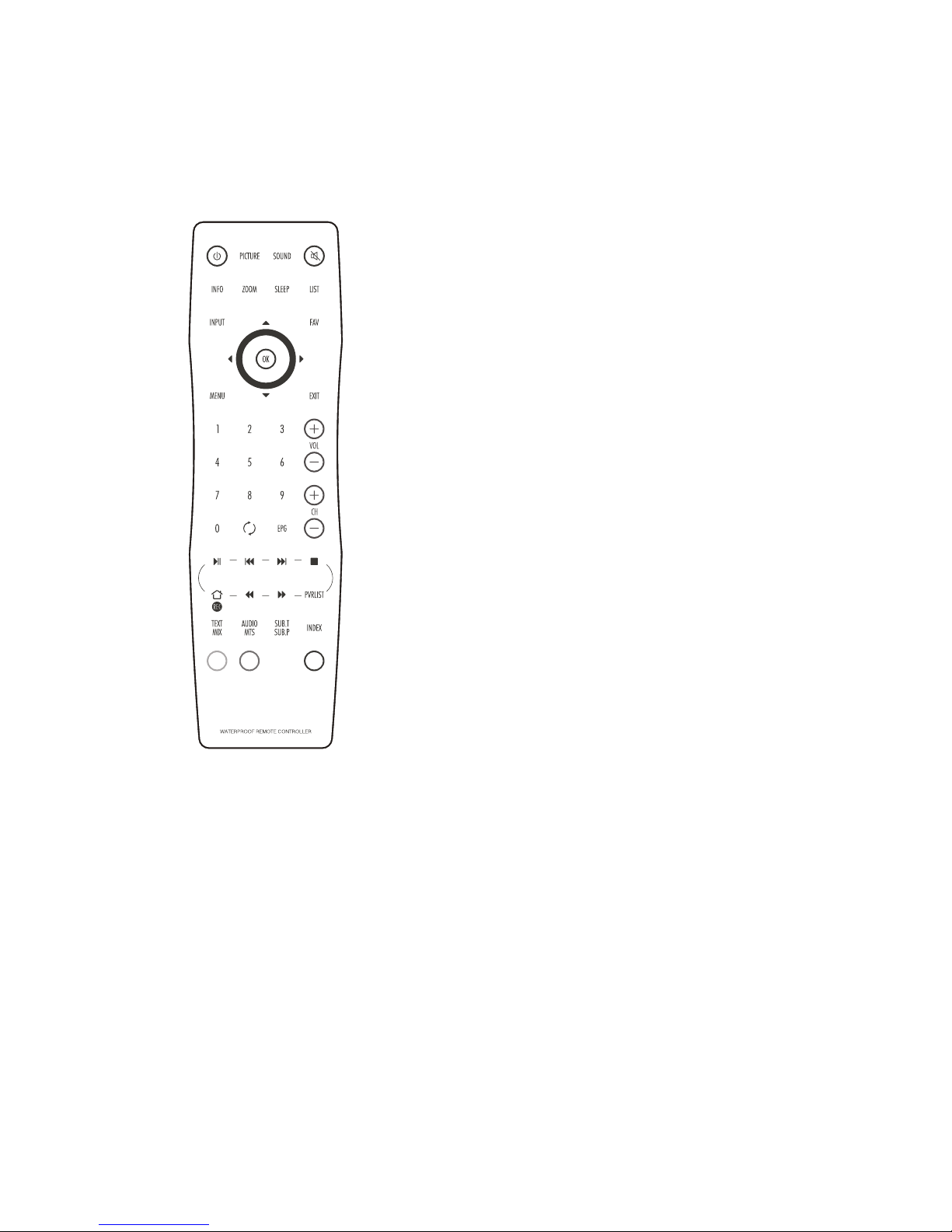
POWER button – Turns the TV on and off.
INPUT button – Displays the Input Source menu
and allows source selection: DTV, ATV, HDMI, etc.
SLEEP button – Displays/sets the sleep timer.
MUTE button – Turns the sound on and off.
ZOOM button – Switches between picture formats:
Auto, 16:9, 4:3, Zoom1, Zoom2
INFO button – Displays information of the current channel.
SOUND button – Switches between different sound modes:
Standard, Movie, Music, Speech, User
PICTURE button – Switches between different picture
modes: Standard, Optimal, Vivid, Soft, User
MENU button – Displays or closes the menus
EXIT button – Closes all on-screen menus and lists
LIST button – Displays or closes the channel list.
FAV button – Displays or closes the favourite
programme list.
Up button – Menu and EPG navigation
Down button – Menu and EPG navigation
Left button – Menu and EPG navigation
8
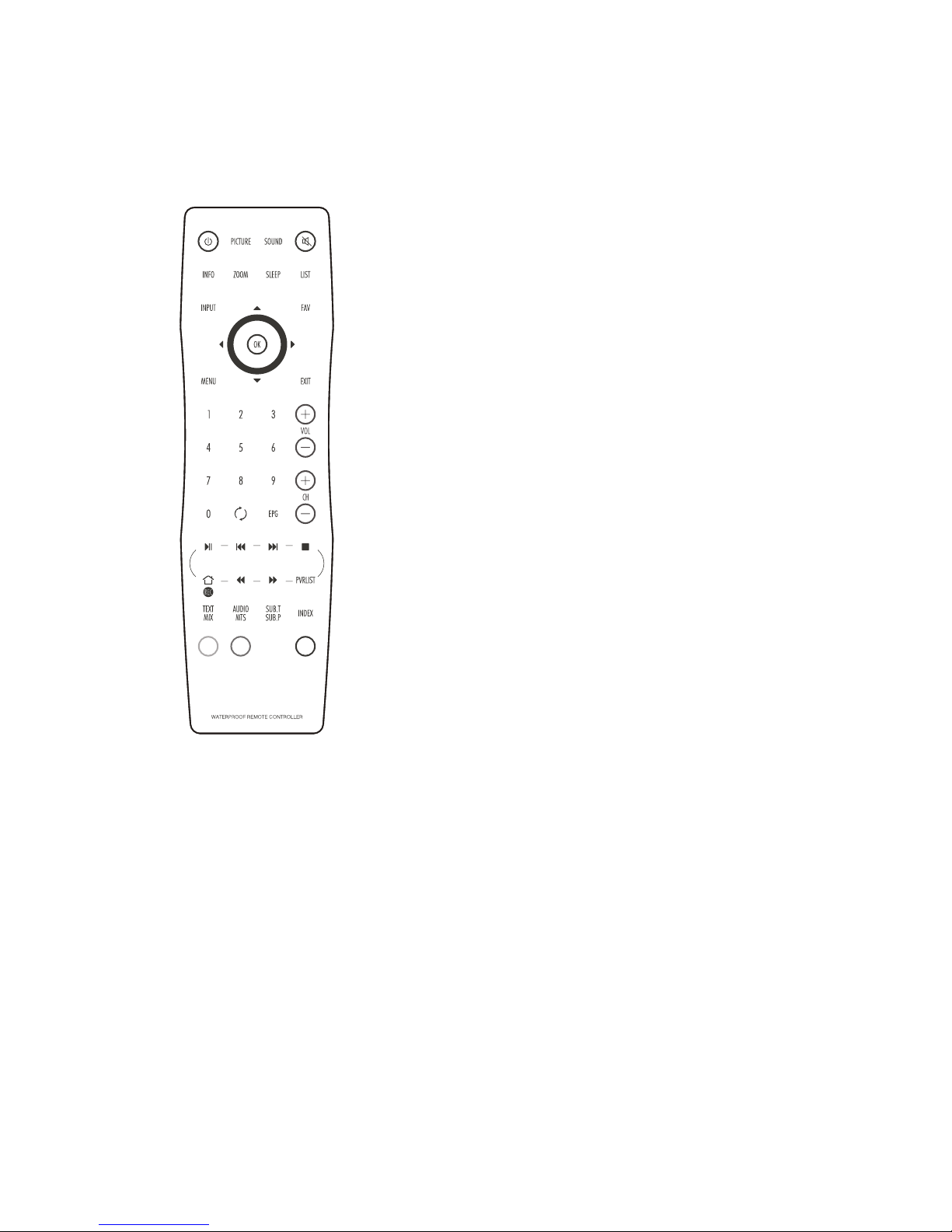
Right button – Menu and EPG navigation
OK button – Accepts menu selections or displays the
programme list.
EPG button – Displays the Electronic Programme
Guide
NUMBER buttons –
Input programme numbers
Back button –
switches between last and current
programmes
USB PLAY buttons – Control the medias in the USB
programme list.
VOL (Volume up/down) buttons –
Adjust the volume
CH (Programme up/down) buttons –
Selects next or
previous programme

9
Preparation of remote control
Before the waterproof remote control can be used the insulating plastic film must be
removed from beneath the battery.
Place the remote control face down on a horizontal flat surface and use the opener to
release the battery compartment cover by rotating it in an anti-clockwise direction. Set the
battery cover and opener to one side.
Rest one finger lightly on the battery and pull the printed tag to ease the insulating film from
underneath the battery. Try to avoid touching the black O-ring as it is coated in light grease.
Replace the battery cover and lock it back in place using the opener.
12
Operating Your Television
Basic Operations
Turning Your TV On and Off
TURN ON TV
1. Connect to power with the main power cable. The TV will enter STANDBY mode and the
LED indicator light will be red.
2. From the STANDBY mode, use the POWER button either on the main unit or on the
remote, to turn the television on.
TURN OFF TV
From ON mode, use the POWER button either on the main unit or on the remote control to
turn the television to STANDBY mode.
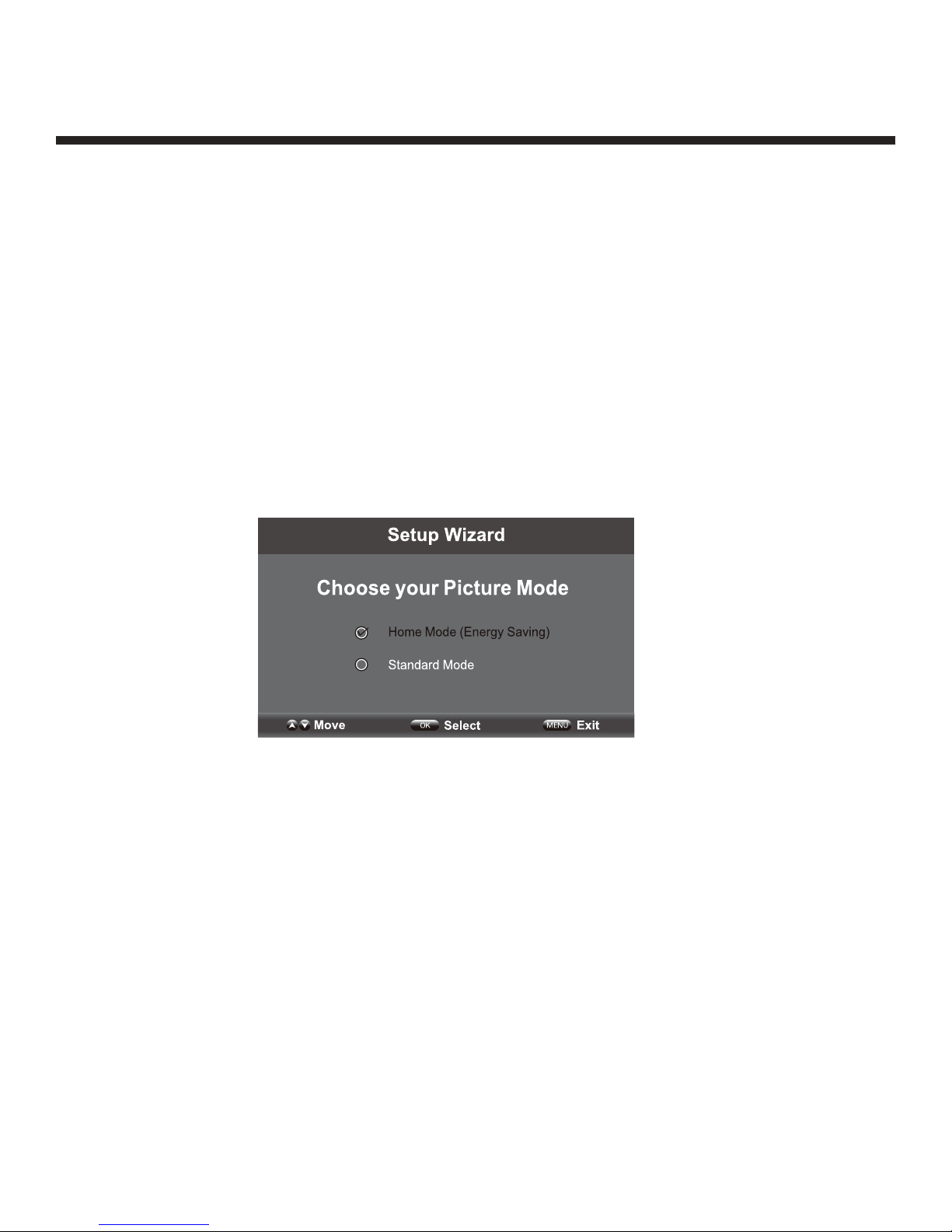
Picture Mode Setup Wizard
If using your TV for the first time, select the desired picture mode as shown below.
Home Mode (Energy Saving): The energy saving mode will show a darker picture as it
requires less energy power consumption, as required by the ENERGY STAR®qualification.
Standard Mode: Shows the picture more brightly as it requires more energy to operate
volume, sound mode, picture mode and change source.
The power consumption may exceed the requirements of the ENERGY STAR®qualification.
ENERGY STAR® is a set of power saving guidelines issued by the U.S. Environmental
Protection Agency (EPA).
ENERGY STAR® is a joint program of the U.S. Environmental Protection Agency and the U.S.
Department of Energy helping us all save money and protect the environment through
energy efficient products and practices.
The ON-MODE power under Home Mode should be less than 27W.
The SLEEP-MODE Power should be less than 0.5W.
Inhaltsverzeichnis
Beliebte Fernseher Handbücher anderer Marken

Philips
Philips Colour Television Bedienungsanleitung

Toshiba
Toshiba 27A10 Bedienungsanleitung

Philips
Philips 42PF9630A/37 Bedienungsanleitung

Hitachi
Hitachi 32FX48B Bedienungsanleitung

DAEWOO ELECTRONICS
DAEWOO ELECTRONICS DTQ-14V1FC Bedienungsanleitung

Changhong Electric
Changhong Electric uhd55b6000is Bedienungsanleitung


