
CMX CRC 7262 Bedienungsanleitung

USER MANUAL
CRC 7262
STEREORADIO

Safety Information’s
Version 1 cmx® CRC 7262 Side 2 from 18
Dear customer!
First of all thank you very much, that you have decided for the
cmx® CRC 7262!
Please read all information’s carefully before you start running the
cmx® CRC 7262.
Our company reserves the right to improve the product. That
changes to specifications and design, also without notice.
If you have problems, please visit our website at
www.cmx-electronics.com
and select your device.
Under the point "Support" you find the most frequently asked
questions about your device - if not, please use the contact form.
If you provide variations of your product, please visit our website.

Safety Information’s
Version 1 cmx® CRC 7262 Side 3 from 18
Index of contents
1. SAFETY INFORMATION’S ............................................................................. 4
2. LOCATION OF CONTROLS ............................................................................ 5
3. INCLUDED IN DELIVERY ............................................................................... 6
4. CONNECTORS.............................................................................................. 7
4.1. POWER SUPPLY ................................................................................................. 7
4.2. BATTERY OPERATION .......................................................................................... 7
4.3. HEADPHONE ..................................................................................................... 7
4.4. USB INPUT....................................................................................................... 8
4.5. AUX INPUT ...................................................................................................... 9
5. CD-PLAYER ................................................................................................ 10
5.1. INSERT AND REMOVAL OF DISCS .......................................................................... 10
5.2. CD AND MP3-CD OPERATION ........................................................................... 10
5.3. SKIP+10 &FOLDERS ON MP3-CD .................................................................... 11
5.4. CD REPEAT ..................................................................................................... 12
5.5. SUPER BASS FUNCTION..................................................................................... 12
5.6. PROGRAMMING .............................................................................................. 12
6. RADIO....................................................................................................... 14
7. CASSETTE TAPE ......................................................................................... 15
7.1. CASSETTE TAPE PLAYBACK.................................................................................. 15
7.2. CASSETTE TAPE RECORDING ............................................................................... 15
7.2.1. Recording from radio to tape.............................................................. 16
7.2.2. Recording from CD/MP3-CD/ USB....................................................... 16
7.2.3. Preservation of recordings .................................................................. 16
8. SPECIFICATIONS ........................................................................................ 17
Safety Information’s
Version 1 cmx® CRC 7262 Side 4 from 18
1. Safety Information’s
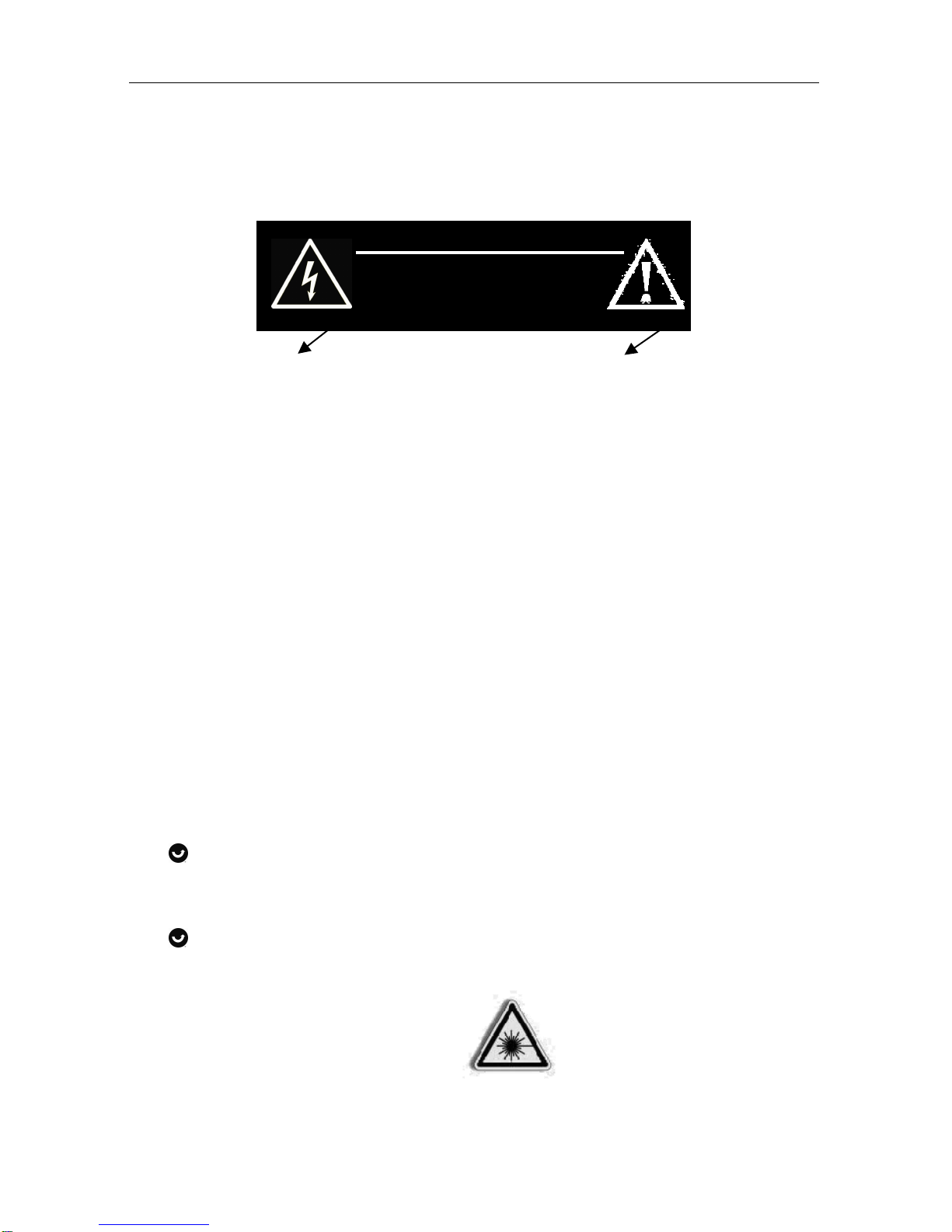
The lightning flash is a warning The exclamation point is a
sign alerting you of „dangerous warning sign alerting you of
voltage“ inside the product. important instructions
accompanying the product.
WARNING
To reduce the risk of electric shock, do not remove cover (or back).
No user-serviceable parts inside. Refer servicing to qualified service
personnel.
To reduce the risk of fire or electric shock, do not expose this
appliance to dripping or splashing liquids.
NOTE
Caution symbols are printed on lower side of unit. Please refer to
instruction manual.
CAUTION
Grounding or polarization. The precautions should be taken
so that the wider blade of the AC plug must match the slot in
receptacle “wall socket”.
Invisible laser radiation when open and interlocks defeated.
Avoid exposure to beam.
CLASS 1 LASER PRODUCT
CAUTION
RISK OF ELECTRIC SHOCK
DO NOT OPEN

Location of controls
Version 1 cmx® CRC 7262 Side 5 from 18
2. Location of controls
1. CD “STOP/CD/USB”
2. CD “REPEAT/PROG.”
3. CD “SKIP+10/FOLDER”
4. Cassette deck
5. CASSETTE “PAUSE”
6. CASSETTE
“STOP/EJECT”
7. CASSETTE “FAST
FORWARD”
8. CASETTE “REWIND”
9. CASSETTE “PLAY”
10. CASSETTE “RECORD”
11. Speaker (main)
12. Speaker (top)
13. Handle
14. CD “PLAY/PAUSE”
15. CD deck
16. CD “NEXT”
17. CD “BACK”
18. Display
19. USB
20. AUX
2
3
19 13
14
1516
17
18
20
12
5 - 10 11
1
4

Included in delivery
Version 1 cmx® CRC 7262 Side 6 from 18
3. Included in delivery
User’s manual
Warranty card
Connectors
Version 1 cmx® CRC 7262 Side 7 from 18
4. Connectors
4.1. Power supply
This set works on normal household AC-power.
Make sure the set voltage of unit matches your local voltage.
Insert the plug oft he AC-cord into a wall outlet with AC-
power.
How to tell if the unit is “on”
When the unit is “on” the entire digital display will be lit up
with a “blue” backlight. This indicates the set is switched
“on”.
4.2. Battery operation
Open the battery door and insert 6 pieces “C-cell” (UM-
2/LR14 type) batteries. Please observe correct battery
polarities or the set will not work.
IMPORTANT
When the set is not used or is only used with „AC“, please remove
the batteries, to avoid damage to the set from leakage of batteries.
4.3. Headphone
To connect the headphones or earphones insert the cable
into socket on the rear of main unit.
When the plug of a headphone is inserted into this jack, the
built-in speakers will automatically be disabled. When the
headphone is disconnected, the speakers will be re-
activated.

Connectors
Version 1 cmx® CRC 7262 Side 8 from 18
4.4. USB input
This unit is equipped with a USB socket which can accept and play
MP3 files stored on standard USB flash drives (also known as “pen
drives”).
Which are for memory storage (compatible with USB Version 1.1 &
2.0).
To utilize this function, slide the function switch to
“CD/MP3/USB” position and insert a USB flash driver into
the USB socket.
Press & hold CD “STOP/CD/USB” key until the display
shows “USB”.
The display will show the “USB” symbol & check if any MP3
songs files are stored on the USB flash-drive.
If MP3 files are found, the set will start playback of the first
MP3 song file.
Playback controls are also exactly same as with a MP3-CD
disc.
To switch back to “CD” mode, simply press & hold the CD
“STOP/CD/USB” key until it shows “CD”.
IMPORTANT POINT
Please do not use a USB extension cable to connect your USB
flash drive to the USB port of this unit.
Such cables can pick up additional interference which can corrupt
the data flow, preventing normal operation and usage of the USB
port. Always connect your USB flash drive DIRECTLY to the USB
port without any USB extension cables.

Connectors
Version 1 cmx® CRC 7262 Side 9 from 18
4.5. AUX input
You can connect the audio output of an external device such as a
MP3 player to this unit, to listen to the sound of that device through
the high quality amplifier of this music system.
To connect the external devices please use a standard stereo
headphone (3,5 mm to 3,5 mm plugs) cable to connect the
“headphone-out or audio line-out” of the device to the AUX-input
socket of this unit.
With the “FUNCTION” key switch to “Radio (AUX)”.
Switch on the power of the external device (eg. MP3 player).
Start playback of the external device and adjust the volume
control of the main unit to the desired level.
Remember to switch off the unit when you are finished using
the external device.

CD-Player
Version 1 cmx® CRC 7262 Side 10 from 18
5. CD-Player
5.1. Insert and removal of discs
When opening the CD-door, always ensure the discs is not
in motion (not spinning) when you open the CD-door.
Always press the “STOP” key to stop the disc spinning first.
Place a CD into the compartment with the label-side (printed
side of disc) facing upwards. Press down in the center part
of disc until the disc “locks” onto the center spindle.
When the CD has been placed onto the center spindle,
gently lower the CD-door downwards until it locks shut.
The CD is now ready to be played.
To remove a disc, follow the same procedure as described
above, except to remove the CD instead of inserting it into
the compartment, by placing one finger at the middle of disc
(center spindle) and the other at the edge of the disc and
gentle pulling upwards.
5.2. CD and MP3-CD operation
Insert a CD as described. Set the function switch to
“CD/MP3”.
Once the CD door is closed (with a disc inside) the set will
immediately read the disc and the display shows the number
from the song (tracks).
The disc will automatically start spinning and the first song
(track) will start playing. The display will indicate the current
track number (“001” if it is the first track).
At anytime during playback, press CD “PLAY/PAUSE” to
stop the operation of the unit. Press “PLAY/PAUSE” to
resume the operation at the same track and position.
Inhaltsverzeichnis
Andere CMX Radio Handbücher


