Code Blue IPVT01 Handbuch


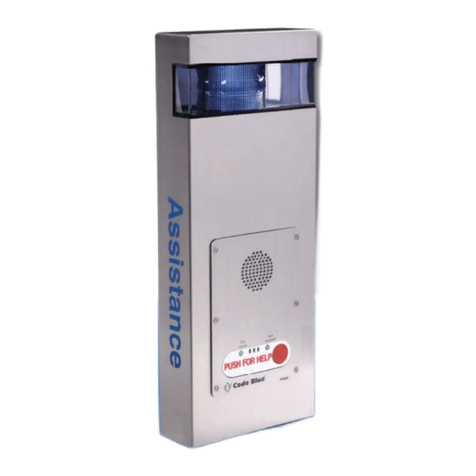
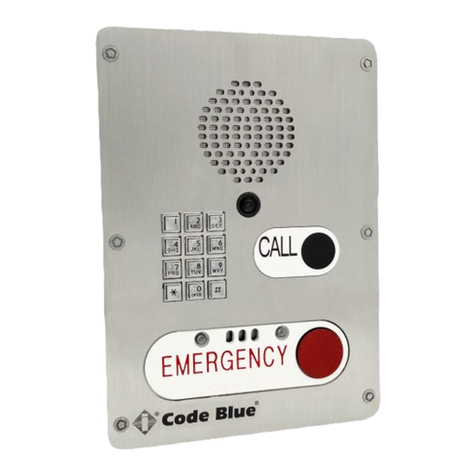
LS1000 VoIP Speakerphone
Administrator Guide
WARNING
ONLY QUALIFIED PERSONNEL SHOULD INSTALL THESE UNITS. THE INSTALLATION
SHOULD CONFORM TO ALL LOCAL CODES. IN SOME COUNTRIES, A CERTIFIED
ELECTRICIAN MAY BE REQUIRED.
NOTICE TO USERS
Copyright © Code Blue Corporation. All rights reserved. This guide or software
described herein, in whole or part, shall not be reproduced, translated or reduced to any
machine-readable form without prior written approval from Code Blue Corporation.
CODE BLUE CORPORATION PROVIDES NO WARRANTY WITH REGARD TO THIS
GUIDE, THE SOFTWARE OR OTHER INFORMATION CONTAINED HEREIN AND HEREBY
EXPRESSLY DISCLAIMS ANY IMPLIED WARRANTIES OF MERCHANTABILITY OR
FITNESS FOR ANY PARTICULAR PURPOSE WITH REGARD TO THIS GUIDE, THE
SOFTWARE OR SUCH OTHER INFORMATION. IN NO EVENT SHALL CODE BLUE
CORPORATION BE LIABLE FOR ANY INCIDENTAL, CONSEQUENTIAL, OR SPECIAL
DAMAGES, WHETHER BASED ON TORT, CONTRACT, OR OTHERWISE, ARISING OUT
OF OR IN CONNECTIONS WITH THIS GUIDE, THE SOFTWARE OR OTHER
INFORMATION CONTAINED HEREIN OR THE USE THEREOF.
Code Blue Corporation reserves the right to make any modifications to this guide or the
information contained herein at any time without notice. The software described herein
may also be governed by the terms of a separate user license agreement.
Code Blue® is a registered trademark of Code Blue Corporation. The names of actual
companies and products mentioned herein may be the trademarks of their respective
owners.
page 2 of 54 GU-164-B
Code Blue • 259 Hedcor Street • Holland, MI 49423 USA • 800.205.7186 • www.codeblue.com

LS1000 VoIP Speakerphone
Administrator Guide
Table of Contents
Section
Section Title
Page #
2
Introduction
5
LS1000 Model Photos
5
3
Safety Information
6
4
Getting Started
7
5
Power Requirements
8
6
Installation Instructions
12
Tools Needed
12
Basic Flush Mount Installation
12
Basic Surface Mount Installation
12
7
How to Update Connectors
13
8
Wiring Diagrams
15
9
Schematics
16
Flush Mount Schematics
16
Surface Mount Schematics
17
10
Setting Up Your LS1000
18
Determine IP Address
18
Default Login Information
19
Network - General Settings
19
Add Accounts
21
SIP Server Setting
22
Advanced SIP Settings
22
Manage Accounts
22
System Status
23
Audio
24
Multicast Audio
25
General Video
26
General Events
27
page 3 of 54 GU-164-B
Code Blue • 259 Hedcor Street • Holland, MI 49423 USA • 800.205.7186 • www.codeblue.com

LS1000 VoIP Speakerphone
Administrator Guide
Table of Contents
Section
Section Title
Page #
Action Scripts
28
Place Call Action
29
Control AUX Output
31
Recordings
34
Administration
35
Date & Time
36
Diagnostics
37
Firmware
38
Hardware Settings
39
11
In-Call Commands
40
12
Compatibility
41
13
Configuring for Cisco Unified Call Manager
42
14
Troubleshooting
46
15
Remote Beacon/Strobe Installation & Operation
47
16
Maintenance Schedule
50
17
Warranty
52
18
Download Information
53
19
Legal & Regulatory Information
54
page 4 of 54 GU-164-B
Code Blue • 259 Hedcor Street • Holland, MI 49423 USA • 800.205.7186 • www.codeblue.com

Some states require all parties to be aware that they are being recorded. Code Blue
phones offer the ability to play a message stating that the caller is being recorded and
giving the caller the option to continue or end the recorded call.
Thank you for choosing the Code Blue LS1000 full duplex VoIP speakerphone for indoor and
outdoor applications.
This speakerphone is part of our Emergency Signaling group of products built to meet the
latest regulations, withstand the harshest elements and be proactive solutions for when you
need them most. This guide provides basic and advanced configuration information for
obtaining the best performance with the LS1000 phones.
Single
Button
Single Button w/
Camera
Double
Button
Double Button w/
Camera
Double Button w/
Keypad
Double Button W/ Keypad
and Camera
Call Privacy Laws
LS1000 VoIP Speakerphone
Administrator Guide
page 5 of 54 GU-164-B
Code Blue • 259 Hedcor Street • Holland, MI 49423 USA • 800.205.7186 • www.codeblue.com
2 Introduction

LS1000 VoIP Speakerphone
Administrator Guide
page 6 of 54 GU-164-B
Code Blue • 259 Hedcor Street • Holland, MI 49423 USA • 800.205.7186 • www.codeblue.com
Indicates a hazardous situation which, if not avoided, will result in
death or serious injury.
Indicates a hazardous situation which, if not avoided, could result in
death or serious injury.
CAUTION
Indicates a hazardous situation which, if not avoided, could result in
minor or moderate injury.
NOTICE
Indicates a situation which, if not avoided, could result in damage to
property.
IMPORTANT
Indicates significant information that is essential for proper product
functionality.
NOTE
Indicates useful information that helps get the most out of a
product.
3 Safety Information
HAZARD LEVELS LEGEND
WARNING
DANGER
Safety Instructions
Code Blue products shall be installed by trained professionals. The installation should
conform to all local codes. In some countries, a certified electrician may be required.
When transporting a Code Blue product, use the original packaging or equivalent to
prevent damage to the product.
Code Blue products shall be used in compliance with local laws and regulations.
Store the Code Blue product in a dry and ventilated environment.
Do not install the product on unstable brackets, surfaces or walls.
Use only applicable tools when installing Code Blue products.
Do not use chemicals, caustic agents, steel wool or aerosol cleaners other than those
tested and recommended by Code Blue.
Use only accessories that comply with technical specifications of the product. These
can be provided by Code Blue or a third party.
Use only spare/replacement parts provided by or recommended by Code Blue.
Transportation
When transporting a Code Blue product, use the original packaging or equivalent to
prevent damage to the product.
WARNING
NOTICE
NOTICE

Single Button, Double Button, and Keypad configurations available
SIP 2.0 Protocol Support
3 Ethernet Ports
3 auxiliary N.O. input contact closures
3 auxiliary N.O. output contact closures
NEMA 3S Compliant
Peer-to-peer audio communication
Multicast audio
Multiple ADA compliant lettering choices with Braille
This guide contains information and a general overview for LS1000, including applications,
installation, and wiring.
LS1000 Features
LS1000 VoIP Speakerphone
Administrator Guide
page 7 of 54 GU-164-B
Code Blue • 259 Hedcor Street • Holland, MI 49423 USA • 800.205.7186 • www.codeblue.com
4 Getting Started

LS1000 VoIP Speakerphone
Administrator Guide
page 8 of 54 GU-164-B
Code Blue • 259 Hedcor Street • Holland, MI 49423 USA • 800.205.7186 • www.codeblue.com
The following table on pages 8-11 includes LS1000 and ALL OTHER Code Blue Devices and
Enclosures for reference
5 Power Requirements

LS1000 VoIP Speakerphone
Administrator Guide
page 9 of 54 GU-164-B
Code Blue • 259 Hedcor Street • Holland, MI 49423 USA • 800.205.7186 • www.codeblue.com

LS1000 VoIP Speakerphone
Administrator Guide
page 10 of 54 GU-164-B
Code Blue • 259 Hedcor Street • Holland, MI 49423 USA • 800.205.7186 • www.codeblue.com
Dieses Handbuch passt für folgende Modelle
6
Inhaltsverzeichnis
Andere Code Blue Gegensprechanlage Handbücher