Dave Smith Instruments Evolver Bedienungsanleitung

Evolver
Keyboard
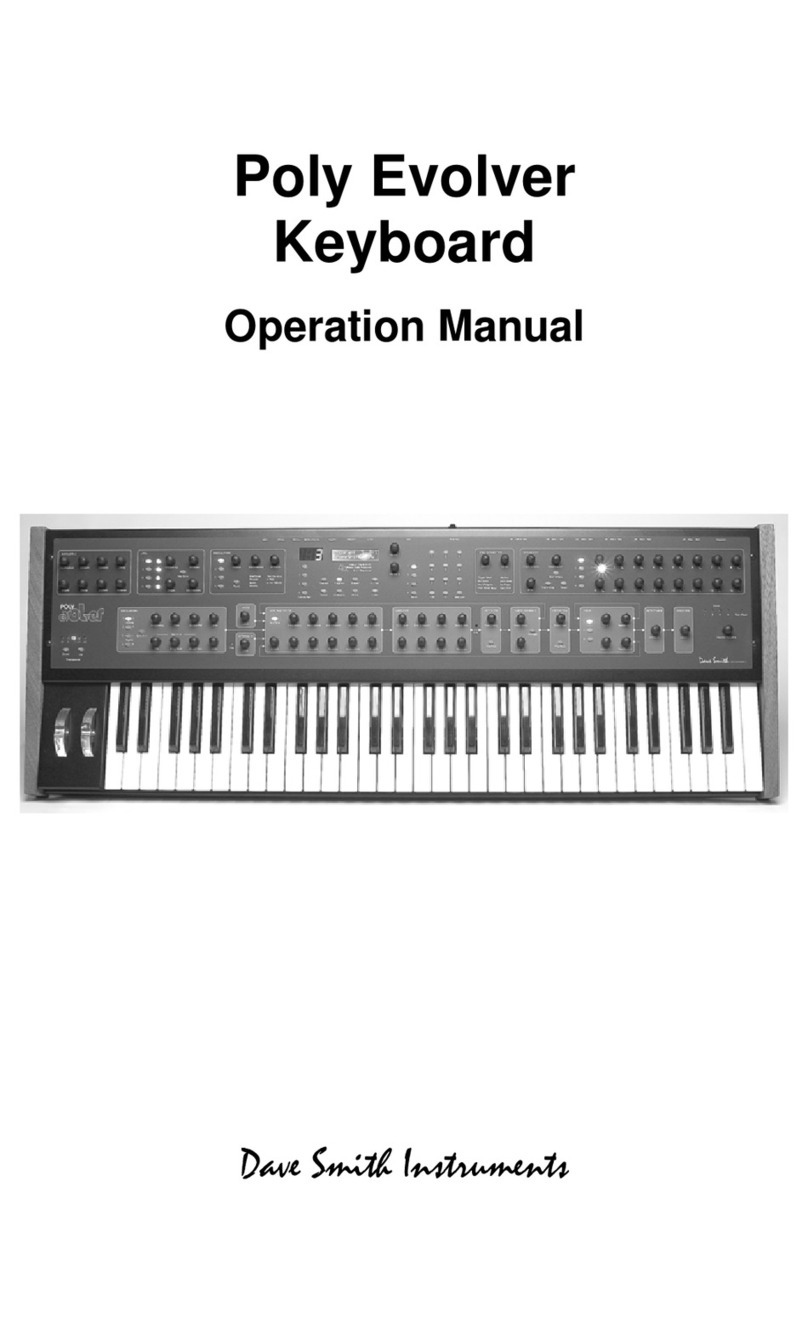
Operation Manual


Evolver Keyboard
Operation Manual
Version 1.3
August, 2010
Dave Smith Instruments
1210 Cabrillo Hwy N
Half Moon Bay, CA 94019-1449
USA
© 2005-2010 Dave Smith Instruments
www.DaveSmithInstruments.com

Tested To Comply
With FCC Standards
FOR OFFICE USE
This device complies with Part 15 of the FCC Rules. Operation is subject to the
following two conditions: (1) This device may not cause harmful interference and
(2) this device must accept any interference received, including interference that
may cause undesired operation.
This Class B digital apparatus meets all requirements of the Canadian Interference-
Causing Equipment Regulations.
Cet appareil numerique de la classe B respecte toutes les exigences du Reglement
sur le materiel brouilleur du Canada.
For Technical Support, email: support@davesmithinstruments.com

Contents
Quick Start 1
Preset Notes 3
FAQs 4
Chaining Evolvers and Polys 5
Inside Evolver 7
Signal Flow Diagram 8
Basic Operations 9
Global Parameters 10
Program Parameters 14
Analog Oscillators (1 and 2) 15
Digital Oscillators (3 and 4) 16
Low-pass Filter 17
Amplifier (VCA) 18
High-pass Filter 19
Feedback 19
Distortion 19
Delay 20
Output Hack 21
Envelope 3 21
Low Frequency Oscillators (LFO) 22
Modulators 23
Miscellaneous Parameters 24
Sequencer Operation 27
Arpeggiator 32
Modulation Destination Table 33
Modulation Source Table 35
MIDI Implementation 36
MIDI Parameters 36
Basic MIDI Messages 37
System exclusive Messages 41
Global Parameter Data 46
Program Parameter Data 48
Hidden Functions 55


Welcome…
Thanks for purchasing the Evolver Keyboard! Listen to the sounds, twiddle some
knobs, have some fun!
Register
If you purchased directly from us, there is no need to register – we already have
your contact information. If you purchased it from a music dealer, please go to
www.davesmithinstruments.com and register.
Quick Start
Here’s how to quickly get started with your new keyboard:
First, plug in the power supply. The power supply will work anywhere in the
world; change the AC adapter if necessary. Next, plug the stereo audio outputs
into your mixer/sound system and switch on the power.
Start playing!
Try applying keyboard pressure (aftertouch) and the mod wheel. Many sounds
are fairly simple at first, but come alive when you use the controllers. With other
sounds, you may need to hold the notes a while to let the sound unfold. Playing
in different ways has a big effect on the Programs.
Selecting and Editing Programs, Combos, and Global Settings
To change Programs, you can use the +/- switches to step through the
Programs. Also, the PARAM 1 knob changes the Program number, and the
PARAM 2 knob changes the Bank.
If you want to edit a Program, just turn any knob. The new value will be displayed
in the LCD. Once a parameter has been selected, the PARAM 2knob will also
change the value, and the +/- switches will increment or decrement the value. Hit
the + and - switches at the same time to set the parameter to zero.
That’s the whole idea with this instrument – grabbing knobs and changing the
sound! After turning knobs, just hit the Program switch so the LCD goes back to
the Program / Bank screen, allowing you to change Programs again.
Your Evolver also has some very cool features for use as a stereo signal
processor – be sure to check this out.
Press the GLOBAL switch to change higher level parameters, such as MIDI
channel number, Transpose/Detune, and so on. These are remembered when
the synth is turned off. Note that in Global Mode, the screen displays two
parameters at a time. The top parameter is changed by the PARAM 1 knob and
the lower parameter is edited by the PARAM 2 knob. The +/- switches select new
pages.
1

Summary
You should be up and running now; for more operation information, read on. Or,
just look up specific parameters for detailed notes. Pages 33 through 35 contain
a handy reference for mod destinations and sources. At some point you should
read through the manual to discover all the little features that you might not
notice at first.
I should mention that this manual does not include explanations of basic
synthesizer functions. It assumes you already know what an oscillator is, how a
lowpass filter affects the sound, what an ADSR envelope looks like, and so on.
Fortunately, these days it is quite easy to find such resources on the Internet. If
you want to learn the lingo and the basics, just try a search in Google (or the
search engine of your choice), something like “analog synthesizer tutorial”. You’ll
find plenty of good reading material.
Have fun!
Dave Smith
Special thanks to the “bragging rights” team for their assistance during
development:
Tim Ande, David Bryce, Robert Shanks, Ravi Ivan Sharma, and Stefan Trippler.
2

About the Programs
There are 512 Programs in your Evolver keyboard. The factory Programs are on
our website if you ever need to refresh it. There are also additional banks of
Programs on our website.
Note: Remember to occasionally save your sounds via program dumps!
The programs are organized as follows:
Bank 1 and 2: These are classic Evolver sounds to be played from the
keyboard.
Bank 3: These programs are all sequencer-based; they will not play from the
keyboard; hit the Start switch to hear them.
Bank 4:
Programs 1 – 19: Droning sounds; they always play while selected. A couple have
simple sequences that alter the playback to varying degrees.
Programs 20 – 29: Signal processing programs meant to be used with a guitar
plugged into the Left Input jack. Or, any mono audio source can be used, but with
liberal use of distortion, they lean heavily towards guitar use.
Programs 30-39: Signal processing programs meant to be used with external stereo
audio sources plugged into the Left and Right Input jacks. Try playing a CD through
Evolver with these programs.
Programs 40 – 127: Are a mix of miscellaneous keyboard-based sounds.
Note: Program 128 in every bank is a basic Program, meant to be a good starting
point for making new programs from scratch
The Programs were collected from previous Evolver and Poly Evolver patches,
and a bunch of new ones were made up for the keyboard. Special thanks to
Program contributors (past and present), including:
Tim Ande
Andrew Bode
Cameron Brand
David Bryce
Chris Curtis
Mike Estee
Don Gothard
Damon Menne
Eric Norlander
Mike Peake
Ravi Ivan Sharma
Doug Terrebonne
Goffe Torgerson
Stefan Trippler
Dave Wyatt
3

Frequently Asked Questions
The Evolver is a very flexible instrument. While this provides a wide range of
operational possibilities, it also means that you can put it into a state where it doesn’t
seem to work. Here are some tips:
•How do I save a Program? Hit the WRITE switch. Then press the +/YES switch
when prompted. All other switches are locked out, though you can hit the -/NO
switch if you change your mind. You can change the Program and/or Bank and
store in a different location using the knobs. You can also press COMPARE to
check the sounds in the Program destinations.
•When I change Programs, the Sequencer speed always stays the same.
Check the Global Prog Tempo parameter – if it is Off, then the speed is not
updated when Programs change. Set it to On.
•I can’t get the filter to oscillate. Check the 4/2/POLE switch – the filter only
oscillates when in 4-pole mode. (The filter is in 4-pole mode when the 4/2/POLE
switch is lit.)
•I seem to be getting distortion in my output. Assuming that Distortion and
Output Hack are off, you are likely just overloading the signal somewhere. There
are many signal sources, and many sources of gain. If too many are used at
levels that are too high, you will likely get some distortion. For example, if you are
using all four oscillators, lower the LEVEL setting of each oscillator to the 40 – 60
range. Likewise, if using all three delay taps, lower the AMOUNT setting of each.
•I can’t hear the External Audio input. In addition to increasing External In
LEVEL, the filter and VCA must be open to hear the signal. You can initially turn
up the Lowpass Filter FREQUENCY and the initial VCA LEVEL to hear the signal.
The Peak Hold or Envelope Follower can be used to control the VCA or Filter
level, or the sequencer can trigger the envelopes. There are many different ways
to use different modulation sources to control the VCA and Filter when using
external inputs.
4
Andere Handbücher für Evolver
2
Inhaltsverzeichnis
Andere Dave Smith Instruments Elektronische Tastatur Handbücher
Beliebte Elektronische Tastatur Handbücher anderer Marken

Yamaha
Yamaha Portatone PSR-100 Bedienungsanleitung

Casio
Casio WK-1600 Bedienungsanleitung

Keith McMillen Instruments
Keith McMillen Instruments K-Board Pro 4 Technisches Datenblatt

Yamaha
Yamaha PortaSound PCS-30 Bedienungsanleitung

Roland
Roland Juno-6 Bedienungsanleitung

McGrey
McGrey 6170 Bedienungsanleitung


