Doremi ShowVault Series Bedienungsanleitung

DCP-2000, DCP-2K4, ShowVault,
DSV-J2
Maintenance Manual
Digital Cinema Servers
Version 1.6
D2K.DP.000255.D M Page 1 Version 1.6
Doremi Cinema LLC

Table of Contents
1 Introduction......................................................................................................................................8
1.1 Purpose....................................................................................................................................... 8
1.2 Contact........................................................................................................................................8
2 Digital Cinema Server Recommended Operating Conditions......................................................9
Maintenance Program.................................................................................................................... 10
4 Required Tools............................................................................................................................... 11
4.1 Screwdriver................................................................................................................................ 11
4.2 Pliers......................................................................................................................................... 11
4.3 Soft Brush.................................................................................................................................. 12
4.4 Small Vacuum Cleaner..............................................................................................................12
5 Maintenance Tasks Procedure......................................................................................................1
5.1 Tasks equired Each 5,000 Operating Hours...........................................................................13
5.1.1 Unit Preparation (Estimated Duration: 20 Minutes).............................................................13
5.1.2 Dust Removal..................................................................................................................... 14
5.1.3 2U ans and Dolphin an Shock Mounts Visual Inspection................................................17
5.1.4 Noise from ans and Rattling..............................................................................................18
5.1.5 Lid Closing..........................................................................................................................19
5.2 Tasks equired Each 50,000 Operating Hours..........................................................................20
5.2.1 2U Rear Panel ans and Dolphin an Replacement..........................................................20
5.2.2 Dolphin Battery Replacement.............................................................................................20
5.2.3 Motherboard Battery Replacement.....................................................................................21
6 Acronyms........................................................................................................................................ 2
7 Document Revision History...........................................................................................................24
D2K.DP.000255.D M Page 2 Version 1.6
Doremi Cinema LLC

Software License Agreement
The software license agreement can be found at the following location:
http://www.doremilabs.com/support/cinema-support/cinema-warranties/
Hardware Warranty
The hardware warranty can be found at the following location:
http://www.doremilabs.com/support/cinema-support/cinema-warranties/
D2K.DP.000255.D M Page 3 Version 1.6
Doremi Cinema LLC

WARNING!
THIS DEVICE MUST BE GROUNDED
IMPORTANT
Power requirements for electrical equipment vary from area to area. Please ensure that your server
meets the power requirements in your area. If in doubt, consult a qualified electrician or your Doremi
Labs dealer.
Power Ratings
DCP-2000:
•AC Input: 100-240V~, 2.8-1.2A, 50-60Hz
•Maximum Power Consumption: 300W
DCP-2K4:
•AC Input: 100-240V~, 2.8-1.2A, 60-50Hz
•Maximum Power Consumption: 420W
ShowVault-3:
•AC Input: 100-240V~,2.8-1.2A, 50-60Hz
•Maximum Power Consumption: 300W
ShowVault-4:
•AC Input:100-240V~, 2.8-1.2A, 60-50Hz
•Maximum Power Consumption: 420W
WARNING: MULTIPLE SOURCES OF SUPPLY; DISCONNECT ALL SOURCES BEFORE SERVICING.
Rack Mount and Thermal Information
•Maximum operating ambient temperature is 35°C.
•Never restrict the air flow through the device's fan or vents.
•When installing equipment into a rack, distribute the units evenly. Otherwise hazardous
conditions may be created by an uneven weight distribution.
•Connect the unit only to a properly rated supply circuit. eliable earthing (grounding) of rack-
mounted equipment should be maintained
PROTECTING YOURSELF AND THE SERVER
Never touch the AC plug with wet hands.
Always disconnect the server from the power supply by pulling on the plug, not the cord.
Allow only a Doremi Labs, Inc. dealer or qualified professional engineer to repair or reassemble the
server. Apart from voiding the warranty, unauthorized engineers might touch live internal parts and
receive a serious electric shock.
Do not put, or allow anyone to put, any object, especially metal objects into the unit.
Use only an AC power supply. Never use a DC power supply.
If water or any other liquid is spilled into or onto the server, disconnect the power and call your Doremi
dealer.
D2K.DP.000255.D M Page 4 Version 1.6
Doremi Cinema LLC

Make sure the unit is well ventilated and away from direct sunlight. To avoid damage to internal
circuitry, as well as the external finish, keep the unit away from sources of direct heat (heater vents,
stoves, radiators, etc.).
Avoid using flammable aerosols, etc., near the server. They may damage the surface and may ignite.
Do not use denatured alcohol, paint thinner, or similar chemicals to clean the server. They will
damage the finish.
Modification of this equipment is dangerous and can result in the functions of the unit being impaired.
Never attempt to modify the equipment in any way.
In order to ensure optimum performance of your server, select the setup location carefully and make
sure the equipment is used properly. Avoid setting up the server in the following locations:
1. In a humid or dusty environment.
2. In a room with poor ventilation.
3. On a surface which is not level.
4. Inside a moving vehicle where it will be subject to vibration.
5. In an extremely hot or cold environment.
Removable Drives Warning
emoval of the hot swappable hard drives allows access to pins and traces supplying power to the
hard drive backplane. These are considered energy hazards.
REMOVAL OF HARD DRIVES MAY ONLY BE PERFORMED BY TRAINED SERVICE
PERSONNEL. CONTACT DOREMI FOR TRAINING PROGRAMS. With regards to the energy
hazard warning and removable drives, the equipment may only be used in a restricted access
location (not accessible to the general public).
CAUTION
•Battery is located on the motherboard.
•Danger of explosion if battery is incorrectly replaced.
•eplace only with the same or equivalent type recommended by the manufacturer.
•Dispose of used batteries according to the manufacturer’s instructions.
D2K.DP.000255.D M Page 5 Version 1.6
Doremi Cinema LLC

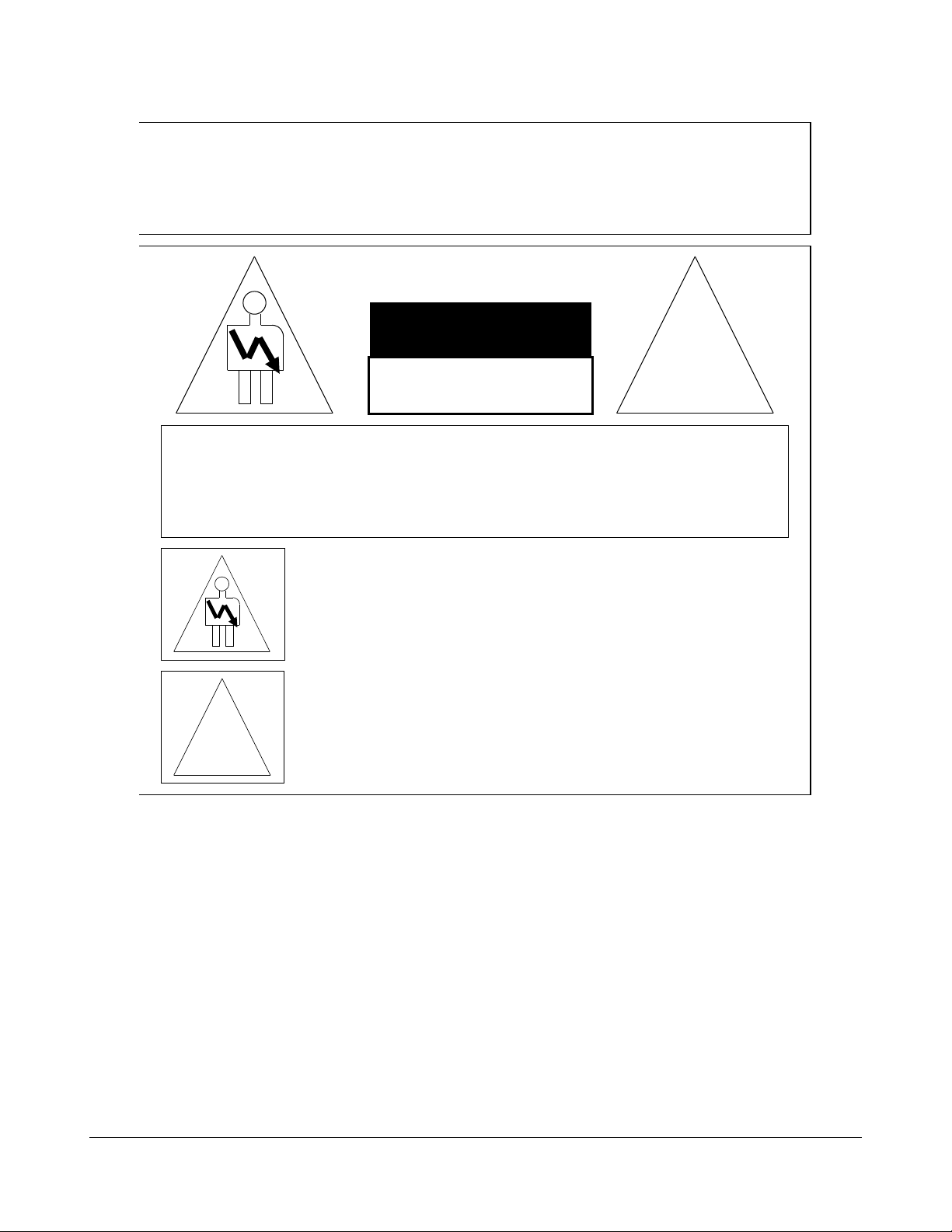
C A U T I O N
R I S K O F E L E C T R I C S H O C K
D O N O T O P E N
!
C A U T I O N : T O R E D U C E T H E R I S K O F E L E C T R I C S H O C K ,
D O N O T R E M O V E C O V E R ( O R B A C K ) .
N O U S E R - S E R V I C E A B L E P A R T S I N S I D E .
R E F E R S E R V I C I N G T O Q U A L I F I E D S E R V I C E P E R S O N N E L .
T h e l i g h t n i n g f l a s h w i t h t h e a r r o w h e a d s y m b o l s u p e r i m p o s e d
a c r o s s a g r a p h i c a l r e p r e s e n t a t i o n o f a p e r s o n , w i t h i n a n e q u i l a t e r a l
t r i a n g l e , i s i n t e n d e d t o a l e r t t h e u s e r t o t h e p r e s e n c e o f u n i n s u l a t e d
“ d a n g e r o u s v o l t a g e ” w i t h i n t h e p r o d u c t ’ s e n c l o s u r e ; t h a t m a y b e
o f s u f f i c i e n t m a g n i t u d e t o c o n s t i t u t e a r i s k o f e l e c t r i c s h o c k .
!
T h e e x c l a m a t i o n p o i n t w i t h i n a n e q u i l a t e r a l t r i a n g l e i s i n t e n d e d t o
a l e r t t h e u s e r t o t h e p r e s e n c e o f i m p o r t a n t o p e r a t i n g a n d
m a i n t e n a n c e ( s e r v i c i n g ) i n s t r u c t i o n s i n t h e l i t e r a t u r e
a c c o m p a n y i n g t h e a p p l i a n c e .
W A R N I N G ! !
T o p r e v e n t f i r e o r s h o c k h a z a r d , d o n o t e x p o s e t h i s a p p l i a n c e t o r a i n o r m o i s t u r e
D2K.DP.000255.D M Page 6 Version 1.6
Doremi Cinema LLC

CE NOTICE
Marking by the symbol indicates compliance of the device to the EMC (Electromagnetic
Compatibility) directive and to the Low Voltage directive of the European Community. The marking is
indicative that the device meets or exceeds the following technical standards:
•EN 55022 "Limits and Methods of Measurement of adio Interface Characteristics of
Information Technology Equipment."
•A "Declaration of Conformity" in accordance with the above standard has been made and is on
file at Doremi.
D2K.DP.000255.D M Page 7 Version 1.6
Doremi Cinema LLC

1 Introduction
1.1 Purpose
This document provides instructions for preventive maintenance operations applicable to the DCP-
2000, DCP-2K4, ShowVault, and DSV-J2.
1.2 Contact
If in need of help or assistance, please contact Doremi Labs Technical Support at:
USA
•24/7 Technical Support line: +1-866-484-4004
•Technical Support Email: [email protected]
Europe
•24/7 Technical Support line: +33 (0) 492-952-847
•Technical Support Link: http://support.doremitechno.org/ticketing
Japan
•Technical Support line: +044-966-4855
•Technical Support Email: [email protected]
Australia ~ China ~ India ~ Indonesia ~ Korea ~ Malaysia ~ New Zealand ~ Philippines ~
Singapore ~ Taiwan ~ Thailand
•Technical Support Email: [email protected]
D2K.DP.000255.D M Page 8 Version 1.6
Doremi Cinema LLC

2 Digital Cinema Server Recommended Operating
Conditions
Listed below are the recommended operation conditions for Doremi digital cinema servers:
1. AC power to the unit should be feed through UPS, greater than or equal to 600VA per player,
which provides a logical signal that shows the power failure.
2. To properly shutdown the server, do the following:
•Go to Menu/Logout and click on Logout.
•Click on the Shutdown button.
3. Ensure that AC ground lines are CE/UL rated (for ohm resistance) for the server & projector
power connections.
4. Ground voltage difference from cinema player to projector should not exceed 1Vac/dc to
minimize ground current circulations through dual link HD-SDI lines (measurement done
between both chassis grounds with dual link & AES disconnected).
5. Ground voltage difference from cinema player to audio processor should not exceed 1Vac-dc
to minimize ground current circulations through AES/EBU lines (measurement done between
both chassis grounds with dual link & AES disconnected).
6. Installation of the cinema player in a typical protected rack enclosure to avoid physical shocks
and vibrations during player/disk operation.
7. Ambient air temperature at front and rear of cinema player should not exceed 35°C (95°F)
when operating unit.
8. Operating ambient humidity should be between 10% and 85% Non-Condensing.
D2K.DP.000255.D M Page 9 Version 1.6
Doremi Cinema LLC

Maintenance Program
The maintenance program applied to the servers corresponds to preventive maintenance tasks in
order to ensure the server functions properly throughout the years.
Such tasks shall be performed periodically according to the maintenance program presented in the
table below:
Part(s)
involved
Task Maintenance
interval
Qualification of
personnel
Duration
HDD Filter Wash and dry the HDD
filter located on the door
of the HDDs, or replace if
broken with a new one
provided by Doremi
(Doremi Part Number:
DCP-HDD-
DUSTFILTE S-02)
2,500 to 5,000
operating hours (~3
to 6 months),
depending on how
dusty the
environment is
Technician 5 to 10
minutes
HDD Trays,
CPU, and fans
Dust removal in Hard Disk
Drive Trays, CPU cooler
and fans
5,000 operating hours
(~ 6 months)
Technician 15 to 20
minutes
Fans Check fans for vibration
and noise
5,000 operating hours
(~ 6 months)
Technician 5 minutes
Fans Shock
Mounts
Visual inspection of fan
shock mounts
for cuts or dryness
(Doremi Part Number:
DEM-DO -PTFAN)
5,000 operating hours
(~ 6 months)
Technician 5 minutes
Fans (2U rear
panel fans and
Dolphin fan)
ecommended
replacement of these
three fans (based on
information provided by
the fans manufacturer)
50,000 operating
hours (~ 5 years)
Technician 20 minutes
Dolphin board
battery*
Change the Dolphin board
battery*
(Doremi Part Number:
BAT12.5MM-LI-COIN)
50,000 operating
hours (~ 5 years)
Technician 10 minutes
Motherboard
battery**
Change the motherboard
battery
Manufacturer Number:
C 2032
50,000 operating
hours (~ 5 years)
Technician 10 minutes
Note: The durations provided above do not include the unit preparation time corresponding to Section
5.1.1. Such preparation is estimated to be approximately 20 minutes.
The technician performing the procedure should be accredited by Doremi. The corresponding
maintenance procedures are provided in Section 5.
D2K.DP.000255.D M Page 10 Version 1.6
Doremi Cinema LLC
Dieses Handbuch passt für folgende Modelle
5
Inhaltsverzeichnis
Andere Doremi Server Handbücher

Doremi
Doremi DCP-2000 Gebrauchs- und Pflegehandbuch

Doremi
Doremi V1-HD Bedienungsanleitung

Doremi
Doremi DCP-2000 Bedienungsanleitung

Doremi
Doremi DCP-2000 Bedienungsanleitung

Doremi
Doremi ShowVault Benutzerhandbuch

Doremi
Doremi V1-HD Bedienungsanleitung

Doremi
Doremi JNIOR 310 Gebrauchsanweisung

Doremi
Doremi IMS1000 Bedienungsanleitung
Beliebte Server Handbücher anderer Marken

iRobo
iRobo IPC2U Bedienungsanleitung

Nortel
Nortel 1000 Con?guration guide Bedienungsanleitung

Asus
Asus AP7500 Bedienungs- und Wartungshandbuch

Avid Technology
Avid Technology AirSpeed 5000 Bedienungsanleitung

HP
HP Integrity rx2600 Installationsanleitung

Milestone
Milestone Husky IVO 350T Bedienungsanleitung