
DxO One Bedienungsanleitung


DxO ONE - User Guide - Copyright © DxO Labs 1999-2015 - All rights reserved
Table of Contents
Introduction 1 ...........................................................................................................................................
Welcome to DxO ONE 1 ....................................................................................................................
What's in the box 2 ...........................................................................................................................
DxO ONE at a glance 3 ......................................................................................................................
Getting Started 4 .....................................................................................................................................
Make sure the battery is charged 4 ..................................................................................................
Inserting the microSD card 7 ............................................................................................................
Turning the camera On and Off 10 ....................................................................................................
Opening and closing the Lightning connector 12 ..............................................................................
Connecting and disconnecting the camera to/from the iPhone 16 ....................................................
Holding the camera 20 ......................................................................................................................
Stand-alone capture modes 22 ................................................................................................................
Capture mode selection 22 ...............................................................................................................
Framing assistant 25 .........................................................................................................................
Taking a picture 27 ...........................................................................................................................
Recording a video 29 ........................................................................................................................
Recalling settings 31 .........................................................................................................................
Transferring images to your iPhone 32 .............................................................................................
Connected capture modes 34 ..................................................................................................................
Installing the DxO ONE App 34 .........................................................................................................
DxO ONE App at a glance 38 ............................................................................................................
Auto mode 39 ...................................................................................................................................
Scene modes 40 ................................................................................................................................
Advanced modes 43 ..........................................................................................................................
Video modes 51 ................................................................................................................................
Selfie modes 58 ................................................................................................................................
Selecting file format 61 .....................................................................................................................
Taking a picture 63 ...........................................................................................................................
Composition grid and shooting parameters 68 .................................................................................
Manual focus 69 ................................................................................................................................
Zooming when taking a photo 73 .....................................................................................................
Activating timer mode 74 ..................................................................................................................
Activating flash 76 ............................................................................................................................
Shutter triggering with Apple Watch 78 ............................................................................................
Wireless Remote Control 80 .....................................................................................................................
Controlling the DxO ONE via Wi-Fi 80 ...............................................................................................
Connecting the DxO ONE to an existing Wi-Fi network 81 ................................................................
Connecting the DxO ONE to a Wi-Fi Direct Network 85 .....................................................................
Disconnecting and reconnecting the DxO ONE 88 ............................................................................
Browsing and Sharing 89 .........................................................................................................................
Single photo review 89 .....................................................................................................................
Video review 94 ................................................................................................................................
Sharing photos and videos 97 ...........................................................................................................
Deleting photos and videos 99 ..........................................................................................................
Printing your photos 101 ...................................................................................................................
Favorite photos 103 ..........................................................................................................................
Gallery grid view 104 ........................................................................................................................

DxO ONE - User Guide - Copyright © DxO Labs 1999-2015 - All rights reserved
Multi-selection mode 107 ..................................................................................................................
Advanced features 111 ............................................................................................................................
Formatting the microSD Card 111 ....................................................................................................
Conserving battery power 113 ..........................................................................................................
Firmware updates 116 ......................................................................................................................
Processing your images with DxO Connect 118 ................................................................................
Metadata and Watermark 119 ..........................................................................................................
Settings 121 .............................................................................................................................................
Capture settings 121 .........................................................................................................................
Application Settings 124 ...................................................................................................................
Assistance 127 .........................................................................................................................................
MicroSD card error messages 127 ....................................................................................................
OLED status screen 129 ....................................................................................................................
Technical Specifications 133 .............................................................................................................
Safety precautions 135 .....................................................................................................................
Certifications 136 ..............................................................................................................................
DxO ONE Warranty Card 138 ............................................................................................................
DxO ONE - User Guide - Copyright © DxO Labs 1999-2015 - All rights reserved 1
Introduction
Welcome to DxO ONE
Your are part of a world of people who really care about great images.
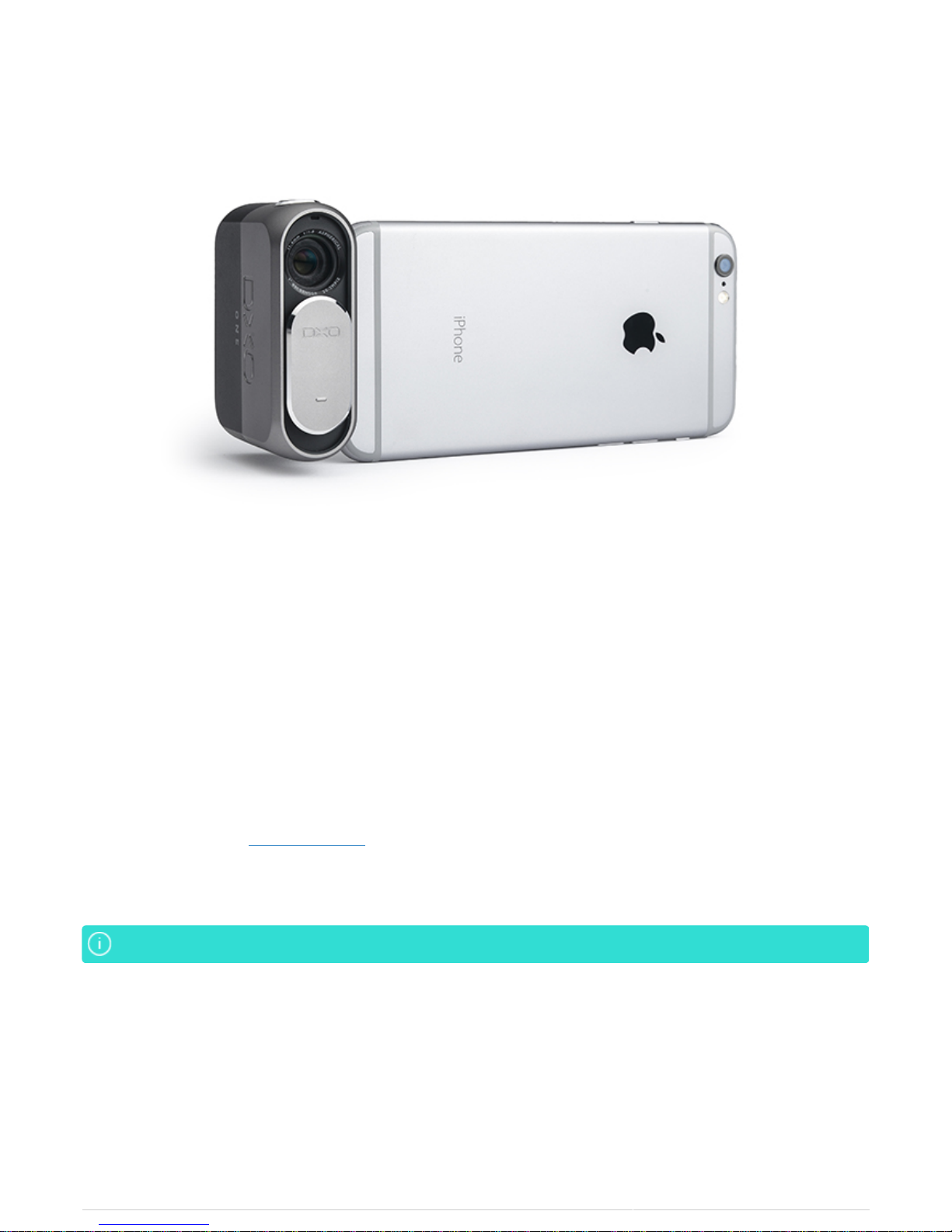
Your DxO ONE was designed in Paris and San Francisco by a team of top image scientists and engineers. It
leverages DxO's world-renowned image processing capabilities to produce professional quality photograps that
are seamlessly transferred to your iPhone and iPad so you can instantly share them with friends, family and
followers.
In this user documentation, we’ll introduce you to the DxO ONE camera, the companion iOS app that controls the
camera when connected to your iPhone or iPad, and DxO Connect, the complementary desktop software that
enables you to make your best photos even better.
If there's a topic or question that isn't covered here, please reach out to us. Our DxO Customer Support team is
always ready to help at support.dxo.com.
Be sure to capture (and share) your best moments, wherever the DxO ONE takes you.
We’ll use iPhone to refer to both iPhone and iPad going forward.We’ll use iPhone to refer to both iPhone and iPad going forward.

DxO ONE - User Guide - Copyright © DxO Labs 1999-2015 - All rights reserved 2
Introduction
What's in the box
Before use, make sure the following items are included in the package of your DxO ONE. If anything is missing,
please contact your retailer.
DxO ONE Camera
●
8GB MicroSD card
●
USB Cable
●
Pouch
●
Wrist lanyard
●

DxO ONE - User Guide - Copyright © DxO Labs 1999-2015 - All rights reserved 3
Introduction
DxO ONE at a glance
We recommend you quickly review the few, but important parts of your DxO ONE to help you get started.
DxO ONE key features
World’s smallest 1” sensor camera – well under 3” (7.6 cm) tall and weighing less than an iPhone 6.
●
High quality, six-element aspherical lens with a maximum aperture of f/1.8.
●
Direct connection to iPhone or iPad via an innovative Lightning connector that swivels +/- 60 degrees.
●
Rechargeable lithium-ion battery and microSD card slot to ensure the camera will never impact your iPhone
●
talk time or storage space.
Seamless integration with Apple iOS to provide access to the Photos app and 3rd-party editing tools.
●
Instantly share DxO ONE images through your iPhone to Facebook, Twitter, Instagram and more.
●
DxO’s proprietary SuperRAW™ format provides noise-free images in extreme low light environments.
●
Tether the DxO ONE to your Mac or PC to let DxO Connect software automatically render an even higher
●
quality photo from your DxO ONE RAW images.
Compatible with
iPhone SE, iPhone 6s Plus, iPhone 6s, iPhone 6 Plus, iPhone 6, iPhone 5s, iPhone 5c, iPhone 5, iPad Pro, iPad Air 2,
iPad mini 4, iPad mini 3, iPad Air, iPad mini 2, iPad (4th gen.), iOS 9.0 or higher, WatchOS 2.0

DxO ONE - User Guide - Copyright © DxO Labs 1999-2015 - All rights reserved 4
Getting started
Make sure the battery is charged
The DxO ONE includes an integrated lithium-ion battery. It can be charged by using the provided DxO ONE USB
cord and wall charger plug. The amount of charge available in the camera battery is displayed on the camera
OLED screen:
Battery charged
Battery uncharged
Charging the battery using the DxO ONE wall charger plug
1. Open the rear door of the camera by pulling the latch door toward you.
2. Insert the USB cord into the USB slot, and attach the other end to the wall charger plug.

DxO ONE - User Guide - Copyright © DxO Labs 1999-2015 - All rights reserved 5
The OLED display will first take a few moments to identify the charging source before displayingThe OLED display will first take a few moments to identify the charging source before displaying
the charge state of the device.the charge state of the device.
Charging the battery using a computer
1. Open the rear door of the camera by lifting the tab and pulling the door toward you.
2. Insert the USB cord into the USB slot, and attach the other end to your computer.
3. Make sure that the OLED display indicates that charging is in progress:
Charging in progress - Battery uncharged
Charging in progress - 50%

DxO ONE - User Guide - Copyright © DxO Labs 1999-2015 - All rights reserved 6
Charging in progress - Battery charged

DxO ONE - User Guide - Copyright © DxO Labs 1999-2015 - All rights reserved 7
Getting Started
Inserting the microSD card
The microSD™ card slot is located behind the door on the back of the DxO ONE device. You’ll find both the
microSD™ card slot and the microUSB connector under this door.
Check and make sure that microSD™ card is inserted before using your DxO ONE, as it will notCheck and make sure that microSD™ card is inserted before using your DxO ONE, as it will not
operate without a microSD™ card.operate without a microSD™ card.
1. Open the door by lightly pulling on the latch door.
2. Insert the microSD™ card into the microSD™ card slot with the connector pads facing forward toward the
Lightning connector side of the camera, and press down on it to insert it.
Andere Handbücher für One
3
Inhaltsverzeichnis
Andere DxO Digitalkamera Handbücher


