Ejoin MTR716 Bedienungsanleitung

MTR716 User Manual
MTR716 Router
User Manual

MTR716 User Manual
Contents
Chapter ⅠEquipment Information...................................................................4
1.1 Product Brief.......................................................................................... 4
1.2 Product Application............................................................................... 4
1.3 Product Appearance............................................................................... 5
1.4 Special Features ..................................................................................... 6
Chapter ⅡEquipment Installation .................................................................... 7
2.1 SIM Card Placement .............................................................................. 7
2.2 Antenna Installation ............................................................................... 7
2.3 Network Connection .............................................................................. 7
2.4 Power Connection .................................................................................. 8
2.5 Serial Connection ................................................................................... 8
Chapter ⅢWeb Settings ......................................................................................9
3.1 Login ...................................................................................................... 9
3.2 System Settings .................................................................................... 10
3.3 Gateway Settings ..................................................................................13
3.3.1 IMEI Settings ................................................................................................................13
3.3.2 AT Command ............................................................................................................... 15
3.3.3 USSD Command .......................................................................................................... 15
3.3.4 Switch Card.................................................................................................................. 16
3.3.5 APN settings ................................................................................................................. 18
3.3.6 Remote MGT ................................................................................................................ 18
3.3.7 Data Control ..................................................................................................................19
3.4 SMS Settings ........................................................................................20
3.4.1 SMS Send ..................................................................................................................... 20

MTR716 User Manual
3.4.2 SMS Receive ................................................................................................................ 21
3.4.3 SMS Forward ................................................................................................................22
3.4.4 SMS Control ................................................................................................................. 25
3.4.5 SMPP Settings .............................................................................................................. 26
3.4.6 EIMS Settings ............................................................................................................... 29
3.4.7 Prefix route................................................................................................................... 30
3.4.8 SMS Filter .....................................................................................................................31
3.5 Network Setting ................................................................................... 32
3.5.1 VPN settings ................................................................................................................. 32
3.5.2 Interface Settings .......................................................................................................... 33
3.5.3 Routes ........................................................................................................................... 33
3.5.4 Firewall ......................................................................................................................... 33
3.6 Application Settings ................................................................................ 34
3.6.1 Socks5 Proxy ................................................................................................................ 34
3.6.2 HTTP Proxy..................................................................................................................35
3.6.3 SSH Tunnel ...................................................................................................................35
3.7 Log Management .....................................................................................35
3.7.1 System log .................................................................................................................... 35
3.7.2 software log .................................................................................................................. 36
3.7.3 Log Settings .................................................................................................................. 36
3.8 Statistics ...................................................................................................37
3.8.1 Data statistics ................................................................................................................ 37

3.9 System Status .......................................................................................... 37
3.9.1 Port Status..................................................................................................................... 37

MTR716 User Manual
Chapter Ⅰ Equipment Information
1.1 Product Brief
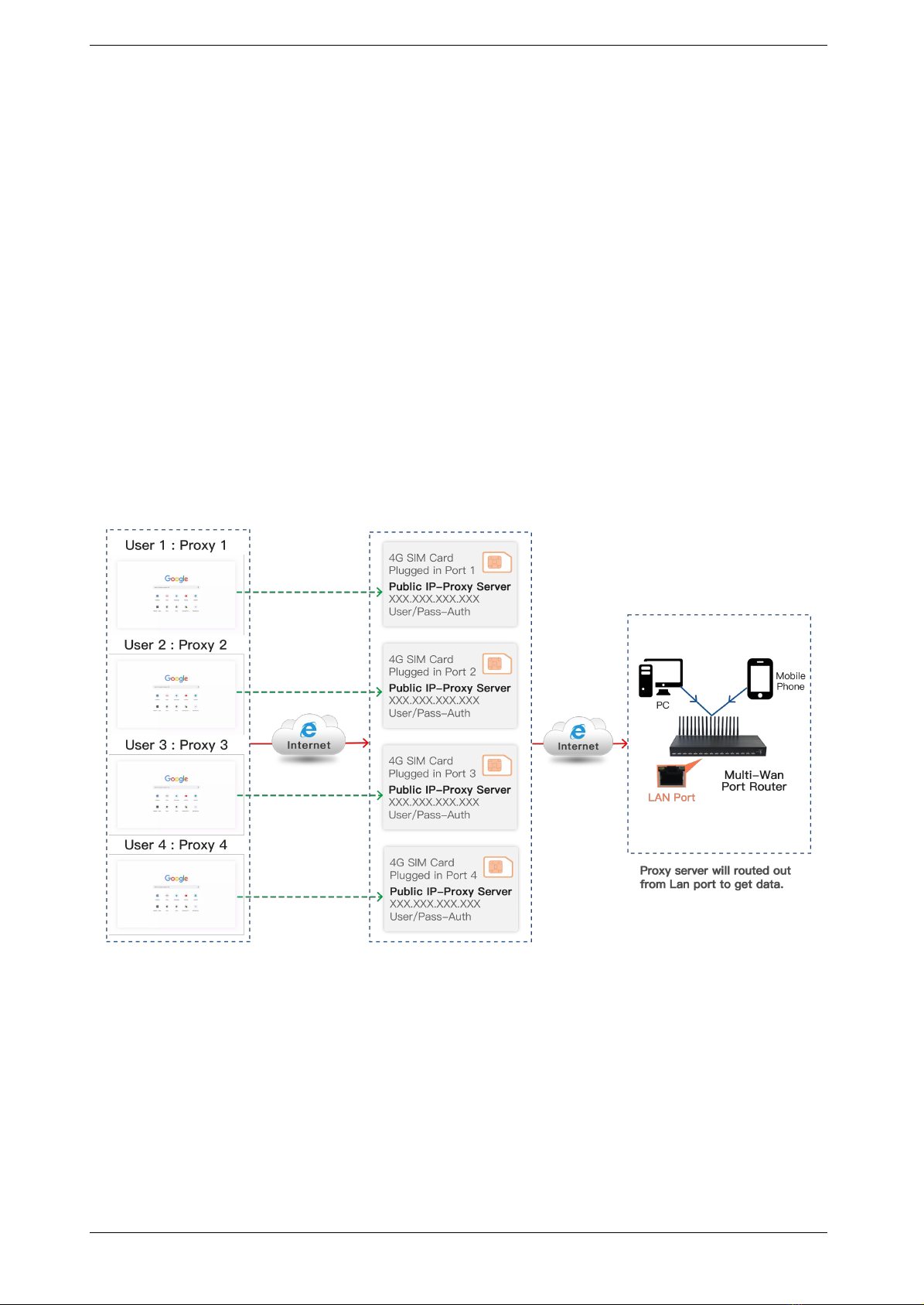
MTR716 Router is a routing product independently . In addition to basic functions such as
routing, it also support socks5 proxy, http&https proxy, port forwarding , sms sending and
receiving and so on. It has the characteristics of economy, security and efficiency.
1.2 Product Application
Figure 1.2-1 Product Application

MTR716 User Manual
1.3 Product Appearance
Back Panel
Figure 1.3-1 Back Panel
Description of the front panel(from left to right):
1 Ground connection
1 reset button (press RST button about 10s will restore to factory settings)
1 Power Interface (DC 12V 5A)
4 Network Interface (3 LAN and WAN, RJ45)
32 Antenna Connector
Front Panel
Figure 1.3-2 Front Panel

MTR716 User Manual
Description of the front panel(from left to right):
16 SIM slots (4 SIM cards per channel)
1 Power light (indicate the status of the power connection)
2 fans
1 Console Interface (USB to Serial, Baudrate 115200)
1.4 Special Features
Support TCP/IP, DHCP and other protocols
Support firewall settings
Support socks5, http&https proxy
Support redial
Support VPN
Support IMEI modify
Support port forwarding
Support SMS sending and receiving
Support SMPP
SMS and USSD HTTP API
Support ETMS

MTR716 User Manual
Chapter Ⅱ Equipment Installation
2.1 SIM Card Placement
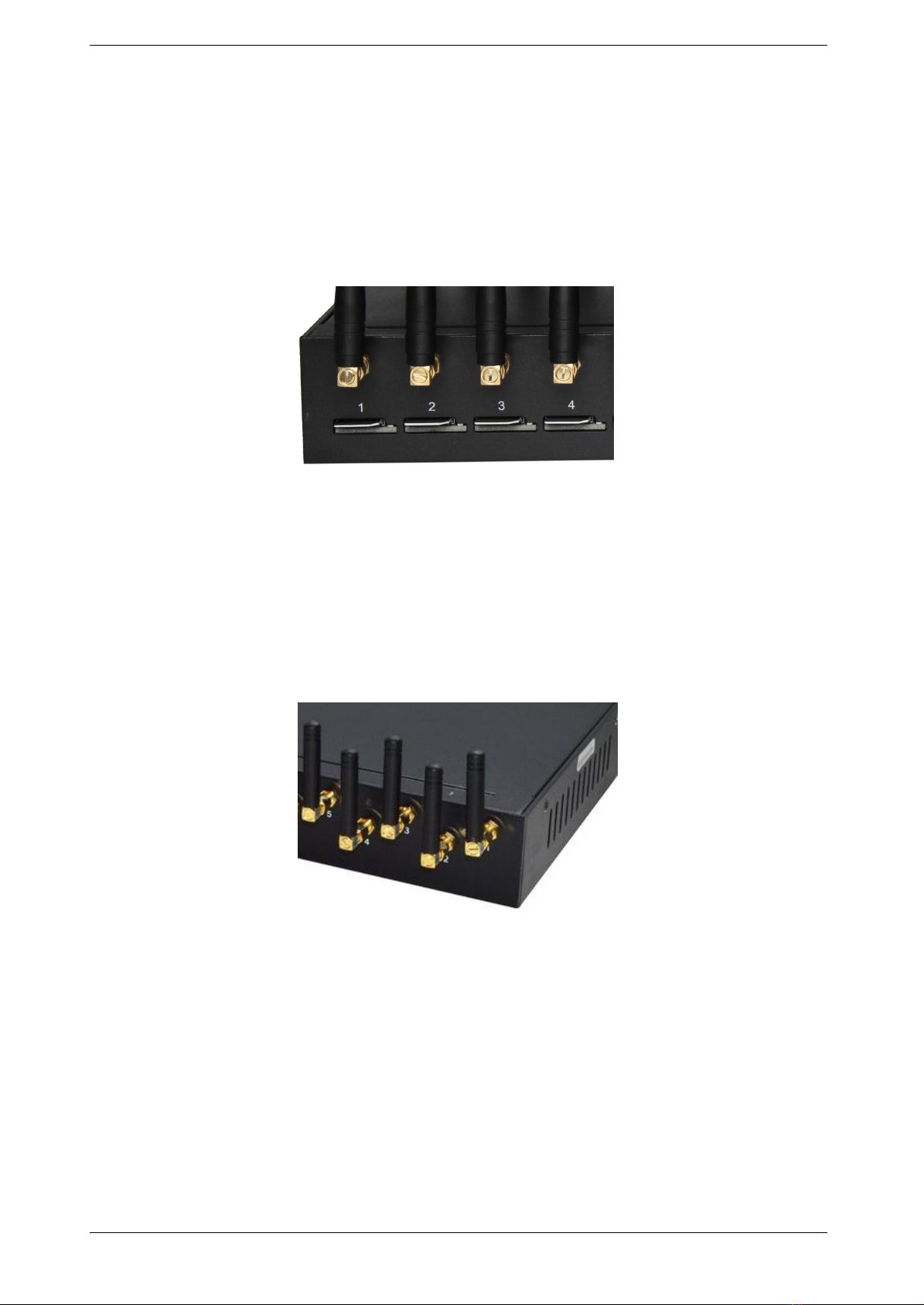
Insert SIM cards like the figure 2.1-1. The SIM cards should be mini-SIM (2FF).
Figure 2.1-1 SIM Card Placement
2.2 Antenna Installation
The external antenna should be installed vertically always on a site with a good wireless
signal. It is strongly recommend that you choose the long antenna.
Figure 2.2-1 Antenna Installation
2.3 Network Connection
Plug Ethernet line into gateway WAN port, and then connect the other end of the Ethernet
line with switch or router.

MTR716 User Manual
Figure 2.3-1 Network Connection
2.4 Power Connection
Connect the small end of the power cable to the power input on the back panel, and plug the
other end of the cable into a 220V power outlet.
Figure 2.4-1 Power Connection
2.5 Serial Connection
Connect one side of serial cable to the console port on the back panel, another side to
computer USB port.(Don't need connect it normally)

MTR716 User Manual
Figure 2.5-1 Serial Connection
Chapter Ⅲ Web Settings
3.1 Login
Open the web browser and type the IP address. If it is the first time you login the gateway,
please use the default settings below:
IP Address: 192.168.1.67
Account: admin
Password: admin

MTR716 User Manual
Figure 3.1-1 Login web
3.2 System Settings
3.2.1 Admin
The default username/password of gateway are admin/admin. You are allowed to change the
password on this page.
Figure 3.2.1-1 Admin
3.2.2 System config
Inhaltsverzeichnis