
GameFactor MG600 Bedienungsanleitung

Guia rápida / Quick guide
MG600
GAMING MONITOR

Te invitamos a registrar tu producto y gozar de los
beneficios, registra tu compra en nuestra página web
y participa de las promociones en:
01 (33) 3044 6666
+52 33 3044 6666
www.gamefactor.mx
We invite you to register your product and enjoy the
benefits. Register your purchase on our website and
participate in promotions at:
Síguenos en:
Follow us:

ESPAÑOL
PRECAUCIONES
• Se recomienda limpiar el monitor con un paño
ligeramente húmedo, pero sólo cuando la
alimentación está desconectada.
• No utilice productos a base de alcohol o amoniaco
para la limpieza del monitor, no lo rocíe con líquidos
ni le introduzca objetos.
• No cubra ni obstaculice los orificios de ventilación
dispuestos en la parte posterior de la caja del
monitor.
• Noinstale el monitorcercadeaparatosdecalefacción
y fuentes de calor, ni tampoco en espacios cerrados
sin ventilación.
• El uso de este dispositivo en condiciones diferentes
a las normales puede ocasionar descargas eléctricas.
CONOCE TU DISPOSITIVO

ESPAÑOL
Número Nombre
1Panel TN
2 Poste
3 Base
4Botón auto
5 Botón Menú
6Botón Arriba
7Botón Abajo
8Encendido / Apagado
9 Entrada de corriente
10 HDMI 1 / 2 / 3
11 Displayport
12 Jack de audio 3.5 mm
13 Sistema VESA
ENSAMBLE
1. Posicione el poste y la base como se muestra en la
imagen y proceda a colocar el tornillo por la parte
inferior de la base para asegurar las dos piezas
2. Coloque el monitor en la parte superior del poste
y sujételo con el tornillo restante. (Se recomienda
realizar este paso con el monitor boca abajo sobre
una superficie plana.)
3.

ESPAÑOL
INSTALACIÓN
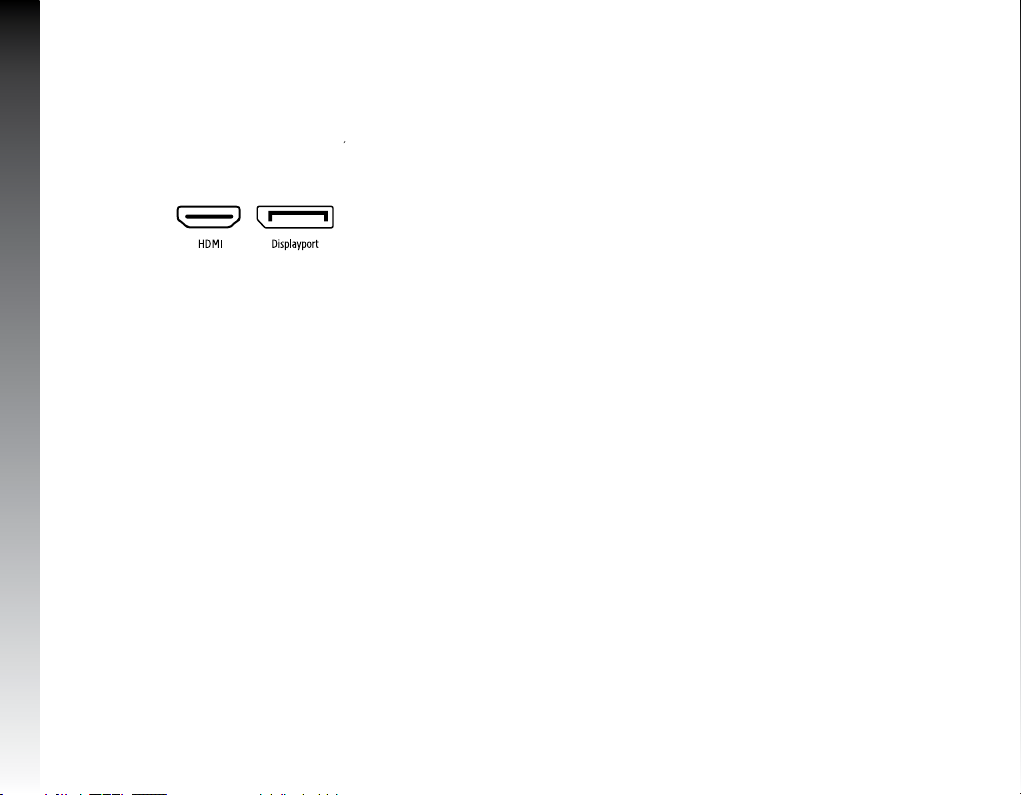
4. Conecta el cable Displayport ó HDMI de su
computadora a el puerto correspondiente en la
parte posterior del monitor (1).
5. Conecta el cable de alimentación de poder al
monitor.
6. Encendido: Presiona el botón de encendido para
encender tu monitor.
7. Apagado: Presiona el botón de apagado para apagar
tu monitor.
Cuando el monitor se encuentre funcionando bajo
condiciones normales, la luz del indicador LED será
de color verde (o azul); si el monitor está en modo
de ahorro, la luz del indicador LED será de color rojo.
Cuando el indicador de poder está apagado significa
que el monitor esta en modalidad de apagado. Favor
de desconectar el cable de poder cuando el monitor
no esté siendo utilizado.
INSTRUCCIONES DE USO
1. Encienda su monitor (su monitor deberá de estar
recibiendo señal para poder entrar al menú de
configuración).
2. Presione el botón de menú situado en la parte
posterior de su monitor.
3. Presione los botones de arriba y abajo para cambiar
entre las opciones mostradas.
4. Para seleccionar la opción deseada a configurar
selecciónela con el botón menú y navegue por el
menú con los botones.
5. Si desea retroceder del submenú previamente
seleccionado presione el botón auto.
Menú de Ajustes
1. Presione Menú en el menú principal, seleccione
MENU.
2. Presione + ó – para cambiar la imagen del menú
principal para el cambio de configuraciones.
3. Presione Menú para cambiar la configuración del
submenú, y presionar + o - en el menú.
4. Presionar + ó - para ajustar las configuraciones.
5. Presionar AUTO para regresar al menú principal.

ESPAÑOL
FICHA TÉCNICA
Montura de pared: Montaje VESA
Relación de aspecto: 16:9
Ángulo de visualización H: 178°
Ángulo de visualización V: 178°
Tipo de iluminación: LED
Resolución máxima: 1920 x 1080
Colores: 16.7 millones
Frecuencia de sincronización: 144 Hz
Relación de contraste: 1000:1 (Normal) 5000000:1
(Dinamico)
Brillo: 300 cd/m²
Tiempo de respuesta: 1 ms
Puertos de entrada: 3 x HDMI, 1x DisplayPort
Ángulo de inclinación: -5º a +15º
Tipo de panel: TN
Dimensiones: 810 x 135 x 550 mm
Diagonal: 24.5” (62.23 cm)
Voltaje de entrada: 12 V ¤4.0A
Consumo de energía: 40 W
Modo de espera: 1 W

ENGLISH
PRECAUTIONS
• It is recommended to clean the monitor with a
slightly damp cloth, but only when the power is o.
• Do not use alcohol or ammonia-based products to
clean the monitor, spray it with liquids or introduce
objects.
• Do not cover or obstruct the ventilation holes on the
back of the monitor case.
• Do not install the monitor near heating devices
and heat sources, nor in closed spaces without
ventilation.
• The use of this device in conditions other than
normal may cause electric shock.
KNOW YOUR MONITOR

ENGLISH
Número Nombre
1Panel TN
2 Post
3 Base
4 Auto buon
5 Menu buon
6 Up Buon
7 Down Buon
8 On o
9 Current input
10 HDMI ½/3
11 Displayport
12 Audio jack 3.5 mm
13 VESA Mount
ASSEMBLY
1. Position the post and the base as shown in picture
1.1 and proceed to place the 3 screws at the boom
to secure the two pieces
2. Place the Monitor on the stand using the included
screw (It is recommended to perform this step with
the monitor face down on a at surface.)
ENGLISH
INSTALLATION
3. Connect the Displayport or HDMI cable of your
computer to the corresponding port on the back of
the monitor (1).
4. Connect the power supply cable to the monitor.
5. On: Press the power buon to turn on your monitor.
6. O: Press the power o buon to turn o your
monitor.
When the monitor is operating under normal
conditions, the LED indicator light will be green (or
blue); If the monitor is in saving mode,the LED indicator
light will be red. When the power indicator is o, the
monitor is in the power o mode. Please disconnect
the power cord when the monitor is not being used.
INSTRUCTIONS FOR USE
1. Turn on your monitor (your monitor should be
receiving a signal to enter the configuration menu).
2. Press the menu buon on the back of your monitor.
3. Press the up and down buons to switch between
the displayed options.
4. To select the desired option to configure, select it
with the menu buon and navigate through the
menu with the buons.
5. If you wish to back out of the previously selected
submenu press the auto buon.
Seings Menu
1. Press Menu in the main menu, select MENU.
2. Press + or - to change the main menu image to
change seings.
3. Press Menu to change the sub-menu seings, and
press + or - in the menu.
4. Press + or - to adjust the seings.
5. Press AUTO to return to the main menu.

ENGLISH
TECHNICAL SPECS
Mounting Support VESA
Aspect ratio 16:9
Viewing Angle (H/V): 178° / 178°
Backlight: LED
Max resolution: 1920 x 1080
Colors: 16.7 millones
Refresh rate: 144 Hz
Contrast ratio: 1000:1 (Normal) 5000000:1
(Dinamic)
Brightness: 300 cd/m²
Response time: 1 ms
Input ports: 3 x HDMI, 1x DisplayPort
Inclination angle: -5º a +15º
Panel: TN
Dimensions: 810 x 135 x 550 mm
Display size: 24.5” (62.23 cm)
Input voltage: 12 V ¤4.0A
Energy consumption: 40 W
Stand by consumption: 1 W
Inhaltsverzeichnis
Sprachen:
Andere GameFactor Monitor Handbücher


