
Gaumard S401.100 Bedienungsanleitung
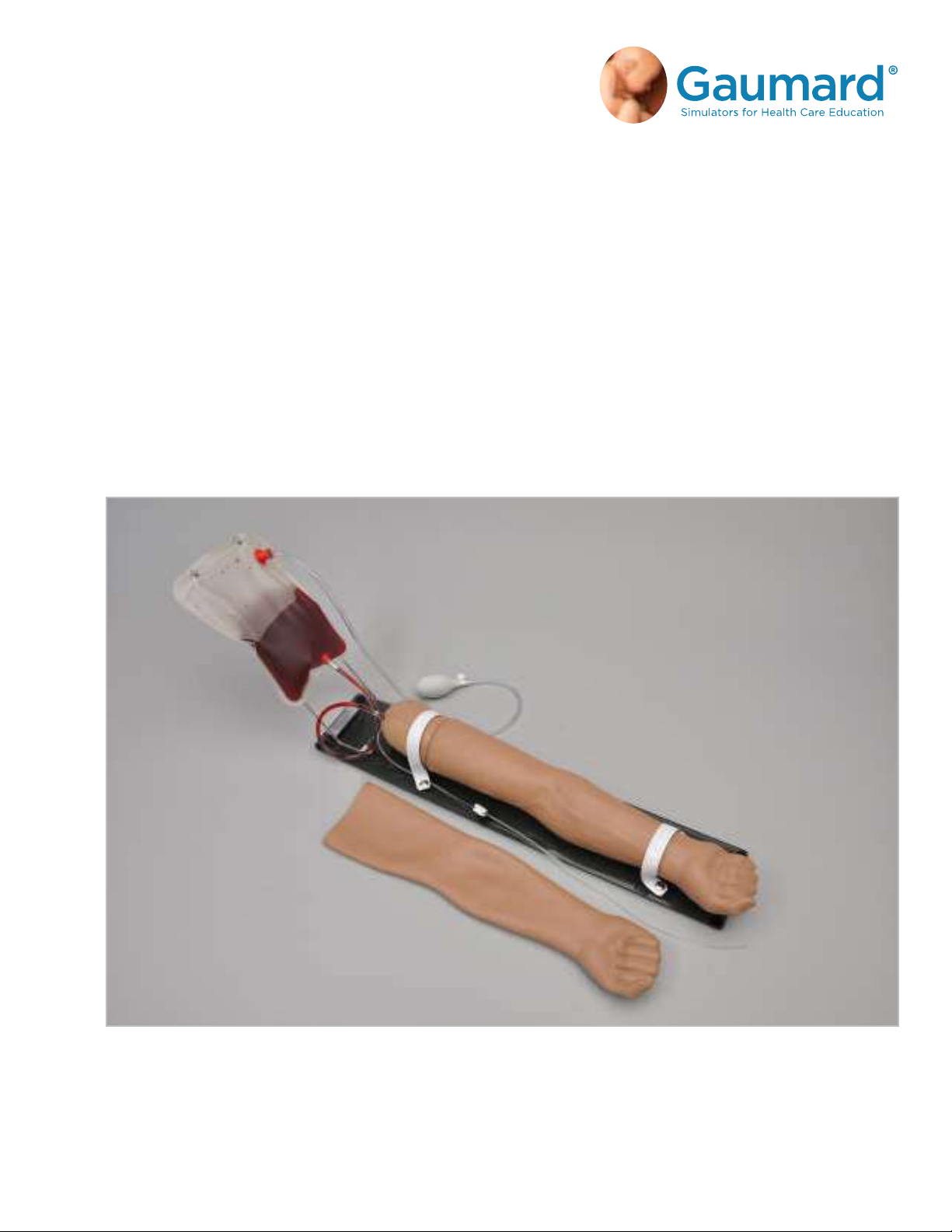
The S401.100 Advanced Multipurpose Venous Training System is an interactive educational
system developed to assist a certified instructor. It is not a substitute for a comprehensive
understanding of the subject matter and not intended for clinical decision making.
S401.100
ADVANCED MULTIPURPOSE VENOUS
TRAINING ARM
USER GUIDE

TABLE OF CONTENTS
1. INTRODUCTION 5
1.1 SPECIFICATIONS 5
1.2 CARE AND MAINTENANCE 5
2. OVERVIEW 7
2.1 FEATURES 7
3. INITIAL SETUP 8
3.1 UNBOXING 8
3.2 PACKAGE CONTENTS 8
3.3 DEVICE SIZE RECOMMENDATIONS 9
3.4 BLOOD DISPENSING BAG & STAND ASSEMBLY 9
4. WORKING WITH THE SIMULATOR 11
4.1 FILLING THE VENOUS SYSTEM 11
4.2 SIMULATING VENOUS PRESSURE 12
4.3 SIMULATING COLLAPSED VEINS 13
4.4 INJECTION IN THE DORSUM OF THE HAND 13
4.5 IV INFUSIONS 14
4.6 BLOOD COLLECTION 15
4.7 FLUSHING THE VENOUS SYSTEM 16
4.8 SUBCUTANEOUS & INTRAMUSCULAR INJECTION SITES 18
4.9 CHANGING THE INJECTION SITES 19
4.10 TB SCREENING SITES 20
5. ROUTINE MAINTENANCE 21
5.1 REPLACING THE ARM SKIN 21
5.2 REVEINING THE ARM 22
S401.100 ADVANCED MULTIPURPOSE TRAINING ARM | USER GUIDE
Table of Contents | iii

6. APPENDIX 31
6.1 REPLACEMENT PARTS LIST 31
6.2 EXCLUSIVE ONE-YEAR LIMITED WARRANTY 32
6.3 CONTACT TECHNICAL SUPPORT 33
6.4 GENERAL INFORMATION 33
S401.100 ADVANCED MULTIPURPOSE TRAINING ARM | USER GUIDE
iv | Table of Contents

S401.100 ADVANCED MULTIPURPOSE TRAINING ARM | USER GUIDE
Introduction | 5
1. INTRODUCTION
1.1 SPECIFICATIONS
Weight: 12 lbs
Length: 19 inches
The S401.100 Advanced Venous Training Arms accurately represent an adult arm and hand,
complete with the Cephalic, Basilic, Antecubital, Radial, and Ulnar veins. The simulators
also feature subcutaneous injection sites on the volar side of the forearm and the lateral
side of the upper arm, as well as an intramuscular injection site in the deltoid area.
1.2 CARE AND MAINTENANCE
General
• Do not wrap this or any other Gaumard product in newsprint.
• Marks made with ballpoint pens, ink or marker cannot be removed.
• Replacement parts are available from Gaumard or from your distributor.
• Do not use povidone iodine or Betadine type antiseptic solutions
as these may permanently stain the simulator.
CAUTION: Damage caused by misuse is not covered by your warranty. It is
critical to understand and comply with the following guidelines.
Cautions
• Use the venous training arm with the same precautions used with a real patient.
• Have providers wash their hands prior to use to prevent dirt and oils from clinging to the material.
• Do not palpate using fingernails as this may tear the skin; palpate using the pads of the fingers.
• Vein tubing contains latex, which may cause allergic reactions. Users allergic or sensitive to latex should
avoid contact. Discontinue use of this product and seek medical attention if an allergic reaction occurs.
Operating Temperatures
• Operating temperature: 50°- 95° F (10°- 35° C).
• Humidity: 5% - 95% (non-condensing).

S401.100 ADVANCED MULTIPURPOSE TRAINING ARM | USER GUIDE
6 | Introduction
Storage
• Store the venous training arm in a cool, dry place.
• Humidity: 40% - 60% (non-condensing).
• Do not stack or store heavy materials on top of the bag. Please store and ship it in the bag provided.
Cleaning
• The venous training arm is water proof. It should be cleaned with a
cloth dampened with diluted liquid dishwashing soap.
• Do not clean with harsh abrasives.
• Dry thoroughly after every cleaning.
• After drying, application of baby powder can return the arm to its lifelike feel.
IV Arm
• Only use Gaumard’s simulated blood provided in the standard package. Any other simulated blood
containing sugar or any additive may cause blockage and/or interruption of the veins in the IV arm.
• The use of needles larger than 22 to 23 gauge will reduce the lifetime of the arm skin and veins.
• Always purge with clean water, then drain the vein reservoirs at the end of each simulation
session. Doing so will retard the formation of mold and prevent clogging of the system.
• The skin of the training arm can be cleaned with a mild detergent, or soap and water. After drying the
arm, lightly dust it with talcum powder. This will keep the training arm supple and easy to use.
• We recommend flushing veins with a 70:30 mix of clean water to isopropyl
alcohol (IPA) after each use to prolong the life of the vasculature.
• For more information regarding the replacement of veins and other consumable items
please contact technical support. Contact information is provided in section 6.3.
WARNING: Vein tubing contains latex which may cause allergic reactions. Users allergic or sensitive to latex
should avoid contact. Stop using the product and seek medical attention if an allergic reaction occurs.

S401.100 ADVANCED MULTIPURPOSE TRAINING ARM | USER GUIDE
Overview | 7
2. OVERVIEW
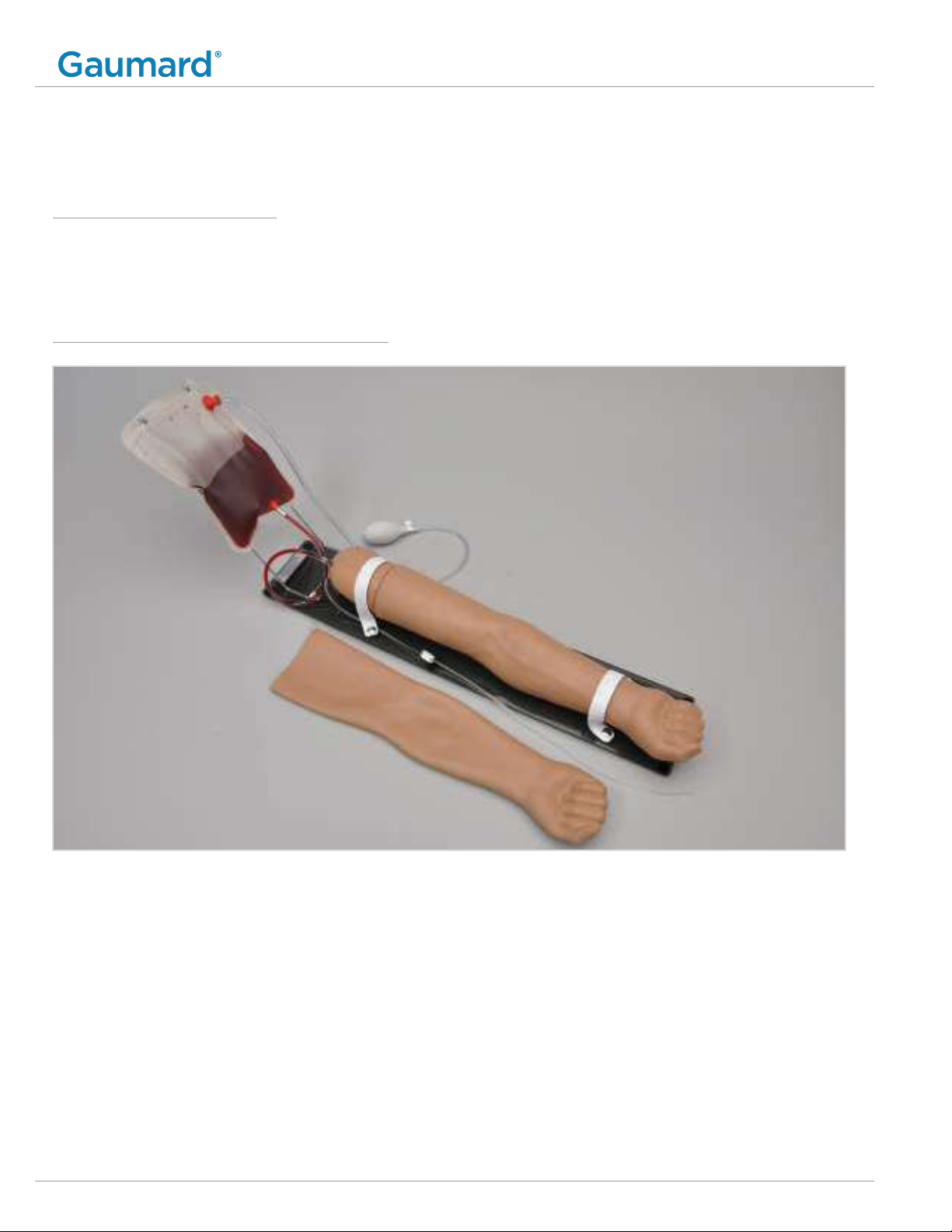
2.1 FEATURES
• Simulated cephalic, basilic, antecubital, radial, and ulnar veins
• Subcutaneous injection areas on the volar side of the forearm and the lateral side of the upper arm
• Prominent venous network
• Intramuscular injection site in deltoid area
• Veins in the dorsum of the hand
• Resealing veins and outer skin
• Realistic "pop" as needle enters vein
• Squeeze bulb to increase or decrease venous pressure
• Blood collection exercises with simulated blood
• Administration of medication by intravenous bolus
• Simulation of clenched fist and tourniquet position
• Simulation of collapsed veins
• TB test sites
S401.100 ADVANCED MULTIPURPOSE TRAINING ARM | USER GUIDE
8 | Initial Setup
3. INITIAL SETUP
3.1 UNBOXING
• Lift the arm from the box and remove the bag it is shipped in.
• Rest the arm on a bed or clean, flat surface.
3.2 PACKAGE CONTENTS
1. Multipurpose Venous Training Arm
2. Smoked Lucite Base with Stand
3. Simulated Blood Concentrate
4.Intradermal Sites
5. Manual Squeeze Bulb
6.Dispensing Blood Bag
7. Funnel
8. Replacement Arm Skin
9. Rubber Stopper
10. Mineral Oil Lubricant
11. Talcum Powder
12. Soft Carrying Bag
3.3 DEVICE SIZE RECOMMENDATIONS
Procedure Device Size
Needle stick 22 G or smaller
Infusion of large amounts of fluid 19 G / 14-18 G cannula
General infusion 21 G / 20 G cannula
Subcutaneous injection 25-27 G
Intradermal injection 26 G
Intramuscular injection 20-23 G
3.4 BLOOD DISPENSING BAG & STAND ASSEMBLY
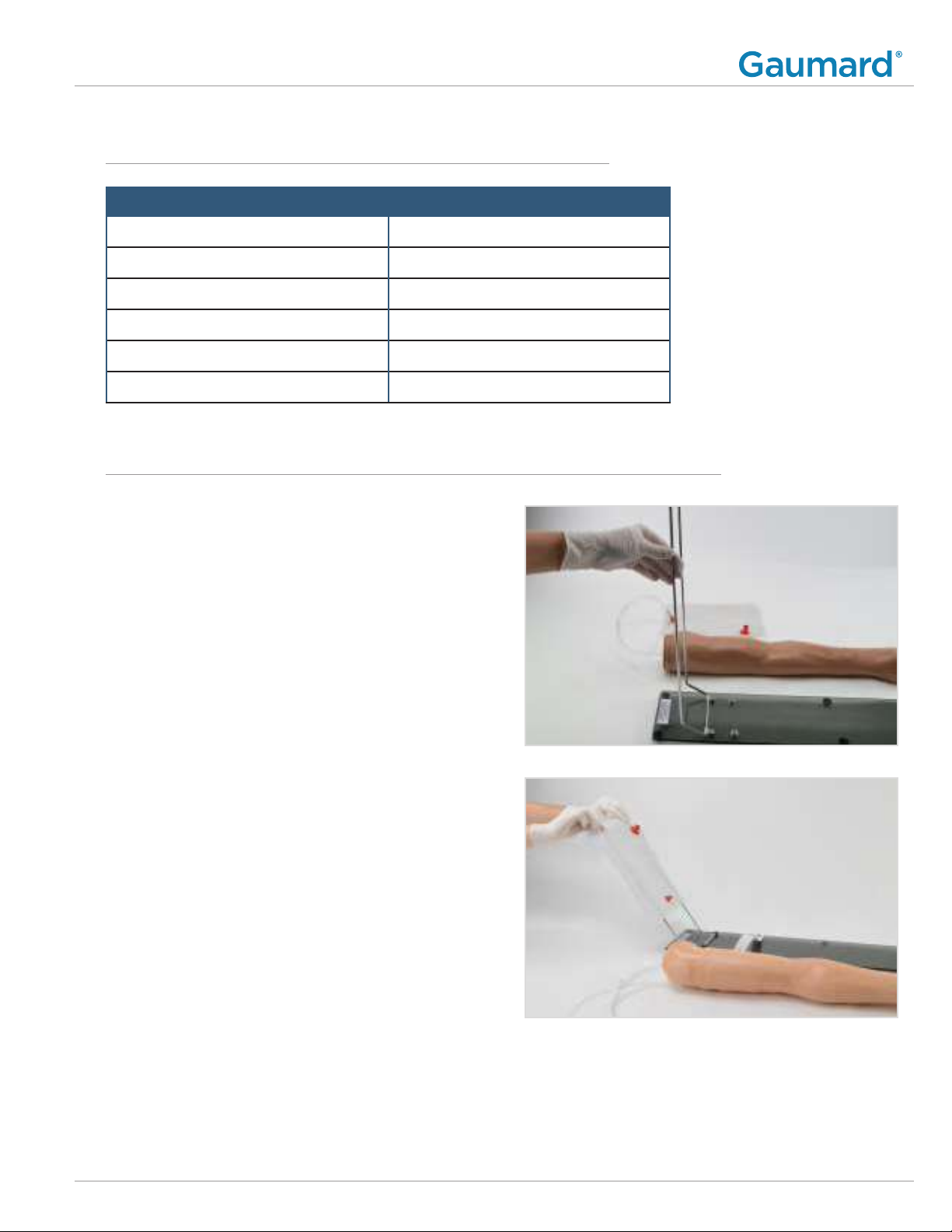
1. Lift the hinged metal stand into
position on the Lucite base.
2. Place the blood bag on the stand.
S401.100 ADVANCED MULTIPURPOSE TRAINING ARM | USER GUIDE
Initial Setup | 9
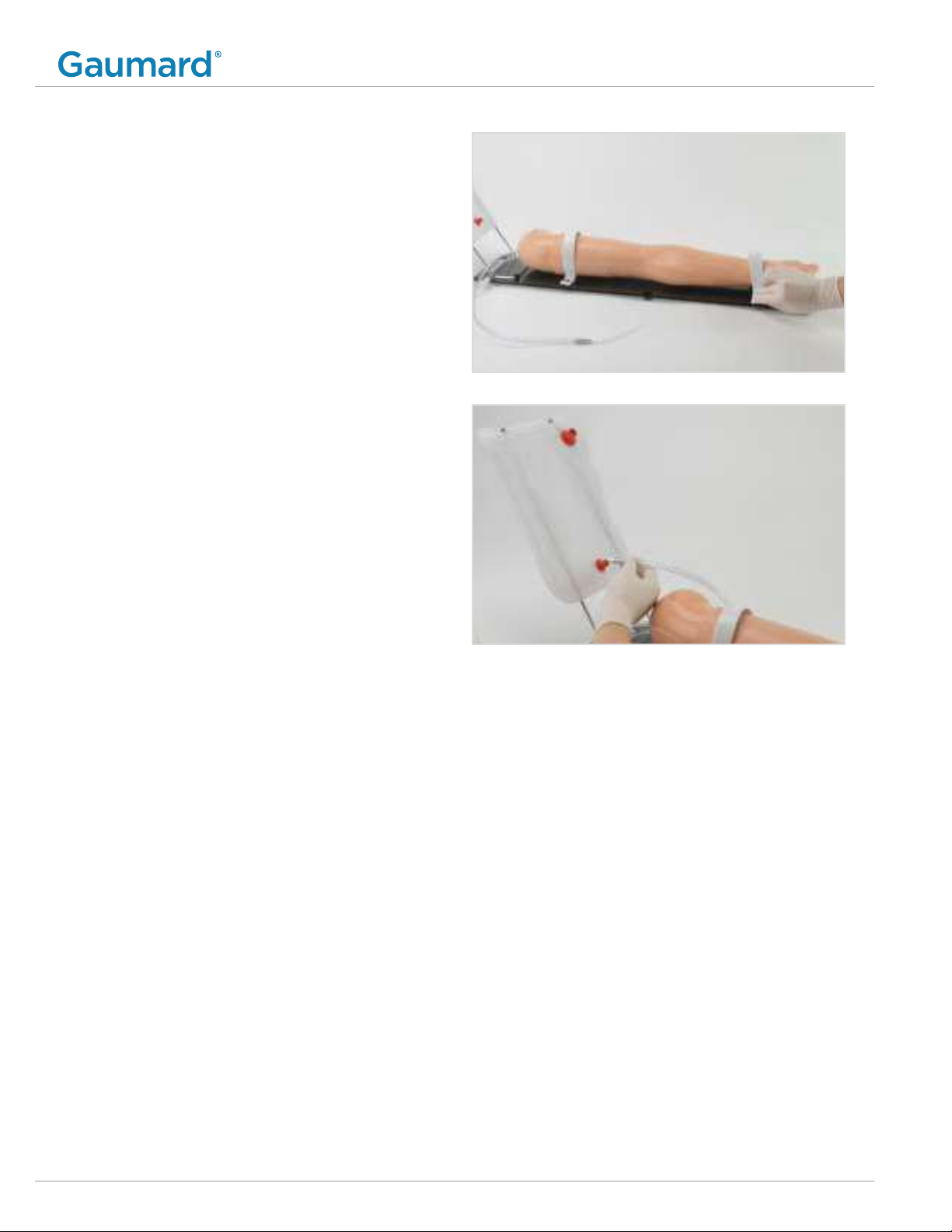
3. Place the arm on the base and secure
it with the straps provided by gently
pressing down on the snaps.
4.Insert the venous tube to the dispensing
bag port at the bottom of the bag.
S401.100 ADVANCED MULTIPURPOSE TRAINING ARM | USER GUIDE
10 | Initial Setup
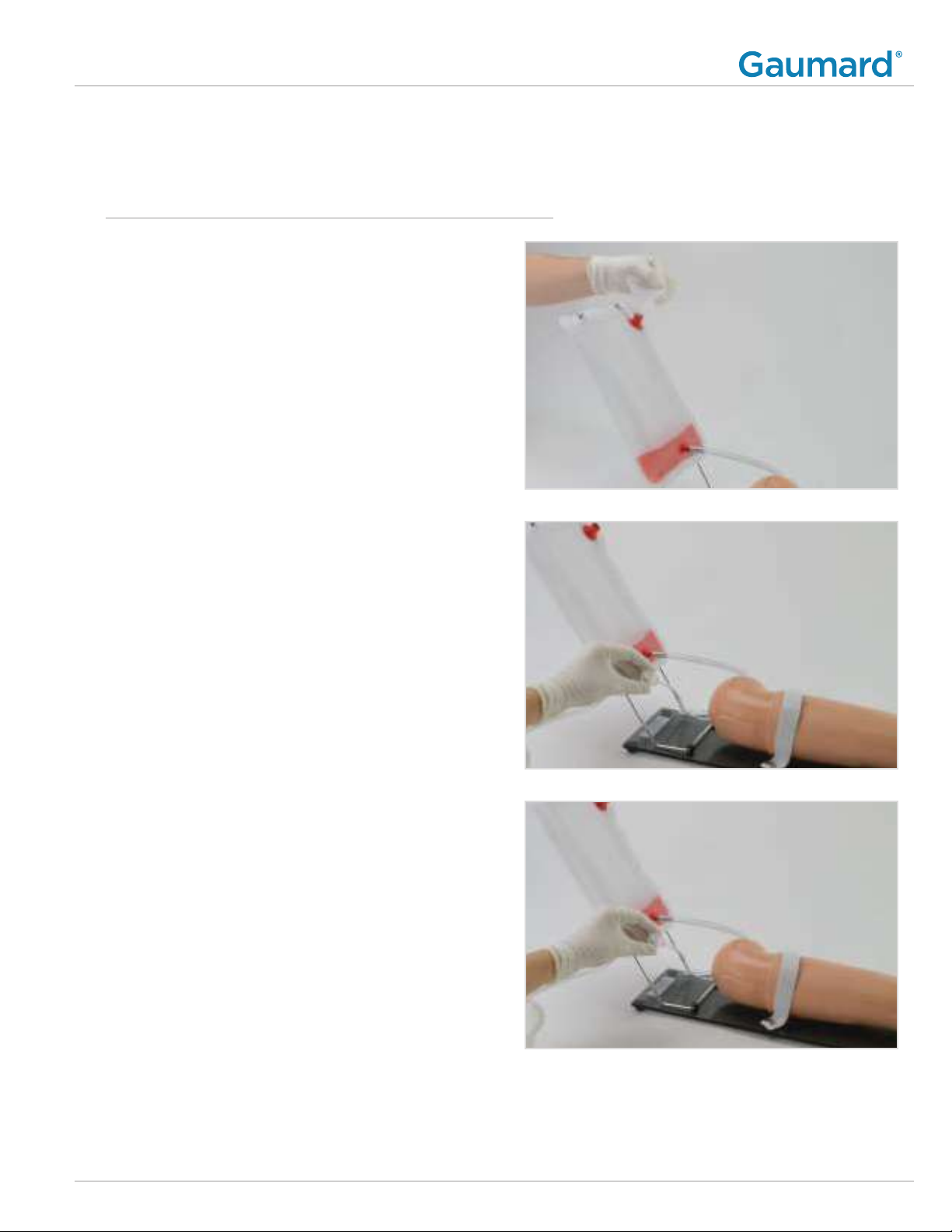
1. Using the funnel, fill the blood dispensing bag
with water or the simulated blood provided.
The dispensing bag holds up to 1.5 Liters.
NOTE: Follow the instructions on the blood
concentrate to make up to 1 gallon.
2. Place the drainage tube in a container.
3. Be sure the drainage tube is unclamped to
allow the fluid to flow into the venous system.
NOTE: Place the drainage hose in a collection
container. If fluid does not flow all the way
through the drainage hose, position the
drain tubing lower than the IV arm.
4.Clamp the tube closed when there are no air
bubbles left in the venous system and attach
the black rubber stopper to the upper port.
4. WORKING WITH THE SIMULATOR
4.1 FILLING THE VENOUS SYSTEM
S401.100 ADVANCED MULTIPURPOSE TRAINING ARM | USER GUIDE
Working with the Simulator | 11
Inhaltsverzeichnis
Beliebte Lehrmittel Handbücher anderer Marken


fischertechnik
fischertechnik STEM Coding Pro Bedienungsanleitung

Experia
Experia IRiS Light Wand Bedienungsanleitung

Pitsco Education
Pitsco Education FLO Bedienungsanleitung

Sphero
Sphero RVR RV01 Bedienungsanleitung

Limbs & Things
Limbs & Things 60905 Bedienungsanleitung

JP
JP TURN Connect T101 Bedienungsanleitung

TruCorp
TruCorp AirSim Advance Bedienungsanleitung

LeapFrog
LeapFrog Mr. Pencil's Scribble, Write & Read Bedienungsanleitung

ScienTECH
ScienTECH 2261 Bedienungsanleitung

Rompa
Rompa 20019 Bedienungsanleitung

Duinotech
Duinotech XC4322 Bedienungsanleitung

Enabling Devices
Enabling Devices Spinning Light Show Bedienungsanleitung