
GeoVision GV-Joystick V2 Bedienungsanleitung
Before attempting to connect or operate this product,
please read these instructions carefully and save this manual for future use.
User's Manual
GV-Joystick V2
JK2V10-B

© 2021 GeoVision, Inc. All rights reserved.
Under the copyright laws, this manual may not be copied, in whole or in part,
without the written consent of GeoVision.
Every effort has been made to ensure that the information in this manual is
accurate. GeoVision, Inc. makes no expressed or implied warranty of any kind
and assumes no responsibility for errors or omissions. No liability is assumed
for incidental or consequential damages arising from the use of the information
or products contained herein.
GeoVision, Inc.
9F, No. 246, Sec. 1, Neihu Rd.,
Neihu District, Taipei, Taiwan
Tel: +886-2-8797-8377
Fax: +886-2-8797-8335
http://www.geovision.com.tw
Trademarks used in this manual: GeoVision, the GeoVision logo and GV
series products are trademarks of GeoVision, Inc. Windows and Windows XP
are registered trademarks of Microsoft Corporation.
September 2021

Contents
Regulatory Notices................................................................................... i
1. Introduction.......................................................................................1
1.1 Packing List ........................................................................................................... 1
1.2 System Requirements............................................................................................ 1
2. Overview ..........................................................................................2
2.1 Front View.............................................................................................................. 2
2.2 Rear View .............................................................................................................. 3
3. Installation ........................................................................................4
3.1 Connecting to GV-Software.................................................................................... 4
3.2 Connecting to GV-Keyboard V3 ............................................................................. 4
4. Starting GV-Joystick..........................................................................5
5. Controlling Multiple PTZ Cameras in GV-System .............................8
6. Calibrating GV-Joystick V2 ...............................................................9
7. Specifications .................................................................................10

Regulatory Notices
i
Regulatory Notices
FCC Notice
This equipment has been tested and found to comply with the limits for a Class A digital
device, pursuant to part 15 of the FCC Rules. These limits are designed to provide reasonable
protection against harmful interference when the equipment is operated in a commercial
environment.
Class A
This equipment generates, uses, and can radiate radio frequency energy and, if not installed
and used in accordance with the instruction manual, may cause harmful interference to radio
communications. Operation of this equipment in a residential area is likely to cause harmful
interference in which case the user will be required to correct the interference at their own
expense.
CE Notice
This is a Class A product. In a domestic environment, this product may cause radio
interference in which case the user may be required to take adequate measures.
RoHS Compliance
The Restriction of Hazardous Substances (RoHS) Directive is to forbid the use of hazardous
materials of production. To meet the RoHS Directive requirements, this product is made to be
RoHS compliant.
WEEE Compliance
This product is subject to the Waste Electrical and Electronic Equipment (WEEE) Directive
and made compliant with the WEEE requirements.

1Introduction
1
1. Introduction
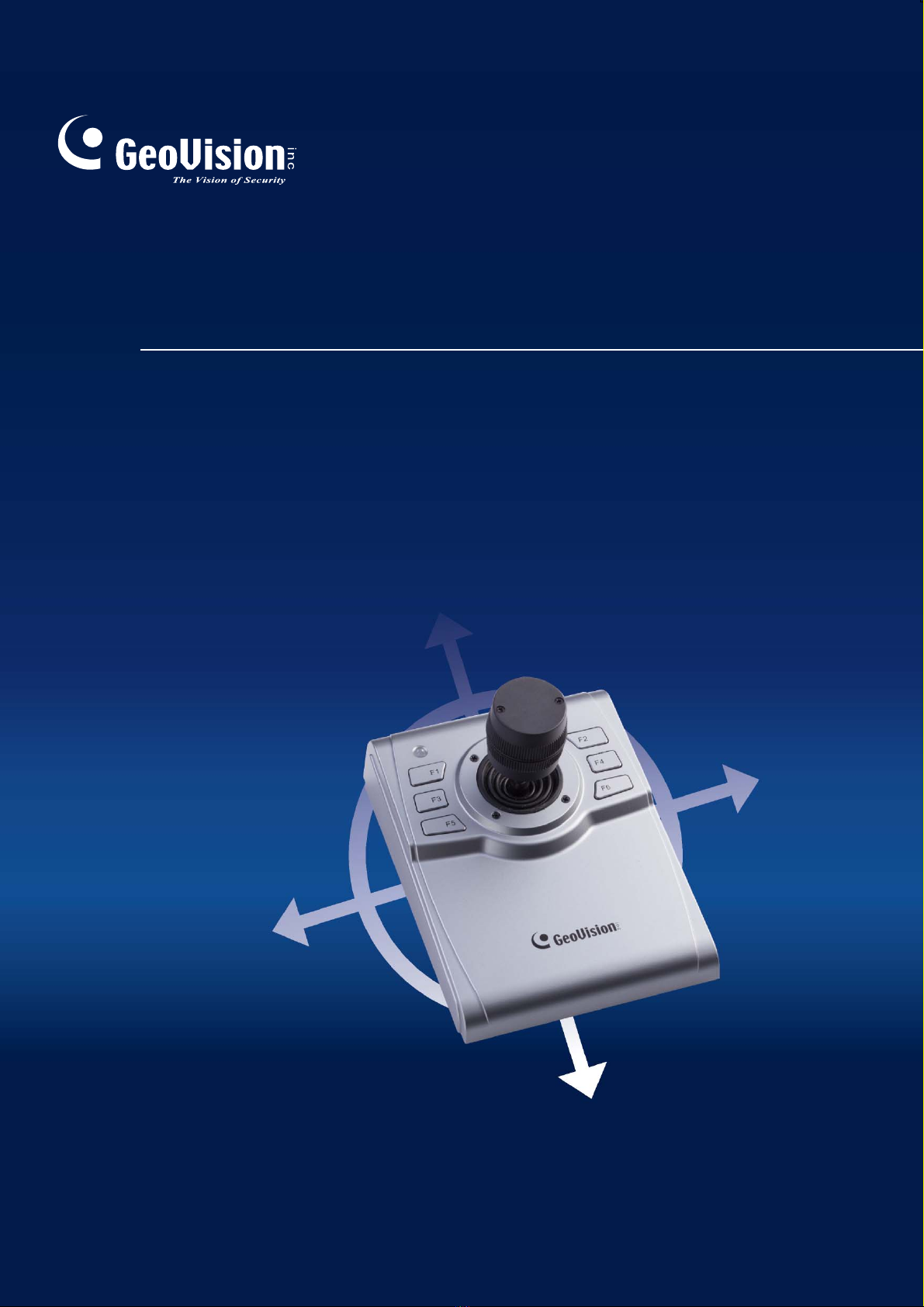
GV-Joystick V2 is a plug-and-play device, used to pan, tilt, zoom and focus a PTZ camera. It
works with GeoVision software and hardware independently, and its compatibility with
GV-Keyboard V3 empowers the operation of GV-System as well.
1.1 Packing List
GV-JoystickV2
USB Type A to Type B Cable
RJ-45 Cable
1.2 System Requirements
32-bit Windows 7 / 8 / 10 / Server 2008
OS
64-bit Windows 7 / 8 / 10 / Server 2008 R2 / Server 2012 / Server 2016 /
Server 2019
Note:
1. For the users of Windows 10 update version 1809 or later, you need to update
GV-Joystick V2’s driver manually. For details, see the technical post.
2. The joystick is a HID device compatible with any third-party software supported HID
protocol.
2
2. Overview
2.1 Front View
1
2
3
4
8
5
6
7
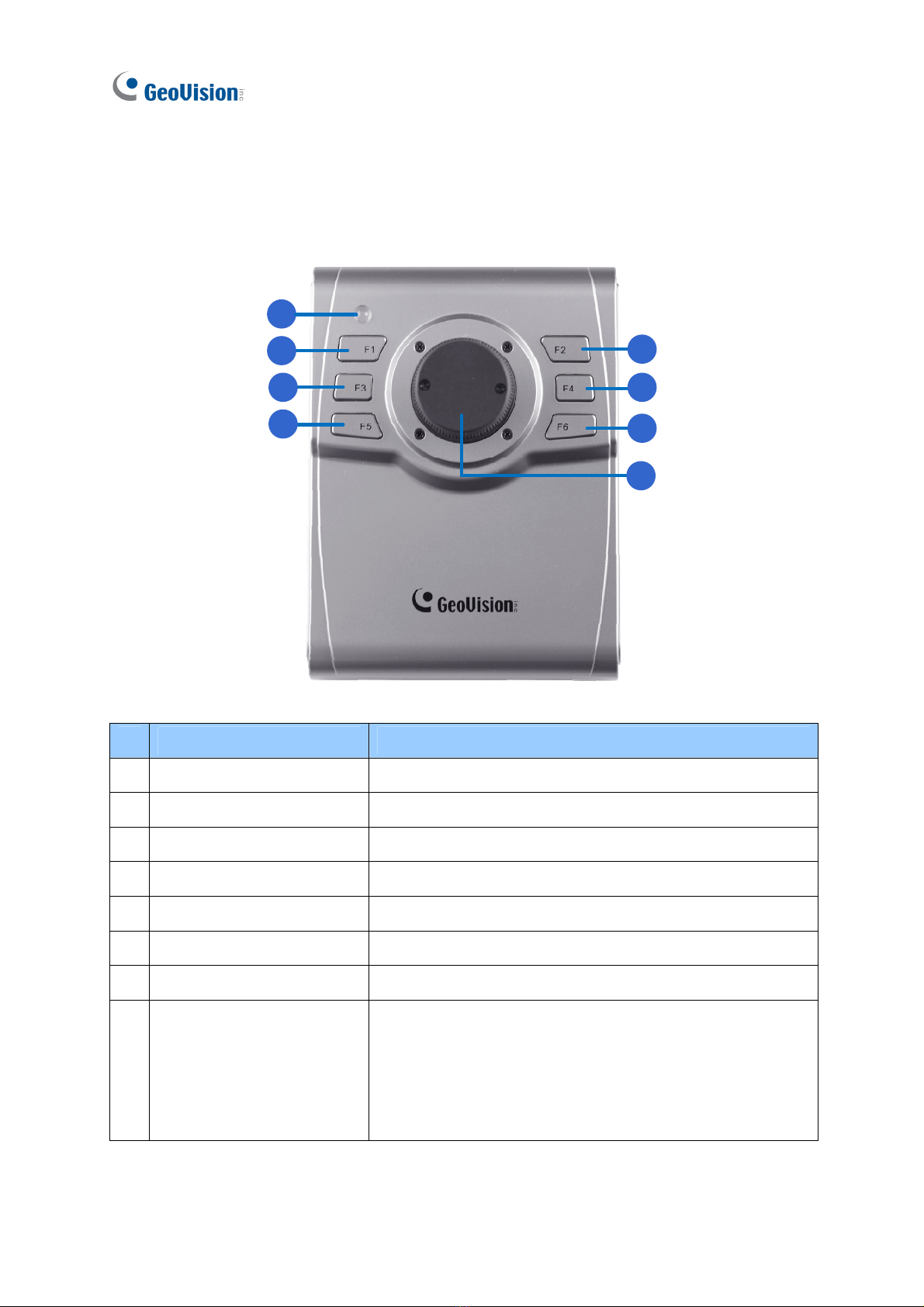
No Name Function
1 Power LED Indicates power activity.
2 F1 (Focus In) Adjusts focus near.
3 F3 (Focus Out) Adjusts focus far.
4 F5 (Auto Focus) Automatically focus a camera.
5 F2 ( Previous Camera) Controls the previous camera.
6 F4 (Next Camera) Controls the next camera.
7 F6 (Home) Brings the camera to a home position.
8 Handle
Use the handle to have the following movements:
Push right / left to pan a camera right / left.
Push up / download to tile a camera up / download.
Turn the handle right to zoom in.
Turn the handle left to zoom out.

2Overview
3
Note:
1. F1 ~ F6 keys described here are defaults. You can customize the functions using the
Keyboard & Joystick controller.
2. For GV-Joystick V2 connected to GV-Keyboard V3, the keys can not be customized,
and the F5 and F6 keys are not functional.
2.2 Rear View
No Name Function
1 USB to DVR port Connects to computer
2 To GV-Keyboard port Connects to GV-Keyboard V3

4
3. Installation
There are two ways to connect GV-Joystick V2 to GV-Software:
1. Direct connection using the USB to DVR port
2. Indirect connection through GV-Keyboard V3 using the To GV-Keyboard port
Note:
1. These two ports cannot be used simultaneously.
2. For connecting GV-Joystick V2 to GV-Center V2, only the direct connection is
supported.
3.1 Connecting to GV-Software
GV-Joystick V2 is a plug-and-play device that works with GV-Software directly. To connect
GV-Joystick V2 to GV-Software, use the supplied USB cable.
3.2 Connecting to GV-Keyboard V3
To connect GV-Joystick V2 to GV-Keyboard V3, use the supplied RJ-45 cable.
4Starting GV-Joystick
5
4. Starting GV-Joystick
When using GV-Joystick V2 to control PTZ cameras connected to GV-Software, it is required
to run GV-Mcamctrl Utility in the background. Up to 8 units of GV-Joystick V2 can be
connected together, but only one GV-Joystick V2 can control one PTZ camera at one time.
Note: For combining use with GV-Keyboard V3, see GV-Keyboard V3 User’s Manual.
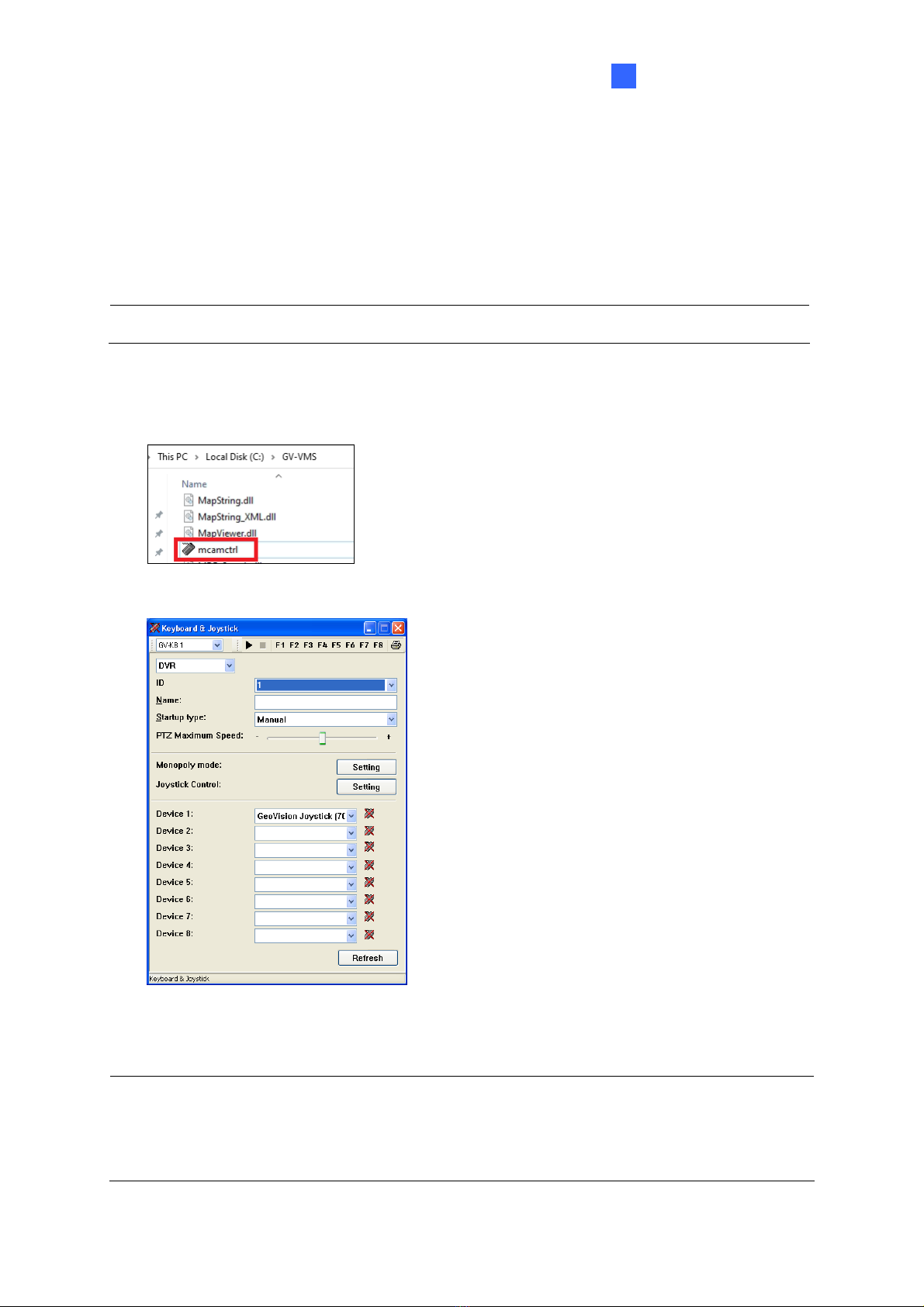
1. Run mcamctrl.exe from the GV-Software folder.
2. The Keyboard & Joystick controller appears.
3. Select GeoVision Joystick from the Device drop-down list.
Tip: If you can not find the GeoVision Joystick option, make sure your GV-Joystick is
properly connected and then click the Refresh button from the Keyboard & Joystick
controller to scan for the device again.

6
4. Select the ID of the joystick and name it.
5. In Startup Type, select Manual or Automatic to run the Keyboard & Joystick controller
manually or automatically at next startup.
6. To adjust the camera speed, use the PTZ Maximum Speed slider.
7. To customize the function keys:
A. Click the Setting button next to Joystick Control. This dialog box appears.
B. Select a function key (F1 ~ F6) and select a function.
8. To add another GV-Joystick V2, repeat step 3 and select GeoVision Joystick with a
different serial number from the Device drop-down list.
9. Click the Start Service button ►to start the service. If you want to stop the service, click
the Stop Service button ▓.
Andere Handbücher für GV-Joystick V2
1
Inhaltsverzeichnis
Andere GeoVision Videospiel-Controller Handbücher


Beliebte Videospiel-Controller Handbücher anderer Marken


Hyperkin
Hyperkin Smartboy Bedienungsanleitung

Nerf
Nerf DuraGrip Bedienungsanleitung

MoveMaster
MoveMaster MoveMaster Bedienungsanleitung

WinWing
WinWing Super Libra J1 Bedienungsanleitung

ECCI
ECCI Trackstar 6000 Series Bedienungsanleitung

Logitech
Logitech 963291-0403 - Attack 3 Joystick Bedienungsanleitung