GIGA-TMS PROMAG TR610 Bedienungsanleitung

© 2010 GIGA-TMS Inc.
TR610 User's Manual
All rights reserved. No parts of this work may be reproduced in any form or by any means - graphic, electronic, or mechanical, including
photocopying, recording, taping, or information storage and retrieval systems - without the written permission of the publisher.
Products that are referred to in this document may be either trademarks and/or registered trademarks of the respective owners. The publisher and the
author make no claim to these trademarks.
While every precaution has been taken in the preparation of this document, the publisher and the author assume no responsibility for errors or
omissions, or for damages resulting from the use of information contained in this document or from the use of programs and source code that may
accompany it. In no event shall the publisher and the author be liable for any loss of profit or any other commercial damage caused or alleged to have
been caused directly or indirectly by this document.

TR610 User's Manual2
© 2010 GIGA-TMS Inc.
Table of Contents
Part I Introduction 5
Part II Getting started 8
................................................................................................................................... 91Hardware Installation
................................................................................................................................... 132Powering Up for The First Time
................................................................................................................................... 153Configuring IP, Gateway & Netmask
................................................................................................................................... 174Time Synchronization
................................................................................................................................... 195Working in the Normal Mode
Part III Administration 21
................................................................................................................................... 221Web-based Setup and Administration
..........................................................................................................................................................24Settings .........................................................................................................................................................25General .........................................................................................................................................................26Network .........................................................................................................................................................27AggreGate.........................................................................................................................................................28Date/Time ..........................................................................................................................................................29Event Log .........................................................................................................................................................29Search .........................................................................................................................................................30Download.........................................................................................................................................................31Clear ..........................................................................................................................................................31White list .........................................................................................................................................................32Search .........................................................................................................................................................32Add Users.........................................................................................................................................................33Download.........................................................................................................................................................33Upload .........................................................................................................................................................34Clear ..........................................................................................................................................................34Device Operations
.........................................................................................................................................................34Reboot .........................................................................................................................................................35Initializesettings
.........................................................................................................................................................35FormatDisk
..........................................................................................................................................................35Log Out ..........................................................................................................................................................36Device status
................................................................................................................................... 372Onscreen Setup and Administration
..........................................................................................................................................................38Text Entry
................................................................................................................................... 403AggreGate Integration
................................................................................................................................... 484Configuration Priorities
Part IV Reference 52
................................................................................................................................... 531Initializing the Device
................................................................................................................................... 562Changing the TR610's Functionality
................................................................................................................................... 573Uploading New Firmware
..........................................................................................................................................................58Serial Upload

3Contents
3
© 2010 GIGA-TMS Inc.
................................................................................................................................... 634Event Log File Format
................................................................................................................................... 645I/O Connector Pin Assignment & Cable Wiring
................................................................................................................................... 666Time Zones
................................................................................................................................... 687Specifications
................................................................................................................................... 698 Update History

Part I

Introduction 5
© 2010 GIGA-TMS Inc.
1 Introduction
Last update: 28 March 2010
Update history can be found here
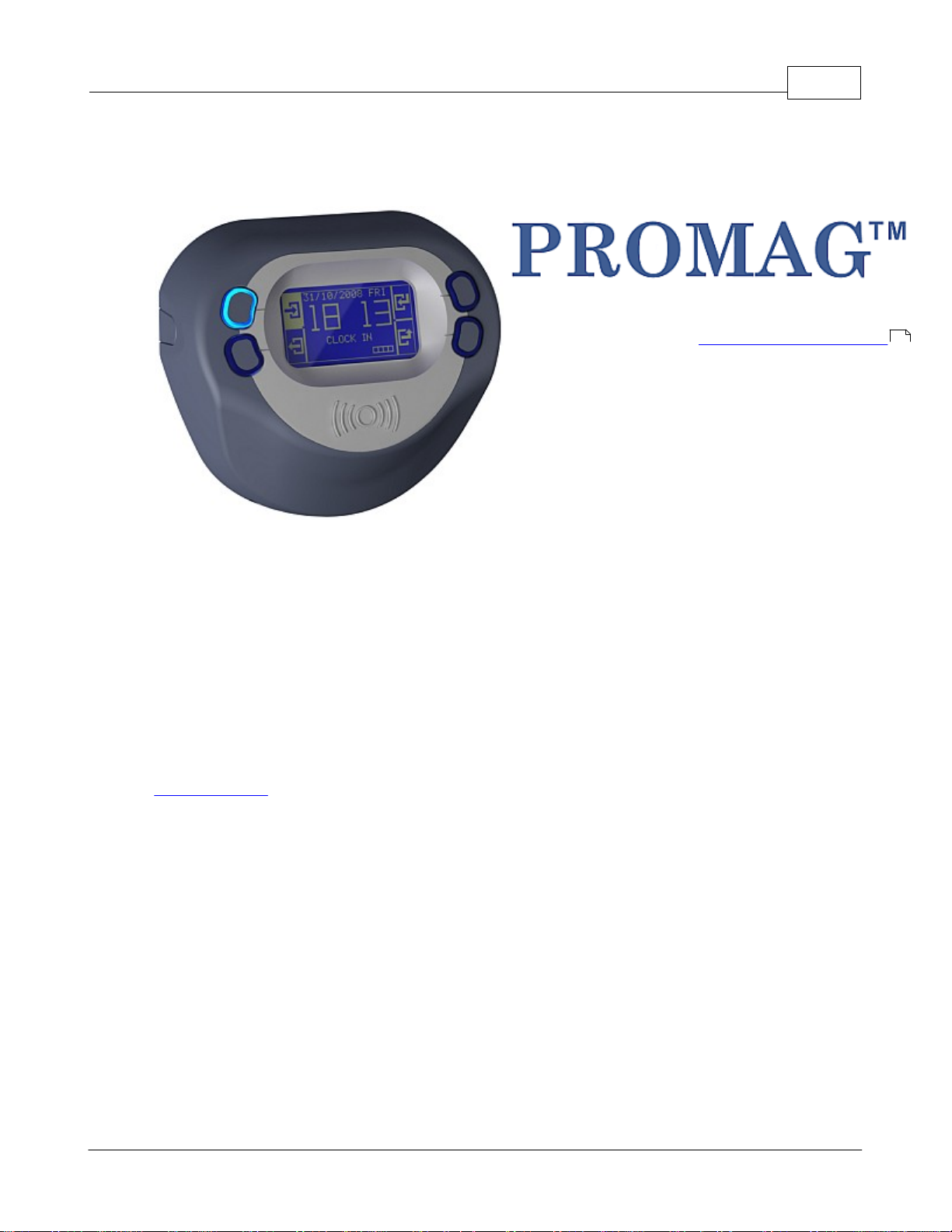
The TR610 is a versatile, yet easy-to-use Time Recorder. It utilizes RFID technology to allow for quick
user registration -- users may not even have to take their employee card out of their wallet to scan it.
The TR610's bright LCD display and four buttons make for a user-friendly interface with a very low
learning curve. While regular users quickly understand how to use the device, it also features a complete
onscreen setup menu which allows an administrator to fully configure all settings (functioning
parameters) using a "master card". The menu system is navigated using the four buttons on the device.
Ethernet connectivity make the TR610 easy to administer remotely. All device settings can be
configured, the event log may be viewed, searched and downloaded.
Since the TR610 has a built-in web administration interface ("web admin"), it does not require any
additional software to administer. Alternatively, for larger systems with multiple terminals, you could use
TibboAggreGate software as an administrative back-end.
To keep time and date precise, the TR610 can automatically synchronize the internal clock with an
Internet time server, while taking into account the pre-set timezone.
System integrators and developers may also be interested to know that the TR610 is internally based on
Tibbo BASIC, its application is open-source and may be obtained freely and customized. Interested
parties can even develop entirely new applications, from scratch.
Features
·Bright, clear LCD display
·Uses RFID (Proximity) technology - 125K (TR610R)andMifare(TR610MF)
·10/100 Base-T Ethernet port
·RS232 serial port for connecting external serial devices (such as a barcode scanner)
·Two relays to control external loads, such as an electric bell and a turnstile
69

TR610 User's Manual6
© 2010 GIGA-TMS Inc.
·"White list" functionality for specifying which users trigger relays
·Internal flash memory stores approx. 17,500 event log records
·Wall-mount or desktop operation (display image orientation may be configured)
·Internal backup battery for the real-time clock*
·Firmware may be upgraded through the network or serial port
·Built-in web administration interface ("web admin")
·IP address configuration using DHCP
·Time/Date synchronization through SNTP (time-zone can be preset)
·Works with Tibbo AggreGate
·Internal application written in Tibbo BASIC and may be changed or customized
* Keeps time accurate for up to 7 days with no external power.

Part II

TR610 User's Manual8
© 2010 GIGA-TMS Inc.
2Getting started
These topics cover the basics of what the TR610 is, and how to begin using it.
HardwareInstallation - Shows you how to connect the TR610 and prepare it for use.
Powering Up For the First Time - Shows you what to expect when you turn the device on for the first
time.
Setting a New IP Address - Goes over setting an IP address for the device.
Time Synchronization - Shows how to set up time synchronization with a time server.
Working in the Normal Mode - Provides an overview of normal use of the device. You can let your
users read this topic if they have any questions about operating the terminal.
9
13
15
17
19

Getting started 9
© 2010 GIGA-TMS Inc.
2.1 Hardware Installation
The TR610 can be mounted on a wall or placed on a desk. To install the terminal:
1. Open the box the terminal came in, and take it out of the box. The kit should include the following:
·TR610Terminal
·12V Power Adaptor
·Two mounting screws
·Two screw anchors (for drilling into the wall)
·OneAllen-type(hexagonal) screwdriver
·CD with manual and software
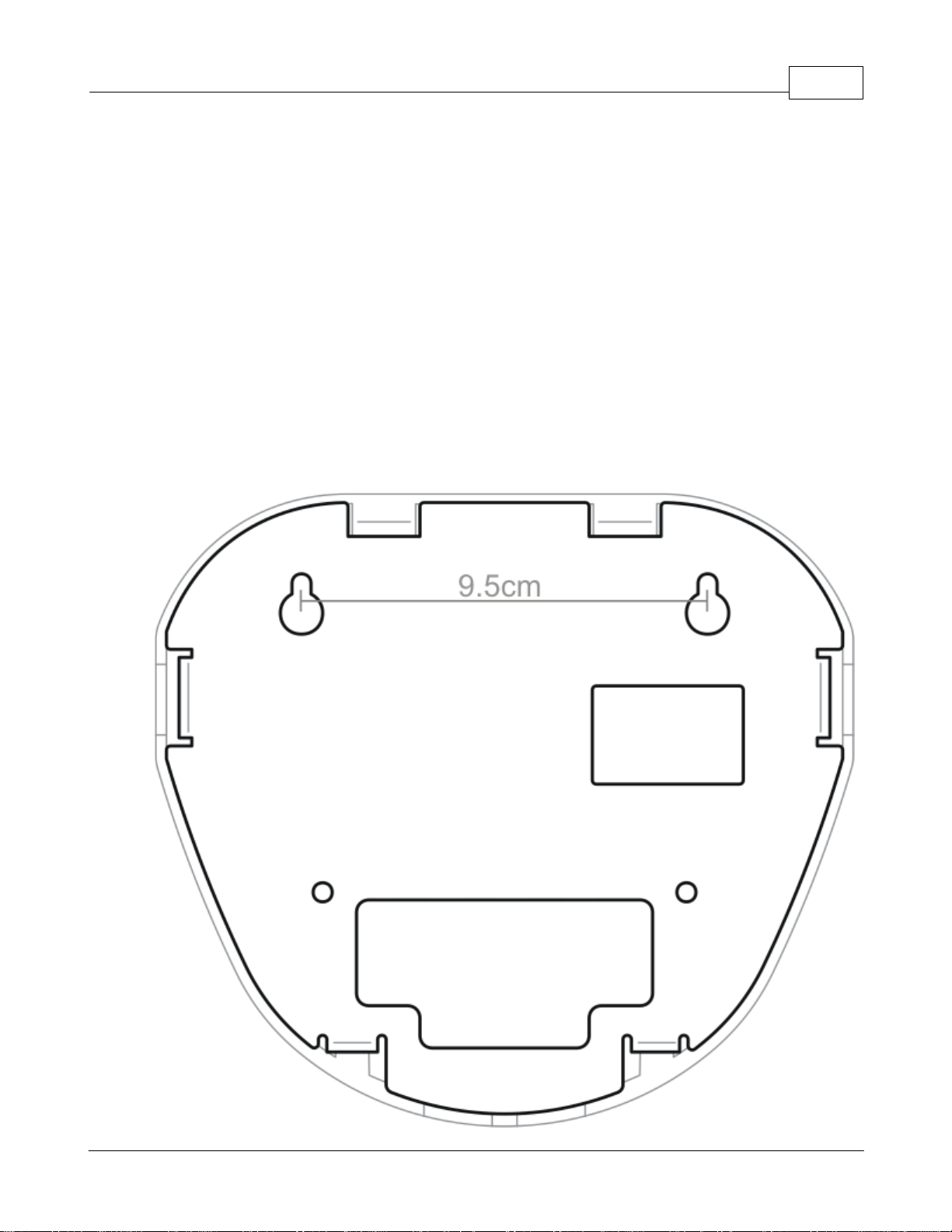
2. If mounting on a wall: Drive the two provided mounting screws into the wall, 9.5cm apart, using the
provided screw anchors as needed. These should fit the terminal's mounting holes:

TR610 User's Manual10
© 2010 GIGA-TMS Inc.
3. Use the included screwdriver to remove the two screws in the front of the cover:
4. Carefully flip the top cover up, by holding the metal base of the terminal and pulling up the edge from
which you removed the screws. Note! The top does not come off. It is connected via a ribbon cable - it
only flips up.
5. With the terminal open, locate the Ethernet and power connectors:
Andere Handbücher für PROMAG TR610
1
Inhaltsverzeichnis
Andere GIGA-TMS Uhr Handbücher
Beliebte Uhr Handbücher anderer Marken
Silicon Laboratories
Silicon Laboratories SI5324 Bedienungsanleitung

Heathkit
Heathkit GC-1005 Bedienungsanleitung

Oregon Scientific
Oregon Scientific PRYSMA RMR221P Bedienungsanleitung

Andrew O'Malley
Andrew O'Malley DOTKLOK Bedienungsanleitung

ALGE-Timing
ALGE-Timing ASC3 Bedienungsanleitung

Bodet
Bodet Profil 960 Bedienungsanleitung

Progetti
Progetti KALIMERO Handbuch

La Crosse Technology
La Crosse Technology WT-3141b Handbuch

La Crosse Technology
La Crosse Technology W86531 Bedienungsanleitung

Sharp
Sharp SPC900 Bedienungsanleitung

La Crosse Technology
La Crosse Technology 404-50447 Bedienungsanleitung

Datexx
Datexx DF0063 Bedienungsanleitung