
Grin V4 Bedienungsanleitung
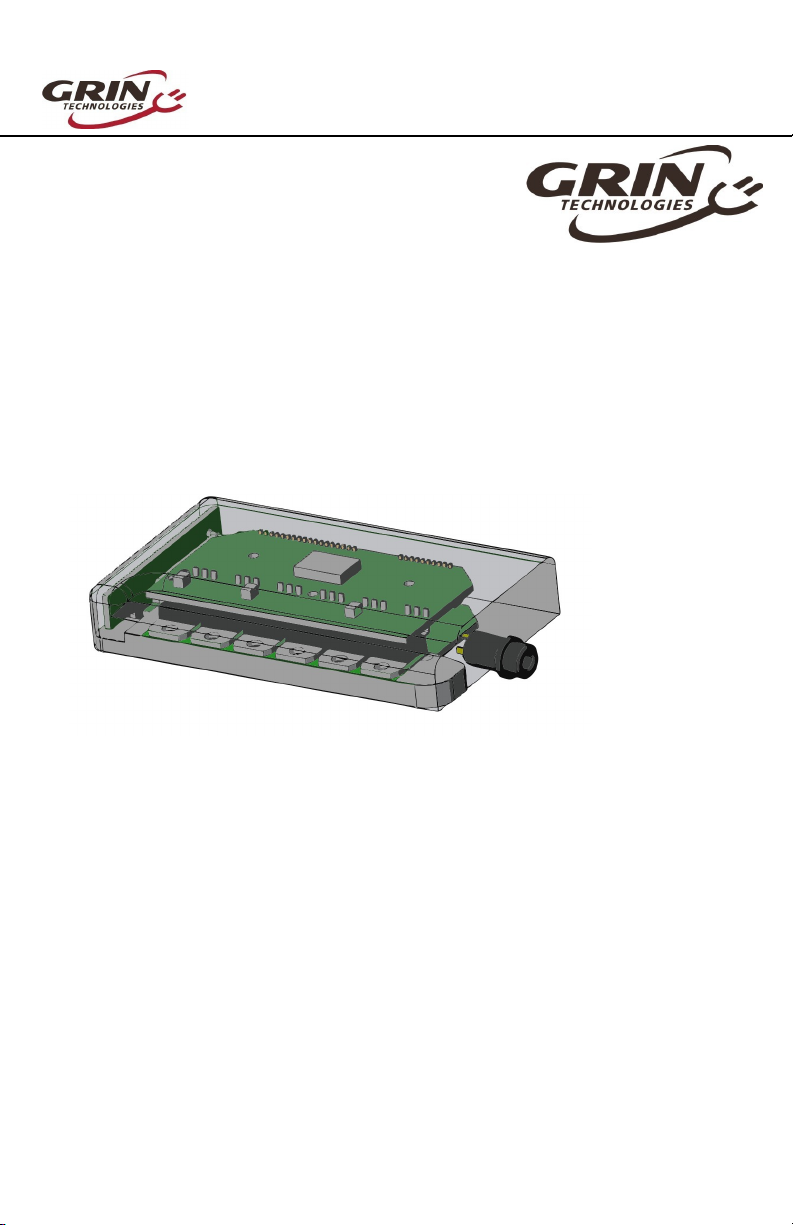
Baserunner Controller User Manual
Rev 1.0
The V4 Baserunner
Motor Controller
User Manual – Rev 1.0
Grin Technologies Ltd
Vancouver, BC, Canada
ph: (604) 56 -0 02
email: [email protected]
web: www.ebikes.ca
Copyright © 2021

Baserunner Controller User Manual
Rev 1.0
Table of Contents
1 Introduction.........................................................................3
2 Connectors...........................................................................4
2.1 Battery Leads...................................................................................................4
2.2 Motor Cable.....................................................................................................4
2.3 Cycle Analyst WP Plug.................................................................................5
2.4 Mains Signals Plug..........................................................................................5
2.5 PAS / Torque Plug...........................................................................................5
2.6 Communication Port.......................................................................................6
3 Wiring Strategies..................................................................6
3.1 Cycle Analyst Based Hookup.........................................................................6
3.2 3rd Party Display Hookup.............................................................................7
3.3 Headless System..............................................................................................
4 Controller Mounting............................................................9
5 Parameter Tuning .............................................................10
5.1 Importing Default Parameters....................................................................11
5.2 Motor Autotune.............................................................................................11
5.3 Battery Limits................................................................................................14
5.4 Motor Phase Current and Power Settings.................................................15
5.5 Tuning the Sensorless Self Start..................................................................16
5.6 Throttle and Regen Voltage Maps..............................................................17
5.7 Field Weakening for Speed Boost................................................................1
5. Virtual Electronics Freewheeling................................................................19
6 dditional Details: ............................................................20
6.1 Throttle Priorities.........................................................................................20
6.2 Reverse Mode................................................................................................20
6.3 Demux Circuitry ..........................................................................................21
6.4 Wheel Speed Sensing....................................................................................21
6.5 Motor Thermal Rollback via Baserunner..................................................22
6.6 Regenerative Braking...................................................................................22
7 Cycle nalyst Settings........................................................23
8 LED Flash Codes...............................................................24
9 Specifications.....................................................................26
-2-

Baserunner Controller User Manual
Rev 1.0
1 Introduction
Thank you for purchasing a Baserunner, Grin’s state-of-the-art, co pact, field
oriented otor controller (FOC). We’ve worked hard to ake this a versatile
after- arket device that can pair with a wide range of ebike syste s.
This anual covers the V4 odels of our Baserunner_Z9 and Baserunner_L10
controllers, first released in 2021.
Features of the V4 Baserunner include:
Co pact flat for factor can fit in downtube battery casings
User progra able para eters for custo ized tuning
Wide operating voltage (24V - 52V no inal batteries)
Co patible with both Cycle Analyst display and 3rd party displays
Supports, Throttle, PAS and Torque sensor control
Waterproof design with potted electronics
Proportional and powerful regenerative braking
S ooth and quiet field oriented control
Protects otors fro overheating with ther al rollback
Re ote forwards/reverse input
Field weakening to boost top speed
Sensorless operation with high eRPM otors
Unlike standard trapezoidal or sine wave controllers, the Baserunner is a field
oriented controller that ust be tuned to your otor, battery, and perfor ance
require ents. We will look at this process in Section 4, Parameter Tuning.
-3-

Baserunner Controller User Manual
Rev 1.0
2 Connectors
The V4 Baserunners achieve axi u versatility with ini al wiring. A pair of
+- battery leads supply power, a single over olded cable carries all otor
signals, and three waterproof signal plugs support a range of hookup strategies.
2.1 Battery Leads
The short 5c leads for the battery pack e erge on the
back end of the controller. When supplied with a
downtube battery these leads will be soldered to the
ating cradle connectors, while they ay be
unter inated or fitted with Anderson Powerpoles when
purchased alone.
2.2 Motor Cable
The otor connection has 38c lead to either a HiGo L1019 connector or a
Z910 connector depending on the odel. This length is sufficient to reach a rear
hub otor on ost bikes with the controller ounted on the downtube or seat-
tube. Front hub installations are supplied with a 60c otor extension cable.
Baserunner_L10 Motor Plug Pinout
The Higo L1019 cable has three otor
phase pins capable of 80 a ps peak,
along with 7 s all signal wires for hall
position, speed encoder, and otor
te perature.
Baserunner_Z9 Motor Plug Pinout
The Z910 cable has three otor phase
pins capable of 55 A peak, and just 6
signal wires, 5 for the hall sensors and
the one additional wire can be either
otor speed, otor te perature, or
co bined speed and te perature.
-4-

Baserunner Controller User Manual
Rev 1.0
2.3 Cycle Analyst WP8 Plug
WP8 Pinout
The connector for the Cycle Analyst cable uses
the waterproof 8-pin Z812 Higo standard.
This connector taps into the controller's shunt
resistor for analog current and power sensing,
with signals for speed and te perature fro the
otor and a hookup for throttle control.
2.4 Mains Signals Plug
Mains Pinout
New to the V4 devices is a Cus ade Signal D
1109 Connector that supports conventional ebike
wiring strategies for 3rd party display consoles.
This connector shares any signals with the CA-
WP plug, but rather than using the shunt resistor
for current sensing, it has TX and RX pins that
co unicate digitally to the display.
Generally this connector will pair to a harness that
splits out separate lower pin count display, throttle,
and ebrake plugs at the handlebar.
2.5 PAS Torque Plug
PAS Pinout
The V4 Baserunners include a 6 pin HiGo MiniB
Z609 plug for direct connection of a PAS sensor or
Torque Sensor, even without the use of a Cycle
Analyst device.
Note that the Torque signal links to the controller's
throttle input, and the PAS 2 signal can
alternatively be configured as a FWD/REV input
instead.
-5-

Baserunner Controller User Manual
Rev 1.0
2.6 Communication Port
The TRRS jack e bedded in the controller ay be used for connecting to a
co puter, Android s art phone, or potential Bluetooth dongle (future product).
The co unication standard uses a 0-5V level serial bus. Grin sells a 3 long
TTL->USB adapter cable to connect the unit with the USB port of a standard
co puter. This is the sa e co unication cable used with the Cycle Analyst
and Satiator products. Third party USB->Serial cables, such as FTDI’s part
nu ber TTL-232R-5V-AJ are also co patible.
A USB-OTG adapter then is needed to connect to an Android s artphone via the
phone's s aller Micro USB or USB-C port.
3 Wiring Strategies
The V4 Baserunners can be hooked up to to the controls of an ebike syste in
one of three ways. Either under the control of a V3 Cycle Anlayst, under the
control of a 3rd party display, or headless with no display at all.
3.1 Cycle Analyst Based Hookup
The setup using the latest V3 Cycle Analyst (CA3-WP) provides the ost
versatility with ode presets, custo izable PAS behavior, advanced regen
features, and easy perfor ance adjust ent on the road.
-6-

Baserunner Controller User Manual
Rev 1.0
The CA3-WP device is plugged into the atching connector. All throttles,
ebrakes, and PAS or Torque sensors are plugged in directly to the Cycle Analyst.
The 6 pin PAS plug of the controller is not typically used. However, a short
adapter is provided that should be plugged into the 9 pin Mains cable. This
adapter serves two purposes
•It links together the ebrake and throttle signals of the controller so that
the throttle output of the Cycle Analyst can be used for both throttle and
regenerative braking control.
•It provides a convenient tap point for supplying power to a rear bike light
via a 2-pin Higo plug.
3.2 3rd Party Display Hookup
The Baserunner can be used with Third party displays (King Meter, Bafang,
Eggrider etc.) that co unicate with a range of digital protocols through the use
of the 9 pin Mains cable and a custo ade cable harness and splitter junction.
These displays are usually powered fro a 5-pin Higo plug, while other higo
cables for throttle, ebakes, and front lights would also e erge fro the junction.
This configuration would nor ally include a PAS or Torque sensor that is hooked
up directly to the 6 pin PAS plug on the controller, with the Baserunner controller
specially configured to respond to PAS signals.
At present Grin only provides support for this hookup to OEM custo ers
purchasing co plete syste s with Third party displays using the KM5s protocol,
and does not offer support or the co ponents for this at the retail level.
In this wiring approach, the WP8 Cycle Analyst plug is not needed, but it can be
used as a convenient tap point to power a rear bike light as well.
-7-

Baserunner Controller User Manual
Rev 1.0
3.3 Headless System
Finally, the Baserunner can be run with only a PAS / Torque sensor wired up to
the 6 pin PAS plug, or just a throttle on the Mains plug. In this arrange ent, it is
essential to wire up the on/off power switch on either the WP8 plug or the Mains
connector for the controller to turn on.
There is li ited ability to odulate the PAS power assist level in this ini al
approach as the controller does not have a native input for increasing or
decreasing the PAS power adjust ent without reprogra ing. For a basic PAS
controlled ebike ost people would still want a s all co unicating display
device that provides up/down power adjust ent.
-8-

Baserunner Controller User Manual
Rev 1.0
4 Controller Mounting
The Baserunner’s low profile allows it to just fit inside a odified baseplate of
Reention and Hailong downtube battery casings. Grin supplies these odified
controller housings with their pockets illed out to fit the Baserunner.
For use in other applications, Grin also produces ounts to secure the
Baserunner to a flanged plate, a round tube, and the fender bolt of a Bro pton
bicycle fork.
For opti al perfor ance, the
controller should be installed such
that the etal ounting plate is
exposed to airflow to keep the
controller cool. This will noticeably
i prove the axi u power at
ther al rollback co pared to a
controller that is in still air.
-9-
Tube Mount
Fork Mount
Flange Mount

Baserunner Controller User Manual
Rev 1.0
5 Parameter Tuning
If you purchased the Baserunner as part of a co plete conversion kit that
includes a battery, otor, and so on, the controller should already be configured
and no tuning of the para eters should be necessary. This section can be
skipped entirely.
If you bought the Baserunner separately, or are changing your set-up, you should
configure the controller to your otor and battery pack once it is installed and
connected up on your bike. You will need a co puter, a TTL-USB progra ing
cable and the V1.5 or later Phaserunner Software Suite. The V1.4 and earlier
software releases will give an “unrecognized device” error essage.
This software is available for Linux, Windows, MacOS and Android fro our
webpage:
http://www.ebikes.ca/product-info/phaserunner.ht l
Please Note: hen configuring your Baserunner via the software suite,
it is essential that your bike is propped up so that the powered wheel
can rotate freely, both forwards and backwards. ith a rear hub motor,
also ensure that the cranks can rotate freely.
With the Baserunner powered on, plug in the TTL->USB cable fro your
co puter to the Baserunner. When you launch the Phaserunner software, it
should open to the “Basic Setup” tab and indicate “V4 Baserunner connected”
on the top
If you see “Controller is not connected,” check that the selected serial port is
correct and that the USB->TTL device shows up in your device anager as a
COM port (Windows), ttyUSB (Linux), or cu.usbserial (MacOS).
If your syste does not recognize the USB serial adapter, or has frequent co
ti eouts, then you ay need to download and install the latest virtual COM port
drivers directly fro FTDI:
http://www.ftdichip.co /Drivers/VCP.ht
-10-
Inhaltsverzeichnis


