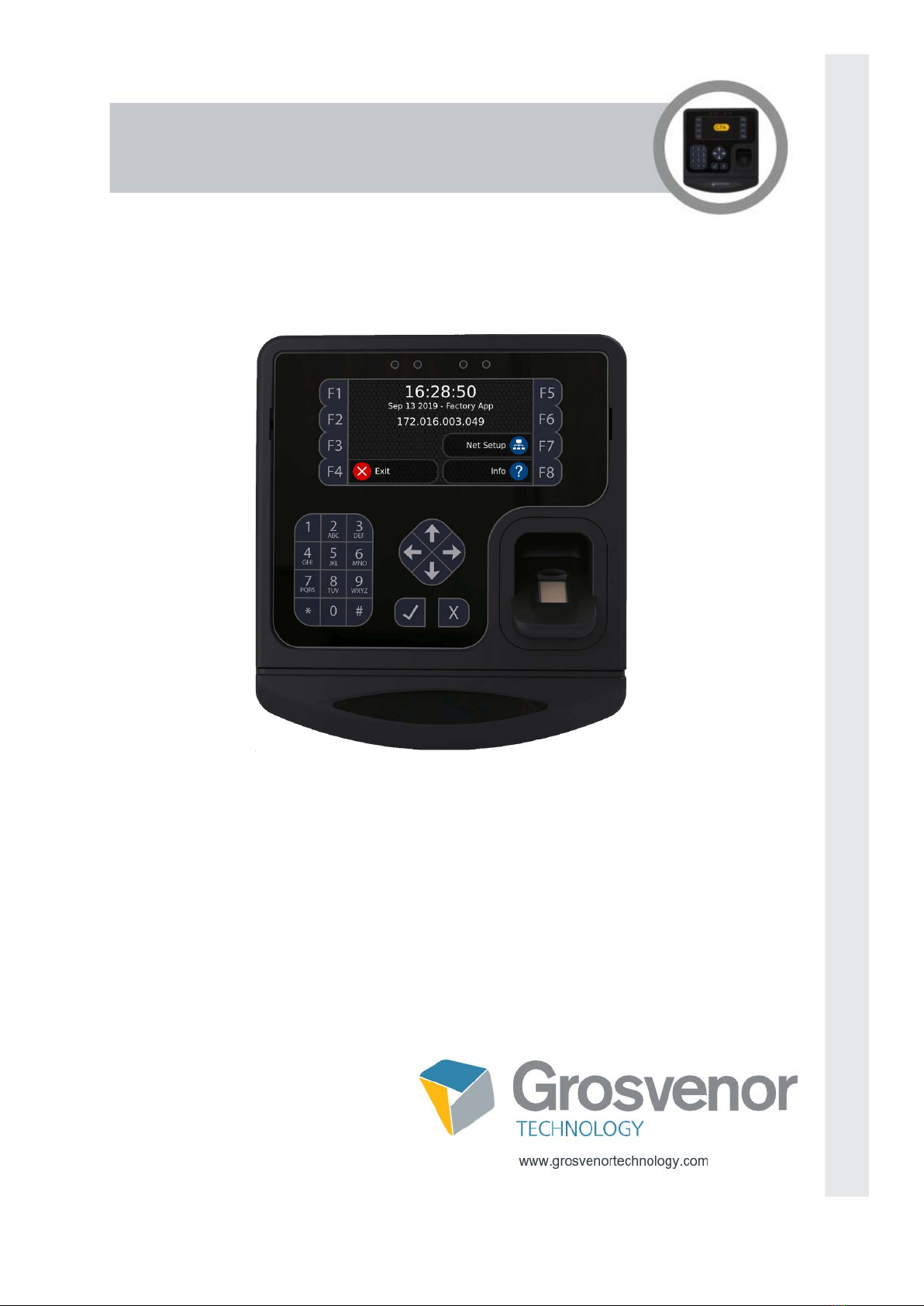
Grosvenor GT4 Bedienungsanleitung

Version 1.7 April 2023
Disclaimer
Copyright 2023, Grosvenor Technology Ltd. All rights reserved.
All brands, names, or trademarks appearing in this document are acknowledged as the
trademarks of their respective owners.
No part of this document may be reproduced in any form or by any means for any purpose without
the written permission of Grosvenor Technology.
Whilst we make every effort to ensure the accuracy of our publications, Grosvenor Technology
assumes no responsibility or liability for any errors or inaccuracies that my appear in this
document.
GT4 Terminal
User Guide

Page 0
Contents
Preface
About the GT4 terminal . . . . . . . . . . . . . . . . . . . . . . . . . . . . . . . . . . . . . . . . . . . 1-2
Key benefits and features of using the GT4 . . . . . . . . . . . . . . . . . . . . . . . . . . . . . . . . . . . . . . . 1-2
About this Guide . . . . . . . . . . . . . . . . . . . . . . . . . . . . . . . . . . . . . . . . . . . . . . . . 1-3
Certifications . . . . . . . . . . . . . . . . . . . . . . . . . . . . . . . . . . . . . . . . . . . . . . . . . . . 1-3
Terminal maintenance and recommendations . . . . . . . . . . . . . . . . . . . . . . . . 1-3
Battery Life (if applicable) . . . . . . . . . . . . . . . . . . . . . . . . . . . . . . . . . . . . . . . . . . . . . . . . . . . . 1-3
Maintenance . . . . . . . . . . . . . . . . . . . . . . . . . . . . . . . . . . . . . . . . . . . . . . . . . . . . . . . . . . . . . . 1-3
Cleaning . . . . . . . . . . . . . . . . . . . . . . . . . . . . . . . . . . . . . . . . . . . . . . . . . . . . . . . . . . . . . . . . . . 1-4
Installation Safety . . . . . . . . . . . . . . . . . . . . . . . . . . . . . . . . . . . . . . . . . . . . . . . . . . . . . . . . . . . 1-4
Terminal operating temperatures. . . . . . . . . . . . . . . . . . . . . . . . . . . . . . . . . . . . . . . . . . . . . 1-4
WEEE . . . . . . . . . . . . . . . . . . . . . . . . . . . . . . . . . . . . . . . . . . . . . . . . . . . . . . . . . . . . . . . . . . . 1-4
Related Documents . . . . . . . . . . . . . . . . . . . . . . . . . . . . . . . . . . . . . . . . . . . . . . 1-5
GT Services . . . . . . . . . . . . . . . . . . . . . . . . . . . . . . . . . . . . . . . . . . . . . . . . . . . . 1-5
Technical Support . . . . . . . . . . . . . . . . . . . . . . . . . . . . . . . . . . . . . . . . . . . . . . . 1-6
Europe, Middle East and Africa . . . . . . . . . . . . . . . . . . . . . . . . . . . . . . . . . . . . . . . . . . . . . . . . 1-6
North America . . . . . . . . . . . . . . . . . . . . . . . . . . . . . . . . . . . . . . . . . . . . . . . . . . . . . . . . . . . . . 1-6
Installation & specification features
Installation . . . . . . . . . . . . . . . . . . . . . . . . . . . . . . . . . . . . . . . . . . . . . . . . . . . . . 2-1
Fitting the terminal . . . . . . . . . . . . . . . . . . . . . . . . . . . . . . . . . . . . . . . . . . . . . . . . . . . . . . . . . . 2-1
Hardware. . . . . . . . . . . . . . . . . . . . . . . . . . . . . . . . . . . . . . . . . . . . . . . . . . . . . . . 2-3
Software . . . . . . . . . . . . . . . . . . . . . . . . . . . . . . . . . . . . . . . . . . . . . . . . . . . . . . . 2-3
GT4 Internal components . . . . . . . . . . . . . . . . . . . . . . . . . . . . . . . . . . . . . . . . . 2-4

Page i
Contents
System start-up
Terminal set-up
Accessing the GT4 Terminal setup . . . . . . . . . . . . . . . . . . . . . . . . . . . . . . . . . 4-1
Application menu . . . . . . . . . . . . . . . . . . . . . . . . . . . . . . . . . . . . . . . . . . . . . . . . . . . . . . . . . . . 4-2
Info. . . . . . . . . . . . . . . . . . . . . . . . . . . . . . . . . . . . . . . . . . . . . . . . . . . . . . . . . . . . . . . . . . . . 4-2
Update . . . . . . . . . . . . . . . . . . . . . . . . . . . . . . . . . . . . . . . . . . . . . . . . . . . . . . . . . . . . . . . . . 4-2
Remove . . . . . . . . . . . . . . . . . . . . . . . . . . . . . . . . . . . . . . . . . . . . . . . . . . . . . . . . . . . . . . . . 4-2
Backup/Restore . . . . . . . . . . . . . . . . . . . . . . . . . . . . . . . . . . . . . . . . . . . . . . . . . . . . . . . . . . 4-2
Install from network . . . . . . . . . . . . . . . . . . . . . . . . . . . . . . . . . . . . . . . . . . . . . . . . . . . . . . . 4-3
Install from USB. . . . . . . . . . . . . . . . . . . . . . . . . . . . . . . . . . . . . . . . . . . . . . . . . . . . . . . . . . 4-3
Firmware menu . . . . . . . . . . . . . . . . . . . . . . . . . . . . . . . . . . . . . . . . . . . . . . . . . . . . . . . . . . . . 4-3
Info. . . . . . . . . . . . . . . . . . . . . . . . . . . . . . . . . . . . . . . . . . . . . . . . . . . . . . . . . . . . . . . . . . . . 4-3
Check for updates . . . . . . . . . . . . . . . . . . . . . . . . . . . . . . . . . . . . . . . . . . . . . . . . . . . . . . . . 4-3
Change PIN . . . . . . . . . . . . . . . . . . . . . . . . . . . . . . . . . . . . . . . . . . . . . . . . . . . . . . . . . . . . . 4-3
Change password . . . . . . . . . . . . . . . . . . . . . . . . . . . . . . . . . . . . . . . . . . . . . . . . . . . . . . . . 4-4
Reset to defaults . . . . . . . . . . . . . . . . . . . . . . . . . . . . . . . . . . . . . . . . . . . . . . . . . . . . . . . . . 4-4
Reboot terminal . . . . . . . . . . . . . . . . . . . . . . . . . . . . . . . . . . . . . . . . . . . . . . . . . . . . . . . . . . 4-4
Services menu . . . . . . . . . . . . . . . . . . . . . . . . . . . . . . . . . . . . . . . . . . . . . . . . . . . . . . . . . . . . . 4-4
GtConnect . . . . . . . . . . . . . . . . . . . . . . . . . . . . . . . . . . . . . . . . . . . . . . . . . . . . . . . . . . . . . . 4-4
AssistIT . . . . . . . . . . . . . . . . . . . . . . . . . . . . . . . . . . . . . . . . . . . . . . . . . . . . . . . . . . . . . . . . 4-5
Telnet. . . . . . . . . . . . . . . . . . . . . . . . . . . . . . . . . . . . . . . . . . . . . . . . . . . . . . . . . . . . . . . . . . 4-5
NTP . . . . . . . . . . . . . . . . . . . . . . . . . . . . . . . . . . . . . . . . . . . . . . . . . . . . . . . . . . . . . . . . . . . 4-5
SSH . . . . . . . . . . . . . . . . . . . . . . . . . . . . . . . . . . . . . . . . . . . . . . . . . . . . . . . . . . . . . . . . . . . 4-5
VNC . . . . . . . . . . . . . . . . . . . . . . . . . . . . . . . . . . . . . . . . . . . . . . . . . . . . . . . . . . . . . . . . . . . 4-5
Settings menu . . . . . . . . . . . . . . . . . . . . . . . . . . . . . . . . . . . . . . . . . . . . . . . . . . . . . . . . . . . . . 4-5
Date and Time . . . . . . . . . . . . . . . . . . . . . . . . . . . . . . . . . . . . . . . . . . . . . . . . . . . . . . . . . . . 4-6
Region and Language . . . . . . . . . . . . . . . . . . . . . . . . . . . . . . . . . . . . . . . . . . . . . . . . . . . . . 4-6
Sound . . . . . . . . . . . . . . . . . . . . . . . . . . . . . . . . . . . . . . . . . . . . . . . . . . . . . . . . . . . . . . . . . 4-7
Network . . . . . . . . . . . . . . . . . . . . . . . . . . . . . . . . . . . . . . . . . . . . . . . . . . . . . . . . . . . . . . . . . . 4-7
Info. . . . . . . . . . . . . . . . . . . . . . . . . . . . . . . . . . . . . . . . . . . . . . . . . . . . . . . . . . . . . . . . . . . . 4-7
DHCP. . . . . . . . . . . . . . . . . . . . . . . . . . . . . . . . . . . . . . . . . . . . . . . . . . . . . . . . . . . . . . . . . . 4-8
Display menu . . . . . . . . . . . . . . . . . . . . . . . . . . . . . . . . . . . . . . . . . . . . . . . . . . . . . . . . . . . . . . 4-8
Reader menu . . . . . . . . . . . . . . . . . . . . . . . . . . . . . . . . . . . . . . . . . . . . . . . . . . . . . . . . . . . . . . 4-8
Internal Reader . . . . . . . . . . . . . . . . . . . . . . . . . . . . . . . . . . . . . . . . . . . . . . . . . . . . . . . . . . 4-9
Internal reader . . . . . . . . . . . . . . . . . . . . . . . . . . . . . . . . . . . . . . . . . . . . . . . . . . . . . . . . . . . 4-9
External Reader. . . . . . . . . . . . . . . . . . . . . . . . . . . . . . . . . . . . . . . . . . . . . . . . . . . . . . . . . . 4-10
Test Reader . . . . . . . . . . . . . . . . . . . . . . . . . . . . . . . . . . . . . . . . . . . . . . . . . . . . . . . . . . . . . 4-10
Biometric menu . . . . . . . . . . . . . . . . . . . . . . . . . . . . . . . . . . . . . . . . . . . . . . . . . . . . . . . . . . . . 4-10
Info. . . . . . . . . . . . . . . . . . . . . . . . . . . . . . . . . . . . . . . . . . . . . . . . . . . . . . . . . . . . . . . . . . . . 4-10
Test Sensor . . . . . . . . . . . . . . . . . . . . . . . . . . . . . . . . . . . . . . . . . . . . . . . . . . . . . . . . . . . . . 4-11

Calibrate Sensor . . . . . . . . . . . . . . . . . . . . . . . . . . . . . . . . . . . . . . . . . . . . . . . . . . . . . . . . . 4-11
Delete all Templates . . . . . . . . . . . . . . . . . . . . . . . . . . . . . . . . . . . . . . . . . . . . . . . . . . . . . . 4-11
IO-Boards . . . . . . . . . . . . . . . . . . . . . . . . . . . . . . . . . . . . . . . . . . . . . . . . . . . . . . . . . . . . . . . . . 4-11

Page ii
Contents
USB menu . . . . . . . . . . . . . . . . . . . . . . . . . . . . . . . . . . . . . . . . . . . . . . . . . . . . . . . . . . . . . . . . 4-12
Diagnostics menu . . . . . . . . . . . . . . . . . . . . . . . . . . . . . . . . . . . . . . . . . . . . . . . . . . . . . . . . . . 4-12
Test Network . . . . . . . . . . . . . . . . . . . . . . . . . . . . . . . . . . . . . . . . . . . . . . . . . . . . . . . . . . . . 4-13
Send Ping . . . . . . . . . . . . . . . . . . . . . . . . . . . . . . . . . . . . . . . . . . . . . . . . . . . . . . . . . . . . . . 4-13
CheckGtConnect . . . . . . . . . . . . . . . . . . . . . . . . . . . . . . . . . . . . . . . . . . . . . . . . . . . . . . . . . 4-13
Check AssistIT. . . . . . . . . . . . . . . . . . . . . . . . . . . . . . . . . . . . . . . . . . . . . . . . . . . . . . . . . . . 4-14
NTP Test . . . . . . . . . . . . . . . . . . . . . . . . . . . . . . . . . . . . . . . . . . . . . . . . . . . . . . . . . . . . . . . 4-14
Remote connections
Using GTConnect. . . . . . . . . . . . . . . . . . . . . . . . . . . . . . . . . . . . . . . . . . . . . . . . 5-1
Using SSH. . . . . . . . . . . . . . . . . . . . . . . . . . . . . . . . . . . . . . . . . . . . . . . . . . . . . . 5-1
Using AssistIT . . . . . . . . . . . . . . . . . . . . . . . . . . . . . . . . . . . . . . . . . . . . . . . . . . 5-2
Using Telnet . . . . . . . . . . . . . . . . . . . . . . . . . . . . . . . . . . . . . . . . . . . . . . . . . . . . 5-2
Using VNC. . . . . . . . . . . . . . . . . . . . . . . . . . . . . . . . . . . . . . . . . . . . . . . . . . . . . . 5-3
Security and Passwords
The Terminal PIN . . . . . . . . . . . . . . . . . . . . . . . . . . . . . . . . . . . . . . . . . . . . . . . . 6-1
Modifying the terminal PIN . . . . . . . . . . . . . . . . . . . . . . . . . . . . . . . . . . . . . . . . . . . . . . . . . . . . 6-1
The Login Password . . . . . . . . . . . . . . . . . . . . . . . . . . . . . . . . . . . . . . . . . . . . . 6-1
Special key shortcuts
Terminating the current application. . . . . . . . . . . . . . . . . . . . . . . . . . . . . . . . . 7-1
Application deployment
Deploying/Configuring terminal with a USB memory stick . . . . . . . . . . . . . . 8-1
Deploying a terminal using a network connection . . . . . . . . . . . . . . . . . . . . . 8-2

Page iii
Contents
Hardware options
Main system unit . . . . . . . . . . . . . . . . . . . . . . . . . . . . . . . . . . . . . . . . . . . . . . . . . . . . . . . . . . . 9-1
Reader Modules (only popular assemblies listed) . . . . . . . . . . . . . . . . . . . . . . . . . . . . . . . . 9-2
Biometric Reader Modules . . . . . . . . . . . . . . . . . . . . . . . . . . . . . . . . . . . . . . . . . . . . . . . . . 9-3
Communications Modules . . . . . . . . . . . . . . . . . . . . . . . . . . . . . . . . . . . . . . . . . . . . . . . . . . 9-3
Ancillary equipment . . . . . . . . . . . . . . . . . . . . . . . . . . . . . . . . . . . . . . . . . . . . . . . . . . . . . . . 9-5

Chapter 1:
Preface

Page 1-1
Preface
Preface
Important Note:
Menus and options will vary depending on the hardware options supplied and software version
installed. Please refer to additional instructions supplied with your terminal for additional
information.

Page 1-2
Preface
This User Guide provides information about installing and configuring GT4 terminals.
About the GT4 terminal
The GT4 terminal runs on the Linux operating system. It has been designed for various
applications including Time and Attendance in both the commercial and retail sectors, where low
cost, flexibility and ease of installation are essential factors.
The terminal incorporates a flexible, modular hardware design which supports different reader
technologies such as biometric, proximity, barcode and magnetic as well as enabling power
supplies and ancillary input/output modules to be easily added.
The ability to manage the software after deployment is incorporated as a fundamental function of
the system. Everything from a complete operating system flash image update to a change in
application program parameters can be downloaded over the Internet or uploaded via USB
memory stick.
Key benefits and features of using the GT4
The Linux-based GT4 makes the most of its 4.3” colour display, delivering a user-friendly
experience. Programmable soft keys allow for enhanced self-service capabilities and the
extensive reader options mean it’s suited to most workplace environments.
The GT4 took the foundations of Grosvenor Technology’s best-selling IT31 and evolved into a
sophisticated, up-to-date terminal with impressive capabilities.
The Linux OS allows for preferred software integration, making it ideal for both commercial and
retail environments.
The ability to manage software after deployment is incorporated as a fundamental function of the
system. Everything from a complete operating system update to a change in application program
parameters can be downloaded over the Internet or uploaded via USB memory stick.
Other key features include:
The interface can be designed to meet your workplace requirements, using nested menu
structures.
Customisable key mat means the terminal can be configured to display a brand’s logo for
a unique product appearance.
Fitted with 4 USB 2.0 ports, the GT4 can support printers, scanners, WiFi and other
peripherals.
Supports an abundance of reader technology options, including: Mag Stripe, Proximity,
Barcode and Fingerprint biometrics.
Made from PC/ABS flame retardant plastic, the GT4

Page 1-3
Preface
Preface
About this Guide
This User Guide is intended for users who will be responsible for installing and configuring the
GT4 terminal.
It is aimed at users who need to:
Configure the terminal.
Remotely connect to the terminal.
Install applications onto the terminal.
Certifications
The GT4 has been certified for use in the following markets:
Europe CE Certification
UKCA UK Conformity Assessed
USA FCC, UL 62368-1
In addition, the terminal has been certified to comply with the requirements of the CB certification
authority which may meet compliance requirements in their member countries. For further
information regarding CB certification please see www.iecee.org/dyn/www/f?p=106:40:0, or
discuss with Grosvenor Technology’s professional services team.
If the GT4 is intended to be used in countries other than those listed above, please contact
Grosvenor Technology’s professional services team to discuss how we can assist with
certification.
Terminal maintenance and recommendations
Battery Life (if applicable)
The GT4 is fitted with a button cell type battery on the main PCB to maintain the real-time clock
(RTC) of the device when power is removed. This battery typically has a service life of around 10
years. The battery should only be replaced by suitably qualified engineers and care should be
taken to avoid damage to the PCB caused by ESD (ElectroStatic Discharge). Replacement
batteries must be of the same type as the original, and the old battery should be disposed of in
accordance with local regulations.
Care should be taken when recycling the terminal to ensure that the batteries are removed and
recycled in accordance with local regulations/legislation.
Maintenance
The GT4 terminal does not require any regular maintenance during its service life.

Page 1-4
Preface
Cleaning
Cleaning of the outside of the terminal can be undertaken at intervals appropriate to the
environment that it is being used and the frequency of use. In all cases it is recommended that the
surface of the terminal is wiped with a lint free cloth that has been dampened with up to 70%
isopropyl alcohol. We do not recommend spraying liquids directly onto the surface of the terminal
as this could potentially cause damage to the electronics. Particular care should be taken when
cleaning the display and biometric devices to prevent damage.
Installation Safety
The GT4 terminal should be installed in accordance with the instructions documented in this User
Guide. The terminal should be installed in compliance with any Health and Safety legislation and
it is recommended that any electrical or network connections to the terminal are undertaken by a
suitably qualified engineer.
Care should be taken when installing the terminal to ensure that it does not present any possible
hazards to people or property within its vicinity. The terminal should be installed at a height that
ensures compliance with any local disability legislation.
Terminal operating temperatures
The GT4 terminal is designed to be installed indoors only and comply with the following
temperature range:
Minimum operating temperature 0°C (32°F).
Maximum operating temperature (with battery) 35°C (95°F).
Maximum operating temperature (without battery) 45°C (113°F).
WEEE
In accordance with EN 50419, the terminal must be disposed at the end of its life by returning to
a designated recycling organisation for waste electrical and electronic equipment as defined
within the WEEE directive. The terminal must not be disposed of in normal domestic waste.
Batteries should be carefully removed from the terminal prior to disposal taking care to prevent
short-circuits, crushing or damage to the battery housing.
Andere Handbücher für GT4
2
Inhaltsverzeichnis
Andere Grosvenor Touch-Terminal Handbücher
Beliebte Touch-Terminal Handbücher anderer Marken

Wincor Nixdorf
Wincor Nixdorf iPOS plus Advanced Bedienungsanleitung

Ingenico
Ingenico AXIUM EX4000 Bedienungsanleitung

Heisei Electronics
Heisei Electronics Q-POS 815 Bedienungsanleitung

Amano
Amano MTX-15 Bedienungsanleitung

FLOWBIRD
FLOWBIRD CWT Compact Touch Bedienungsanleitung

Demco
Demco SP7 Bedienungsanleitung

Motorola
Motorola MTP850 Bedienungsanleitung

YASKAWA
YASKAWA 62H-MDC0 Bedienungsanleitung

MVG industries
MVG industries NeptuLink Bedienungsanleitung

Price Industries Limited
Price Industries Limited FDC Gebrauchsanweisung

Honeywell
Honeywell TemaKey Bedienungsanleitung

EBN
EBN BPC65-B-A16G Bedienungsanleitung