
Hangzhou Kaili Communication K7 Bedienungsanleitung
Hangzhou Kaili Communication CO.,LTD
1
Hangzhou kaili Communication CO.,LTD
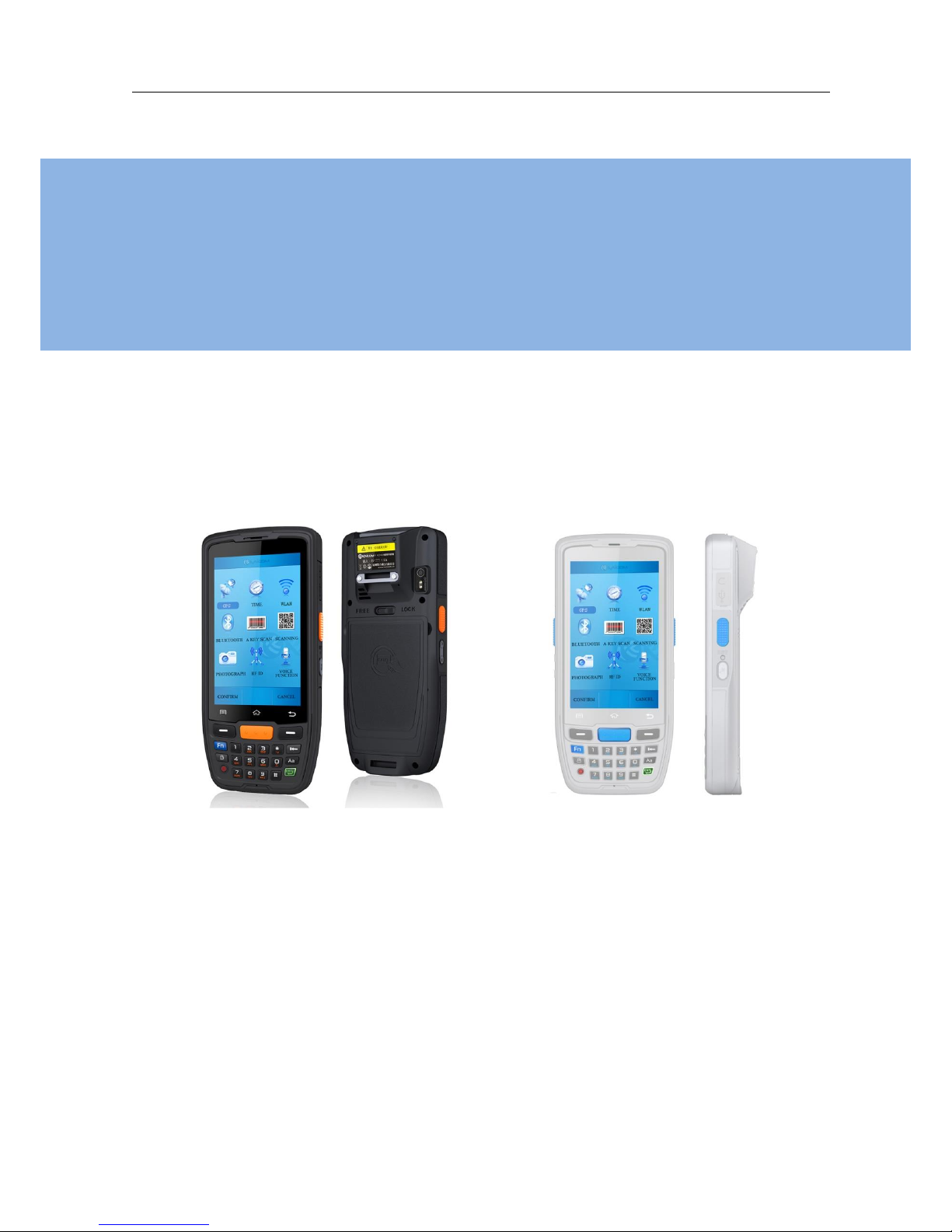
Wireless Handheld Mobile Computer
K7 User Manual

Hangzhou Kaili Communication CO.,LTD
2
CONTENTS
CONTENTS..............................................................................................................................2
1Abstract ...........................................................................................................................3
2Advantages......................................................................................................................4
3Hardware Introduction....................................................................................................5
3.1 Buttons ........................................................................................................................5
3.2 TF&SIM ........................................................................................................................6
3.3 Battery Charging ..........................................................................................................6
3.4 Accessories ..................................................................................................................6
4General Function.............................................................................................................8
4.1 Power on/off................................................................................................................8
4.2 Volume Settings...........................................................................................................8
4.3 Contacts.......................................................................................................................8
4.4 Messaging....................................................................................................................9
5Scanning setting ............................................................................................................10
5.1 Scanning.....................................................................................................................11
5.2 Scanner Setting..........................................................................................................12
5.2.1 System scan ......................................................................................................12
5.2.2 Light setting (only valid for two-dimensional scanner)....................................13
5.2.3 Prefix and Suffix (Closing the scan callback will take effect) ............................14
5.2.4 Advanced setting ..............................................................................................14
6Network Performance...................................................................................................14
6.1 Network topology......................................................................................................15
6.2 Bluetooth...................................................................................................................15
6.3 GPS.............................................................................................................................16
6.4 WIFI Setting ...............................................................................................................16
7Precaution for Battery...................................................................................................17
8Device Specifications.....................................................................................................18
Hangzhou Kaili Communication CO.,LTD
3
1 Abstract
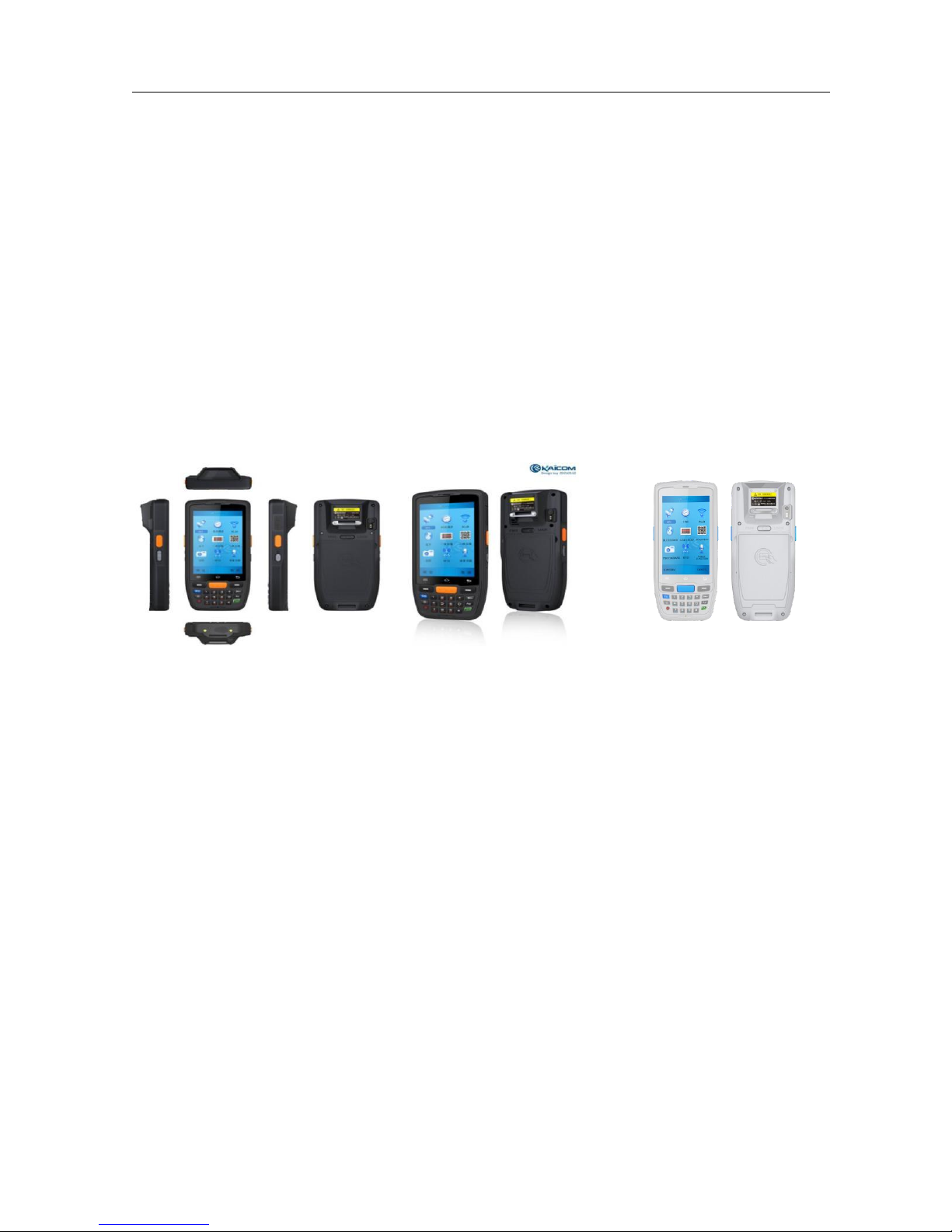
K7 is the first dual 4G full Network access intelligent wireless data acquisition terminal,
with huge battery capacity and ultra-long standby time; the 800W HD camera, combined with
4-inch high-resolution and capacitive touch screen, fits Android system operating habits; the
ultra-thin body gives very comfortable operation experience. It provides users with data
acquisition intelligent terminal technologies integrating functions like real-time acquisition,
automatic storage, real-time display, instant feedback, automatic processing, automatic
transmission, etc.
Key Features
Quad-core, Android 5.1
4-inch HD large screen with 8Mp camera
Dual 4G, WIFI, Bluetooth, GPS
1D 2D barcode scanning, NFC
1.5 meters drop test
4000mAh with over 12 hour work
IP65
Application
Manufacturing/Warehouse/Truck company/Packing process/Stores/Package service
/Hospital

Hangzhou Kaili Communication CO.,LTD
4
2 Advantages
1. Tough and durable elaboration
Product module is made with one injection of engineering plastics of GE.
With professional Gorilla glass, K7 has strong resistance to damage and scratch. Dropping from
1.5 meter to concrete ground is available. It supports to use with gloves and operate with
water on it, also with IP65.
2. Human engineering design
8Mp camera and 4-inch big capacitive touch screen make users pleased and easy to look up
and operate. Android system conforms to customer s’habits. Meanwhile, we provide
accessories in order to reinforce users’experiences.
3. Excellent data management and control
Equipped with advanced scanning engine, K7 can recognize data with the modes of 1D, 2D and
NFC. K7 can manage intelligent data including collection, storage, download, upload and
interactive features with Software integrated in.
4. Variable wireless communication
Combined with variable communication modes, it supports dual 4G of full network, WIFI and
Bluetooth.
5. Huge service time and easy charging
Battery of 4000mAh helps user to continue processing data more than 12 hours without any
deadly in daily work. When it is vacant, the battery can stand by more than 100 hours. Beyond
that it has backup battery and cradle charger to help charging K7 and battery at the same time.
Really convenient to use and no weary about its battery consumption.
6. Overall solution and marketing experiences
KAILI achieves massive successful experiences like dealer, medicine, inventory, delivery,
government and police and so on. These do good to optimize products features, manage
projects, reduce risks and widen supporting service. KAILI is in leading position in PDA industry.
Hangzhou Kaili Communication CO.,LTD
5
3 Hardware Introduction
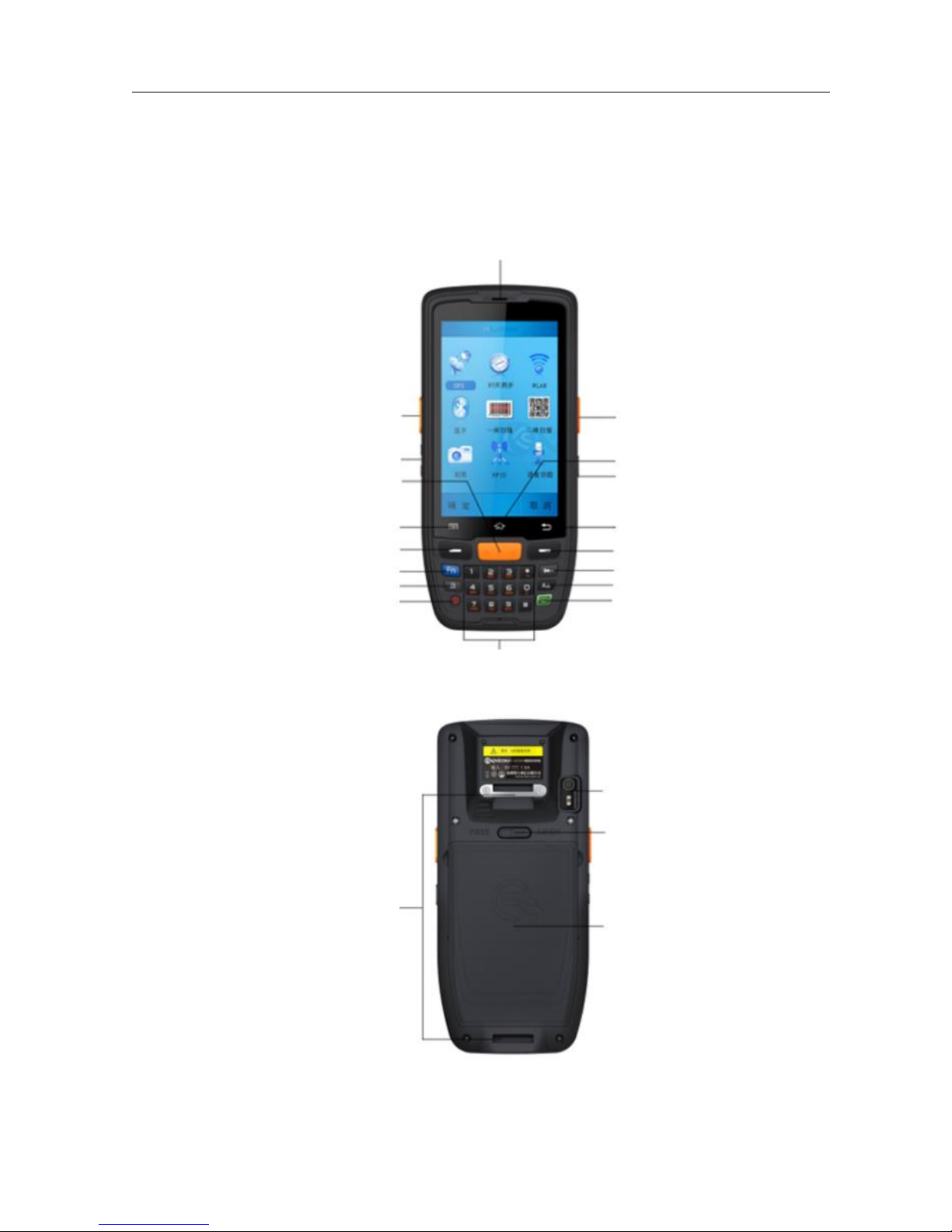
3.1 Buttons
Scanning
Volume Button
Scanning
Button
Fn Shortcut Button
Left Soft Button
Lock
Power Button
Menu Button
Numbers, letters and strokes keypad
Earphone
Enter Button
Caps Lock
Button
Delete Button
Right Soft Button
Return Key
Talkback Button
HOME
Scanning Button
Camera Window
Straps Supporter
Battery Cover Lock
Battery Cover Containing NFC
Hangzhou Kaili Communication CO.,LTD
6
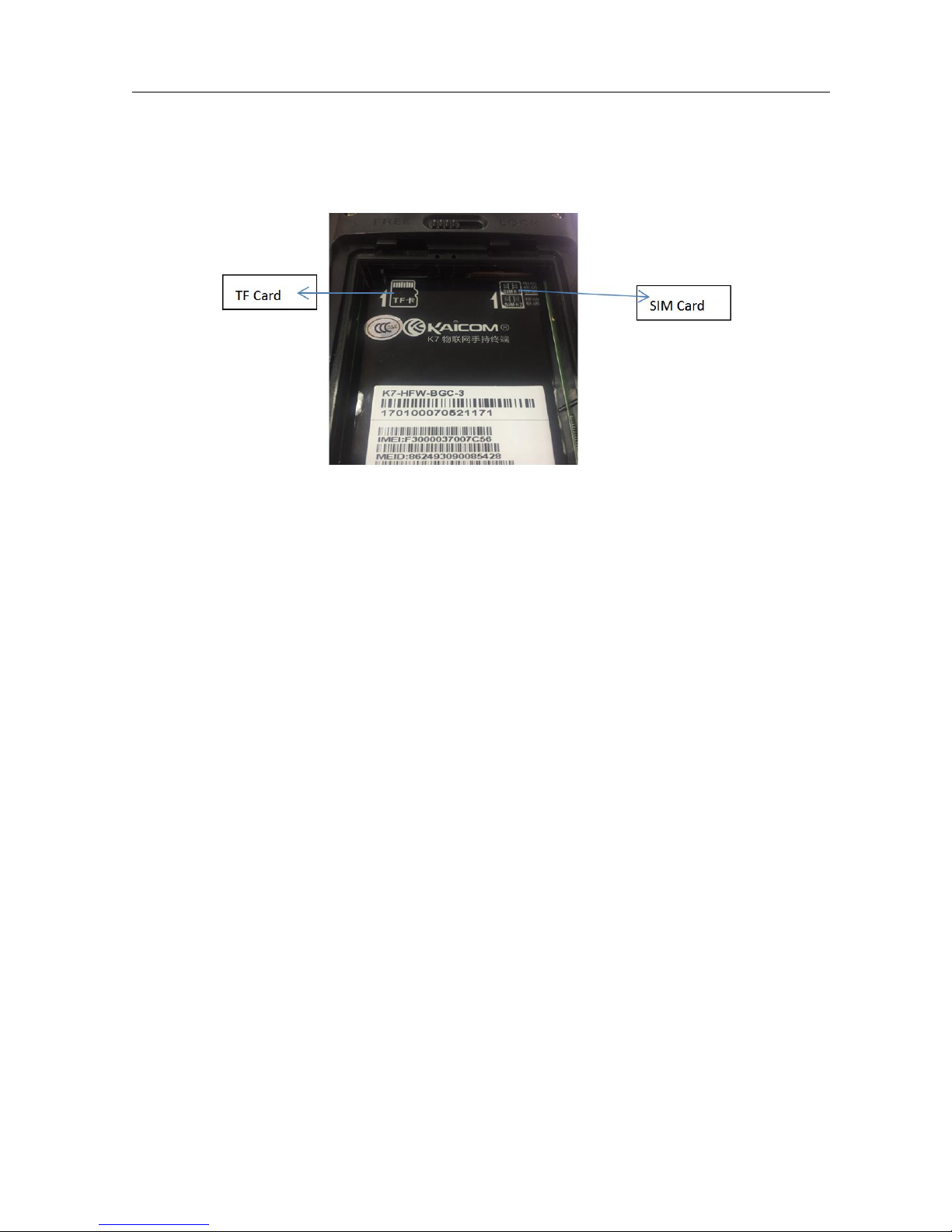
3.2 TF&SIM
Detailed installation of TF、SIM Card steps are as follows:
3.3 Battery Charging
1. Use the adapter to charge the battery via the USB connector of the snap-on.
2. Don't use other brands of charger for device
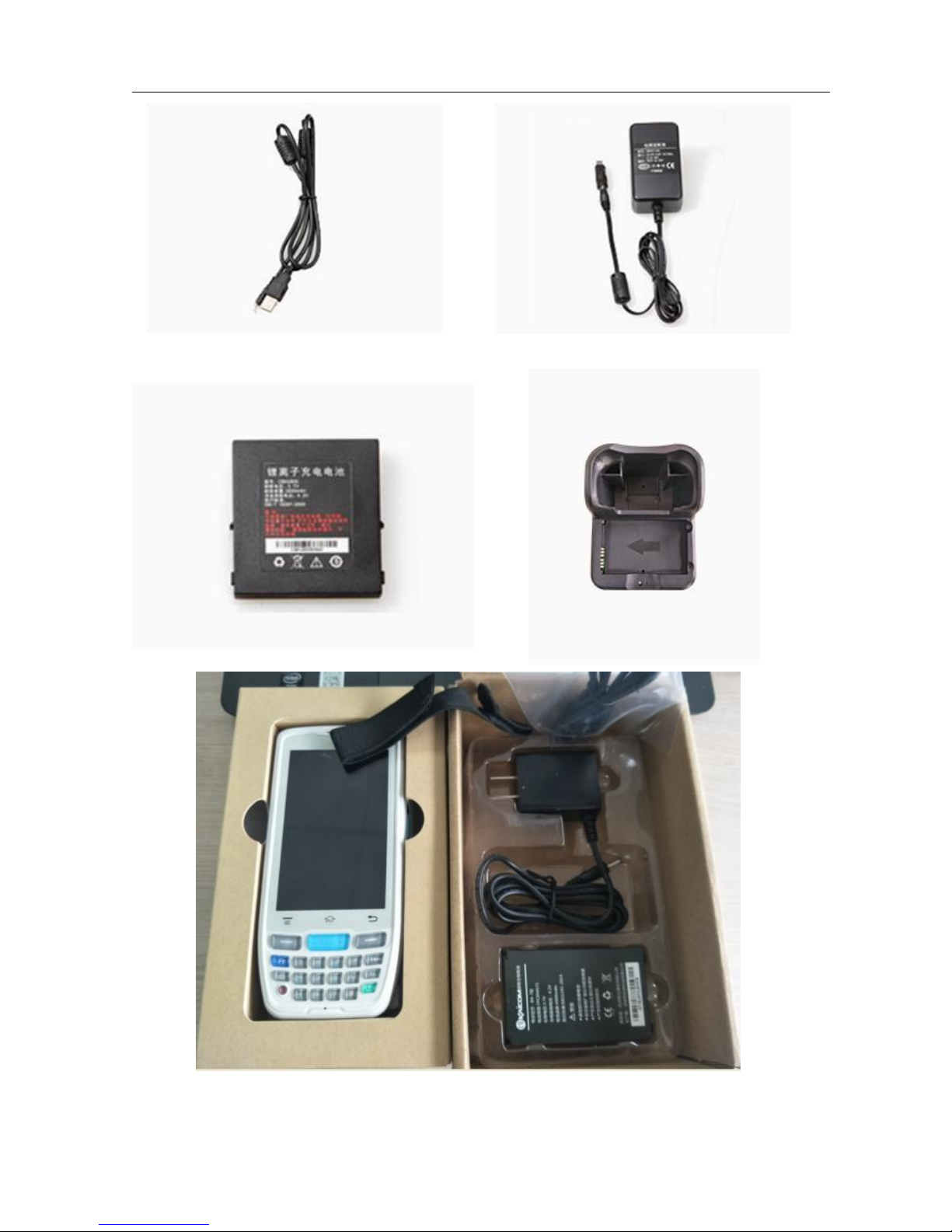
3.4 Accessories
Charger, hand strap, international power plug, USB,
Hangzhou Kaili Communication CO.,LTD
7
Hangzhou Kaili Communication CO.,LTD
8
4 General Function
4.1 Power on/off
Press the ‘Power’ button on the top about 3s due to turn on/off. And press it shortly to
wake up.
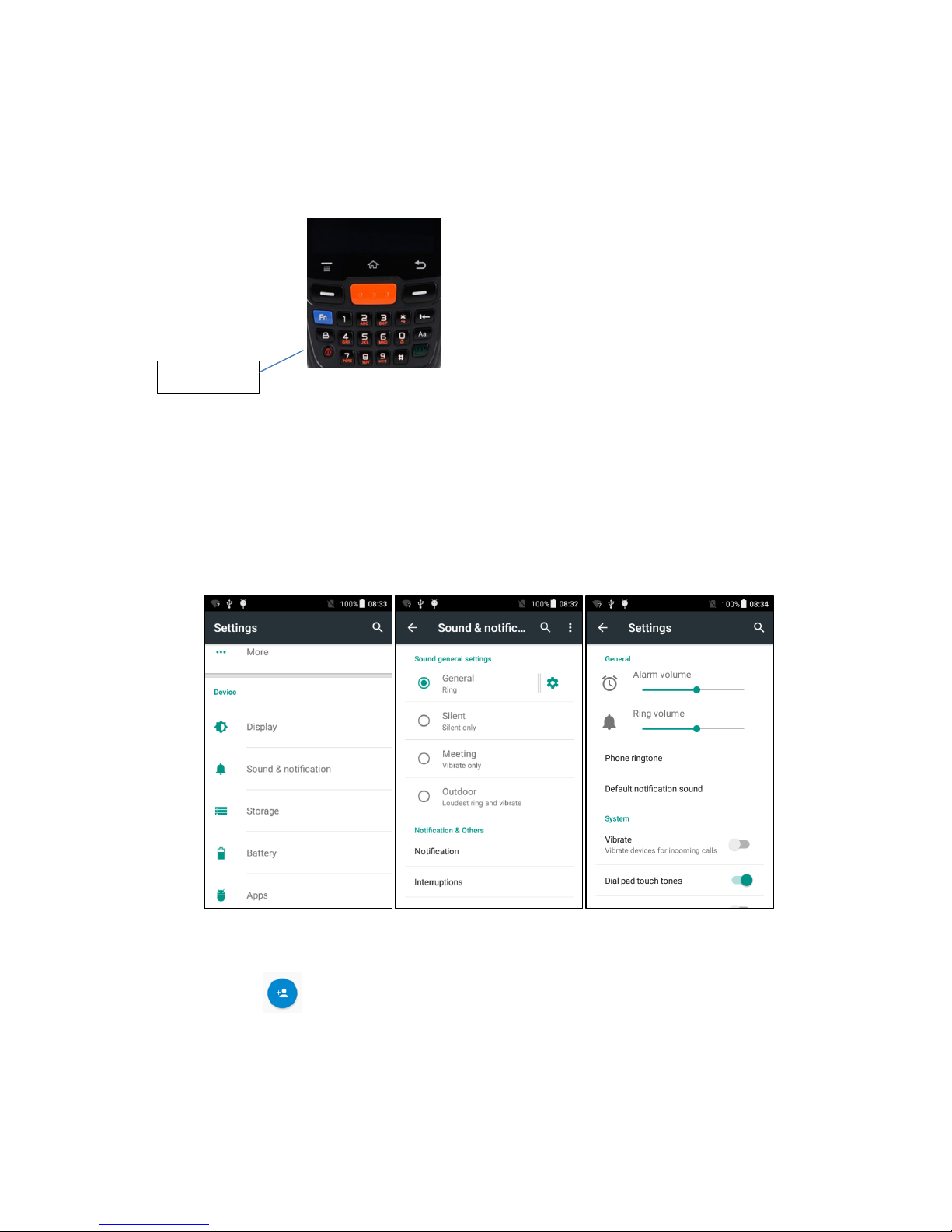
4.2 Volume Settings
Select Sound & notification, then select sound general settings, touch setting icon at right,
now you can set sound & notification setting.
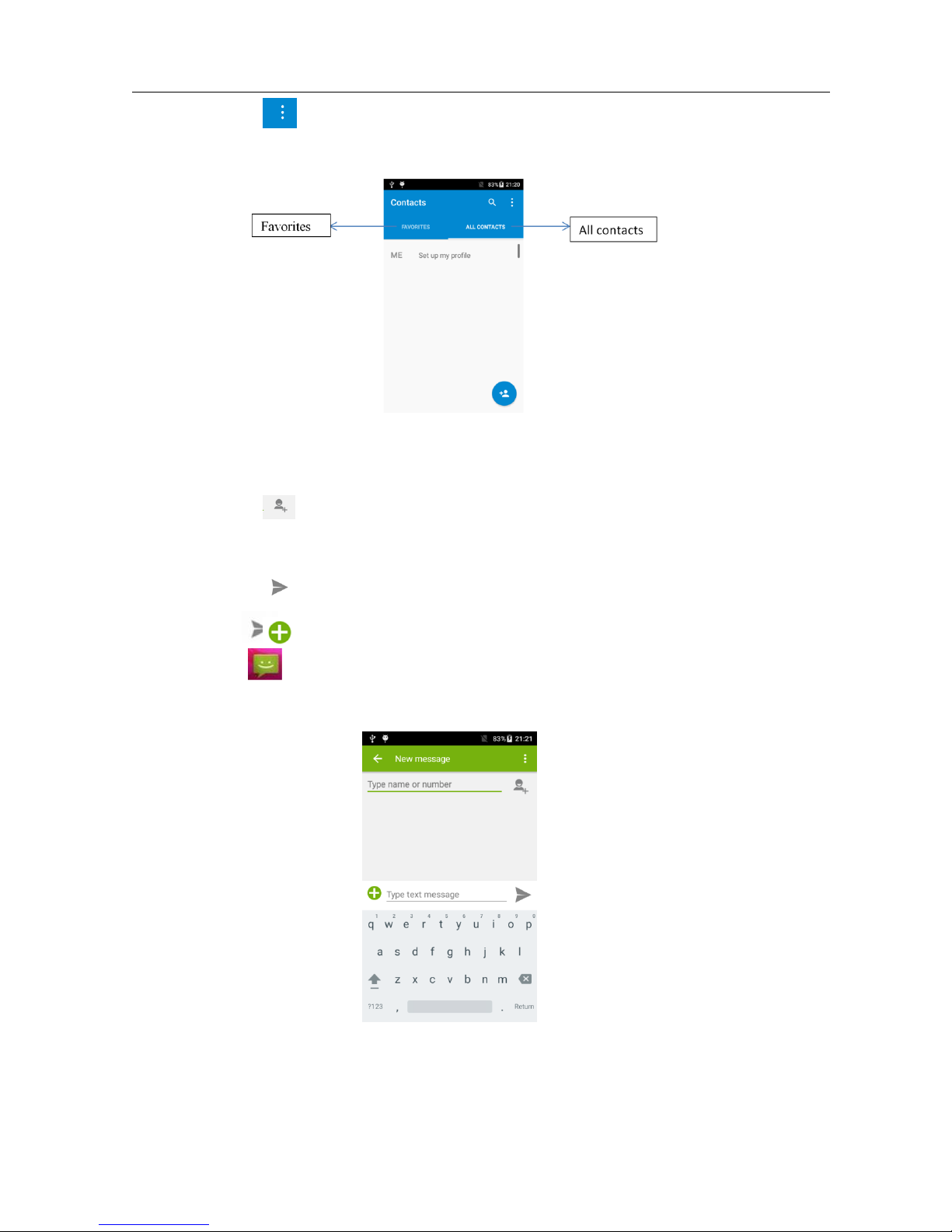
4.3 Contacts
Click the to add the new contact;
Turning on/off
Hangzhou Kaili Communication CO.,LTD
9
Click the to import/export or delete the contact list;
4.4 Messaging
Click the to open the message list;
Click the to input the content;
Click the to send the message;
Click the to add photos, videos;
Hangzhou Kaili Communication CO.,LTD
10
5 Scanning setting
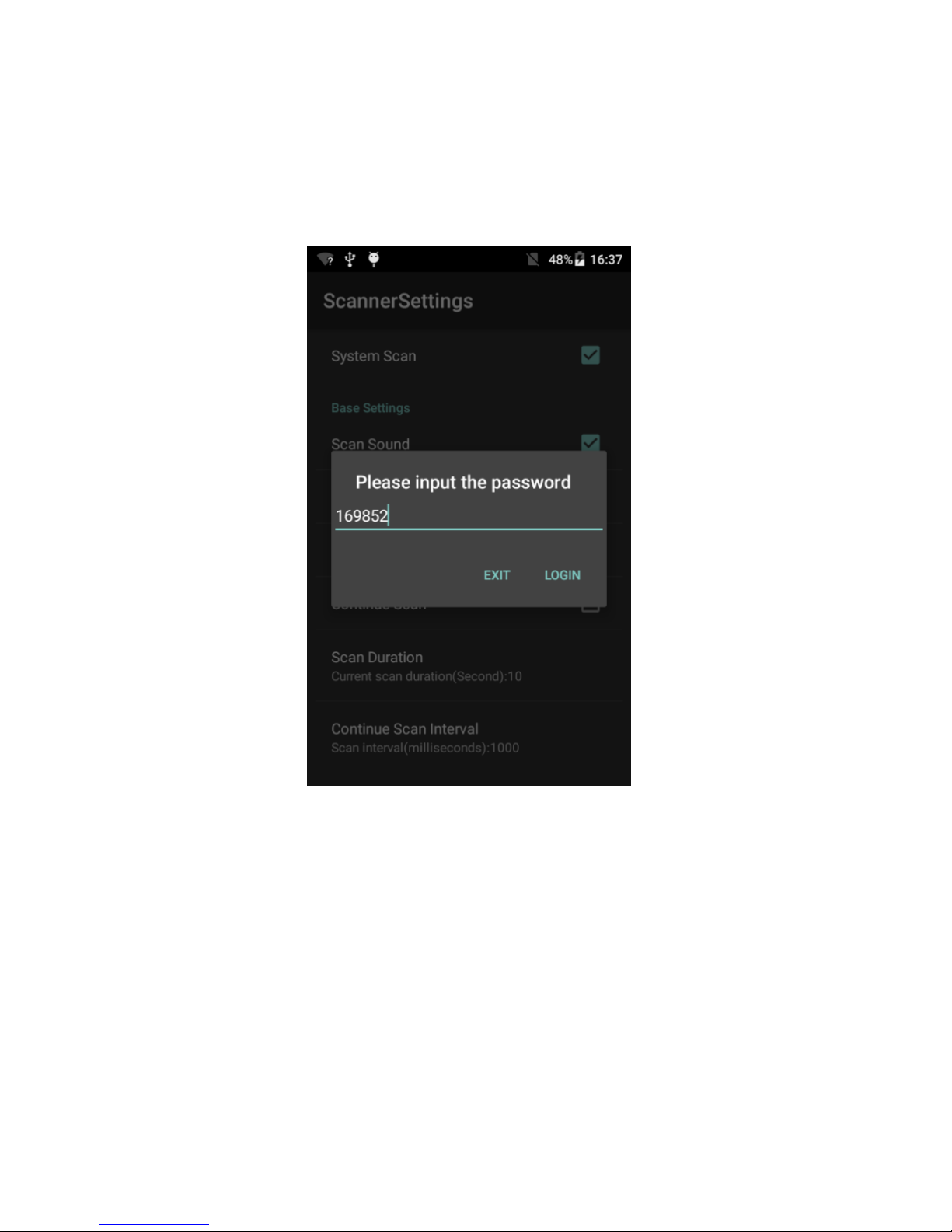
Open the scan head to prevent incorrect operation. It needs to verify the password code
with 169852
Inhaltsverzeichnis


