Hettich ControlForce 2 Bedienungsanleitung

1
English
Deutsch
Nederlands
Français
Español
Assembly Manual
Read this manual thoroughly and store in a safe place.
Montageanleitung
Bitte sorgfältig lesen und sicher aufbewahren.
Montagehandleiding
Lees deze handleiding aandachtig door en bewaar deze goed.
Notice de montage
Veuillez lire attentivement cette notice et la conserver en lieu sûr.
Manual de montaje
Lea detenidamente este manual y guárdelo en un sitio seguro.
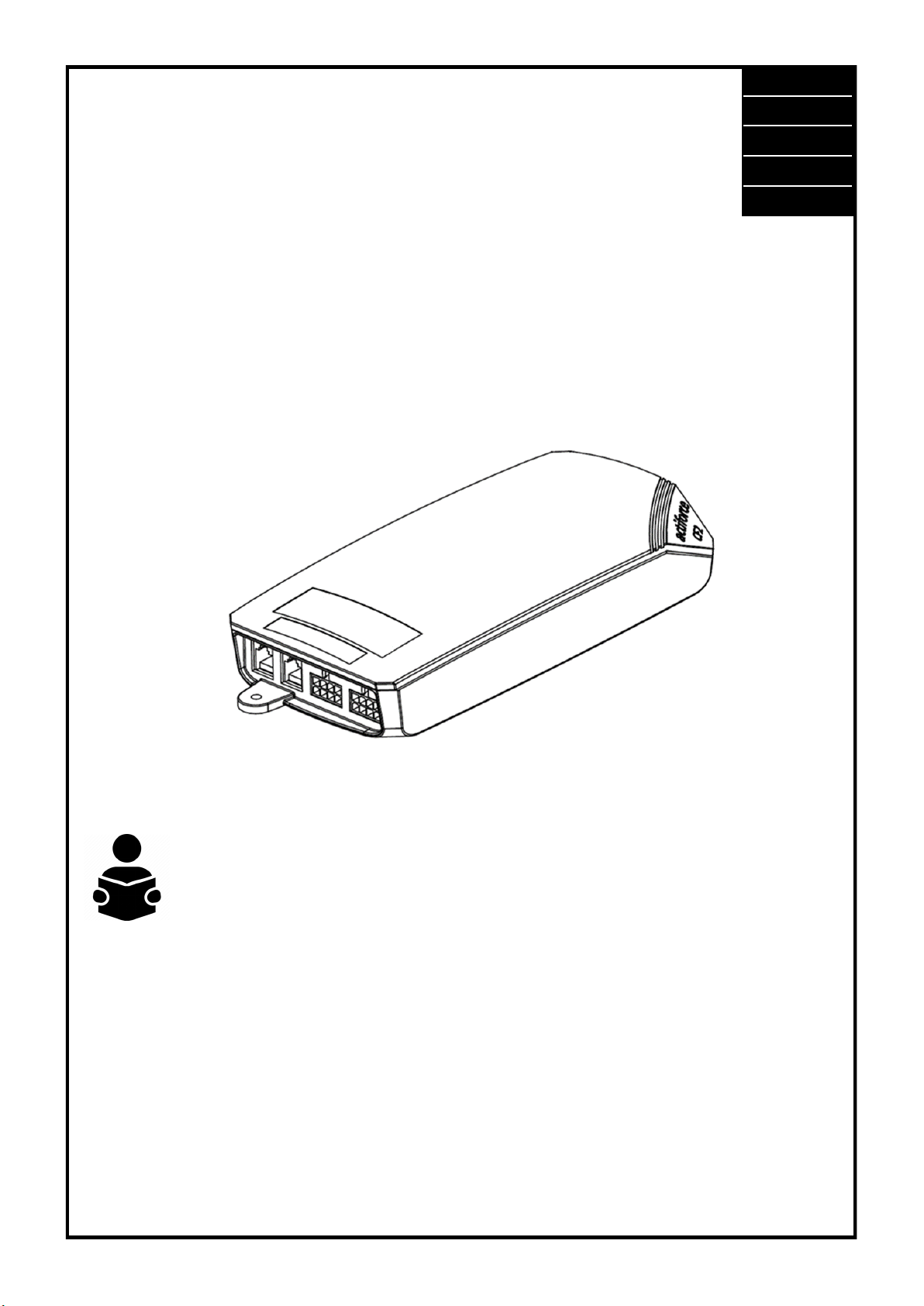
ControlForce 2 Operating Manual
SLS-IM0115-0EN-DE-NL-FR-ES
ControlForce 2 (CF2) / ControlForce 2 Pro (CF2 Pro)

2
Content Box
4.5x20
Items
IMPORTANT NOTES
• Parts 1 –3 are always part of the scope of delivery.
• Parts 4 –5 may vary, depending on specific need, but are mandatory for proper func-
tioning.
• Only apply this kit when power is disconnected. To ensure this please pull out the power
cable.
• Only pull out cables from the power supply after the power has been disconnected.
• Have the manual of your frame available, you may need to consult it.
1x
1 1x
2 2x
3
41x
(a)
or
41x
(b) 41x
(c)
Hand-Switch
41x
(d)
or
or
4.5x20
4x
2x
5 4
(a)
4(b), (c), (d)
English

3
Connecting the Electrical Components
Keep in mind that the desk which you are assembling is height adjustable. The cables
of the electrical components must be able to freely follow the movement of the desk.
4(a)
51
62
4(d)
4(c)
4(b)
oror
If the Hand-Switch is wrongly plugged into the “COM” port as below, the display of the digital
Hand-Switch will show E99 (Please refer to page 10 for ControlForce 2 (CF2) error codes or page
12 for ControlForce 2 Pro(CF2 Pro) error codes).
Do not connect Hand Switch to the “COM“ port.
English

4
Key Overview for ControlForce 2 (CF2) / ControlForce 2 Pro (CF2 Pro)
Single Desk Operation
First Use - Instructions
• Connect both legs to the Motor Channels, “M1“and “M2“accordingly.
• Connect the power plug of Controller to power socket.
• Connect the Hand-Switch to the “HS“ port .
• Hold the down button of the Hand-Switch until the legs moved to the lowest position and reverse
their drive direction.
• The desk is initialized and ready for operation.
Sensor Connection (Optional)
• Plug In Sensor into the “COM“ port.
• Sensor is active.
Sensor
(Optional)
Hand-Switch
Leg 1
Leg 2
Sensor
Hand-Switch
Motor 1 Motor 2
English

5
Cascading Cable
Controller 1
Table 1-Leg 2
Table 1-Leg 1
Hand-Switch
Cascading Out
(Primary)
Table 2-Leg 2
Table 2-Leg 1
Cascading In
(Secondary)
Sensor
(Optional)
Controller 2
Motor 1 Motor 2
Hand-Switch
Cascading-Primary Controller
Motor 1 Motor 2
Cascading-Secondary Controller
Sensor
Cascading Operation
First Use –Cascading Instructions
• Connect Legs of Table 1 to Motor Channel of Controller 1, “M1“and “M2“accordingly.
• Connect Legs of Table 2 to Motor Channel of Controller 2, “M1“and “M2“accordingly.
• Connect Power Plug of both Controllers to power socket.
• Connect Cascading cable from “COM“port of Controller 1 to “HS“port of Controller 2 (both
controller will start clicking).
• Connect the Hand-Switch to the “HS“port of Controller 1 .
• Hold the down button of Hand-Switch until the both tables moved to the lowest position and
reversed their drive direction.
Sensor Connection (Optional)
• Plug In Sensor into the “COM“ port of Controller 2.
• Sensor is active.
English

6
Reverse Cascading Operation
Reverse Cascading Instructions
• Disconnect cascading cable from both controllers.
• Both controller will click as verification.
• Connect Hand-switch to “HS“ port of Controller 2.
• Hold the down button of Hand-Switch for both tables until they moved to the lowest position and
reversed their drive direction.
Table 1-Leg 2
Table 1-Leg 1
Hand-Switch
Table 2-Leg 2
Table 2-Leg 1
Hand-Switch
Sensor
(Optional)
Cascading Cable
Controller 1 Controller 2
Motor 1 Motor 2
Hand-Switch
Cascading-Primary Controller
Motor 1 Motor 2
Cascading-Secondary Controller
Sensor
English

7
Re / initialization / “Reset”
FAQs of ControlForce 2 (CF2) / ControlForce 2 Pro (CF2 Pro)
To operate the desk frame, an initialization procedure of the desk legs and its electronics is required.
The desk won’t move up or down, unless the initialization, or also known as Reset, has been conduct-
ed.
How to “Reset”:
• Make sure all wires are properly connected to the ControlBox and the power is turned on.
• Press and hold the down button for 5-10 seconds.
• The desk moves down slowly and bounces up again.
• The reset has now been completed. Enjoy your height adjustable desk system.
In case the system has been used before, drive the system to its lowest possible position prior to en-
gaging with the reset procedure.
Troubleshooting Guide:
1. My Desk is not working, what should it do?
• Check if all cables are connected properly and retry to operate the desk.
• Do you recognize a clicking sound, while a motor cable is being plugged in or removed from the
white Controlbox? If yes, please follow the “Reset” instruction.
• In the event these instructions are not helping, please contact customer support.
Figure 1.1 Power cord is not fully seated in Control Box.
Figure 1.2 and Figure 1.3 Motor Cable is not fully seated in Control Box.
Figure 1.4 Power cord is fully seated in Control Box.
Figure 1.5 and Figure 1.6 Motor Cable is fully seated in Control Box.
CORRECT
Figure 1.1 Figure 1.2 Figure 1.3
Figure 1.4 Figure 1.5 Figure 1.6
CORRECT CORRECT
WRONGWRONG
WRONG
English

8
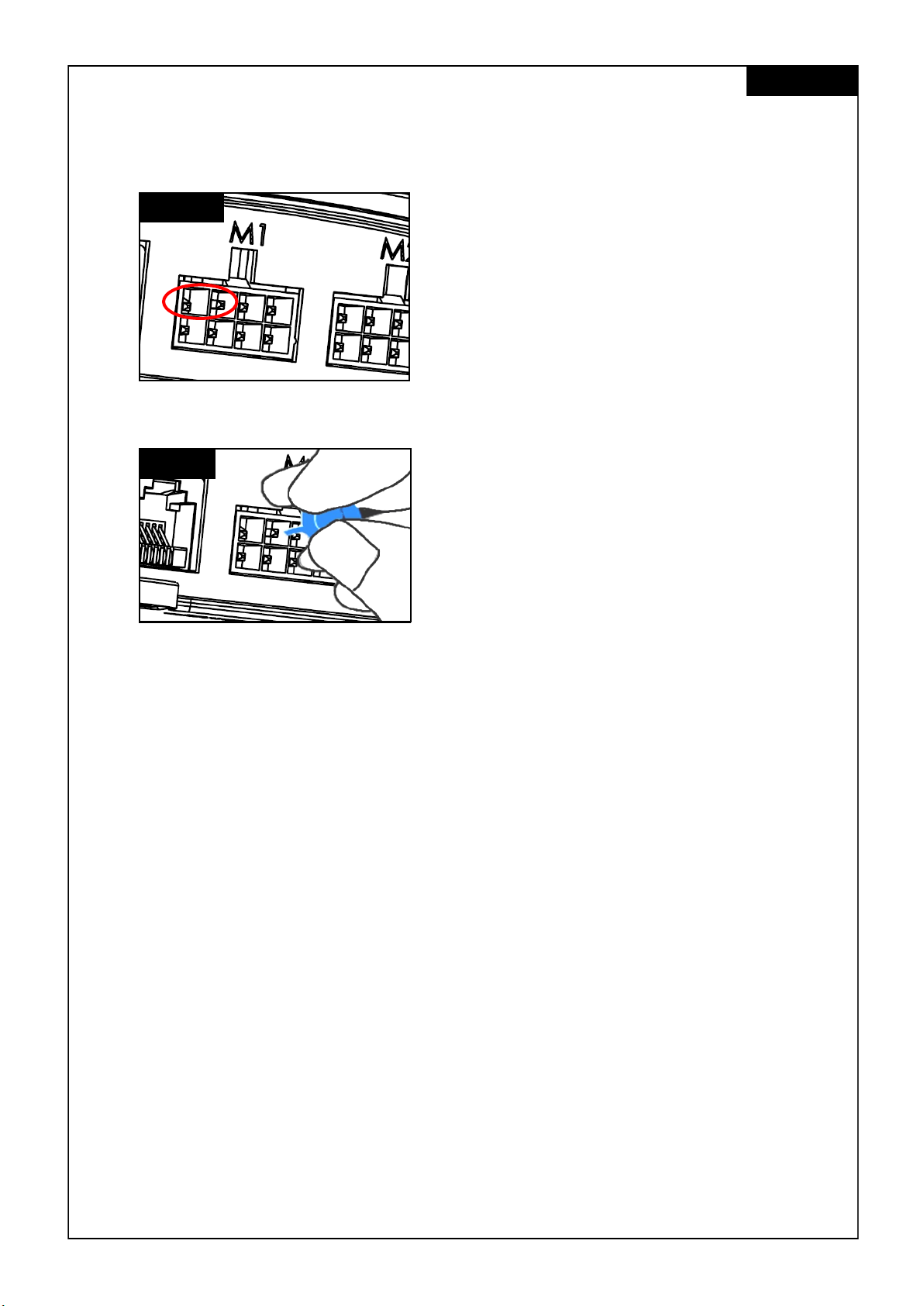
2. The motor cable doesn’t fit into the control-box, what can I do?
• Check the Female-PIN plug on the control-box and ensure proper alignment or check for dam-
ages.
• In case of misalignment, take a small needle and realign the PIN.
Figure 2.1 Pin is damaged due to misalignment.
Figure 2.2 Pin is corrected with a small needle.
3. My desk seems to struggle while lifting, what can I do?
• Have you checked the maximum allowed weight capacity?
• The system is able to lift max. 120kg in total, equally distributed, that also includes the weight of
the tabletop. Ensure no more than 60kg of weight is located above either one of the lifting legs.
• The desk moves slightly slower under heavy loads.
4. While I move my desk, it suddenly stops and reverts its direction. Is the system broken?
• You experience the “Acti-Sense” protection feature. The desk is equipped with an intelligent fea-
ture to protect the drive unit from damage during its utilization. Please check the surroundings of
the desk for any possible collisions with other obstacles or cables stopping the desk from further
movement.
5. I hear clicking sounds from the desk, what does that mean?
• The desk provides acoustic feedback to certain actions through a clicking tone. For example, by
saving a new height to your desk system with the Memory Master, the desk system will double
click as a confirmation. In the event a cable is unplugged from the system, the desk system will
also provide an acoustic feedback as an indication.
6. My system is horizontally tilted, what should I do?
• Drive the system down to the lowest position possible
• Follow the “Reset” procedure
CORRECT
DAMAGED
English

9
Error codes on the hand control display
Error Code List - ControlForce 2 (CF2)
Error Code Name Error Condition Description Solution
E01 ERR_LIMIT_UP
System trigger E01 when
trying to move frame up
Reached software up-
per limit
Move frame downwards
instead of upwards
E02 ERR_LIMIT_DOWN
System trigger E02 when
trying to move frame down
Reached software low-
er limit
Move frame upwards
instead of downwards
E03 ERR_SYSTEM_ERROR
- Erase flash sector failed
- Write flash data failed
- ADC offset exceeded limit
System failed to erase/
write data to flash or
failed ADC offset self-
test.
Replace the control box
E04 ERR_OVERCURRENT
System detected motors
have exceeded the total
current limit
System has exceeded
the total current limit for
all motors combined
Remove some loads
from the table top
E05 ERR_OVERCURRENT_MOTOR1
System detected Motor 1 to
be loaded at more than
preset motor current ( 6A )
Over current / Short
Circuit on Ch1 Motor
Remove some loads or
distribute the load more
evenly on table top
E06 ERR_OVERCURRENT_MOTOR2
System detected Motor 2 to
be loaded at more than
preset motor current ( 6A )
Over current / Short
Circuit on Ch2 Motor
Remove some loads or
distribute the load more
evenly on table top
E07 ERR_OVERHEAT
Total System Work (Joule)
hits the preset Heat monitor
Threshold
System incorporate
software protection
against motor overheat-
ing
Rest the table top for 10
mins to resume full desk
capability.
E08 ERR_MISSING_MOTOR1
System unable to detect
the present of Motor Chan-
nel 1
Motor 1 not detected Check whether the Mo-
tor Cable plug for M1
was properly plugged in
E09 ERR_MISSING_MOTOR2
System unable to detect
the present of Motor Chan-
nel 2
Motor 2 not detected Check whether the Mo-
tor Cable plug for M2
was properly plugged in
E10 ERR_RESET_TRIGGERED
System undergo the Reset
Process
Reset Process Press the "DOWN" button
to move the desk to the
lowest position to com-
plete the RESET process
E11 ERR_ACTISENSE_TRIGGERED
System detected high rota-
tional movement through
Gyro Sensor
Collision detected Check if the desk hits
any obstacles along the
desk's movement path
or getting held by any
hanging wires
English

10
Error Code Name Error Condition Description Solution
E12 ERR_OPERATIONMODE_CHAN
GED
Changed of standalone or
cascading mode
Controller operation
mode changed to
standalone or cascad-
ing mode
Reset the table top by
long press the "DOWN"
button to perform the
RESET process
E13 ERR_CASCADING_CONFIG_MI
SMATCH
Configuration mismatch for
both cascading controller
Both controllers has dif-
ferent configuration
settings
Remove the Cascading
connection.
E14 ERR_CONFIG_FORCE_RESET
System detected Configu-
ration Change
Controller was updated
with new parameter file
Reset the table top by
long press the "DOWN"
button to perform the
RESET process
E15 ERR_RESET_REQUIRED
System detected uncorrect-
able error that require to
perform Desk System reset
Reset is required to cor-
rect detected error.
Reset the table top by
long press the "DOWN"
button to perform the
RESET process
E16 ERR_SLEEP
System stuck in sleep mode System failed to update
the low power mode
flag and system might
still be in low power
mode
Disconnect control box
from power source, wait
for at least 10 seconds
and power it on again.
E17 ERR_MOTOR_SYNC
Two driver motor positions
are out of sync
Rotational difference of
1.0 rev or more between
two driver motors
Reset both frames by
long press the "DOWN"
button to perform the
RESET process
E18 ERR_CASCADING_SYNC
Two tables are out of sync Position difference of
5mm or more between
two tables
Reset both table tops by
long press the "DOWN"
button to perform the
RESET process
E99 HandSwitch Reading Error
- Handswitch plugged into
COM port instead of HS port
- Cable connector inside
the switch is loose
Handswitch can't read
data from Controller
Plug Switch into HS port
instead of COM port
English
Dieses Handbuch passt für folgende Modelle
3
Inhaltsverzeichnis
Sprachen: