– 7 –
ENGLISH
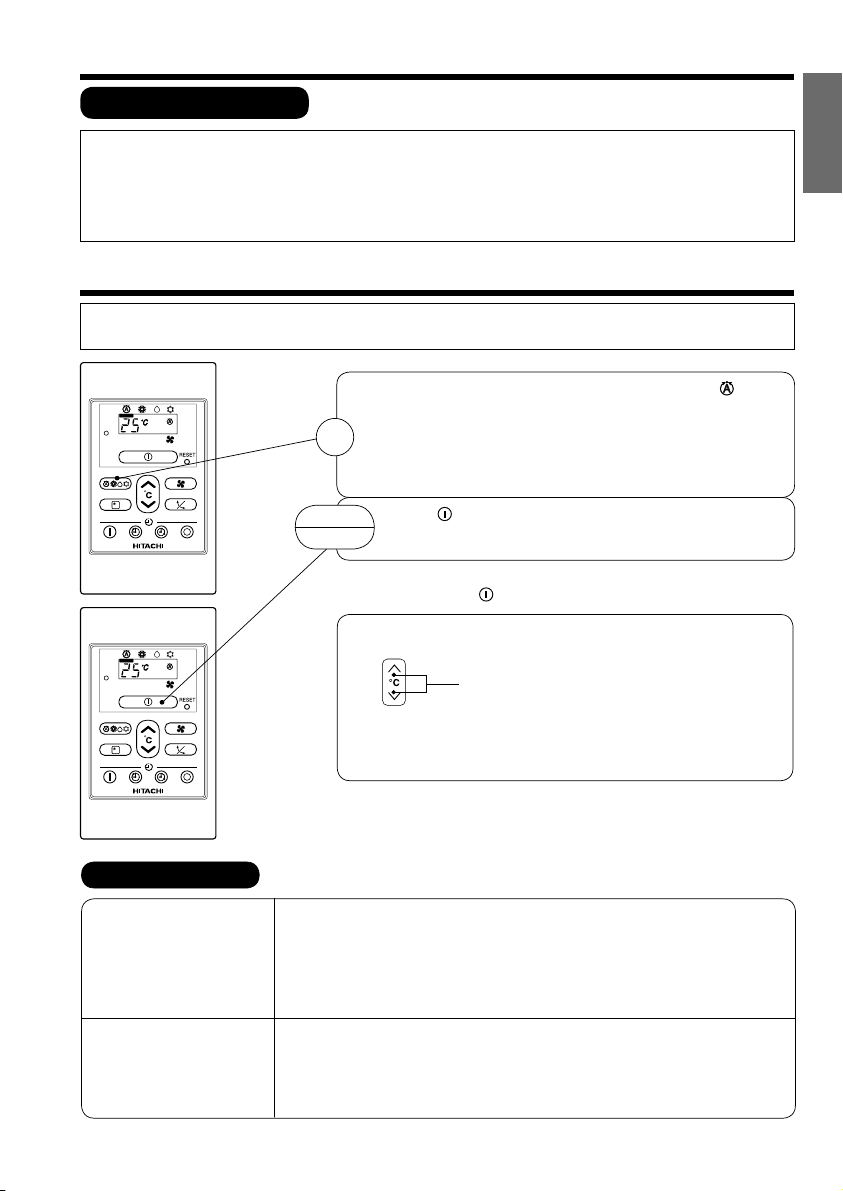
AUTOMATIC OPERATION
The device will automatically determine the mode of operation, HEAT, COOL or DEHUMIDIFY depending on the current room
temperature. The selected mode of operation will change when the room temperature varies.
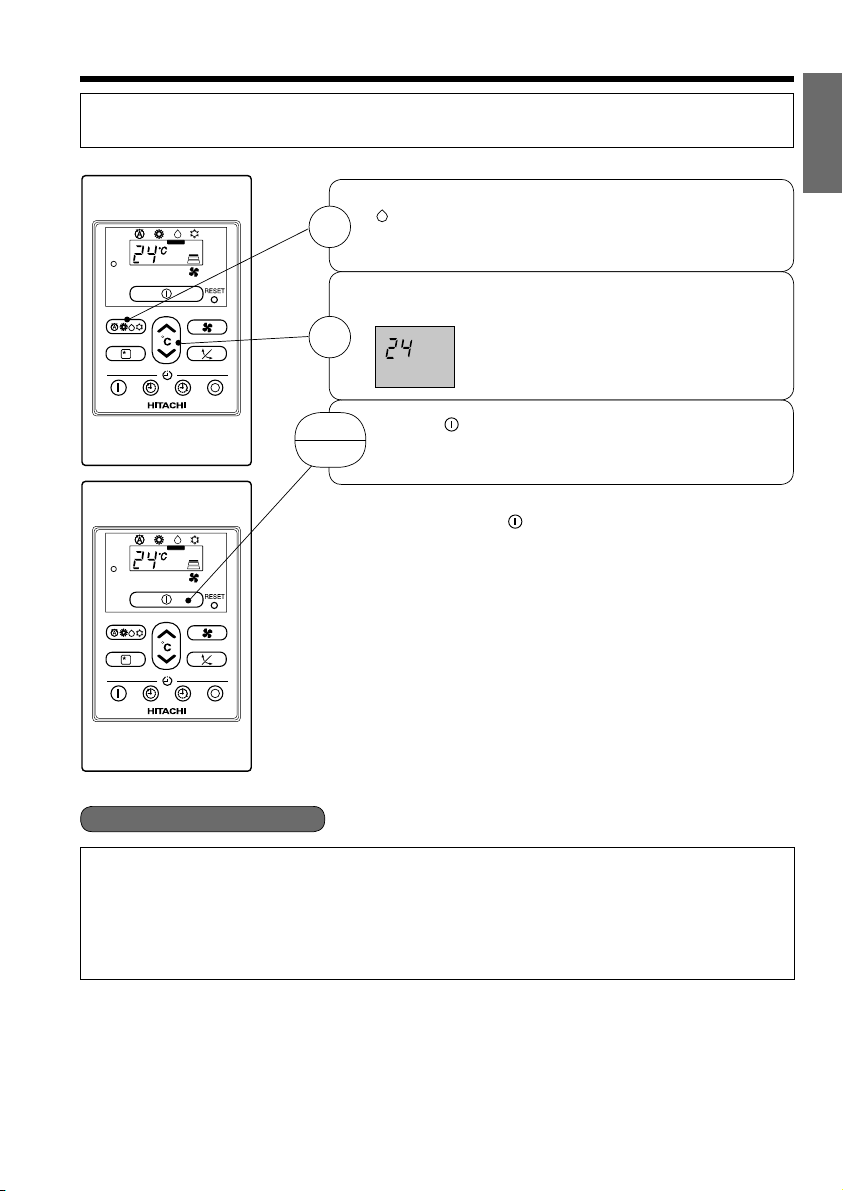
QAs the settings are stored in memory in the remote controller, you only
have to press the (START/STOP) button next time.
Press the FUNCTION selector so that the display indicates the (AUTO)
mode of operation.
OWhen AUTO has been selected, the device will automatically determine
the mode of operation, HEAT, COOL or DEHUMIDIFY depending on the
current room temperature.
OIf the mode automatically selected by the unit is not satisfactory, manually
change the mode setting (heat, dehumidify or cool).
Press the (START/STOP) button.
Operation starts with operation lamp lights.
Press the button again to stop operation.
1
START
STOP
VARIOUS FUNCTIONS
QAuto Restart Control
OIf there is a power failure, operation will be automatically restarted when the power is resumed with previous operation
mode.
(As the operation is not stopped by remote controller.)
OIf you intend not to continue the operation when the power is resumed, switch off the power supply.
When you switch on the circuit breaker, the operation will be automatically restarted with previous operation mode.
Note: 1. If you do not require Auto Restart Control, please consult your sales agent or OFF by remote control.
2. Auto Restart Control is not available when Timer or Sleep Timer mode is set.
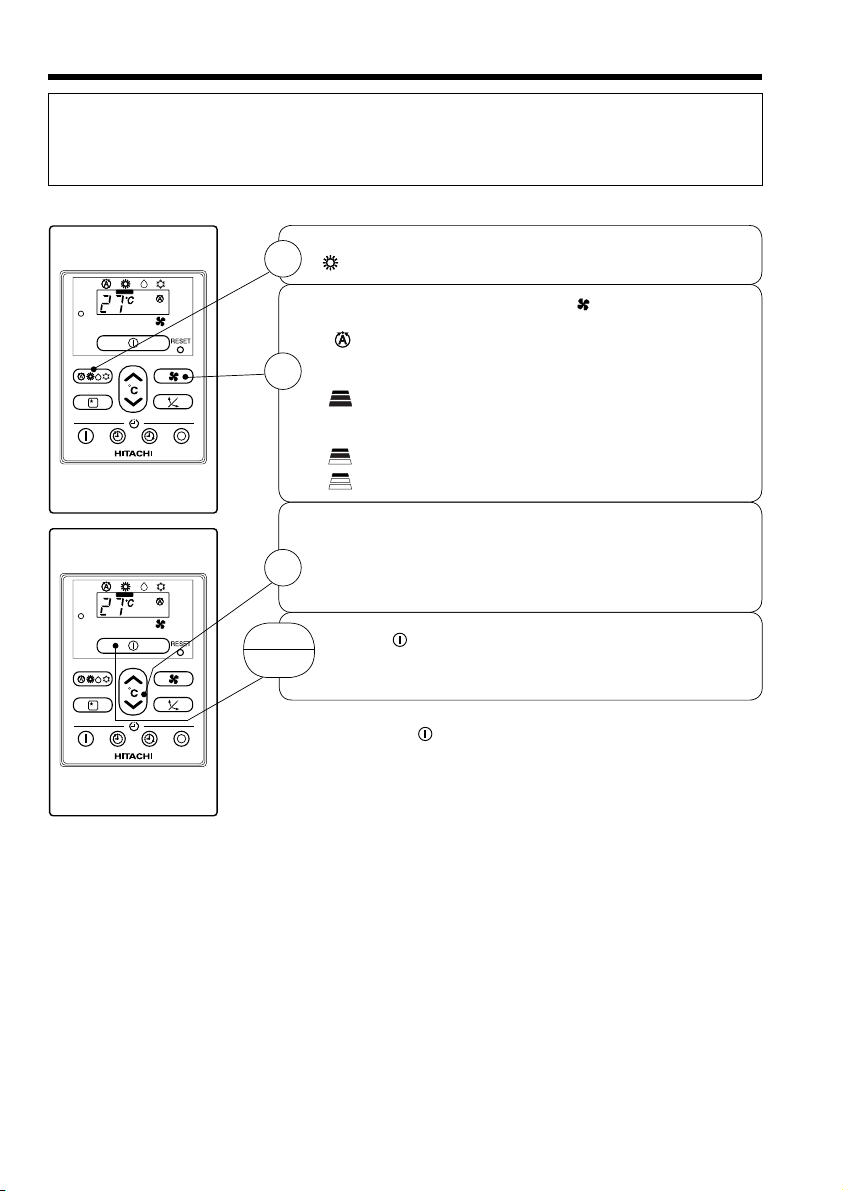
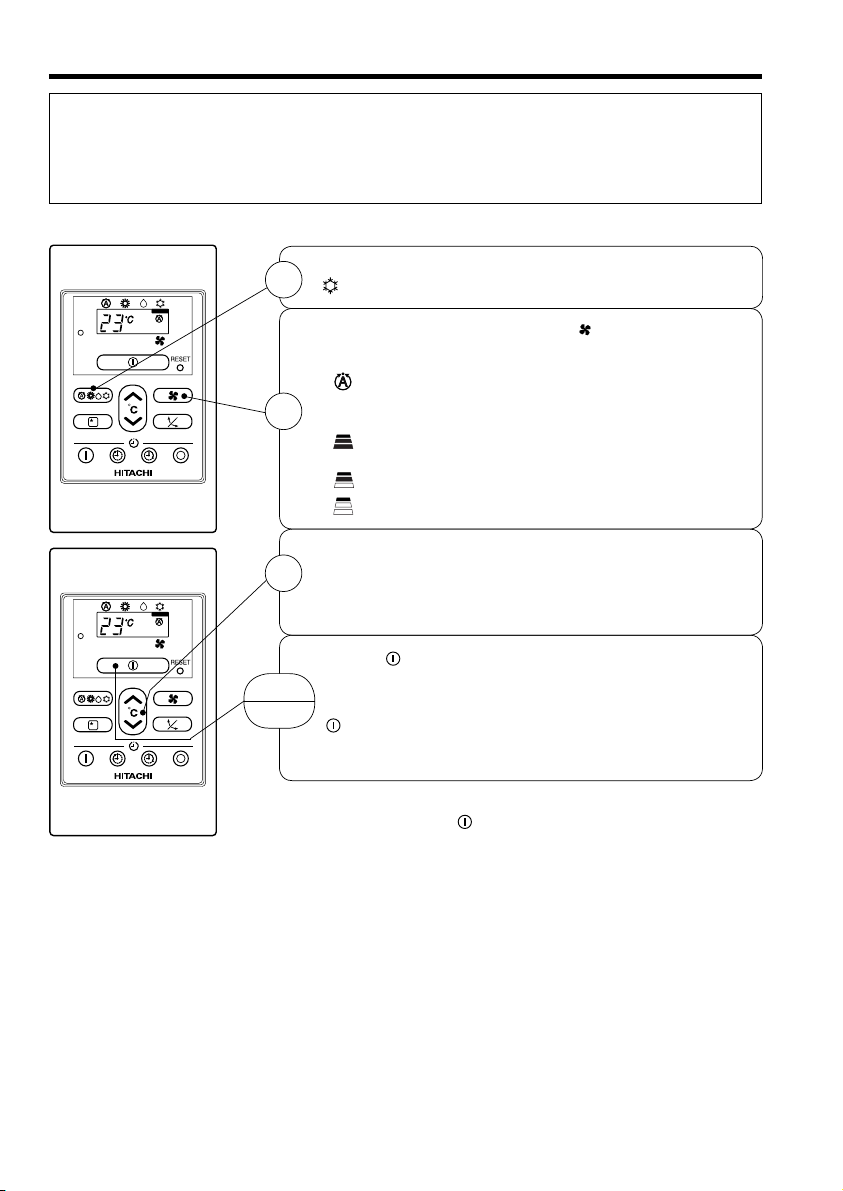
FAN SPEED (AUTO) ..... When the AUTO fan speed mode is set in the cooling/heating operation:
For the heating operation
OThe fan speed will automatically change according to the temperature
of discharged air.
OWhen the difference of room temperature and setting temperature is
large, fan starts to run at HI speed.
OWhen the room temperature reaches setting temperature, fan speed
changes to LOW automatically.
For the cooling operation
OWhen the difference of room temperature and setting temperature is
large, fan starts to run at HI speed.
OAfter room temperature reaches the preset temperature, the cooling
operation, which changes the fan speed and room temperature to obtain
optimum conditions for natural healthful cooling will be performed.
You can raise or lower the temperature setting as necessary.
Press the temperature button and the temperature
setting will change by 1°C each time.
●The preset temperature and the actual room temperature may vary
somewhat depending on conditions.
●The display will indicate the temperature setting.
(EN1) RPC-30MH1 DD0002331U.indd 7 7/19/10 11:28 AM