
Hiwonder QDEE Betriebsanleitung


Section 1:What is Qdee ?
1. Qdee Main Components Introduction
Name
Picture
Description
Chassis
Qdee’s body, main frame that
holds the different modules
together
Battery Holder
Install 6 AA batteries to supply
power to the Qdee controller
Motor
Motor is Qdee’s driving force,
rotates the wheels
Wheel boss
Qdee's axle, Qdee usually runs
with the wheels attached to
the motor on the back of the
robot
Tire
Increases friction and helps the
wheel drive the Qdee
movement smoothly.
1

Crawler belt
Connects the front and back
wheels of Qdee.
Universal wheel
Able to replace the front wheel
of Qdee, for use in changing
the robotic car into other
shapes.
L-shape bracket
Supportive brace for other
Qdee modules, build this into
different shapes to achieve
different functions
Line follower
Qdee additional sensor.
Detailed learning courses will
be provided in the following
Section
Ultrasonic sensor
Uses ultrasonic waves to
measure distance and judge
whether there is an obstacle in
front.
2

2. Qdee Core Controller
Qdee controller uses a cartridge-based design, which consists of the micro:bit cartridge and the
controller body for use as an expansion board.
The Qdee controller includes a micro:bit and expansion board, acting as the brain of Qdee. It
can control Qdee through scratch programming, helping you bring your different ideas into the
real world.
(1) micro:bit Introduction
micro:bit, introduced by the famous British television station BBC, is a microcomputer aimed
at adolescent programming education.
micro:bit is small but mighty, it is only half the size of a bank card but is equipped with plenty
of sensors including a 5*5 programmable LED grid, two programmable buttons, Bluetooth
capabilities, a thermometer, an electronic compass, an accelerometer etc. The following picture
shows the information in greater detail.
micro:bit
Expansion board
3

(2) Expansion board Introduction
The Qdee expansion board is designed to work with the micro:bit at its core. The expansion
board adds a lot of sensors and controllable components to supplement the micro:bit with more
functions, using its 10 connectors for Qdee to connect to other electronic modules.
4
Section 2:APP Introduction
1 App Introduction & Installation
Android phone users can search for and download the “Qdee App”directly from the Google Play
Store. Alternatively, you may follow the link below on your android device.
https://play.google.com/store/apps/details?id=com.hiwonder.blockly.android.qdee
Apple Users can search for the Qdee App on the app store and download it there.
2 App Functions
The Qdee App helps us learn more about Qdee. It includes an assembly guide for the basic Qdee
models, a Bluetooth controller mode, several games and a graphical programming interface.
3 App Interface
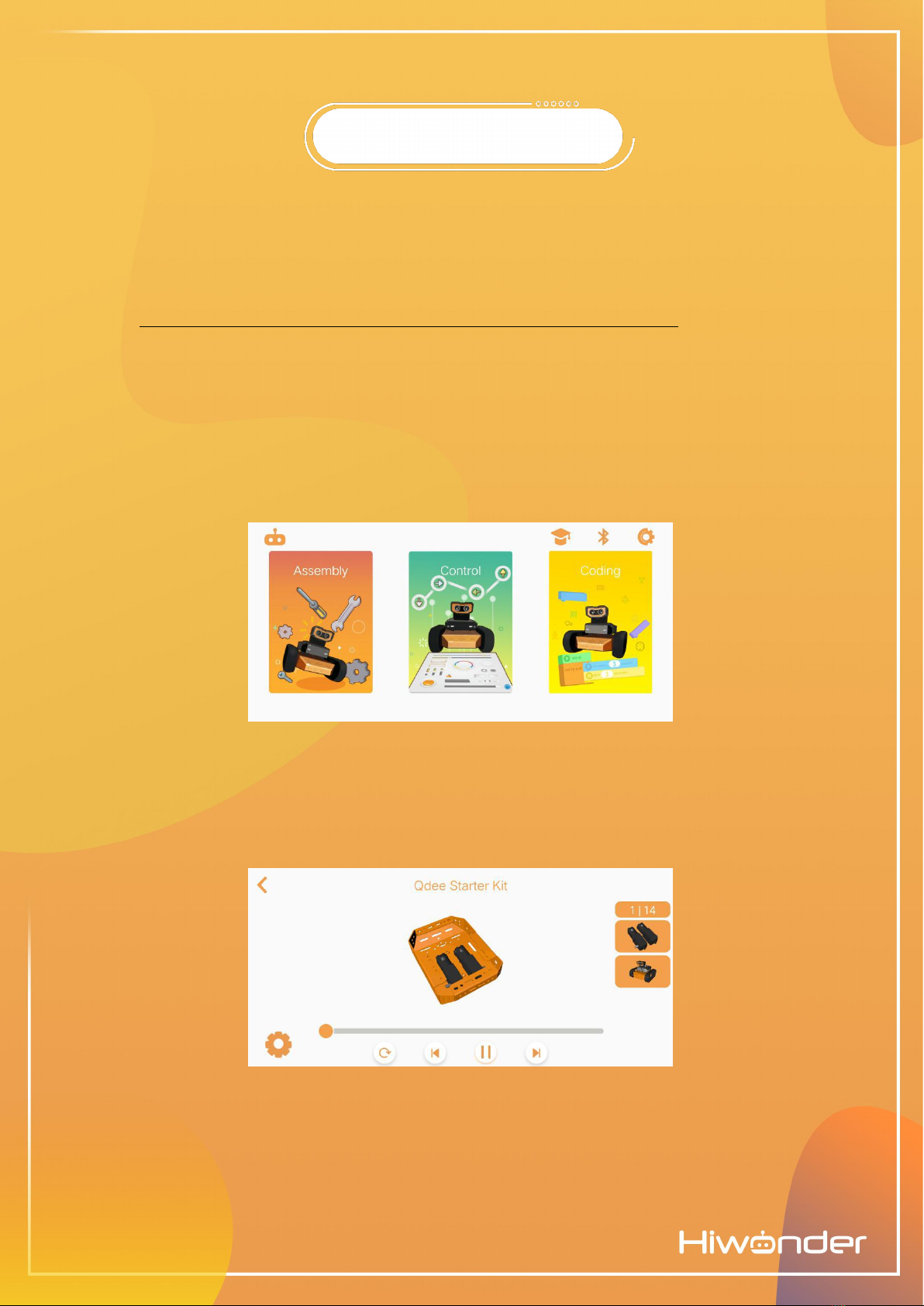
The app presents three main submenus for the user to enter. Assembly, Control and Coding.
(1) There instructions for how to assemble three variants of Qdee: Qdee Starter, Qdee Standard
and Qdee Line Follower. (The app will be updated with more configurations soon.)
(2) Control includes a basic controller interface, a line-drawing control mode, an internet of things
(iOT) mode, a Tank Battle game and Scenario-based applications. All these functions will be
introduced in the following chapters.
5
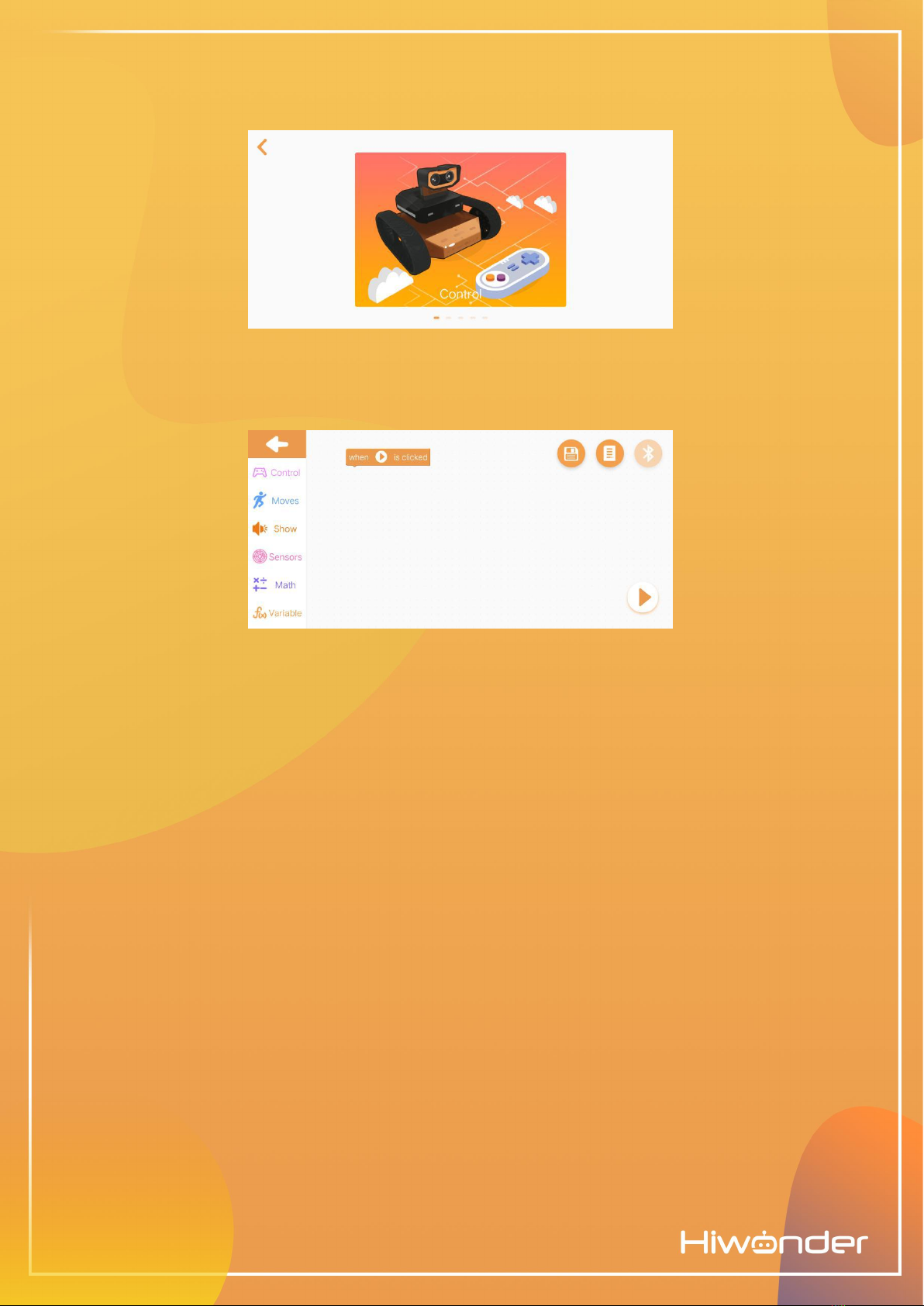
(3) Drag the blocks from the menus of the left to create the code for Qdee.
6

Section 3:Qdee Assembly Instruction
1 Click on ‘assembly’, and let’s take Qdee starter as an example.
2 Click the left or right button to view a detailed assembly guide for each component of Qdee.
The Qdee Starter assembly process has 14 steps.
3 Click the Gear-shaped button to learn more about Qdees’different parts and components.
7

Section 1:MakeCode Introduction
1 Accessing the MakeCode Programming Page
(1) Follow this URL on a web browser: https://makecode.microbit.org. This is the homepage of the
microbit MakeCode website.
(2) Click on ‘New Project’to open the programming interface.
2 How to use MakeCode
(1) Simply drag the blocks from the different submenus on the left to start programming!
8
Andere Handbücher für QDEE
1
Inhaltsverzeichnis
Andere Hiwonder Robotik Handbücher


Beliebte Robotik Handbücher anderer Marken

STEMCenter USA
STEMCenter USA Pi-Bot v2.00 Bedienungsanleitung

SunFounder
SunFounder PiDog Bedienungsanleitung

Universal Robots
Universal Robots UR5 Bedienungsanleitung

Universal Robots
Universal Robots E Series Bedienungsanleitung

YASKAWA
YASKAWA MOTOMAN-MPL80 II Bedienungsanleitung

EFORT
EFORT ECR5 Gebrauchsanweisung


