Hypertherm RS-485 Series Referenzhandbuch

RS-485 Serial Interface Receptacle
with PCB
Powermax65/85/105/125®, Powermax65/85/105 SYNC™
Logement de l’interface série RS-485
avec carte à circuits imprimés
Powermax65/85/105/125®, Powermax65/85/105 SYNC™
Field Service Bulletin
Bulletin de service sur le terrain
806710
Revision 3 | Révision 3
September 2021 | Septembre 2021

Hypertherm, Inc.
21 Great Hollow Road, P.O. Box 5010
Hanover, NH 03755 USA
603-643-3441 Tel (Main Office)
603-643-5352 Fax (All Departments)
800-643-9878 Tel (Technical Service)
800-737-2978 Tel (Customer Service)
customer.service@hypertherm.com (Customer Service)
Hypertherm México, S.A. de C.V.
52 55 5681 8109 Tel
52 55 5681 7978 Tel
soporte.tecnico@hypertherm.com (Technical Service)
Hypertherm Plasmatechnik GmbH
Sophie-Scholl-Platz 5
63452 Hanau
Germany
00 800 33 24 97 37 Tel
00 800 49 73 73 29 Fax
31 (0) 165 596900 Tel (Technical Service)
00 800 4973 7843 Tel (Technical Service)
Hypertherm (Singapore) Pte Ltd.
Solaris @ Kallang 164
164 Kallang Way #03-13
Singapore 349248, Republic of Singapore
65 6841 2489 Tel
65 6841 2490 Fax
[email protected] (Marketing)
Hypertherm Japan Ltd.
Level 9, Edobori Center Building
2-1-1 Edobori, Nishi-ku
Osaka 550-0002 Japan
81 6 6225 1183 Tel
81 6 6225 1184 Fax
Hypertherm Europe B.V.
Vaartveld 9, 4704 SE
Roosendaal, Nederland
31 165 596907 Tel
31 165 596901 Fax
31 165 596908 Tel (Marketing)
31 (0) 165 596900 Tel (Technical Service)
00 800 4973 7843 Tel (Technical Service)
Hypertherm (Shanghai) Trading Co., Ltd.
B301, 495 ShangZhong Road
Shanghai, 200231
PR China
86-21-80231122 Tel
86-21-80231120 Fax
86-21-80231128 Tel (Technical Service)
South America & Central America: Hypertherm Brasil Ltda.
Rua Bras Cubas, 231 – Jardim Maia
Guarulhos, SP – Brasil
CEP 07115-030
55 11 2409 2636 Tel
Hypertherm Korea Branch
#3904. APEC-ro 17. Heaundae-gu. Busan.
Korea 48060
82 (0)51 747 0358 Tel
82 (0)51 701 0358 Fax
[email protected] (Marketing)
Hypertherm Pty Limited
GPO Box 4836
Sydney NSW 2001, Australia
61 7 3103 1695 Tel
61 7 3219 9010 Fax
Hypertherm (India) Thermal Cutting Pvt. Ltd
A-18 / B-1 Extension,
Mohan Co-Operative Industrial Estate,
Mathura Road, New Delhi 110044, India
91-11-40521201/ 2/ 3 Tel
91-11 40521204 Fax

© 2021 Hypertherm, Inc. All rights reserved. Tous droits réservés.
Powermax, SYNC, and Hypertherm are trademarks of Hypertherm, Inc. and may be registered in the United States and/or other countries. All other trademarks are the
property of their respective holders.
Environmental stewardship is one of Hypertherm’s core values.www.hypertherm.com/environment
100% Associate-owned
Powermax et Hypertherm sont des marques d’Hypertherm, Inc. qui peuvent être déposées aux États-Unis et/ou dans d’autres pays. Toutes les autres marques de commerce
sont la propriété de leurs détenteurs respectifs.
Une bonne gestion environnementale est l’une des valeurs fondamentales d’Hypertherm. www.hypertherm.com/environment
Détenue à 100 % par les associés

RS-485 Serial Interface Receptacle with PCB
Powermax65/85/105/125, Powermax65/85/105 SYNC Field Service Bulletin 806710 3
Introduction
Purpose
This Field Service Bulletin describes the procedure for installing an RS-485 serial interface
receptacle and RS-485 serial interface PCB.
Tools and materials
Assorted Phillips®, TORX®, and blade screwdrivers
Cable ties
Grounded wrist strap (or similar grounding accessory)
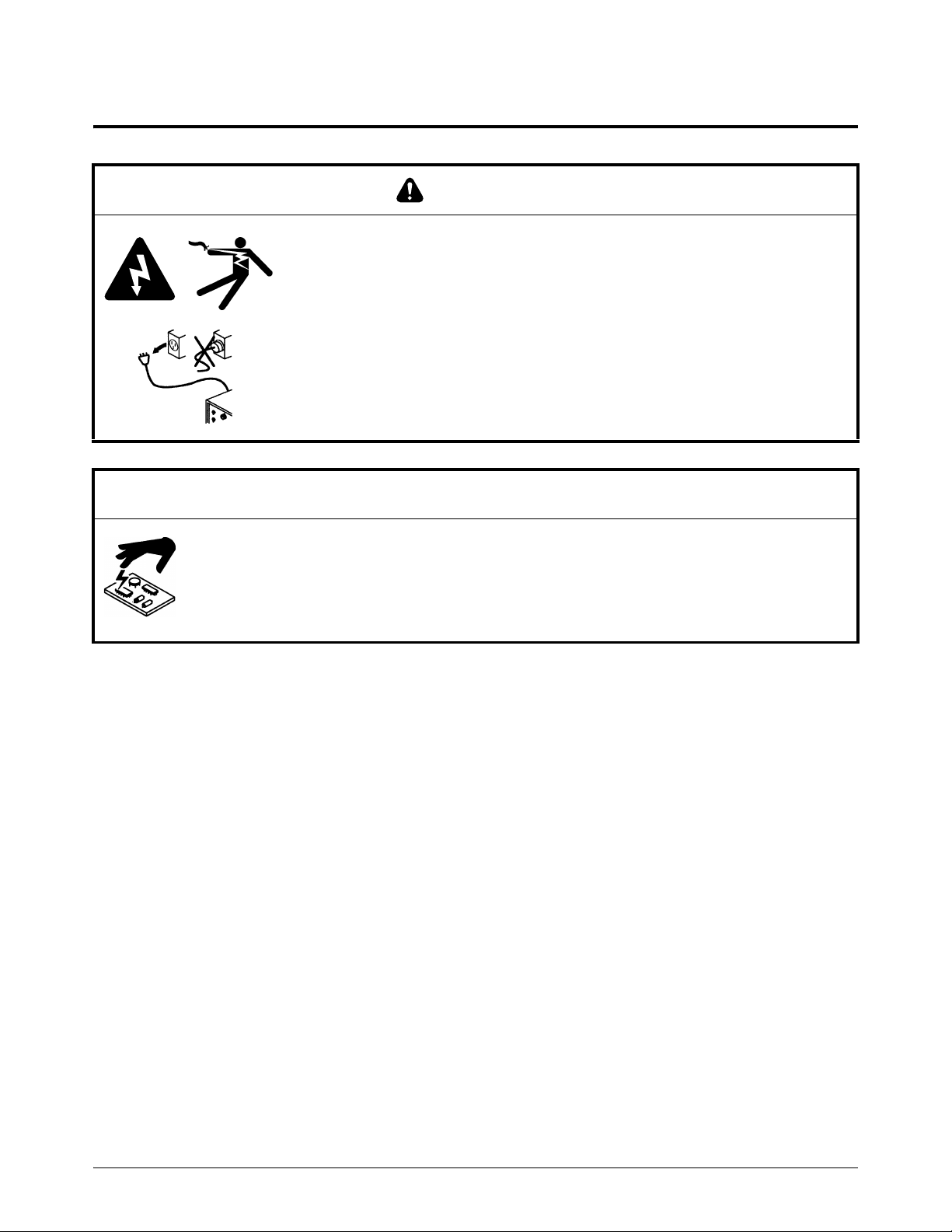
WARN ING
ELECTRIC SHOCK CAN KILL
Disconnect electric power before doing installation or maintenance. You can
get a serious electric shock if electric power is not disconnected. Electric
shock can seriously injure or kill you.
All work that requires removal of the plasma power supply outer cover or
panels must be done by a qualified technician.
Refer to the Safety and Compliance Manual (80669C) for more safety
information.
NOTICE
Static electricity can cause damage to printed circuit boards (PCBs). Use correct
precautions when you touch PCBs.
Keep PCBs in antistatic containers.
Put on a grounded wrist strap when you touch PCBs.

RS-485 Serial Interface Receptacle with PCB
4806710 Field Service Bulletin Powermax65/85/105/125, Powermax65/85/105 SYNC
Kit 228539 contents
Item Part number Description Quantity
1108879 Terminal connector 1
229962 RS-485 serial interface cable 1
2075534 Screw: #6 X 5/16, pan head 2
3075714 Screw: #4 X 1/2, pan head 2
4229963 Interface cable 1
5141109 RS-485 serial interface PCB 1
6075541 M4 lock-washer nut* 1
7229964 Ground wire 1
* Powermax105/125 and Powermax105 SYNC systems only.
7
1
2
3
4
5
6

RS-485 Serial Interface Receptacle with PCB
Powermax65/85/105/125, Powermax65/85/105 SYNC Field Service Bulletin 806710 5
Remove the plasma power supply cover and component barrier
1. Set the power switch on the plasma power supply to OFF (O), disconnect the power cord, and
disconnect the gas supply.
2. Remove the 16 screws from the plasma power supply cover.
3. Remove the plasma power supply cover.
WARN ING
STORED ENERGY HAZARD
You can get a serious electric shock from the uncontrolled release of stored
energy in capacitors. Electric shock can seriously injure or kill you.
Before you remove the plasma power supply cover, disconnect electrical
input power and wait 1 minute to allow stored energy to discharge.

RS-485 Serial Interface Receptacle with PCB
6806710 Field Service Bulletin Powermax65/85/105/125, Powermax65/85/105 SYNC
4. Remove the component barrier from the power-PCB side of the plasma power supply.

RS-485 Serial Interface Receptacle with PCB
Powermax65/85/105/125, Powermax65/85/105 SYNC Field Service Bulletin 806710 7
Show the RS-485 serial interface receptacle hole
1. For Powermax65/85/105/125, if there is a screw above the air inlet on the rear of the plasma
power supply, remove the screw.
2. Pry the right edge of the label up with a blade screwdriver.
3. Push to the left of the label and tear the label, along the perforation, at the same time. Discard
the label.
4. If you removed a screw in step 1, install the screw. Tighten the screw to 1.7 N∙m (15 lbf∙in).
2

RS-485 Serial Interface Receptacle with PCB
8806710 Field Service Bulletin Powermax65/85/105/125, Powermax65/85/105 SYNC
Loosen the rear panel of the plasma power supply
1. Remove the end panel bracket . Some models have 2 screws on the end panel bracket
that you must first remove.
2. Put the fan side of the plasma power supply on a clean, dry, and flat surface.
3. Remove the screws that attach the rear panel to the bottom of the plasma power supply.
Some models have 2 screws on the bottom of the plasma power supply, and other models have
3 screws on the rear panel instead.
1
2
1
2 2
3

RS-485 Serial Interface Receptacle with PCB
Powermax65/85/105/125, Powermax65/85/105 SYNC Field Service Bulletin 806710 9
4. Move the bottom of the rear panel off of the bottom of the plasma power supply to get
access to the power cord inside the plasma power supply. Use a blade screwdriver to carefully
pry the rear panel away from the bottom of the plasma power supply.
5. Put the plasma power supply in an upright position.
4
3
4
3
4

RS-485 Serial Interface Receptacle with PCB
10 806710 Field Service Bulletin Powermax65/85/105/125, Powermax65/85/105 SYNC
Install the RS-485 serial interface PCB and components
Install the RS-485 PCB
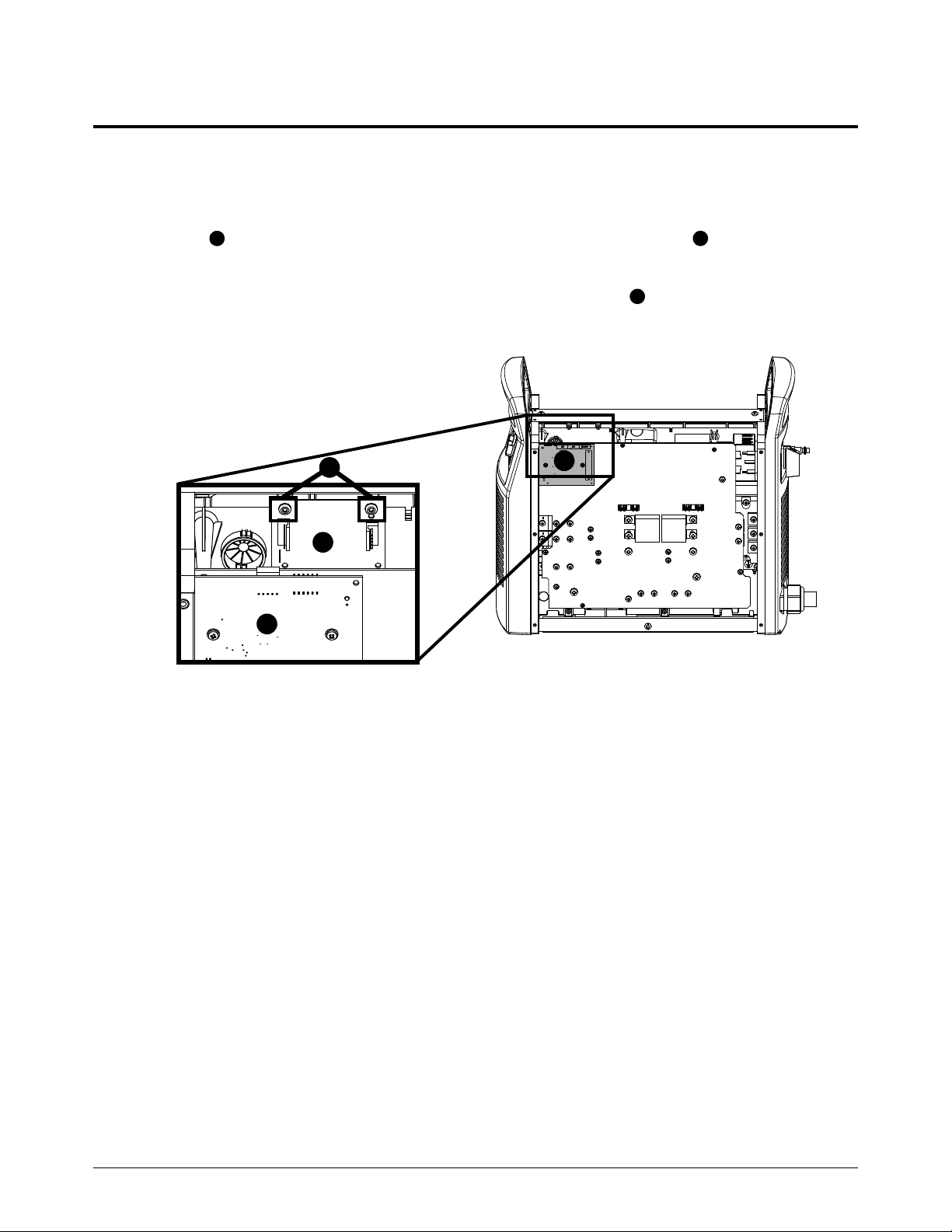
1. On the power PCB side of the plasma power supply, attach the RS-485 serial interface
PCB to the mounting posts on the center panel with the 2 #6 screws . Tighten the screws
to1.1N∙m(10lbf∙in).
The RS-485 serial interface PCB is behind the DSP PCB on the
power PCB side of the plasma power supply.
1
2
3
1
2
3
3
Inhaltsverzeichnis
Sprachen:
Andere Hypertherm Industrieanlagen Handbücher

Hypertherm
Hypertherm EcoSift Bedienungsanleitung

Hypertherm
Hypertherm XPR170 Fehlerbehebungshandbuch

Hypertherm
Hypertherm Voyager III Referenzhandbuch

Hypertherm
Hypertherm SENSOR OHC Bedienungsanleitung

Hypertherm
Hypertherm Abrasive pot Bedienungsanleitung

Hypertherm
Hypertherm Powermax45 XP Referenzhandbuch

Hypertherm
Hypertherm EDGE Ti Lifter Repair Referenzhandbuch

Hypertherm
Hypertherm powermax900 Referenzhandbuch