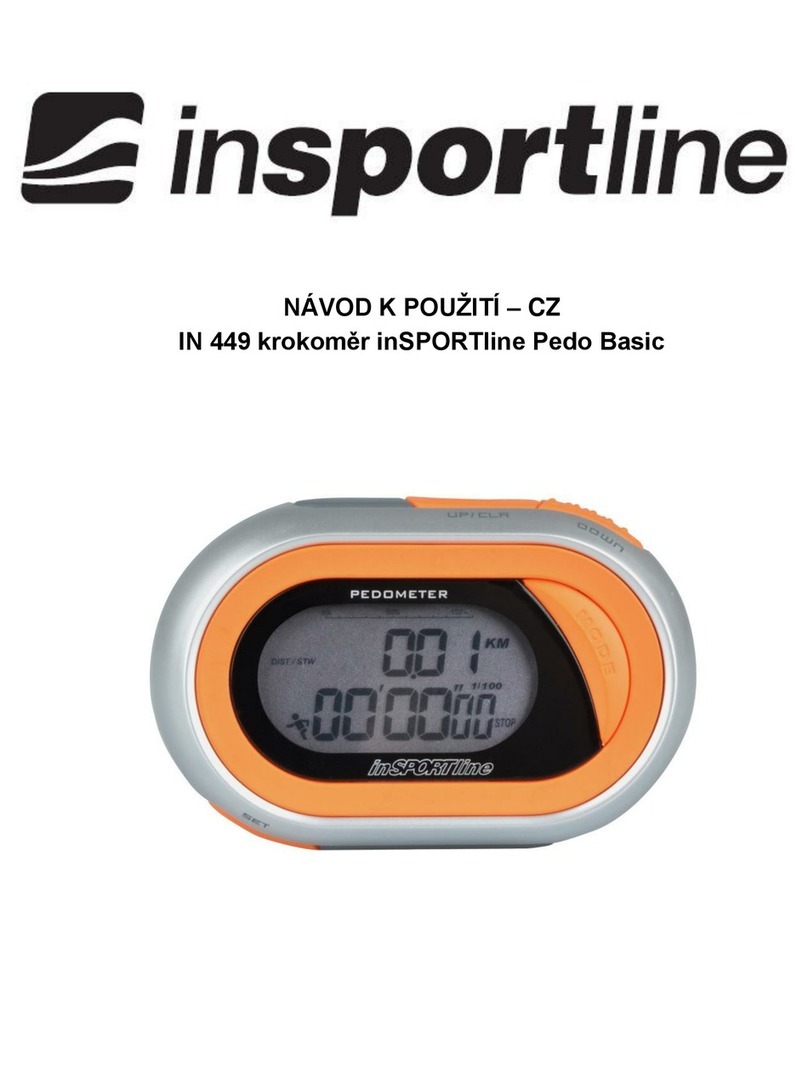
Insportline IN 8124 Bedienungsanleitung

USER MANUAL –EN
IN 8124 Digital Pedometer inSPORTline Strippy

2
CONTENTS
INTRODUCTION..................................................................................................................................... 3
BATTERY REPLACEMENT.................................................................................................................... 3
CARE AND MAINTENANCE (CLEANING)............................................................................................. 3
BUTTONS CONFIGURATION................................................................................................................ 4
PEDOMETER SETTING ......................................................................................................................... 5
STRIDE LENGTH CALCULATION ......................................................................................................... 5
OPERATING MODES............................................................................................................................. 5
OPERATING THE PEDOMETER ........................................................................................................... 6
STEP MODE........................................................................................................................................ 6
DISTANCE MODE............................................................................................................................... 6
CALORIES MODE............................................................................................................................... 6
EXERCISE TIME MODE ..................................................................................................................... 7
MEMORY MODE................................................................................................................................. 7
TOTAL DATA MODE........................................................................................................................... 7
ALARM MODE..................................................................................................................................... 7
RESETTING THE PEDOMETER ........................................................................................................ 7
USB CONNECTION................................................................................................................................ 8
SOFTWARE INSTALLATION.................................................................................................................. 8
LOGIN...................................................................................................................................................... 8
USER MANAGEMENT WITH ADMIN ACCOUNT.................................................................................. 9
REGISTER OF NEW USER.................................................................................................................. 10
DESCRIPTION OF MAIN MENU .......................................................................................................... 11
USER MANAGEMENT WITH REGISTER ACCOUNT......................................................................... 12
STATISTIC ANALYSIS.......................................................................................................................... 13
GOAL SETTING.................................................................................................................................... 15
DATA SYNCHRONIZATION................................................................................................................. 15
TERMS AND CONDITIONS OF WARRANTY, WARRANTY CLAIMS................................................. 17

3
INTRODUCTION
This digital pedometer displays: taken steps, traveled distance, burned calories, total exercise time,
30-day memory storage and other useful features. Also, the most important, it could download your
exercise data to the PC.
Read this manual carefully before using this pedometer, Retain it for future reference.
To keep your health and to reduce chronic disease risk, we recommend taking 10,000 steps a day.
For an effective weight loss, the total steps should be between 12,000 and 15,000. If you want to
achieve a higher fitness level, you are suggested to take at least 30,000 steps per day.
NOTE:
•In any mode (except for SET MODE) press and hold MODE button for more than 2 seconds to
turn on/off the pedometer function. When the pedometer function is on, the sign is flashing.
BATTERY REPLACEMENT
•Take the pedometer out of silicone set, then remove the battery cover.
•Remove the exhausted battery from the unit and insert new one.
•Make sure the battery positive (+) side point to the battery compartment cover.
•Put back cover of the battery compartment.
CARE AND MAINTENANCE (CLEANING)
•Don’t disassemble the pedometer. If a repair is necessary, refer to the warranty section of this
manual.
•Don’t subject the device to extreme shocks (don’t drop in on the floor).
•Don’t expose it to strong chemicals such as: gasoline, clean solvents, acetone, alcohol, insect
repellents. These agents could damage the seal, case and finish.
•Store the pedometer in a dry place, while not using it.
•Leaky battery can damage the device. Before long-time storing, remove the battery.
•To avoid accidental strangulation, keep the pedometer away from children.
•The operation environment for this device must be free of shocks, magnetic fields, electrical
noise and strong vibrations.
•Don’t immerse it in water as this will result in product damage.
•It could be cleaned with a lightly moistened cloth. Apply mild soap to the area if there are
stubborn stains or mark.

4
BUTTONS CONFIGURATION
1) Mode
2) Light
3) USB Port
4) Set
5) Reset
MODE BUTTON
•Scroll through modes.
•Value decreasing in time and user information in setting mode.
SET BUTTON
•Press and hold to access SETTING mode while in STEP mode and ALARM mode.
•Use it to shift between display in DISTANCE/CALORIES mode.
•Scroll data in TOTAL DATA mode.
RESET BUTTON
•Press and hold to clear data in STEP, DISTANCE, CALORIES, TIMER mode and TOTAL
DATA mode.
•Increase the value in SETUP mode and ALARM setting.
•Scroll through data in the past 30 days.

5
PEDOMETER SETTING
SETUP MODE
•Press MODE to enter the STEP mode.
•Press and hold the SET button for 2 seconds to enter SETUP mode as follows: 12-24 hour
format, Seconds, Hours, Minutes, Month, Day, Year, Measurement units, Stride, Weight,
Target steps.
•Press RESET button to increase the setting. Press MODE button to decrease it. Pressing and
holding the button will change the number rapidly.
•When the value is correct, press SET to move to the next. Continue to press SET and change
values as required until the pedometer returns to the STEP mode.
•There are 10 icons which show the percentage of your step to the target steps on the left side
of the LCD screen. When your reach the target steps value (100%), the icon will be full of 10
icons and will flash. The default goal is 5,000 steps. You can change the target value to reflect
your fitness goals.
NOTE: The pedometer will automatically back to STEP mode, if there is no input for 10 seconds in
the SETUP mode.
STRIDE LENGTH CALCULATION
To calculate accurate traveled DISTANCE, you need to measure and set in your stride length.
Stride-length calculation:
To calculate the stride length properly, measure predetermined distance in feet. Correct stride
distance is defined as a tip of your foot to another one. To measure the correct average stride
distance, divide the total distance of ten steps you walked/ run by the number of step (10). Calculate
the stride distance in the following way: You walk 6.2 m. 6.2 m (total distance) / 10 (number of steps) =
0.62 m (62 cm).
NOTE: Unlike the conventional pedometer, this pedometer using a 3D motion sensor that can detect
fine body step movement without mechanical sensor. So, not rattle sound will be given.
OPERATING MODES
This device features 7 operational modes and they are in following sequence. Press MODE key to
scroll through modes:
STEP MODE: displays number of taken steps
DISTANCE MODE: traveled distance

6
CALORIES MODE: number of burned calories
EXERCISE TIME MODE: total exercise time displaying
MEMORY MODE: It displays the number of taken steps, burned calories, traveled distance and
exercise time for past 30 days.
TOTAL DATA MODE: It displays the number of total taken steps, total burned calories. Total traveled
distance and total exercise time for the past few days.
ALARM MODE: Optional function for 1 alarm to go off at the users expected time.
OPERATING THE PEDOMETER
To avoid inaccurate counting, the pedometer only will show the number of taken steps after
continuous steps for five seconds. It means, the pedometer will not display the number of steps taken
during first five seconds of your walk. All these taken steps will be counted and displayed 5 seconds
afterward.
STEP MODE
•The default mode for the device is STEP MODE.
•In the STEP mode, the first line displays the total number of taken steps in this day.
•The time in 12-hour or 24-hour format is displayed at the bottom of the LCD screen.
•Press and hold SET button for 2 seconds to enter TIME/ WEIGHT/STRIDES/ TARGET setup
mode.
•Press and hold RESET button for 2 seconds to clear the data.
•Taken steps, traveled distance, burned calories, total exercise time will be saved in MEMORY
mode up to 30 days and cleared to zero at midnight automatically.
DISTANCE MODE
•Press MODE to enter the DISTANCE MODE.
•Press and hold RESET key for 2 seconds to clear the data.
CALORIES MODE
•Press the MODE to enter CALORIES MODE.

7
•Pres and holt RESET button for 2 seconds to clear the data.
EXERCISE TIME MODE
•Press MODE to enter the EXERCISE TIME MODE.
•Press and hold RESET button for 2 seconds to clear the data.
MEMORY MODE
•Press MODE to enter MEMORY MODE.
•Press SET key to recall the data as follows: Step/ Distance/ Calories/ Exercise time.
•Press RESET key to scroll through the days.
TOTAL DATA MODE
•Press MODE to enter TOTAL DATA MODE.
•In this mode, the top number displays the total accumulated data in the past few days.
•Press SET to recall total accumulated date as follows: Step/ Distance/ Calories/ Exercise time.
•Press and hold RESET key for 2 seconds to clear the data.
ALARM MODE
•Press MODE to enter the ALARM MODE.
•Press and hold SET button for 2 seconds to set the alarm.
•Press RESET key to increase the value, while pressing MODE key to decrease the value.
RESETTING THE PEDOMETER
•There are two different ways to reset the pedometer. Daily reset and full reset.
•To perform DAILY RESET, press and hold RES for two seconds while in STEP, DISTANCE,
CALORIES or EXERCISE TIME mode. Data of the current day will be erased.

8
•To perform a FULL RESET, press and hold RESET for two seconds while in TOTAL
MEMORY mode to erase all accumulated data and reset the pedometer to factory fresh
condition.
NOTE: Reset any of the step, distance, burned calories, exercise time data will cause all date
mentioned above for current day being erased.
USB CONNECTION
If you want to upload the data to your PC, first you need to install the driver from our website to your
computer.
After pedometer driver installation, plug the supplied USB cable into the USB port and connect it to
your computer.
•Run the software
•For the first time to use, you will be required to register your pedometer in the software
•Log into the system with your user name and password
SOFTWARE INSTALLATION
Installation requirements:
Operating system: Windows XP, Win 7, Win 8 and Vista
Installation:
For installation, double click to start the installation. Then click on NEXT to finish it.
LOGIN
•To log in as administrator insert user
name “admin“ and password “123456“.
•Click on “Login”.

9
USER MANAGEMENT WITH ADMIN ACCOUNT
Data deletion
Admin can delete other user’s
data.
Data recovery
Admin can choose user’s
data and recover the data.

10
REGISTER OF NEW USER
•You need to register to the device.
•Click on “Register” to create your own profile.
•Insert your personal information such as: name, password, age, gender, unit, height (cm),
weight (kg), stride (cm).
•Click on “Register “.
•Click on Close“, and then insert your username and password to login.
Dieses Handbuch passt für folgende Modelle
1
Inhaltsverzeichnis
Andere Insportline Schrittzähler Handbücher

Insportline
Insportline PR009 Bedienungsanleitung

Insportline
Insportline 5061 Bedienungsanleitung

Insportline
Insportline Oxyband Bedienungsanleitung

Insportline
Insportline IN 6840 Bedienungsanleitung

Insportline
Insportline Digger WORKER IN 2055 Bedienungsanleitung

Insportline
Insportline Strippy Bedienungsanleitung

Insportline
Insportline IN 11145 Bedienungsanleitung

Insportline
Insportline Strippy II Bedienungsanleitung

Insportline
Insportline Pedo Basic Bedienungsanleitung

Insportline
Insportline 8124 Bedienungsanleitung