
Intesis 700 Series Bedienungsanleitung
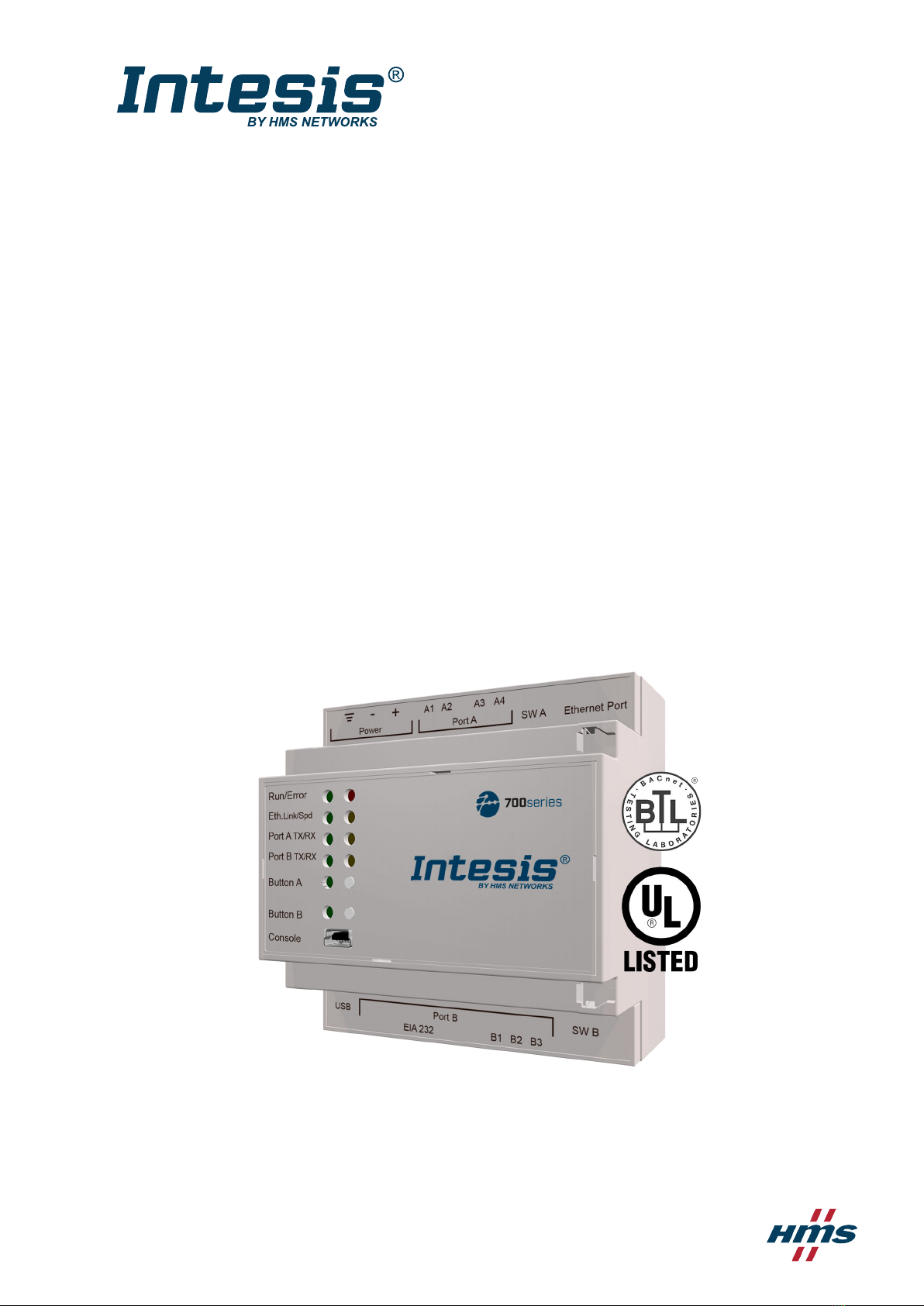
IN701-KNX Series
INTESIS PROTOCOL TRANSLATOR WITH KNX, SERIAL, AND IP SUPPORT
USER MANUAL
Version 1.2
Publicaon date 2023-01-09
ENGLISH

Copyright © 2022 Intesis
Disclaimer
The informaon in this document is for informaonal purposes only. Please inform HMS Networks of any
inaccuracies or omissions found in this document. HMS Networks disclaims any responsibility or liability for any
errors that may appear in this document.
HMS Networks reserves the right to modify its products in line with its policy of connuous product
development. The informaon in this document shall therefore not be construed as a commitment on the
part of HMS Networks and is subject to change without noce. HMS Networks makes no commitment to update
or keep current the informaon in this document.
The data, examples and illustraons found in this document are included for illustrave purposes and are only
intended to help improve understanding of the funconality and handling of the product. In view of the wide
range of possible applicaons of the product, and because of the many variables and requirements associated
with any parcular implementaon, HMS Networks cannot assume responsibility or liability for actual use
based on the data, examples or illustraons included in this document nor for any damages incurred during
installaon of the product. Those responsible for the use of the product must acquire sucient knowledge in
order to ensure that the product is used correctly in their specic applicaon and that the applicaon meets all
performance and safety requirements including any applicable laws, regulaons, codes and standards. Further,
HMS Networks will under no circumstances assume liability or responsibility for any problems that may arise as
a result from the use of undocumented features or funconal side eects found outside the documented scope
of the product. The eects caused by any direct or indirect use of such aspects of the product are undened and
may include e.g. compability issues and stability issues.

Table of Contents
1. Order Codes ........................................................................................................................... 1
2. General Informaon ................................................................................................................ 2
2.1. Intended Use of the User Manual ........................................................................................ 2
2.2. General Safety Informaon ................................................................................................ 2
2.3. Admonion Messages and Symbols ..................................................................................... 2
3. General Introducon ................................................................................................................ 4
4. Modbus Server to KNX ............................................................................................................. 5
4.1. Specic Introducon ......................................................................................................... 5
4.2. Funconality ................................................................................................................... 5
5. KNX to Modbus Client .............................................................................................................. 6
5.1. Specic Introducon ......................................................................................................... 6
5.2. Funconality ................................................................................................................... 6
6. BACnet Server to KNX .............................................................................................................. 8
6.1. Specic Introducon ......................................................................................................... 8
6.2. Funconality ................................................................................................................... 8
7. KNX to BACnet Client .............................................................................................................. 10
7.1. Specic Introducon ........................................................................................................ 10
7.2. Funconality .................................................................................................................. 10
8. ASCII Server to KNX ................................................................................................................ 11
8.1. Specic Introducon ........................................................................................................ 11
8.2. Funconality .................................................................................................................. 11
9. Gateway Capacity ................................................................................................................... 13
10. KNX Interface ....................................................................................................................... 14
10.1. Descripon ................................................................................................................... 14
10.2. Points Denion ............................................................................................................ 14
11. Modbus Interface ................................................................................................................. 15
11.1. General Descripon ....................................................................................................... 15
11.2. Modbus Server Interface ................................................................................................. 15
11.2.1. Descripon ........................................................................................................... 15
11.2.2. Funcons Supported ............................................................................................... 15
11.2.3. Modbus RTU ......................................................................................................... 16
11.2.4. Modbus TCP .......................................................................................................... 16
11.2.5. Modbus Server Interface Points Denion .................................................................. 17
11.3. Modbus Client Interface .................................................................................................. 17
11.3.1. Descripon ........................................................................................................... 17
11.3.2. Points Denion .................................................................................................... 18
12. BACnet Interface .................................................................................................................. 19
12.1. General Descripon ....................................................................................................... 19
12.2. BACnet Client ................................................................................................................ 20
12.2.1. Descripon ........................................................................................................... 20
12.2.2. Points Denion .................................................................................................... 21
12.3. BACnet Server ............................................................................................................... 22
IN701-KNX Series
USER MANUAL Version 1.2

12.3.1. Descripon ........................................................................................................... 22
12.3.2. BACnet IP ............................................................................................................. 23
12.3.3. BACnet MSTP ........................................................................................................ 23
13. ASCII Interface ..................................................................................................................... 24
13.1. Descripon ................................................................................................................... 24
13.2. ASCII Serial ................................................................................................................... 24
13.3. ASCII TCP ...................................................................................................................... 24
13.4. Address Map ................................................................................................................ 24
13.5. Points Denion ............................................................................................................ 25
13.6. Messages ..................................................................................................................... 26
14. Mounng ............................................................................................................................ 27
15. Connecons ......................................................................................................................... 28
15.1. Power Supply ................................................................................................................ 29
15.2. Connecon Diagrams for each Applicaon .......................................................................... 30
15.3. Connecon to KNX ......................................................................................................... 35
15.4. Connecon to BACnet .................................................................................................... 35
15.5. Connecon to Modbus ................................................................................................... 36
15.6. Connecon to ASCII ........................................................................................................ 37
15.7. Console and USB Connecons .......................................................................................... 38
16. Set-up Process with the Conguraon Tool ............................................................................... 39
16.1. Prerequisites ................................................................................................................. 39
16.2. Intesis MAPS: Conguraon and Monitoring Tool ................................................................. 39
16.2.1. Introducon .......................................................................................................... 39
16.2.2. Template Selecon ................................................................................................. 40
16.2.3. Connecon Tab ...................................................................................................... 40
16.2.4. Conguraon Tab ................................................................................................... 41
16.2.5. Signals Tab ............................................................................................................ 41
16.2.6. Receive/Send Tab ................................................................................................... 41
16.2.7. Diagnosc ............................................................................................................. 42
17. Technical Specicaons ......................................................................................................... 43
18. Dimensions .......................................................................................................................... 44
IN701-KNX Series
USER MANUAL Version 1.2

1. Order Codes
ORDER CODE LEGACY ORDER CODE
IN701KNX1000000 INMBSKNX1000000 INKNXMBM1000000 INBACKNX1000000 INKNXBAC1000000 -
IN701KNX2500000 INMBSKNX2500000 INKNXMBM2500000 INBACKNX2500000 INKNXBAC2500000 -
IN701KNX6000000 INMBSKNX6000000 INKNXMBM6000000 INBACKNX6000000 INKNXBAC6000000 INASCKNX6000000
IN701KNX1K20000 INMBSKNX1K20000 INKNXMBM1K20000 INBACKNX1K20000 INKNXBAC1K20000 -
IN701KNX3K00000 INMBSKNX3K00000 INKNXMBM3K00000 INBACKNX3K00000 INKNXBAC3K00000 INASCKNX3K00000
PRODUCT NAME ORDER CODE DESCRIPTION INTESIS MAPS TEMPLATE APPLICATION
IN701-KNX IN701KNXxxx*0000
Intesis Protocol Translator
with KNX, Serial, and IP
Support
IN-MBS-KNX KNX to Modbus server
IN-KNX-MBM Modbus client to KNX
IN-BAC-KNX KNX to BACnet server
IN-KNX-BAC BACnet client to KNX
IN-ASCII-KNX KNX to ASCII server
*xxx denes the Intesis gateway capacity.
Order Codes IN701-KNX Series
USER MANUAL Version 1.2 Page 1 of 44

2. General Informaon
2.1. Intended Use of the User Manual
This manual contains the main features of this Intesis gateway and the instrucons for its appropriate
installaon, conguraon, and operaon.
The contents of this manual should be brought to the aenon of any person who installs, congures, or
operates this gateway or any associated equipment.
Keep this manual for future reference during the installaon, conguraon, and operaon.
2.2. General Safety Informaon
IMPORTANT
Follow these instrucons carefully. Improper work may seriously harm your health and damage the
gateway and/or any other equipment connected to it.
Only technical personnel, following these instrucons and the country legislaon for installing electric
equipment, can install and manipulate this gateway.
Install this gateway indoors, in a restricted access locaon, avoiding exposure to direct solar radiaon, water, high
relave humidity, or dust.
All wires (for communicaon and power supply, if needed) must only be connected to networks with indoor
wiring. All communicaon ports are considered for indoor use and must only be connected to SELV circuits.
Disconnect power wires before manipulang and connecng them to the gateway.
Use SELV-rated NEC class 2 or limited power source (LPS) power supply.
Supply always a correct voltage to power the gateway. See Technical Specicaons (page 43).
Respect the expected polarity of power and communicaon cables when connecng them to the gateway.
CAUTION
Only an authorized installer is allowed to replace the baery. There's a risk of explosion if the baery
is replaced by an incorrect type. Dispose of used baeries according to local legislaon.
Safety instrucons in other languages can be found at hps://intesis.com/docs/manuals/v6-safety
2.3. Admonion Messages and Symbols
DANGER
Instrucons that must be followed to avoid an imminently hazardous situaon that, if not avoided,
will result in death or severe injury.
WARNING
Instrucons that must be followed to avoid a potenally hazardous situaon that, if not avoided,
could result in death or severe injury.
IN701-KNX Series General Informaon
Page 2 of 44 USER MANUAL Version 1.2

CAUTION
Instrucon that must be followed to avoid a potenally hazardous situaon that, if not avoided,
could result in minor or moderate injury.
IMPORTANT
Instrucon that must be followed to avoid a risk of reduced funconality and/or damage to the
equipment or to avoid a network security risk.
NOTE
Addional informaon which may facilitate installaon and/or operaon.
TIP
Helpful advice and suggesons.
NOTICE
Remarkable Informaon.
Admonion Messages and Symbols IN701-KNX Series
USER MANUAL Version 1.2 Page 3 of 44

3. General Introducon
This Intesis® gateway allows you to integrate Serial and IP protocols to KNX easily.
This document describes the available applicaons for this gateway:
• KNX TP to Modbus® TCP & RTU Server
• Modbus TCP & RTU Client to KNX TP
• KNX TP to BACnet®/IP & MSTP Server
• BACnet/IP & MSTP Client to KNX TP
• KNX TP to ASCII IP & Serial Server
IMPORTANT
This document assumes that the user is familiar with KNX, BACnet, Modbus, and ASCII technologies
and their technical terms.
NOTE
Some secons provide general informaon common to all applicaons, while others highlight
specic dierences, capacies, or limitaons.
In general terms, you must have a KNX installaon or device on one side and a BACnet, Modbus, or ASCII
installaon or device on the other side (only one at a me).
IMPORTANT
The Intesis gateway can act as a server or client for BACnet and Modbus but only as a server for
ASCII.
As always, the conguraon process is fast and easy:
1. Launch the conguraon tool.
2. Select the template.
3. Connect the Intesis gateway to the PC.
4. Adjust the conguraon and signals to your project.
5. Send the conguraon to the gateway.
And you are ready to go!
IN701-KNX Series General Introducon
Page 4 of 44 USER MANUAL Version 1.2

4. Modbus Server to KNX
4.1. Specic Introducon
This secon describes the integraon of KNX systems into Modbus RTU and/or Modbus TCP systems using the
Modbus server to KNX applicaon of the Intesis gateway.
This integraon allows a Modbus control system to access the groups, objects, and associated devices of KNX
systems as if they were part of the Modbus system itself and vice versa.
The gateway acts as a Modbus TCP or RTU server device in its Modbus interface, allowing read/write points from
the Modbus client devices, and oering these points' values through its KNX interface, acng as one more KNX
device of the system.
The gateway conguraon is carried out through the conguraon tool.
Figure 1. Integraon of KNX TP devices into Modbus RTU or Modbus TCP control and monitor systems
4.2. Funconality
From the KNX system point of view, aer starng the gateway or performing a KNX bus reset, the Intesis gateway
polls the KNX signals and stores the received values in its memory, ready to be served to the Modbus system
when requested. It also listens for any KNX telegram related to the internal points congured in it and acts
accordingly to the conguraon of the related points.
From the Modbus system point of view, aer starng it, the gateway listens for any read or write request, serves
any read request, or performs any wring request of its internal points received from the Modbus system. The
values received from Modbus become available to be read by the KNX system and vice versa.
In the gateway, each Modbus point is associated with a KNX group address so that the KNX system sees
the whole Modbus system as if it was one more KNX device with the same conguraon and operaon
characteriscs.
When a Modbus point changes, the gateway sends a write telegram to the associated group address in the KNX
bus.
When the gateway receives a telegram from a KNX group address associated with a Modbus point, it sends a
message to the corresponding Modbus device to perform the related acon.
Modbus Server to KNX IN701-KNX Series
USER MANUAL Version 1.2 Page 5 of 44

5. KNX to Modbus Client
5.1. Specic Introducon
This secon describes the integraon of Modbus RTU installaons into KNX systems using the KNX to Modbus
client applicaon of the Intesis gateway.
This integraon allows a KNX control system or device to access the signals and resources of Modbus systems as
if they were part of the KNX system and vice versa.
The gateway acts as a Modbus RTU client device in its Modbus interface, reading/wring points from the
Modbus server devices by automac connuous polling. The gateway oers these points' values through its KNX
interface, acng as one more KNX device of the system.
The gateway conguraon is carried out through the conguraon tool.
Figure 2. Integraon of Modbus RTU or TCP devices into KNX control and monitoring systems
5.2. Funconality
From the Modbus system point of view, aer starng it, the Intesis gateway connuously reads the Modbus RTU
service devices, updang all the points' values received in its memory.
From the KNX system point of view, aer starng the gateway or performing a KNX bus reset, the Intesis gateway
polls the KNX signals and stores the received values in its memory, ready to be served to the Modbus system
when requested. It also listens for any KNX telegram related to the internal points congured in it and acts
accordingly to the conguraon of the related points.
In the gateway, each Modbus point is associated with a KNX group address so that the KNX system sees
the whole Modbus system as if it was one more KNX device with the same conguraon and operaon
characteriscs.
When a Modbus point changes, the gateway sends a write telegram to the associated group address in the KNX
bus.
When the gateway receives a telegram from a KNX group address associated with a Modbus point, it sends a
message to the corresponding Modbus device to perform the related acon.
IN701-KNX Series KNX to Modbus Client
Page 6 of 44 USER MANUAL Version 1.2
Dieses Handbuch passt für folgende Modelle
6
Inhaltsverzeichnis
Andere Intesis Elektronisches Wörterbuch Handbücher


