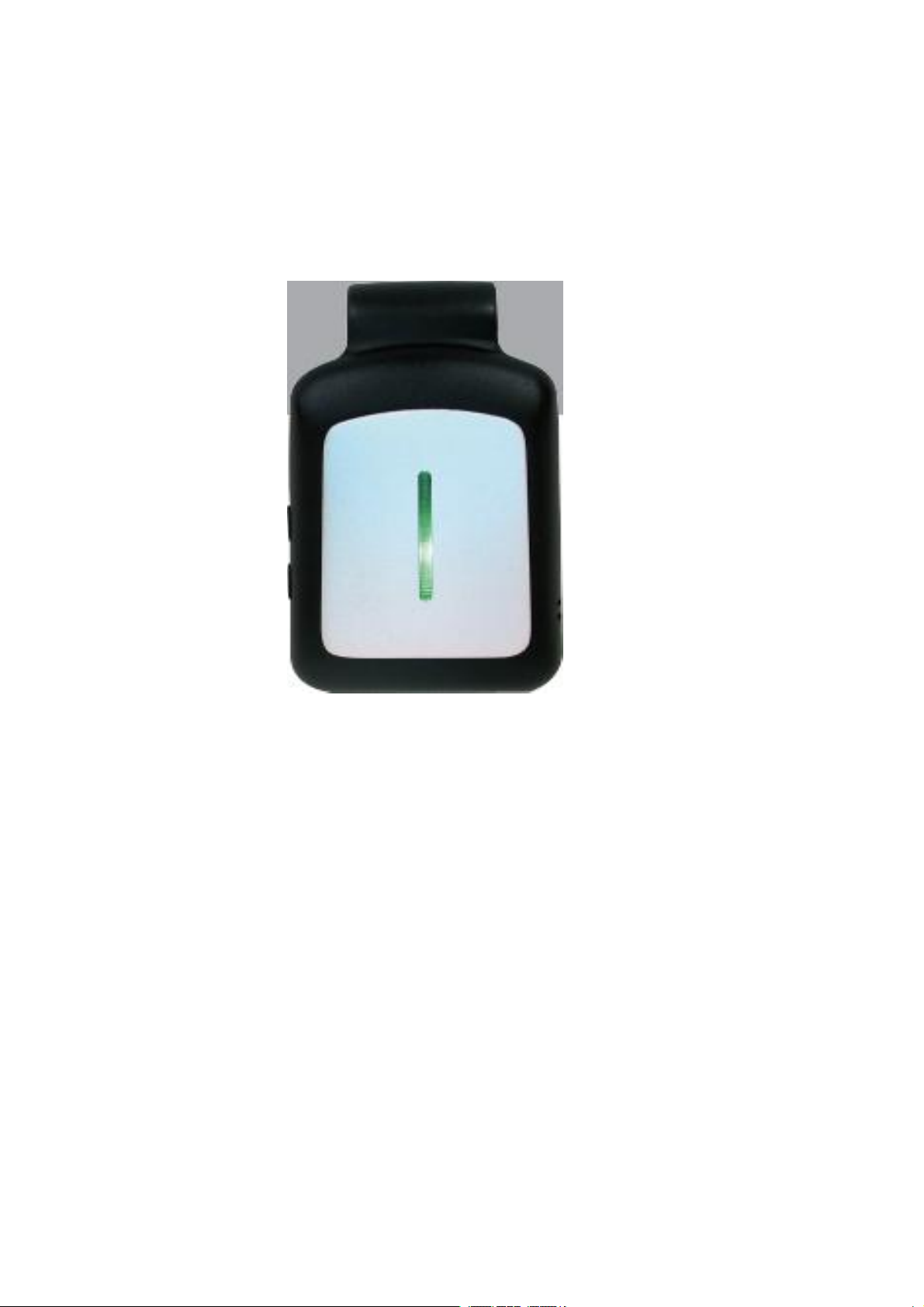
iTON VTL-BC03 Bedienungsanleitung

ITON
ITONITON
ITON Technology
TechnologyTechnology
Technology Corp.
Corp.Corp.
Corp.
Customer
CustomerCustomer
Customer Name:
Name:Name:
Name: ITON
ITONITON
ITON Technology
TechnologyTechnology
Technology Corp.
Corp.Corp.
Corp.
Product
ProductProduct
Product Name
NameName SIMCardExtender
User Guide
:
Model Name:VTL-BC03
FCC ID:VYVVTL-BC03

ITON
ITONITON
ITON Technology
TechnologyTechnology
Technology Corp.
Corp.Corp.
Corp.
Catalog
1 Product Brief.................................................................................................................................................... 1
1.1 Introduction....................................................................................................

1.2 Compatible Systems.......................................................................................................................... 1
2 Product Appearance.......................................................................................................................................... 2
3 Electrical Specification.............................................................................................................................. 3
3.1 Solution.............................................................................................................................................. 3
3.2 Modem Performance Index................................................................................................................ 3
3.3 Bluetooth Specification................................................................................................................ 3
3.4 Power Consumption............................................................................................................................ 3
3.5 DIP Materials.................................................................................................................................... 4
3.6 Environment Requirement................................................................................................................ 4
3.7 Interface..........................................................................................................
3.8 Radio Frequency..............................................................................................
3.9 Environment Requirement................................................................................................................ 4
3.10 Others.................................................................................................................................................. 4
4 User Guide-----------------------------------------------------------------------------4
5 Physcial Character --------------------------------------------------------------------5
6 Packing................................................................................................................................................................ 5
7 Reliability and Electromagnetic Compatibility Requirements......................................................... 6
7.1 ESD........................................................................................................................................................ 6
7.2 Safety and Electromagnetic Compatibility Requirements................................................... 6
.................... 1
.................... 1
....................
.......... 4
.......... 4
........................................
........................................
......................................................... 78 Application ..................................................................................................................

ITON
ITONITON
ITON Technology
TechnologyTechnology
Technology Corp.
Corp.Corp.
Corp.
1
11
1 Product
ProductProduct
Product Brief
BriefBrief
Brief
1.1
1.11.1
1.1 Introduction
IntroductionIntroduction
Introduction
This product is a new design combined with Bluetooth and Modem technologies. Connect to pple devices
through Bluetooth, use pp to achieve second SIM card phone call and SMS functions.
1.2
1.21.2
1.2 Compatible Systems
iOS 7.0 and newer
iPhone 4S and newer devices.
2
22
2 Product
ProductProduct
Product Appearance
AppearanceAppearance
Appearance

ITON
ITONITON
ITON Technology
TechnologyTechnology
Technology Corp.
Corp.Corp.
Corp.
3
33
3 Electrical
ElectricalElectrical
Electrical Specification
SpecificationSpecification
Specification
3.1
3.13.1
3.1 Product Solution
MTK solution, Baseband chipset MT2502
3.2
3.23.2
3.2 Modem Performance Index
Network Type: GSM
Network Frequency: GSM850MHz/EGSM900MHz /DCS1800MHz/ PCS1900MHz
Transmitting Power:850/900MHz: 32.5 Bm,
1800/1900MHz: 29.5 Bm
Sensitivity:<-108 Bm
3.3
3.33.3
3.3 Bluetooth Specification
Working Frequency 2.402GHz‐2.480GHz
Power Class Class 1
Receiving Sensitivity ‐88dBm
3.4
3.43.4
3.4 Power Consumption
Power Off Current 0.2mA/h
Bluetooth Standard BT4.0(BLE)

ITON
ITONITON
ITON Technology
TechnologyTechnology
Technology Corp.
Corp.Corp.
Corp.
Standby Current 4.5mA/h
Phone Call Current Avg. 100mA/h (vary to network condition)
Working Voltage 3.5V~4.2V
USB Charging Voltage DC5V
P.S: Min 400mAh battery capacity is recommended.
3.5
3.53.5
3.5 DIP Materials
1.SIM Card Type
Micro SIM
2.USB Type
Micro USB
3.6
3.63.6
3.6 Environment Requirement
Working
WorkingWorking
Working Temperature
TemperatureTemperature
Temperature:
::
: -20~+
-20~+-20~+
-20~+6
66
60
00
0°
°°
°
4
44
4 User
UserUser
User Guide
GuideGuide
Guide
4.1 Go to http://www.pgyer.com/tedcall on iPhone Safari, to download Tedcall APP
4.2 Enter product into Pairing mode, Color LED flashing to indicate
4.3 Go to Tedcall Setting---Search Devices to search and find devices named as Tedcall-ffff
4.4 Click device found to connect, there will be a beeping sound to indicate, Color LED
stop flashing.
When Network Carrier’s name listed on top area of App, SIM card is successfully registered,
you can access Phone Call, SMS, Remote Camera Shot functions.

ITON
ITONITON
ITON Technology
TechnologyTechnology
Technology Corp.
Corp.Corp.
Corp.
4.5 When GSM is offline, Green LED will flash 0.5S/time; When Bluetooth is disconnected,
Beeping sound will occur, user can customize the beeping period in App’s Setting, and Red& Green
LED will flash.
4.6 When Bluetooth is disconnected, there will be beeping sound 3 times/0.5S, and stop for
0.5S, green LED will be on.
5
55
5 Physical
PhysicalPhysical
Physical Character
CharacterCharacter
Character
PCBA Size
PCB:L * W * T = 44.1mm
44.1mm44.1mm
44.1mm *
**
* 31.1mm
31.1mm31.1mm
31.1mm *
**
* 2.6mm
2.6mm2.6mm
2.6mm
Material & Layers:FR-4,
FR-4,FR-4,
FR-4, Immersion
ImmersionImmersion
Immersion Gold,
Gold,Gold,
Gold, 4
44
4 layers
layerslayers
layers
Weight:
6
66
6 Packing
PackingPacking
Packing
Please refer to the physical device.

ITON
ITONITON
ITON Technology
TechnologyTechnology
Technology Corp.
Corp.Corp.
Corp.
7
77
7 Reliability
ReliabilityReliability
Reliability and
andand
and Electromagnetic
ElectromagneticElectromagnetic
Electromagnetic Compatibility
CompatibilityCompatibility
Compatibility Requirements
RequirementsRequirements
Requirements
7.1
7.17.1
7.1 ESD
ESDESD
ESD
Contact Discharge □±4KV □±6KV □±8KV □Others _________
Air Discharge □±8KV □±12KV □±15KV □Others _________
7.2
7.27.2
7.2 Safety
SafetySafety
Safety and
andand
and Electromagnetic
ElectromagneticElectromagnetic
Electromagnetic Compatibility
CompatibilityCompatibility
Compatibility Requirements
RequirementsRequirements
Requirements
□FCC ID □CE

Application
1.App phone etc. portable device

2Unpacking
To unpack the access point, follow these steps:
Step 1 Unpack and remove the access point and the accessory kit from the shipping box.
Step 2 Return any packing material to the shipping container and save it for future use.
Step 3 Verify that you have received the items listed below. If any item is missing or damaged, contact
your Cisco representative or reseller for instructions.
–
The module VTL-BC03
–
Mounting bracket (selected when you ordered the access point)
–
Battery (selected when you ordered the access point)
External Antennas
3
–
Antennas (selected when you ordered the access point)
The Module has no own antennas,so you need selected the GSM and BT antenna when you install the module
into the host device.
We highly recommend to us those antenna as follow:
BT Antenna: Wire Antenna,max gain 1dBi
GSM Antenna: PIFA Antenna,max gain 1dBi

4Access Point Ports and Connectors
4.1 Install the antenna
4.2 Install the Battery
GSM Antenna
GSM Gnd
BT Antenna
BT Gnd
BAT+ BAT-
Note:Please used DC 3.7V,400mAh battery.
Inhaltsverzeichnis