
Levita Diet Scale 102 Bedienungsanleitung
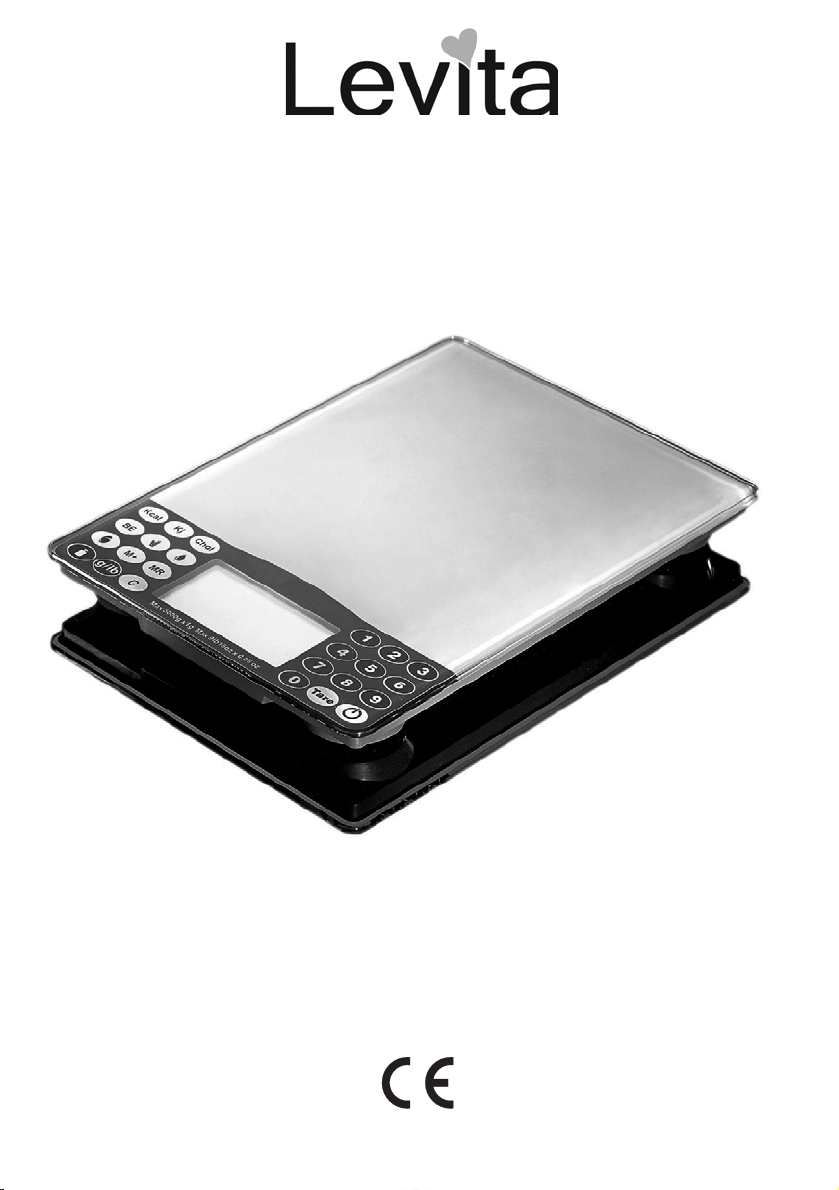
Diet Scale 102
USER GUIDE / HANDLEIDING
MANUEL D’UTILISATEUR / BEDIENUNGSANLEITUNG
V1.0 - 09/08

UK The features described in this manual are published with
reservation to modifications.
NL De in deze handleiding beschreven mogelijkheden worden
gepubliceerd onder voorbehoud van wijzigingen.
FR Les possibilités décrites dans ce manuel sont publiées
sous réserve de modifications.
DE Die in dieser Bedienungsanleitung umschriebenen
Möglichkeiten, werden vorbehaltlich Änderungen publiziert.

Diet Scale 102 3
Diet Scale 102
ENGLISH
1 Before initial use
1.1 Intended Purpose
The Diet Scale is a powerful and easy-to-use electronic scale with a modern design.
Based on the measured weight, you can easily know the protein, fat, carbohydrate or cholesterol of the
food. The value of each food can be accumulated to get a total nutritional value of each meal.
1.2 Safety advice
• Always read the safety instructions carefully.
• Follow the basic safety precautions for all electronic equipment when using this scale.
• Keep this user manual for future reference.
• This unit is not waterproof. Don't expose this product to rain or moisture.
• Lay this equipment on a reliable flat surface before use.
• Do not place the basic unit in a damp room at a distance of less than 1.5 m away from a water
source. Keep water away from the unit.
• Don't disassemble this scale. The scale doesn't contain any parts that can be repaired by the user.
• Use the scale only for its intended purpose.
2 Installation
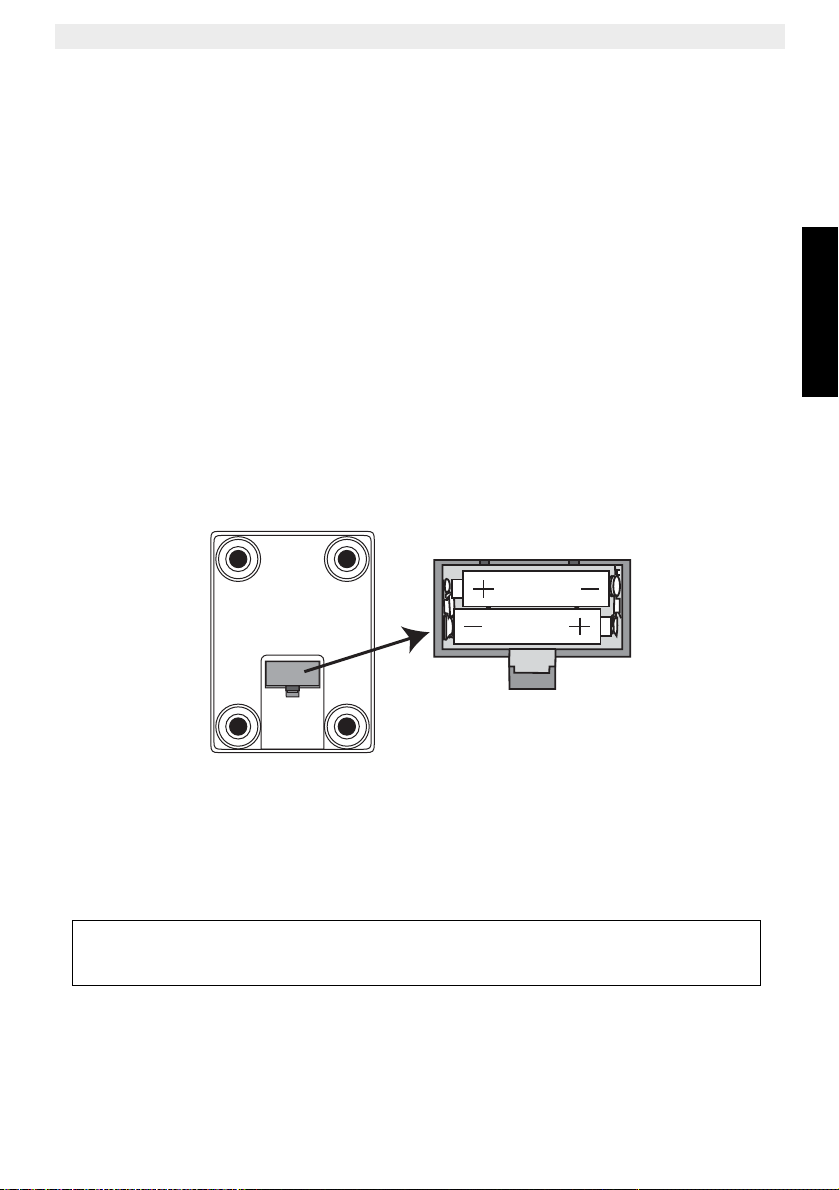
Install 2 x 1,5V (LR03) AAA Alkaline batteries (not included) in the battery compartment to activate the
display.
• Open the battery compartment at the bottom of the unit.
• Install 2 x 1,5V (LR03) AAA Alkaline batteries following the polarity indicated inside the battery
compartment.
• Close the battery compartment.
AAA
AAA
Do not short-circuit & dispose of in fire. Remove the batteries if this device is not
going to be used for a long period.

4Diet Scale 102
Diet Scale 102
3 Description
1. On/Off - button Press and hold this button for 2 seconds to turn the scale On or
Off
2. Tare - Button Set the scale to zero to eliminate the weight of plates, bowls and
other containers.
3. Numerical key pad Input the food code
4. Kilo calorie Show the Kilo calories index of the weighing and selected food.
5. Kilo joule Show the Kilo joule index of the weighing and selected food.
6. Cholesterol Show the Cholesterol index of the weighing and selected food.
7. Bread value Show the Bread equivalent of the weighing and selected food.
8. Carbohydrates Show the Carbohydrates index of the weighing and selected
food.
9. Fat Show the fat index of the weighing and selected food.
10. Protein Show the protein index of the weighing and selected food.
11. Nutrition data value
store button Add the current nutrition date to the memory
12. Total nutrition value Show the sum off all stored nutrition data
13. Weight button Switch back from nutrition date to the weight mode
14. Weight unit button Convert the weight unit from gram to Pound.
15. Clear button Clean all nutrition date stored in the memory

Diet Scale 102 5
Diet Scale 102
ENGLISH
3.1 LCD display
4 Simple operation
• Press the On/Off - button for 2 seconds. The LCD display will show all segments for 3 seconds
before entering weight mode.
• Once the weight mode icon ‘ ’ and ‘O g’ is displayed, place the product on the scale platform
(maximum 5Kg). The weight is displayed.
• Press the On/Off - button to turn the scale Off or it will turn off automatically in idle mode after 2
minutes.
1. Total food nutrition value icon
2. Memory icon
3. Total number of stored foods into memory
4. Measured weight or nutrition value
5. Milli(gram)
6. Weight unit - gram
7. Protein value icon
8. Fat value icon
9. Carbohydrates icon
10. Bread value icon
11. Cholesterol value icon
12. Kilo joules icon
13. Kilo Calorie icon
14. Weight mode icon
15. Battery low indication
16. Food code
17. Weight unit - pound ‘lb oz’
123
4
5
6
78910111213
14
15
16 17
This product has a soft touch keypad. Do not press the buttons to hard. It would
influence the reading. Touch the desired button softly with the tip of your finger.
If you use a bowl to weigh product, it should be placed on the scale platform before
switching on. If you forgot to do so, press the Tara button to eliminate the weight
of the bowl.
! If you remove the bowl, the scale will display a negative reading.
6Diet Scale 102
Diet Scale 102
5 Advanced operation
5.1 Weighing unit
• Press the Weight unit button - to switch the weight unit between gram (g) and pound (lb/oz).
5.2 Get nutritional information
• Press the On/Off - button . The LCD display will show all segments for 3 seconds before
entering weight mode.
• Once the weight mode icon ‘ ’ and ‘O’ is displayed, place the product on the scale platform
(maximum 5Kg). The weight is displayed.
• Search for the 3 - digit food code from the food code list (see enclosed list).
• Enter the food code using the Numerical key pad .
• Press one of the next nutrition value buttons to display the associate nutrition value.
5.3 Total nutrition value
If you wish to know the total nutrition value per meal or per day, you can save the values for all foods
weighted.
• Enter the food code of the first ingredient.
• Put the first ingredient on the scale. The weight is displayed.
• Press the Nutrition value store button to save it in the memory. ‘M01’ will be displayed.
• Enter the second food code.
• Weight the second food and press the Nutrition data store button to save. ‘M02’ will be
displayed.
• Repeat previous steps to accumulate all values (Maximum 99 records can be stored).
• When all ingredients have been weighted, press the total Nutrition data recall button . The total
nutrition values are displayed.
• Press one of the next function keys to see the total nutrition values of your meal.
To erase the total value when the total nutrition value is displayed, press the Clear button .
• Kilo calorie • Carbohydrates (g)
• Kilo joule • Fat (g)
• Cholesterol (mg) • Protein (g)
•Breadvalue
• Kilo calorie • Carbohydrates (g)
• Kilo joule • Fat (g)
• Cholesterol (mg) • Protein (g)
• Bread value

Diet Scale 102 7
Diet Scale 102
ENGLISH
6 Error codes
Replace the batteries
Overload (The weight is over 5kg)
No nutritrion value was stored when pressing the total Nutrition data recall button
.
7 Technical data
8 Cleaning
Clean the scale with a slightly damp cloth or with an anti-static cloth. Never use cleaning agents or
abrasive solvents.
9 Disposal of the device (environment)
At the end of the product lifecycle, you should not throw this product into the normal
household garbage but bring the product to a collection point for the recycling of electrical
and electronic equipments. The symbol on the product, user guide and/or box indicate this.
Some of the product materials can be re-used if you bring them to a recycling point. By re-
using some parts or raw materials from used products you make an important contribution
to the protection of the environment. Please contact your local authorities in case you need more
information on the collection points in your area.
Batteries must be removed before disposing of the device. Dispose of the batteries in an environmental
manner according to your country regulations.
10 Warranty
10.1 Warranty period
The devices have a 36-month warranty period. The warranty period starts on the day the new unit is
purchased. There is no warranty on standard or rechargeable batteries (AA/AAA type).
Consumables or defects causing a negligible effect on operation or value of the equipment are not
covered.
The warranty has to be proven by presentation of the original or copy of the purchase receipt, on which
the date of purchase and the unit-model are indicated.
10.2 Warranty handling
A faulty unit needs to be returned to an authorized service centre including a valid purchase note and a
filled in service return card.
If the unit develops a fault during the warranty period, the service centre will repair any defects caused
by material or manufacturing faults free of charge, by either repairing or exchanging the faulty units or
parts of the faulty units. In case of replacement, colour and model can be different from the original
purchased unit.
The initial purchase date shall determine the start of the warranty period. The warranty period is not
extended if the unit is exchanged or repaired by the service centre.
Number of food codes
Maximum weight capacity
Weight units
Operation temperature
Graduation
Memory
Battery
999
5 Kg
g and lb/oz
0°C ~ +40°C
1 g or 0,1 oz
99 records
2 x 1,5V (LR03) AAA Alkaline
8Diet Scale 102
Diet Scale 102
10.3 Warranty exclusions
Damage or defects caused by incorrect treatment or operation and damage resulting from use of non-
original parts or accessories are not covered by the warranty.
The warranty does not cover damage caused by outside factors, such as lightning, water and fire, nor
any damage caused during transportation.
No warranty can be claimed if the serial number on the units has been changed, removed or rendered
illegible.
Any warranty claims will be invalid if the unit has been repaired, altered or modified by the buyer.
This product is in compliance with the essential requirements and other
relevant provisions of the directive 2004/108/EC.
The Declaration of conformity can be found on:
http://www.levita-electronics.com/cedeclarations.asp
Diet Scale 102 9
Diet Scale 102
NEDERLANDS
1 Voor het eerste gebruik
1.1 Bedoeld gebruik
De Diet Scale is een functionele en gebruiksvriendelijke elektronische weegschaal met een moderne
vormgeving.
Op basis van het gemeten gewicht kunt u gemakkelijk het gehalte aan eiwitten, vetten, koolhydraten of
cholesterol van het voedsel bepalen. De waarden van de verschillende typen voedsel kunnen worden
opgeteld om een totale voedingswaarde te bepalen voor elke maaltijd.
1.2 Veiligheidsadvies
• Lees de veiligheidsinstructies altijd aandachtig door.
• Houd u bij het gebruik van deze weegschaal aan de elementaire voorzorgsmaatregelen die gelden
voor alle elektronische apparaten.
• Bewaar deze handleiding voor later gebruik.
• Dit apparaat is niet waterbestendig. Stel het product niet bloot aan regen of vocht.
• Leg dit apparaat op een betrouwbare, vlakke ondergrond voor gebruik.
• Plaats het toestel niet in een vochtige ruimte op een afstand van minder dan 1,5 meter van een
waterbron. Houd water uit de buurt van het toestel.
• Demonteer deze weegschaal niet. De weegschaal bevat geen onderdelen die door de gebruiker
kunnen worden gerepareerd.
• Zet de weegschaal alleen in voor het beoogde gebruik.
2 Installatie
Plaats 2 x 1,5 V (LR03) AAA alkaline batterijen (niet meegeleverd) in het batterijvak om de display te
activeren.
• Open het batterijvak aan de onderkant van het toestel.
• Plaats 2 x 1,5 V (LR03) AAA alkaline batterijen in het batterijvak; let daarbij op de polariteit die in
het batterijvak is aangegeven.
• Sluit het batterijvak.
AAA
AAA
Sluit de batterijen niet kort en gooi ze nooit in het vuur. Verwijder de batterijen
wanneer u het toestel langere tijd niet gebruikt.

10 Diet Scale 102
Diet Scale 102
3 Beschrijving
1. Aan/uit-knop Houd deze knop 2 seconden ingedrukt om de weegschaal aan
of uit te zetten
2. Tarra-toets Stel de weegschaal in op nul om het gewicht te corrigeren voor
borden, kommen of andere bakjes of schaaltjes.
3. Numeriek
toetsenbord Voor het invoeren van de voedselcode
4. Kilocalorieën Toont de kilocalorie-index van het gewogen en geselecteerde
voedsel.
5. Kilojoule Toont de kilojoule-index van het gewogen en geselecteerde
voedsel.
6. Cholesterol Toont de cholesterolindex van het gewogen en geselecteerde
voedsel.
7. Broodeenheid Toont de gelijke waarde in brood van het gewogen en
geselecteerde voedsel.
8. Koolhydraten Toont de koolhydraatindex van het gewogen en geselecteerde
voedsel.
9. Vet Toont de vetindex van het gewogen en geselecteerde voedsel.
10. Eiwitten Toont de eiwitindex van het gewogen en geselecteerde voedsel.
11. Opslagtoets
voedingswaarde Voegt de huidige voedingswaarde toe aan het geheugen
12. Totale
voedingswaarde Toon de som van alle opgeslagen voedingswaarden
13. Weegtoets Omschakelen van voedingswaarde naar weegmodus
14. Weegeenheid-toets Zet de weegeenheid om van gram in pound.
15. Wistoets Alle in het geheugen opgeslagen voedingswaarden wissen
Inhaltsverzeichnis
Sprachen:
Andere Levita Skala Handbücher


