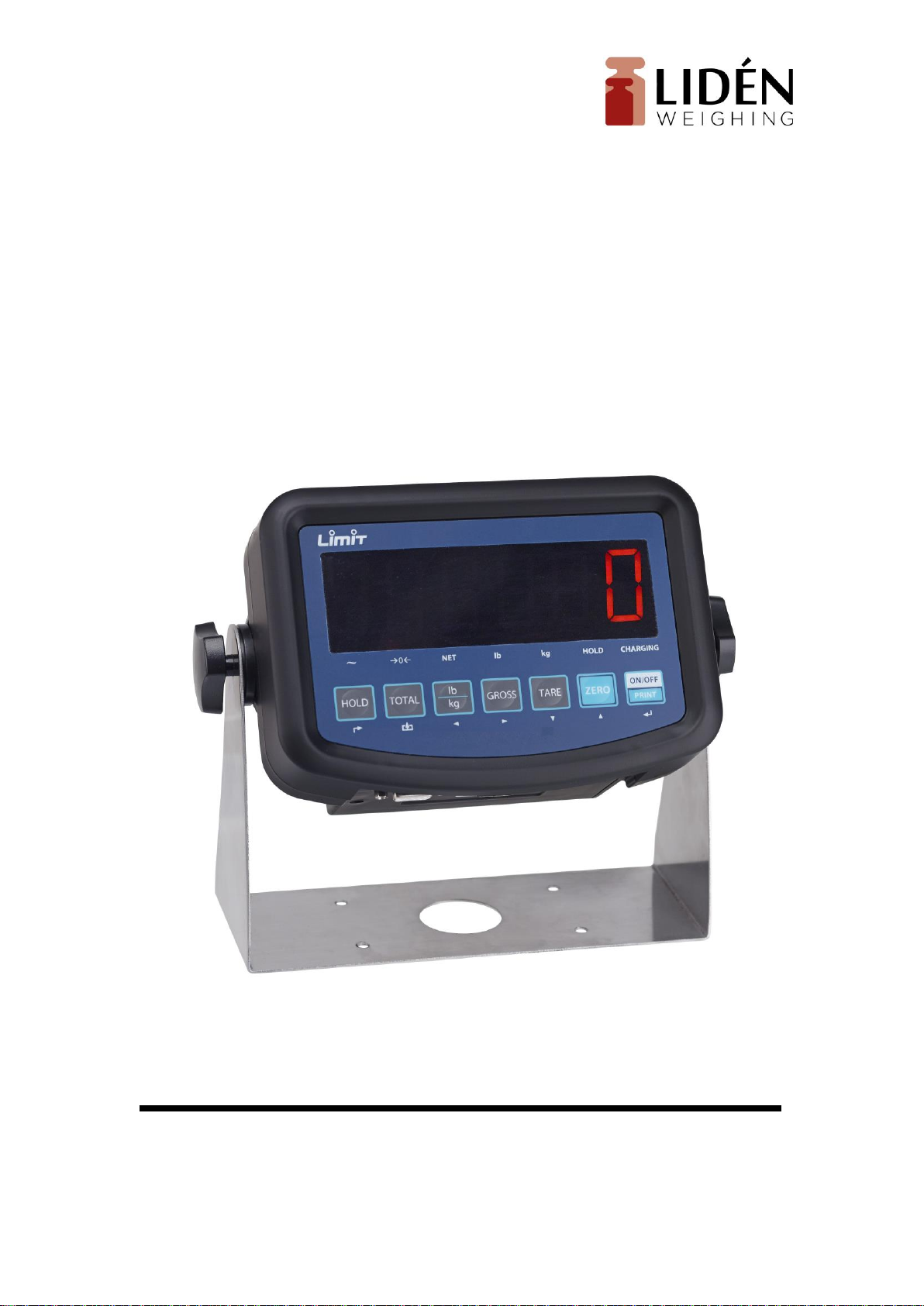
Lidén Weighing LUW2001/LBW Bedienungsanleitung

User manual for
LUW2001/LBW

1
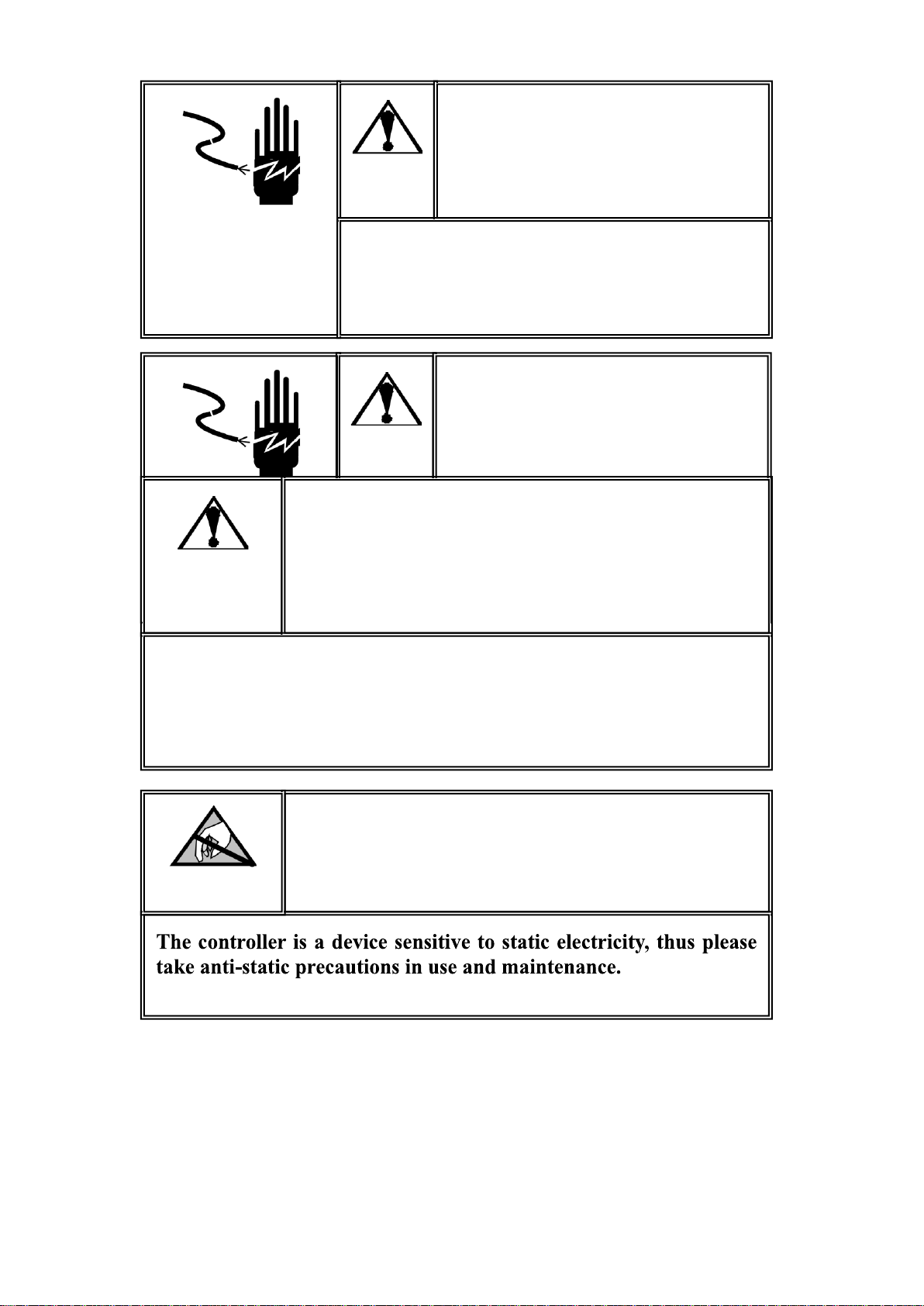
Warning
Ask professional personnel to debug, detect
and repair controller.
Warning
Please keep good grounding of controller.
Warning
In electrical connection of controller, please cut off the power
supply in advance. Wait for 30 seconds between power-on of the
controller for 2 times.
Pay Attention to Static Electricity

2
Contents
I TECHNICAL INDICATORS..........................................................................................3
II MAIN FUNCTION......................................................................................................3
III BOUNDARY DIMENSION .......................................................................................3
IV INTRODUCTION TO PANEL....................................................................................4
V. PARAMETER SETTING .............................................................................................6
SETTING ENTRY:..................................................................................................................................6
PARAMETER SETTING OF F1 SCALE ...................................................................................................6
F2 APPLICATION FUNCTION SETTING ..............................................................................................8
F3 ENERGY-SAVING PARAMETER SETTING......................................................................................9
F4 SERIAL-PORT SETTING ................................................................................................................9
F5 MAINTENANCE AND SERVICE ....................................................................................................10
VI FUNCTION DESCRIPTION ....................................................................................11
APPENDIX 1. CONTINUOUS OUTPUT FORMAT SPECIFICATION ........................15
APPENDIX 2. PRINTING FORMAT SPECIFICATION ...............................................17

3
I Technical Indicators
● 6-digit 1.2-inch LED display, 7 state indicator lamps. Long service life and
shock resistance
● 7 function keys. Operation is simple and convenient
● Protection level: IP5x
● Excitation voltage: +5VDC
● Load capacity of sensor: at most 4 350Ω simulation sensors
● Input signal range of null point: 0-5mV
● Input signal range of full scale: 1-10 mV
● Inner resolution: 1 million
● Weight upgrading rate: 40 times per second
● Power supply mode
Battery: 6V4Ah
Adapter: voltage 100-240VAC Current 0.1A Frequency 50-60Hz.
● 2 RS232 ports
● Operating temperature: -10℃-40℃, relative humidity is below 85 %
● Storage temperature: -20℃-60℃, relative humidity is below 85 %
● Conforming to standard: GB/T 7724-1999
II Main Function
● Basic weighing function: resetting, removing the peel and clearing the peel
● Weight detection function, counting function, animal scale function
● Weight keeping function, weight accumulation function, percentage display
● Set redundant backup function of parameters
● Automatic screen protection and automatic shutdown energy-saving function
● Rich printing formats and communication protocol
III Boundary Dimension
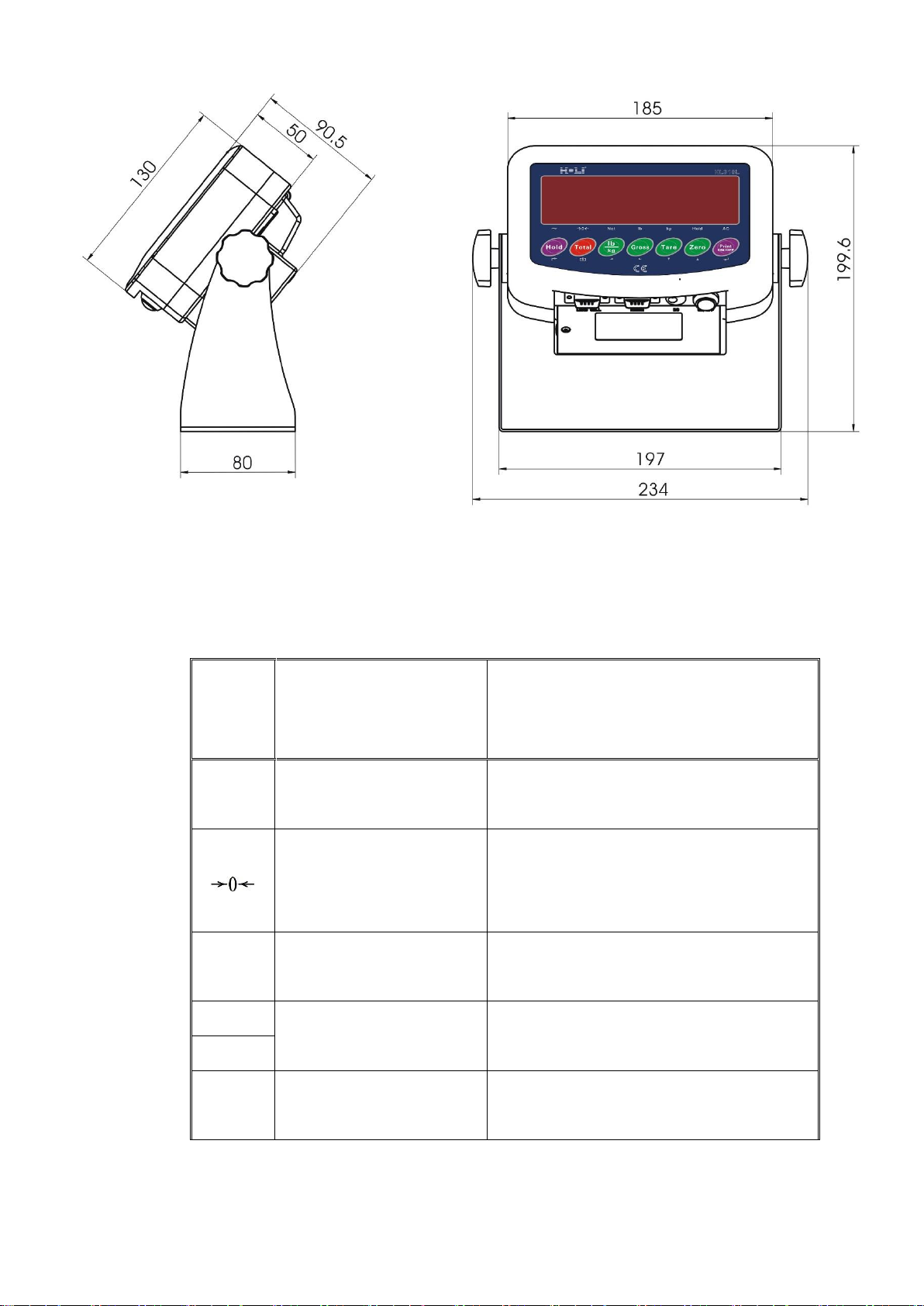
Instrument size: detailed in the following figure (mm); instrument weight:
1.5kg

4
IV Introduction to Panel
● Introduction to indicator lamps
Identifi
catio
n
Analysis
Remark
~
Dynamic and static
indication
The lamp is on when scale is in dynamic
state, otherwise, the lamp is off
Zero center indication
The lamp is on when the absolute value of
weight on the scale is less than ±0.2d,
otherwise the lamp is off
Net
Identification of gorses
weight and net weight
The lamp is on in net weight and off in
gross weight
lb
Weight unit
For indicating current unit
kg
Hold
Weight maintenance
The lamp is on when the weight is locked,
otherwise it is off

5
Ac
Voltage indication of
battery and power supply
The green lamp is on when the voltage of
the adapter and battery is normal, and the
red lamp is on in undervoltage state
●Introduction to operation keys
Operation without special specification refers to short press on keys.
Key
symbol
Normal weighing state
Set stage
Weight maintenance key
Short press→ F2.1 = 1, keep/cancel.
F2.1 = 2, switch between percentage
and weight.
F2.1 = 5, switch between quantity
and weight.
Long key→ enter setting menu.
Return to the last
m
en
u.
Accumulation key
Short key → F2.1 = 4, include display weight
in accumulation value.。
Long key → F2.1 = 3, select scale to sample
target weight.
F2.1 = 4, accumulate weight of scale
display.
F2.1 = 5, count sampling of scale.
No definition.
Unit conversion key
Short key → in weighing state, switch weight
unit. The corresponding unit
indication lamp is on.
Flicker bit is on the
left.
Skin removal key
Short key → net weight turns to gross weight;
induction lamp of net weight “Net” is off.
Flicker bit is on the
right.
Skin removal key
Short key →gross weight turns to net weight.
Indication lamp of net weight “Net” is on.
Conduct skin removal operation for multiple
times.
Digit flicker
position reduces.

6
Zero clearing key
Gross weight state resets weight. When the
scale is in net weight, dynamic state, saving
state and out of resetting range, zero clearing
operation is invalid.
In setting, digit of
flicker position
increases. In
adjustment of
display,
accumulation is
cleared.
Printing key
Short key → start up or print.
Printing format refers to Appendix1.
Long key → shut down.
Confirm operation,
to save setting
data.
V. Parameter Setting
Setting entry:
Press the [Hold] button on the operating panel in the state of normal
weighing.
If F1.14 = 0, you can set all the parameters within F1~F5.
If F1.14 = 1, you can only set all parameters within F2~F5.
If F1.14 = 1 and you need to set the parameters within F1 menu, you
can press the calibration switch button until the F1 menu is entered.
Parameter Setting of F1 Scale
F1.1 Measuring Range
Selectable parameters: 3~200000 (default value: 6)
F1.2 Decimal Places
Selectable parameters: 0 ---- no decimal point
0.0 ---- 1 decimal place
0.00 ---- 2 decimal places
0.000 ---- 3 decimal places (default
value)
0.0000 ---- 4 decimal places
F1.3 Number of Divisions
Selectable parameters: 1 (default value), 2, 5, 10, 20,

7
50
F1.4 Calibration Unit
Selectable parameters: 0 ---- kg (default value)
1 ---- lb
F1.5 Gravitational Acceleration
Selectable parameters: 9.70000~9.99999. Default value =
9.79455.
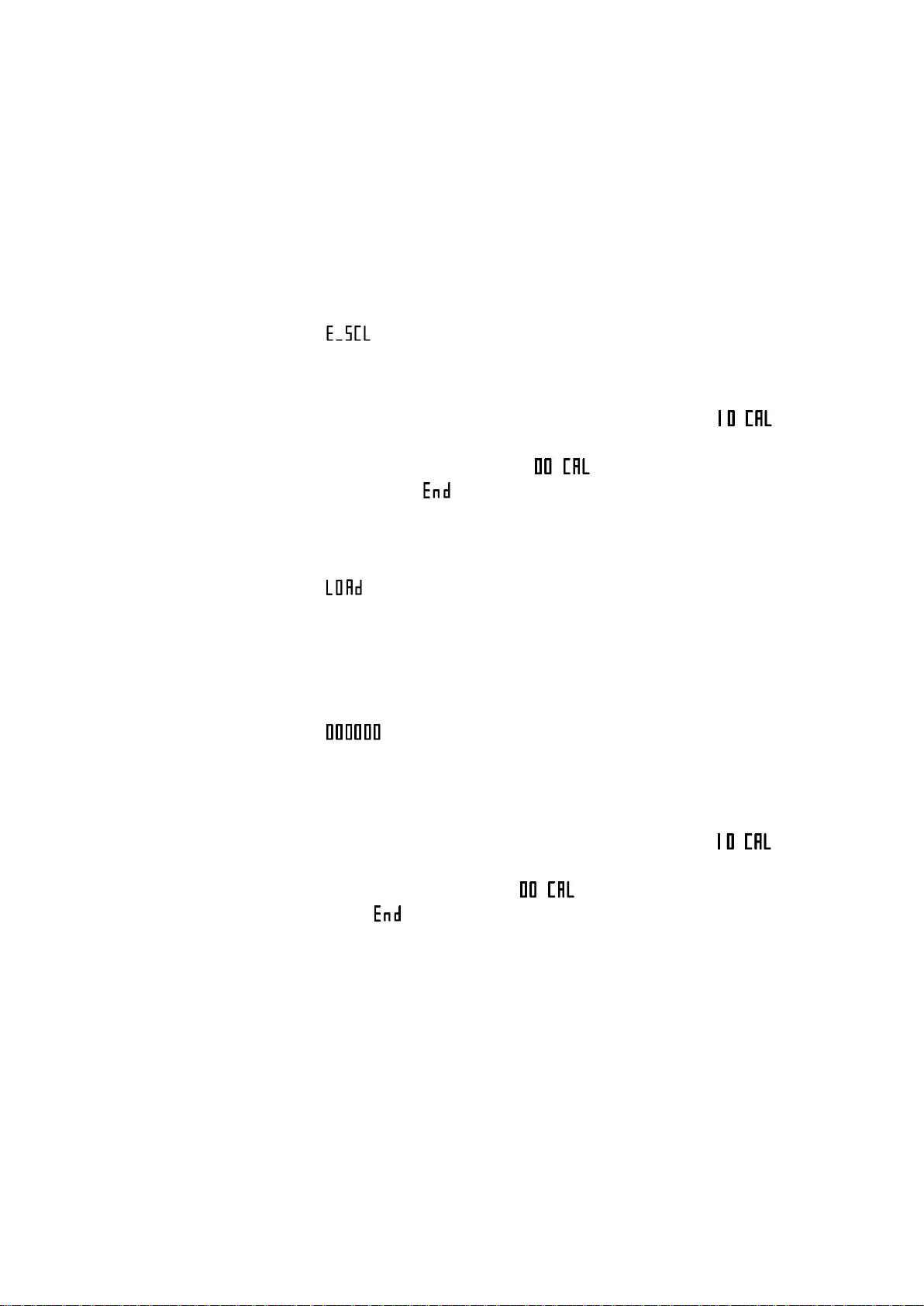
F1.6 Null-point Calibration
【 】 Keeping empty the scale
Remove the weights on the weighing platform to
guarantee the scale is in the empty state. Press the
[Print] key and the meter will display [ ].
The displayed digits will reduce slowly until the
meter displays [ ]. In the end it will display
[ ] for one second, which indicates the end
of null-point calibration.
F1.7 Load-point Calibration
【 】 Loading weights
Load weights on the weighing platform to ensure
that 10% of full-scale value ≤ weight of weights
≤ full-scale value, and then press the [Print] key
to start the next step.
【 】 Entering the same weight value as that of the loaded
weights.
Entering the same weight value as that of the loaded
weights, please press the [Print] key after the scale
becomes stable, and the meter will display [ ].
After that, the displayed digits will reduce slowly until
the meter displays [ ]. In the end it will display
[ ] for one second, which indicates the end of null-
point calibration.
F1.8 Automatic Null Tracking
Selectable parameters: OFF, 1 d, 2 d, 3 d (default value)
F1.9 Automatic Reset Range at Startup
Selectable parameters: OFF, 2 %, 10 %, 20 % (default value)
F1.10 Button Reset Range
Selectable parameters: OFF, 2 %, 10 % (default value), 20 %
F1.11 Digital Filter

8
Selectable parameters: 0 ---- Mild Filtering
1 ---- Moderate Filtering (default value)
2 ---- Severe Filtering
F1.12 Steady Range
Selectable parameters: 1 d, 2 d, 3 d (default value)
F1.13 Overload Display Range
Selectable Parameters: 9d, 5% (default value), 10%, 20%
F1.14 F1 Menu Protection
Selectable Parameters: 0 ---- Enter F1 menu by keyboard
operation
1 ---- Enter F1 menu by pressing the
calibration button
F1.15 Restoring Factory Default
Set the parameters within F1~F4 as the defaults, which can’t
impact the parameters of standard scale.
F2 Application Function Setting
F2.1 Function Selection
Selectable Parameters: 0 ---- Close the application functions (default
value)
1 ---- Weight keeping function
2 ---- Percentage display function
3 ---- Weight checking and sorting
function
4 ---- Accumulative scale function
5 ---- Counting scale function
6 ---- Animal scale function
F2.2 Empty-scale threshold value
Selectable Parameters: 0~ full range (default value: 0.001)
F2.3 Target Weight for Weight Checking and Sorting
Selectable Parameters: 0~ full range (default value: 2.000)
F2.4 Positive Error for Weight Checking and Sorting
Selectable Parameters: 0~ full range (default value: 0.100)
F2.5 Negative Error for Weight Checking and Sorting
Selectable Parameters: 0~ full range (default value: 0.100)

9
F2.6 Access to Target Weight for Weight Checking and Sorting, and
Counting Sample Weight
Selectable Parameters: 0 ---- Access to Platform Weighing (default
value)
1 ---- Manual Input Access
F3 Energy-saving Parameter Setting
F3.1 Time-out Screensaver Time Setting
Selectable Parameters: 0~ 99 minutes, (default value: 30 minutes)
If set to be 0, this function shall not be allowed.
During the screen protection, the display will randomly show “ ”.
F3.2 Energy-saving Time Setting for Auto Power-off
Settable Parameters: 0~250 minutes. (default value: 150 minutes)
If set to be 0, this function shall not be allowed.
F3.3 Display Brightness Control
Selectable Parameters: 0---- low light level
1 ---- middle light level (default value)
2 ---- high light level
F4 Serial-port Setting
F4.1 Setting of UART0 Communication Interface Parameter
F4.1.1 Communication Mode
Selectable Parameters:
0 ---- no output (default value)
1 ---- continuous output protocol A
2 ---- continuous output protocol B
3 ---- continuous output MT
4 ---- firm output protocol A
5 ---- firm output protocol B
6 ---- key dispatch protocol A
7 ---- key dispatch protocol B
F4.1.2 Setting of Data and Check Pit
Selectable Parameters: 8_N_1 ---- 8-pit no parity check (default
value)
7_E_1 ---- 7-pit odd parity check
Inhaltsverzeichnis
Andere Lidén Weighing Skala Handbücher

Lidén Weighing
Lidén Weighing LW-MKP Bedienungsanleitung

Lidén Weighing
Lidén Weighing LUW-2000 Bedienungsanleitung

Lidén Weighing
Lidén Weighing RWS Bedienungsanleitung

Lidén Weighing
Lidén Weighing BW-0635 Bedienungsanleitung

Lidén Weighing
Lidén Weighing H151-5 Bedienungsanleitung

Lidén Weighing
Lidén Weighing LI-101 Bedienungsanleitung

Lidén Weighing
Lidén Weighing BW-0520 Bedienungsanleitung

Lidén Weighing
Lidén Weighing BW-0365 Bedienungsanleitung

Lidén Weighing
Lidén Weighing Limit LBC Bedienungsanleitung

Lidén Weighing
Lidén Weighing LEP-184 Bedienungsanleitung