- 8 -
1)Turn on the machine. (Confirm that the tank is full with water.)
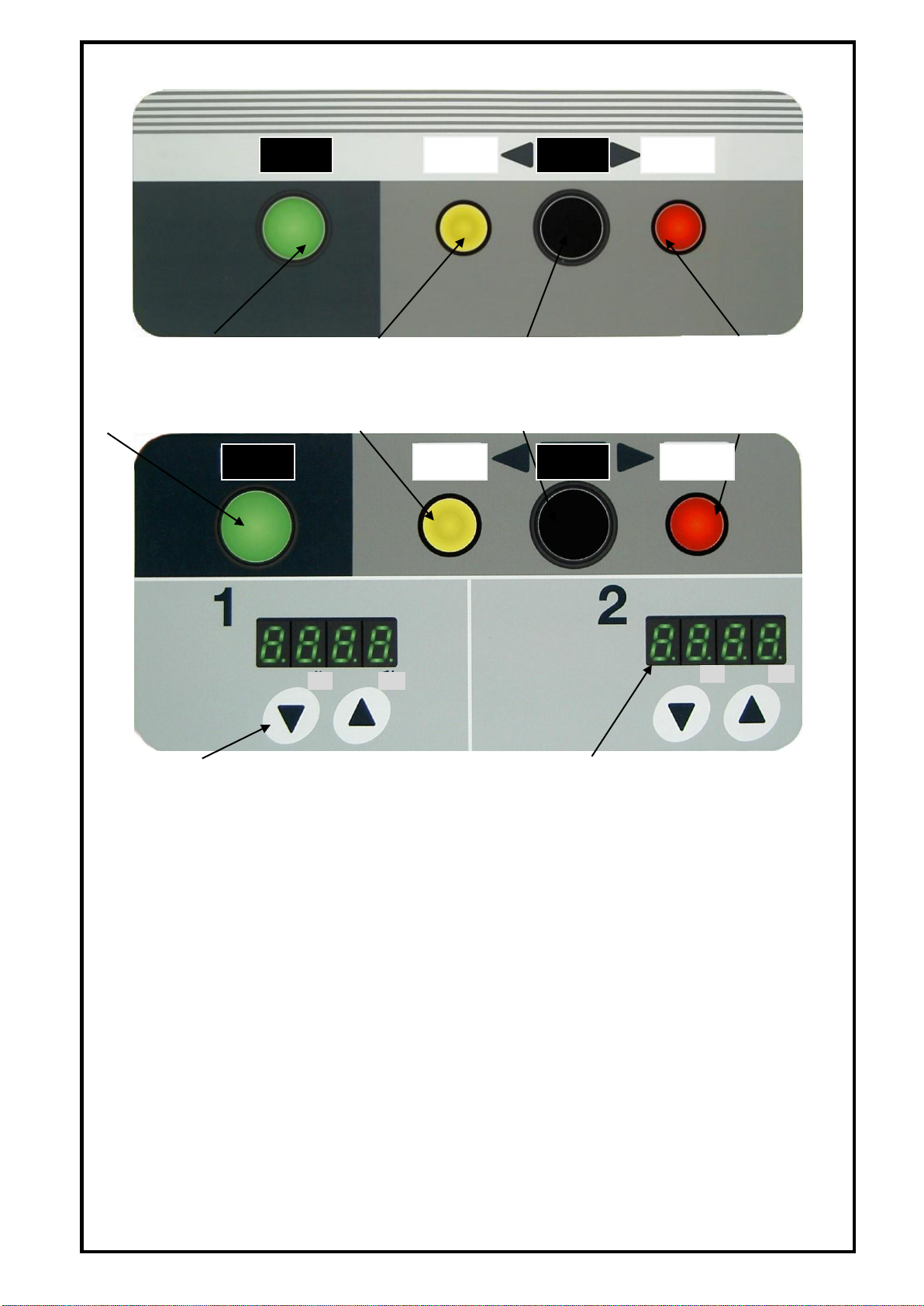
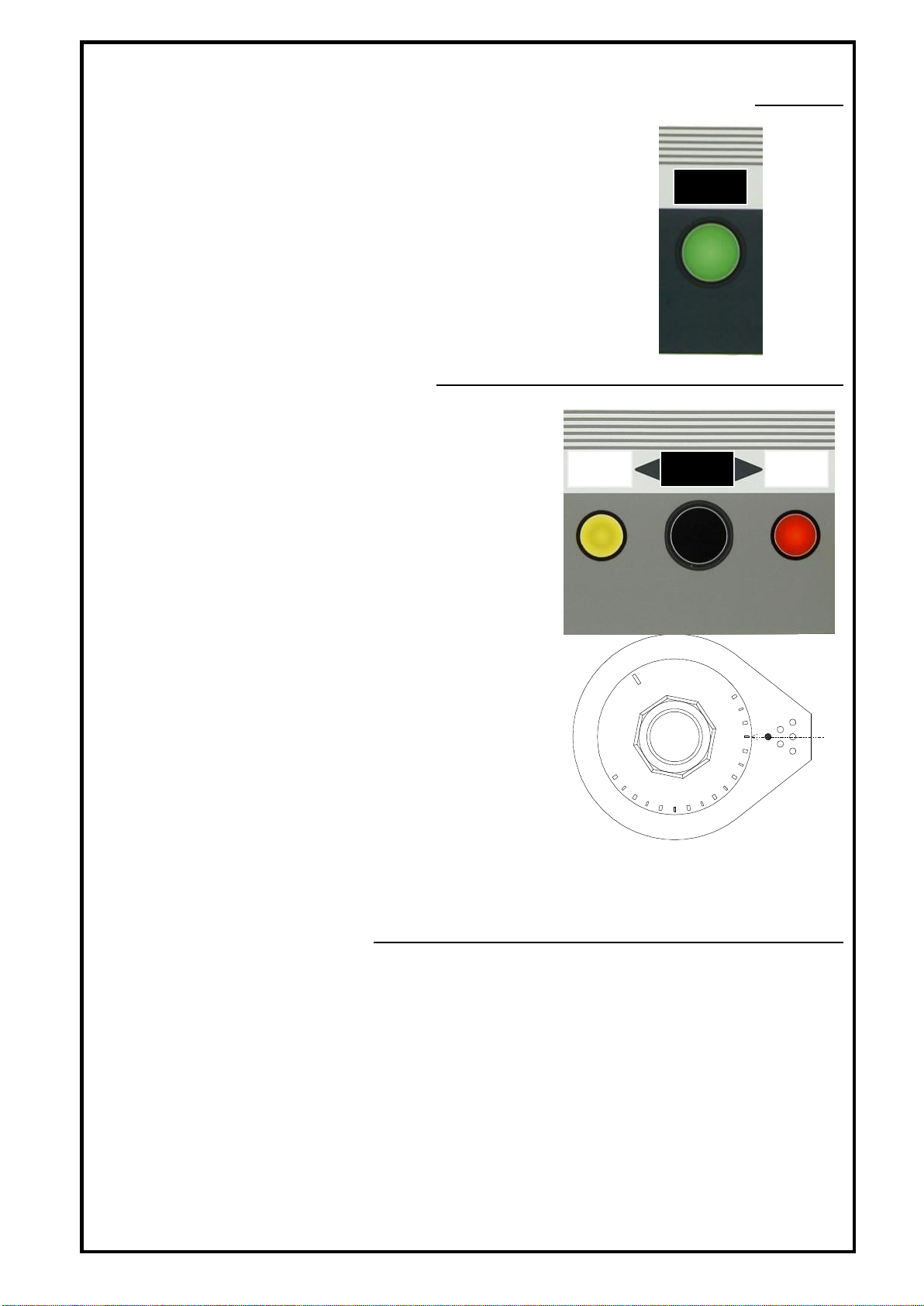
○Press the power button to turn the machine on.
・The power button (lighted) lights up and the heater is
heated up.
・In the case of warm mode, the water is heated up to
95 ℃and then controlled to remain at the temperature.
※To prevent dry-heating, confirm if the tank is full
with water before turning the power on.
2)Select Cook or Warm mode.
○Press the select button to switch Cook or
Warm mode.
・To boil up the water in the tank, select Cook
mode.
・After the water in the tank is boiled up,
select the following mode.
・”Cook mode” retains boiling status.
Use this mode to boil noodles.
“Cook lamp” is lit.
・”Warm mode” retains the temperature at 95℃.
This mode is convenient to use as idling
when the restaurant is not so crowded.
”Warm lamp” is lit. Rotate the dial to change
the preset temperature.
※As the analog thermo is used, there might
be some difference between the graduation
of the dial and the actual temperature.
※If boiling does not stop even after changing to
“Warm mode”, adjust by rotating the dial to
reduce the preset temperature.
※Warm setting dial for tabletop type cannot be
adjusted, as it is incorporated in the main body.
3)Start boiling noodles
①Select “Cook” mode by pressing the select button to boil noodles.
※”Warm” mode is not suitable to boil noodles as it does not come to boiling.
②Put noodles in a noodle boiling basket.
③Put the noodle boiling basket in the basket holder.
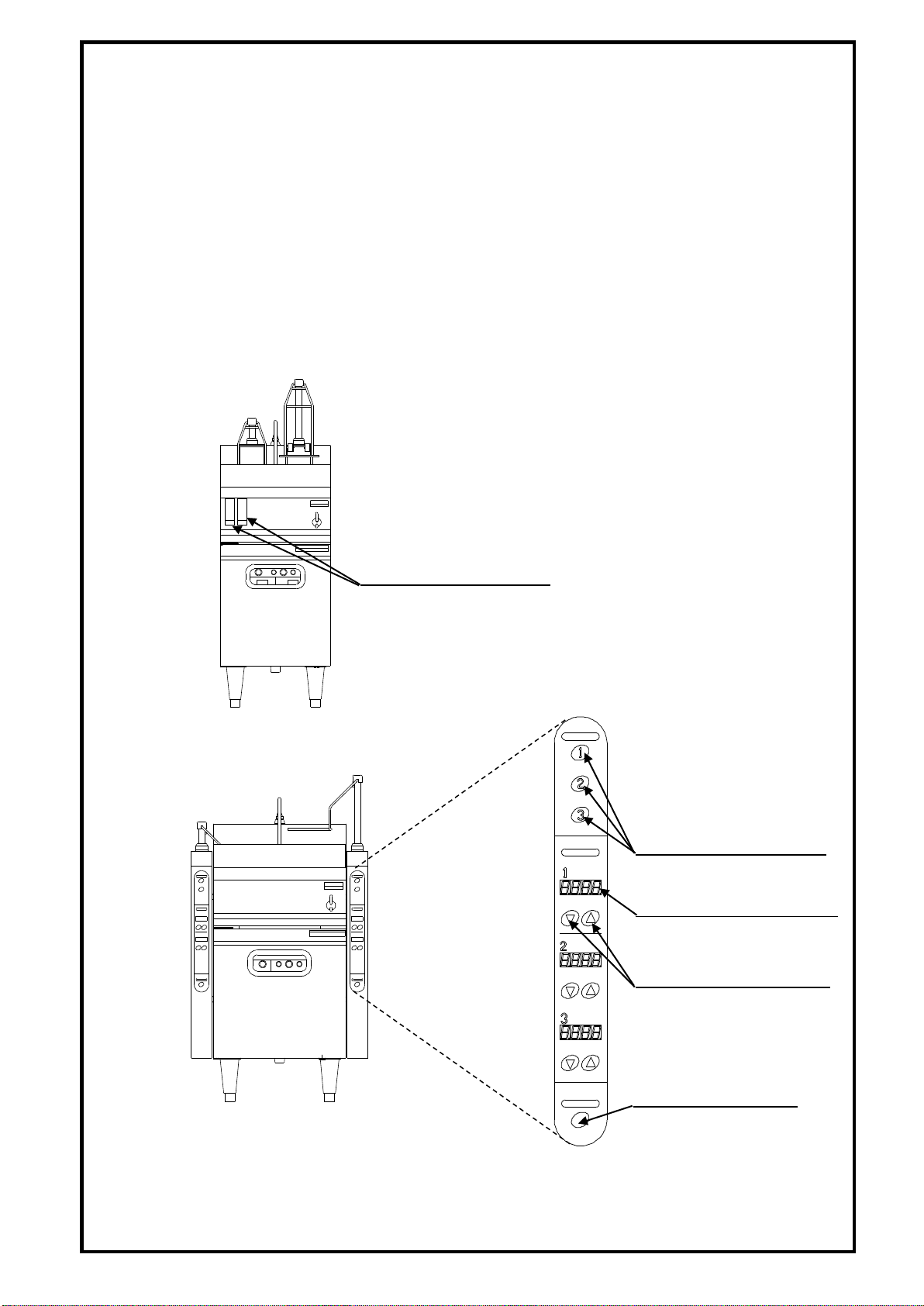
・For the lift type, press the shaft select button.
The lift is automatically brought down and the timer starts counting down.