
Mercusys ME10 Bedienungsanleitung

User Guide
300Mbps Wi-Fi Range Extender
ME10
REV1.0.0
1910080063

COPYRIGHT & TRADEMARK
Specications are subject to change without notice. is a registered
trademark of MERCUSYS TECHNOLOGIES CO., LTD. Other brands and product names are
trademarks or registered trademarks of their respective holders.
No part of the specications may be reproduced in any form or by any means or used to make
any derivative such as translation, transformation, or adaptation without permission from
MERCUSYS TECHNOLOGIES CO., LIMITED. Copyright © 2021 MERCUSYS TECHNOLOGIES
CO., LIMITED. All rights reserved.
http://www.mercusys.com

CE Mark Warning
This is a class B product. In a domestic environment, this product may cause radio interference,
in which case the user may be required to take adequate measures.
OPERATING FREQUENCY (the maximum transmitted power)
2400 MHz -2483.5 MHz (20dBm)
EU Declaration of Conformity
MERCUSYS hereby declares that the device is in compliance with the essential
requirements and other relevant provisions of directives 2014/53/EU, 2009/125/EC,
2011/65/EU and (EU)2015/863.
The original EU Declaration of Conformity may be found at
https://www.mercusys.com/en/ce.
RF Exposure Information
This device meets the EU requirements (2014/53/EU Article 3.1a) on the limitation of exposure
of the general public to electromagnetic elds by way of health protection.
The device complies with RF specications when the device used at 20 cm from your body.
UKCA Mark
UKCA Declaration of Conformity
Mercusys hereby declares that the device is in compliance with the essential requirements
and other relevant provisions of the Radio Equipment Regulations 2017.
The original UK Declaration of Conformity may be found at
https://www.mercusys.com/support/ukca/
Korea Warning Statements
당해 무선설비는 운용중 전파혼신 가능성이 있음 .
NCC Notice
注意!
取得審驗證明之低功率射頻器材,非經核准,公司、商號或使用者均不得擅自變更頻率、加大
功率或變更原設計之特性及功能。
低功率射頻器材之使用不得影響飛航安全及干擾合法通信;經發現有干擾現象時,應立即停用,
並改善至無干擾時方得繼續使用。
前述合法通信,指依電信管理法規定作業之無線電通信。
低功率射頻器材須忍受合法通信或工業、科學及醫療用電波輻射性電機設備之干擾。

BSMI Notice
安全諮詢及注意事項
•
•請按照本產品注明的電源類型使用本產品。
•
•清潔本產品之前請先切斷電源。請勿使用液體、噴霧清潔劑或濕布進行清潔。
•
•注意防潮,請勿將水或其他液體潑灑到本產品上。
•
•插槽與開口供通風使用,以確保本產品的操作可靠並防止過熱,請勿堵塞或覆蓋開口。
•
•請勿將本產品置放於靠近熱源的地方。除非有正常的通風,否則不可放在密閉位置中。
•
•請不要私自拆開機殼或自行維修,如產品有故障請與原廠或代理商聯繫。
限用物質含有情況標示聲明書
設備名稱:300Mbps•Wi-Fi•Range•Extender••••••型號(型式):ME10
Equipment•name•••••••••••••••••••••••••••••••••••••••••••••••••••••••Type•designation•(Type)
單元
Unit
限用物質及其化學符號
Restricted•substances•and•its•chemical•symbols
鉛
Lead
(Pb)
汞
Mercury
(Hg)
鎘
Cadmium
(Cd)
六價鉻•
Hexavalent•
chromium
(Cr+6)
多溴聯苯
Polybrominated•
biphenyls
(PBB)
多溴二苯醚
Polybrominated•
diphenyl•ethers
(PBDE)
PCB ○ ○ ○ ○ ○ ○
外殼 ○ ○ ○ ○ ○ ○
電源供應板 −○ ○ ○ ○ ○
其他及其配
件−○ ○ ○ ○ ○
備考 1.〝超出 0.1•wt•%〞及〝超出 0.01•wt•%〞係指限用物質之百分比含量超出百分比含量基準值
Note•1:“Exceeding•0.1•wt•%”•and•“exceeding•0.01•wt•%”•indicate•that•the•percentage•
content•of•the•restricted•substance•exceeds•the•reference•percentage•value•of•presence•condition.
備考 2.〝○〞係指該項限用物質之百分比含量未超出百分比含量基準值。
Note•2:“○”•indicates•that•the•percentage•content•of•the•restricted•substance•does•not•exceed•
the•percentage•of•reference•value•of•presence.
備考 3.〝−〞係指該項限用物質為排除項目。
Note•3:The•“−”•indicates•that•the•restricted•substance•corresponds•to•the•exemption.
Продукт сертифіковано згідно с правилами системи УкрСЕПРО на відповідність
вимогам нормативних документів та вимогам, що передбачені чинними законодавчими
актами України.
Safety Information
Ǵ Keep the device away from water, re, humidity or hot environments.
Ǵ Do not attempt to disassemble, repair, or modify the device. If you need service, please
contact us.
Ǵ Do not use the device where wireless devices are not allowed.
Ǵ The socket-outlet shall be installed near the equipment and shall be easily accessible.
Ǵ Operating Temperature: 0℃ ~ 40℃ (32℉ ~ 104℉)
Ǵ Storage Temperature: -40℃~ 60℃ (-40℉ ~ 140℉)
Please read and follow the above safety information when operating the device. We cannot
guarantee that no accidents or damage will occur due to improper use of the device. Please
use this product with care and operate at your own risk.
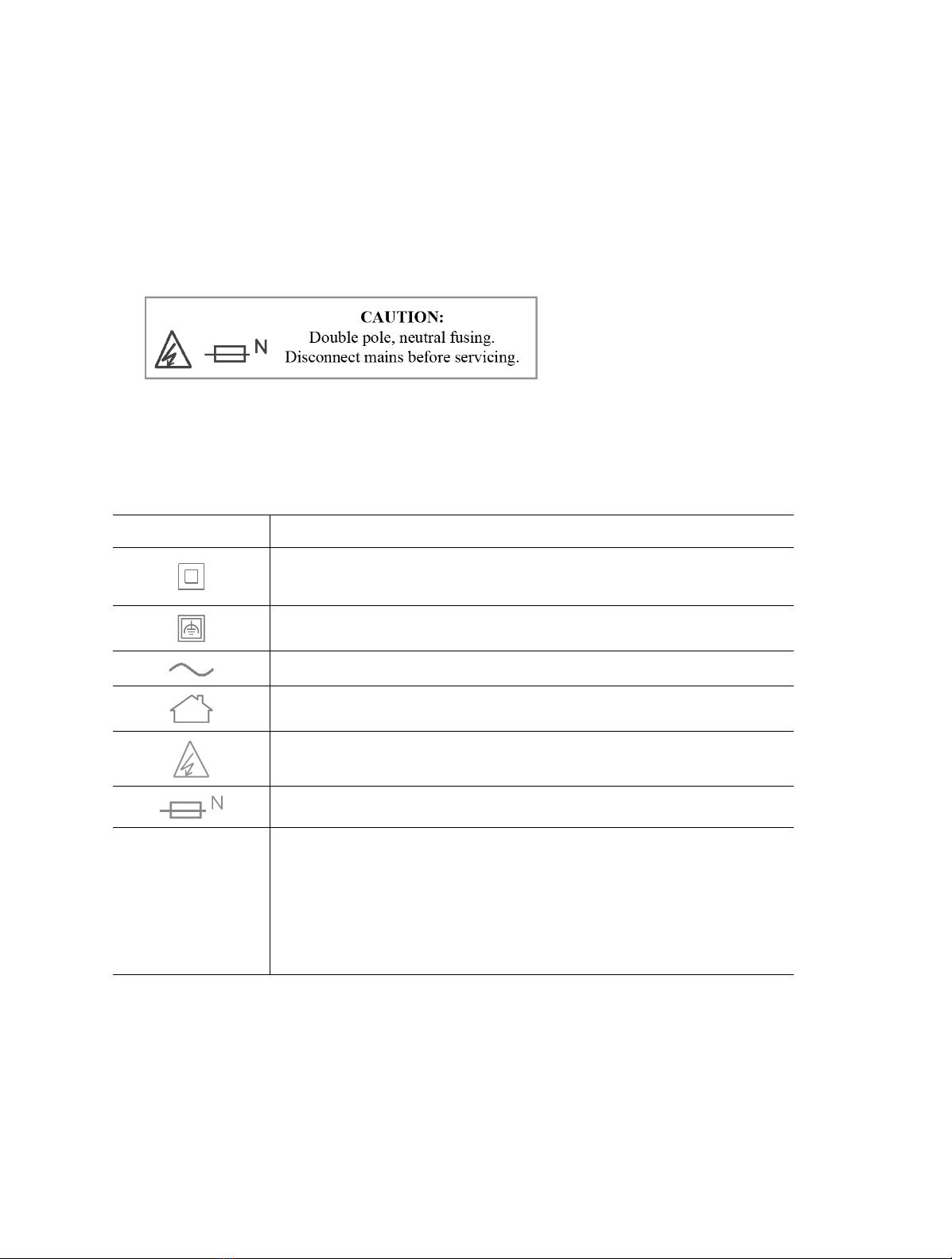
Explanation of the symbols on the product label
Symbol Explanation
Class II equipment
Class II equipment with functional earthing
Alternating current
Indoor use only
Caution, risk of electric shock
Fuse is used in neutral N
RECYCLING
This product bears the selective sorting symbol for Waste electrical and
electronic equipment (WEEE). This means that this product must be handled
pursuant to European directive 2012/19/EU in order to be recycled or
dismantled to minimize its impact on the environment.
User has the choice to give his product to a competent recycling organization
or to the retailer when he buys a new electrical or electronic equipment.

CONTENTS
Conventions ...............................................................................................................01
Chapter 1 Introduction ..........................................................................................02
1.1 Product Overview..............................................................................................................02
1.2 Product Appearance........................................................................................................02
Chapter 2 Connect the Extender to the Internet...........................................04
2.1 Method 1: Via a Web Browser.......................................................................................04
2.2 Method 2: Via WPS ...........................................................................................................07
Chapter 3 Customize Your Network ..................................................................09
3.1 Check Internet Status ....................................................................................................09
3.2 Congure Wireless Network.........................................................................................10
3.3 Change LAN Settings ......................................................................................................11
3.4 Specify DHCP Server Settings ....................................................................................12
3.5 Set Access Control...........................................................................................................13
3.6 Adjust Wi-Fi Coverage.....................................................................................................15
Chapter 4 Use Your Extender as an Access Point..........................................17
4.1 Set Up the Extender as an Access Point..................................................................17
4.2 Connect Wireless Devices to the Extender ............................................................18
4.3 LED Explanation for the Access Point Mode ..........................................................19
Chapter 5 Manage the Extender.........................................................................20
5.1 Set System Time ..............................................................................................................20
5.2 Control the LED..................................................................................................................21
5.3 Set Power Schedule.........................................................................................................22
5.4 Upgrade the Firmware.....................................................................................................23
5.5 Back up and Restore Conguration Settings .........................................................23
5.6 Reboot the Extender........................................................................................................25
5.7 Change Login Password.................................................................................................25
5.8 Check System Log ...........................................................................................................26
FAQ (Frequently Asked Questions) .....................................................................27

01
Conventions
This guide is a complement to Quick Installation Guide. The Quick Installation Guide provides
instructions for quick internet setup, while this guide contains details of each function and
demonstrates how to congure them in typical scenarios.
Note: Features available in this range extender may vary by model and software version.
Range extender availability may also vary by region or ISP. All images, steps, and descriptions
in this guide are only examples and may not reect your actual product experience.
More Info
Specications and the latest software can be found at the product page at the ocial website
http://www.mercusys.com.
The Quick Installation Guide can be found where you nd this guide or inside the package of
the router.
Speed/Coverage Disclaimer
*Maximum wireless signal rates are the physical rates derived from IEEE Standard 802.11
specications. Actual wireless data throughput and wireless coverage per ft2 are not
guaranteed and will vary as a result of 1) environmental factors, including building materials,
physical objects, and obstacles, 2) network conditions, including local interference, volume
and density of trac, product location, network complexity, and network overhead, and
3) client limitations, including rated performance, location, connection quality, and client
condition.

02
Chapter 1 Introduction
Chapter 1 Introduction
1.1 Product Overview
The range extender connects to your router wirelessly, strengthening its signal and
expanding its coverage into areas that could not otherwise be reached.
Multicolor LED helps you nd the right location for your range extender for the best
Wi-Fi extension.
1.2 Product Appearance
Note: The provided plug may dier from the picture due to dierent regional power specications.
1.2.1 LED Legend
LED Status Indication (For Range Extender Mode)
Signal
O Power is o.
Blinking
green
The extender is starting, upgrading, or connecting to
the router.
Solid red The extender is not connected to the router.
Solid green The extender is connected to the router, and is in a
good location.
Solid
orange
The extender is connected to the router, but is too
far away from the router.

03
Chapter 1 Introduction
1.2.2 Item Explanation
Item Description
RESET/WPS
Button
Press and hold this button for more than 5 seconds until the Signal
LED turns o to reset the extender.
Press for 1 second to use the WPS function.
Ethernet
Port
Connect your Ethernet-only device (such as a Blu-ray player, game
console, DVR, or smart TV) to the Ethernet port of the extender to
join the network.
04
Chapter 2 Connect the Extender to the Internet
Chapter 2 Connect the Extender to the Internet
This chapter introduces how to boost your host wireless coverage. Please follow the
step-by-step instructions to set up the internet connection.
Power On
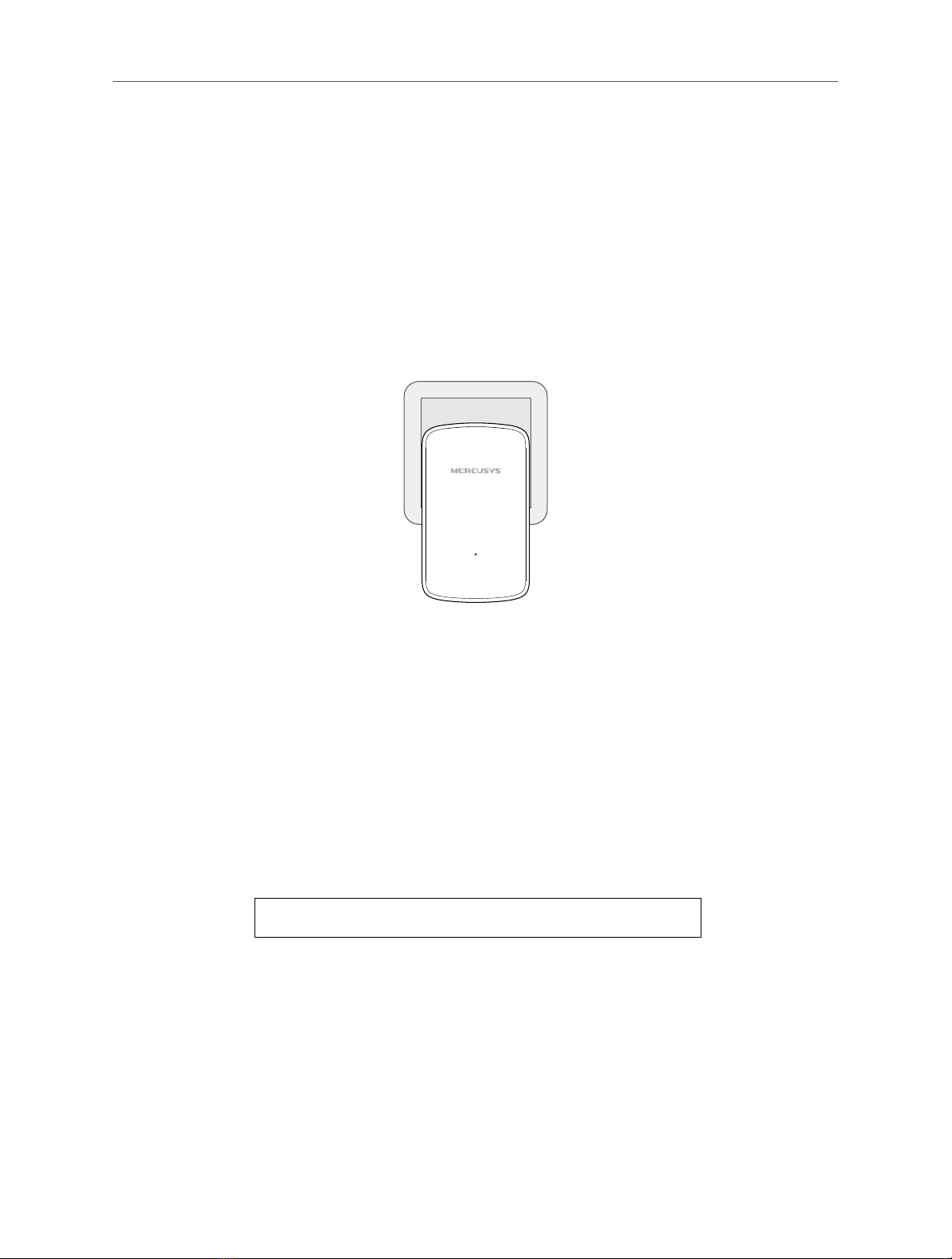
Plug the extender into a power outlet near your router, and the Signal LED turns
solid red.
Note: For safety and best performance, we suggest that you position the extender vertically as shown below.
2.1 Method 1: Via a Web Browser
1. Connect your wireless device to the extender's network MERCUSYS_RE_XXXX.
Note:
1. The default SSID (network name) is printed on the product label at the back of the extender.
2. If you are using a computer, unplug the Ethernet cable from your computer rst (if any).
2. Follow the instructions of the Quick Setup Wizard to connect the extender to your
router.
1) Launch a web browser and enter http://mwlogin.net in the address eld.
2) A login window will appear. Create a password to log in. For subsequent logins,
use the password you have set.
Inhaltsverzeichnis
Andere Mercusys Extender Handbücher

Mercusys
Mercusys MW300RE Bedienungsanleitung

Mercusys
Mercusys Range Extender Bedienungsanleitung

Mercusys
Mercusys ME20 Bedienungsanleitung

Mercusys
Mercusys ME30 Produktinformationsblatt

Mercusys
Mercusys ME50G Bedienungsanleitung

Mercusys
Mercusys ME30 Bedienungsanleitung

Mercusys
Mercusys MW300RE Bedienungsanleitung

Mercusys
Mercusys MP510 KIT Bedienungsanleitung

Mercusys
Mercusys MW300RE Bedienungsanleitung

Mercusys
Mercusys MP510 KIT Bedienungsanleitung


