
MyKronoz ZeBracelet Bedienungsanleitung
1

2
3
English _____________
Français ____________
Español ____________
Italiano _____________
Deutsch ___________
Nederlands ________
Page 4
Page 22
Page 40
Page 58
Page 76
Page 94
4
USER GUIDE
English

5
Characteristics of the ZeBracelet
ZeBracelet specications
Charging the ZeBracelet
Operating the bracelet for the rst
time - Synchronisation with your
phone
Answering and/or rejecting a call
Setting the time
Your phone’s audio alerts (SMS, alarm
etc.)
Music on your phone
The MyKronoz «anti-theft» function
How to wear ZeBracelet
6
8
10
12
14
16
18
18
19
20
6
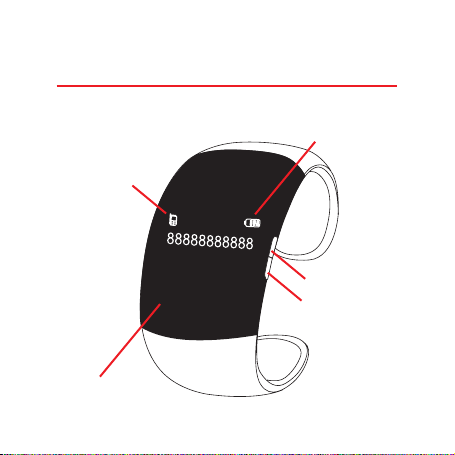
GREEN button
1. Characteristics of the ZeBracelet
Connection
signal
Battery
indicator
RED button
OLED
screen
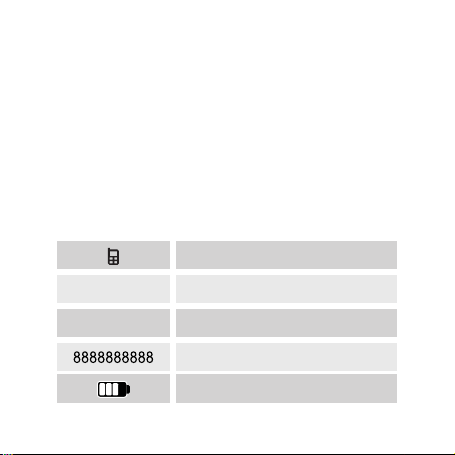
7
Function of the GREEN button
Answering a call Increasing the volume
Function of the RED button
Switching the bracelet on and off
Hanging up after a call
Reducing the volume
Already paired
Time display
Pairing
Call & number
Battery
00:00
PAIRING

8
2. ZeBracelet specications
ZeBracelet
• Bluetooth® version: V2.1
• Voltage: 3.6 V – 4.2 V
• Current: 45 mA - Frequency = 2.4 GHz
• Charging time = 2 to 3 hours
• Standby time = 72 hours (3 days)
• Battery type: Li-ion 150 mAh
• Size: 38.5 x 80 x 12.5 mm - Weight: 45 g
• Screen: 128 x 32 OLED
• Operating temperature: -20°C to +60°C
• Guarantee: 24 months
ZeBracelet charger
• Supply voltage: 110 V to 240 V
• Frequency: 50 Hz
• Input: 0.15 A
• Output voltage: 5.7 V - Output: 600 mA

9
Warning about operation
This MyKronoz product is designed for receiving calls.
We recommend using it for short phone calls to pre-
serve battery charge, as its size and weight are opti-
mised for daily use of the bracelet.
If Bluetooth® fails to work when synchronising, try re-
setting the product and/or recharging it before trying
again.
It is important to remember that the maximum distance
for Bluetooth® communication between your bracelet
and your phone is ten metres (depending on your envi-
ronment, with better results in open spaces).

10
The product can be charged with the AC power supply
(110 V – 240 V) or directly via USB (5 V).
The power supply houses the USB port, and once the
bracelet is connected to its clip it indicates the battery
charge level.
TheoriginalcableisspecicallydesignedfortheZe-
Bracelet and must be positioned correctly as shown on
the diagram below:
3. Charging the ZeBracelet
Inhaltsverzeichnis
Sprachen:
