
NB CT-HDVD-4X14K-SW Bedienungsanleitung
Version: V1.0.0
User Manual
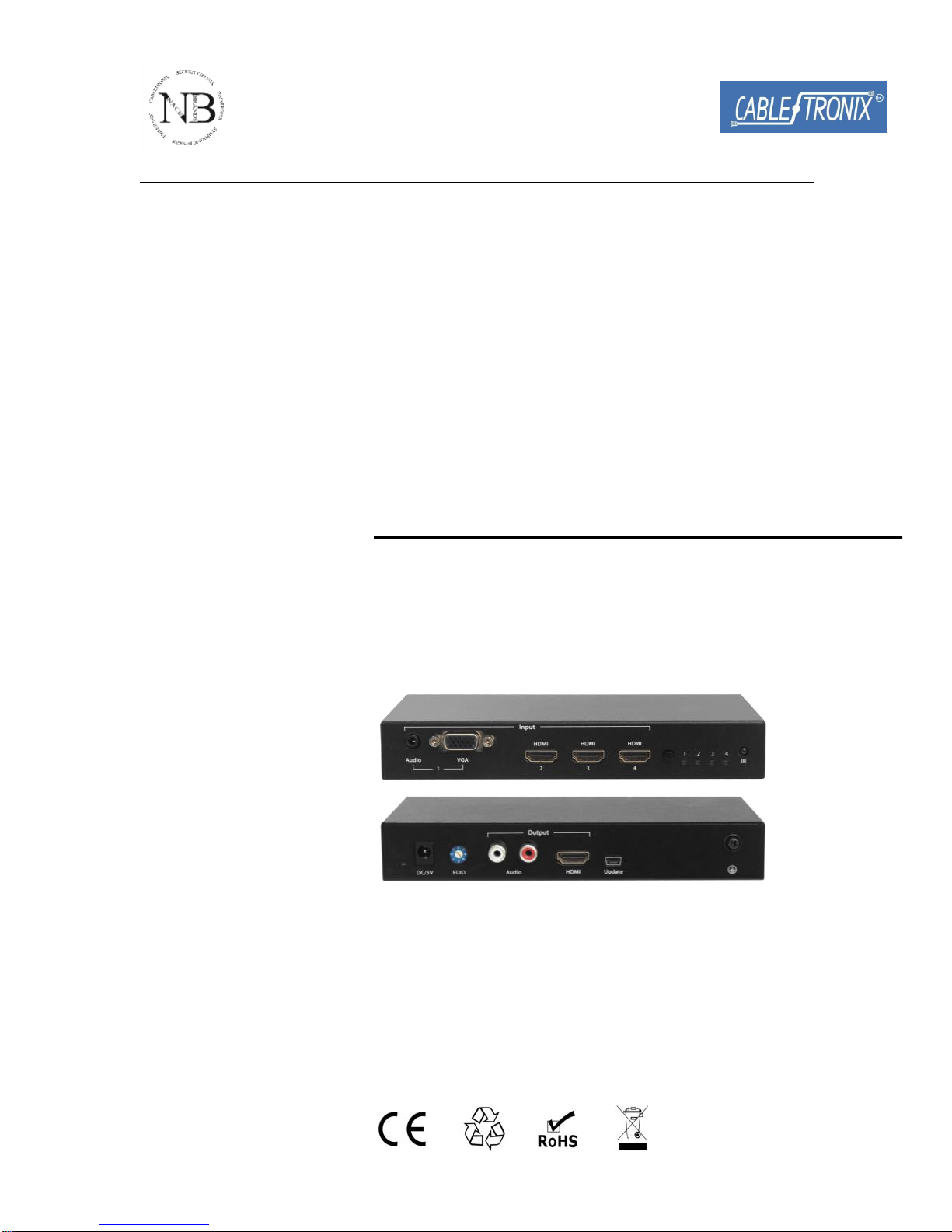
CT-HDVD-4X14K-SW
4 x 1 HDMI Switcher
Important Safety Instructions
Warning:
To reduce the risk of fire, electric shock or product damage:
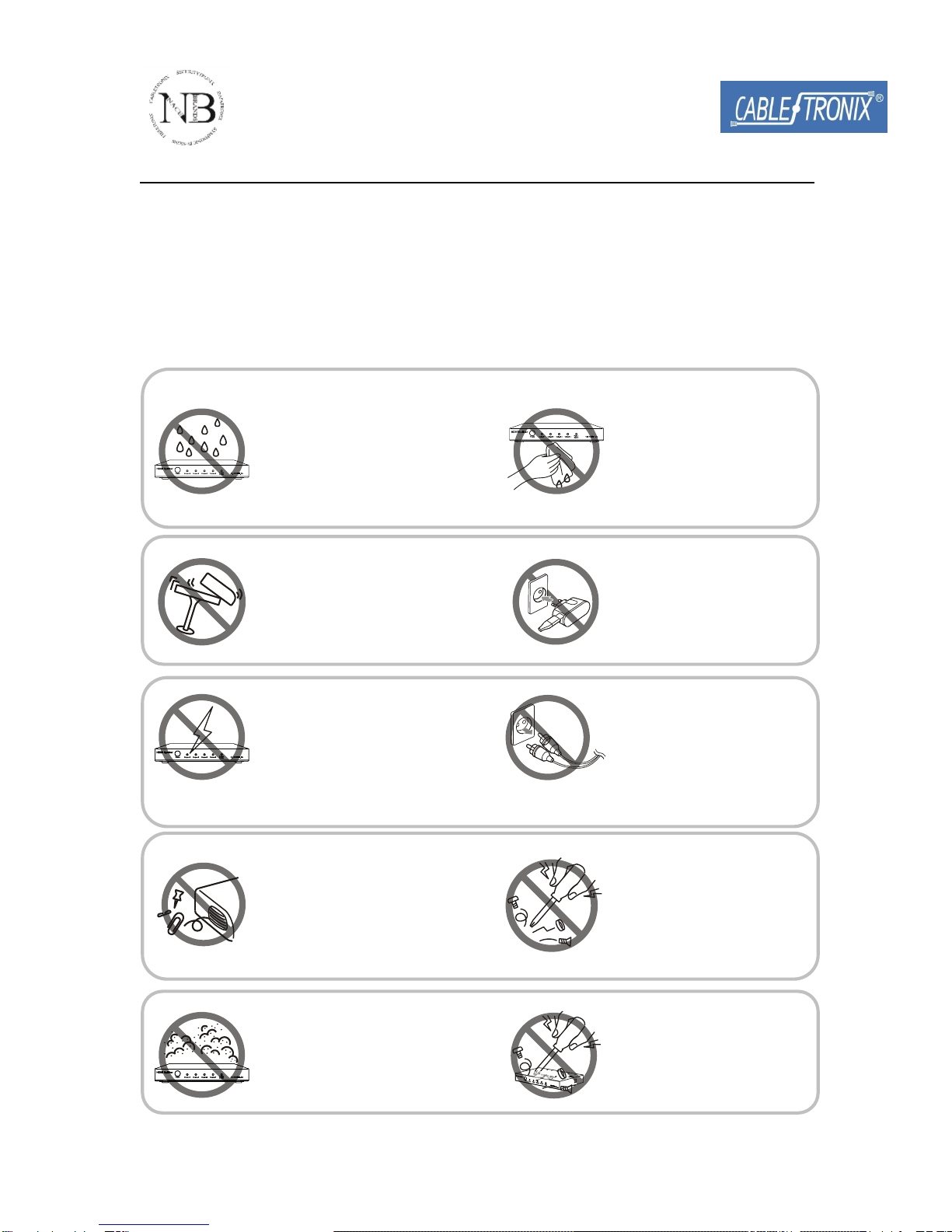
1. Do not expose this apparatus
to rain, moisture, dripping or
splashing and that no objects
filled with liquids, such as vases,
shall be placed on the apparatus.
6. Clean this apparatus
only with a dry cloth.
2. Do not install or place this unit
in a bookcase, built-in cabinet or
in another confined space.
Ensure the unit is well ventilated.
3. To prevent risk of electric
shock or fire hazard due to
overheating, do not obstruct
the unit’s ventilation openings
with newspapers, tablecloths,
curtains, and similar items.
4. Do not install near any heat
sources such as radiators, heat
registers, stoves, or other
apparatus (including amplifiers)
that produce heat.
5. Do not place open flames,
such as lighted candles, on the
unit.
7. Unplug this apparatus
during lightning storms or
when unused for long
periods of time.
8. Protect the power cord
from being walked on or
pinched particularly at
plugs.
9. Only use attachments /
accessories specified by
the manufacturer.
10. Refer all servicing to
qualified service
personnel.

1
Table of Contents
Introduction....................................................................................................2
Overview...................................................................................................2
Features ...................................................................................................3
Package Contents ....................................................................................3
Specifications............................................................................................4
Panel ........................................................................................................6
Hardware Installation.....................................................................................8
Operation......................................................................................................10
Front Panel.............................................................................................10
Remote Control ......................................................................................10
EDID Management .......................................................................................13
Firmware Upgrade .......................................................................................14
Product Service ...........................................................................................17
Maintenance...........................................................................................17
Provided Service ....................................................................................17
Warranty.................................................................................................18
Glossary .......................................................................................................21
2
Introduction
Overview
The CT-HDVD-4X14K-SW is the perfect solution for managing multiple
sources of audio and video. It provides three inputs for direct connection of
HDMI devices. This switch has an additional VGA + Audio input also.
Analog Audio inputs can be embedded in HDMI signal, and a pair of RCA
outputs make the extraction of audio for direct connection to amplifiers.
Simply press one button to select your desired HDMI source for display on
the HDTV.
It can be widely used in digital entertainment centers, control centers,
conference rooms, schools and corporate training environments.

3
Features
Supports 1 input (VGA + Audio) and 3 HDMI inputs
Audio extraction
Supports 4K x 2K
Input ports priority: VGA > HDMI1 > HDMI 2> HDMI3.
Supports HDMI and VGA inputs
HDMI 1.4 with 3D
HDCP compliant
EDID management
Firmware updates via Mini-B USB
Package Contents
1 xHDMI Switcher CT-HDVD-4X14K-SW
1 xRemote
1 x 5V 2A DC Power Supply
2 x Mounting Ear
4
Specifications
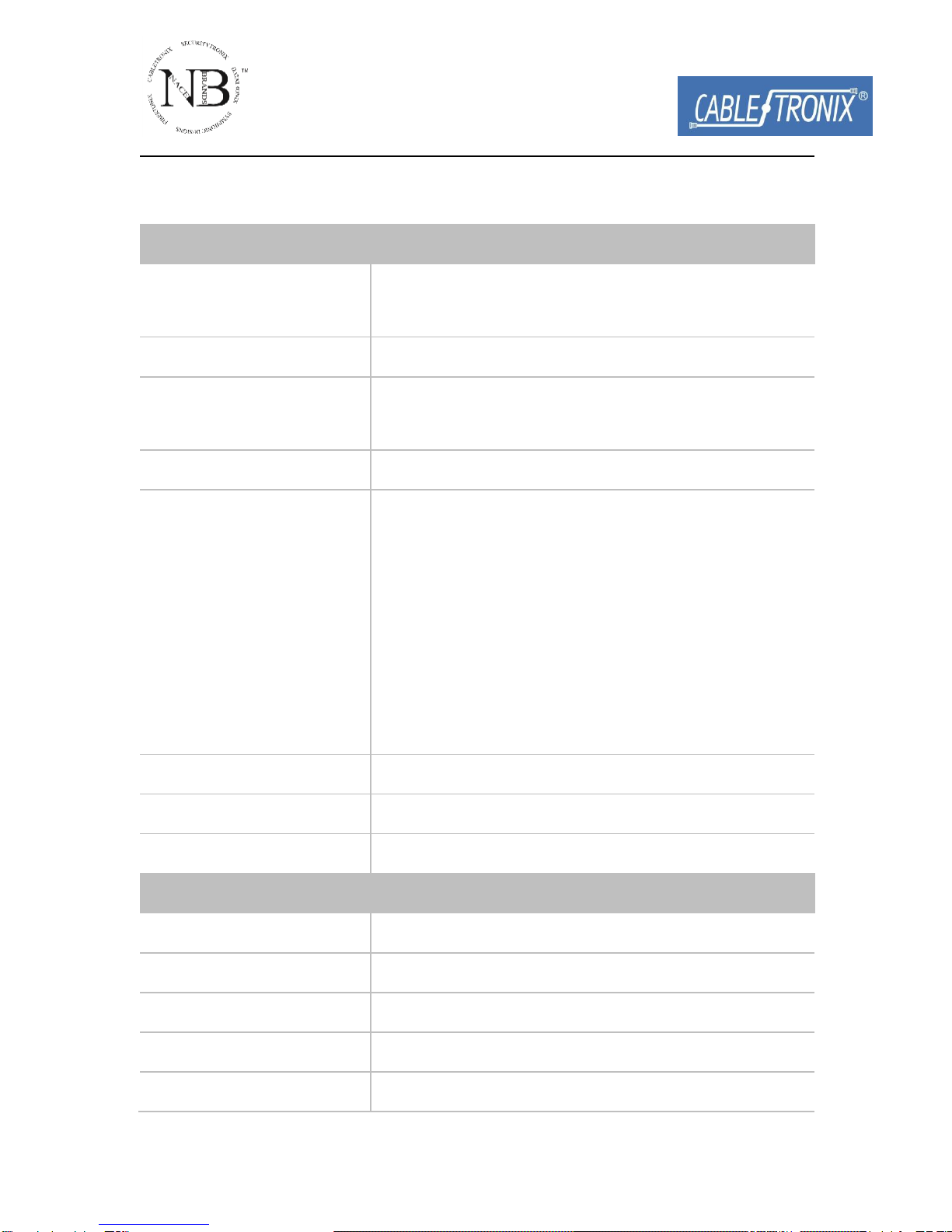
Video
Input
3 x HDMI,
1 x VGA
Output
1 x HDMI
Input Signal Type
HDMI: HDMI 1.4 with HDCP
VGA: RGBHV
Output Signal Type
HDMI: HDMI 1.4 with HDCP
Input/output Resolution
Support
HDMI:
480i,576i,480p,576p,720p@50,
720p@60,1080p@24,1080i@25,
1080i@30,1080p@30,1080p@50, 1080p@60,
4K x 2K@30
VGA:
640 x 480, 800 x 600, 1024 x 768, 1280 x 720,
1280 x 1024, 1920 x 1080, 1920 x 1200
Maximum Pixel Clock
297 MHz
Input Video Signal
0.5~1.5 volts p-p
Video Impedance
100 ohms
Audio
Input
1 x TRS 3.5mm Jack
Output
2 x RCA
Input Signal Type
Stereo
Output Signal Type
Stereo
Input Impedance
>10K ohms

5
Output Impedance
75 ohms
General
Power Supply
5V 2A DC
Power Consumption
6 Watts Max
Control Method
Button, Remote
System Requirements
HDMI/DVI source devices, connect with
HDMI cables
VGA source devices, connect with VGA
cables
HDMI displays (TVs or monitors) or HDMI
equipped AV receivers, connect with HDMI
cables
Industry standard HDMI, VGA and analog
audio cables
Operating Temperature
32°F to 95°F (0°C to 35°C)
10% to 90%, non-condensing
Storage Temperature
-4°F to 140°F (-20°C to 70°C)
10% to 90%, non-condensing
ESD Protection
±8kV(Air-gap discharge)/
±4kV(Contact discharge)
Dimensions (W x H x D)
Device: 180mm × 28mm × 90mm
7.09’’ x 1.10’’ x 3.54’’
Gift Box: 210mm x 85mm x 185mm
8.27’’ x 3.35’’ x 7.28’’
Mass (Main unit)
0.48kg
Certification
CE, FCC, RoHS
6
Panel
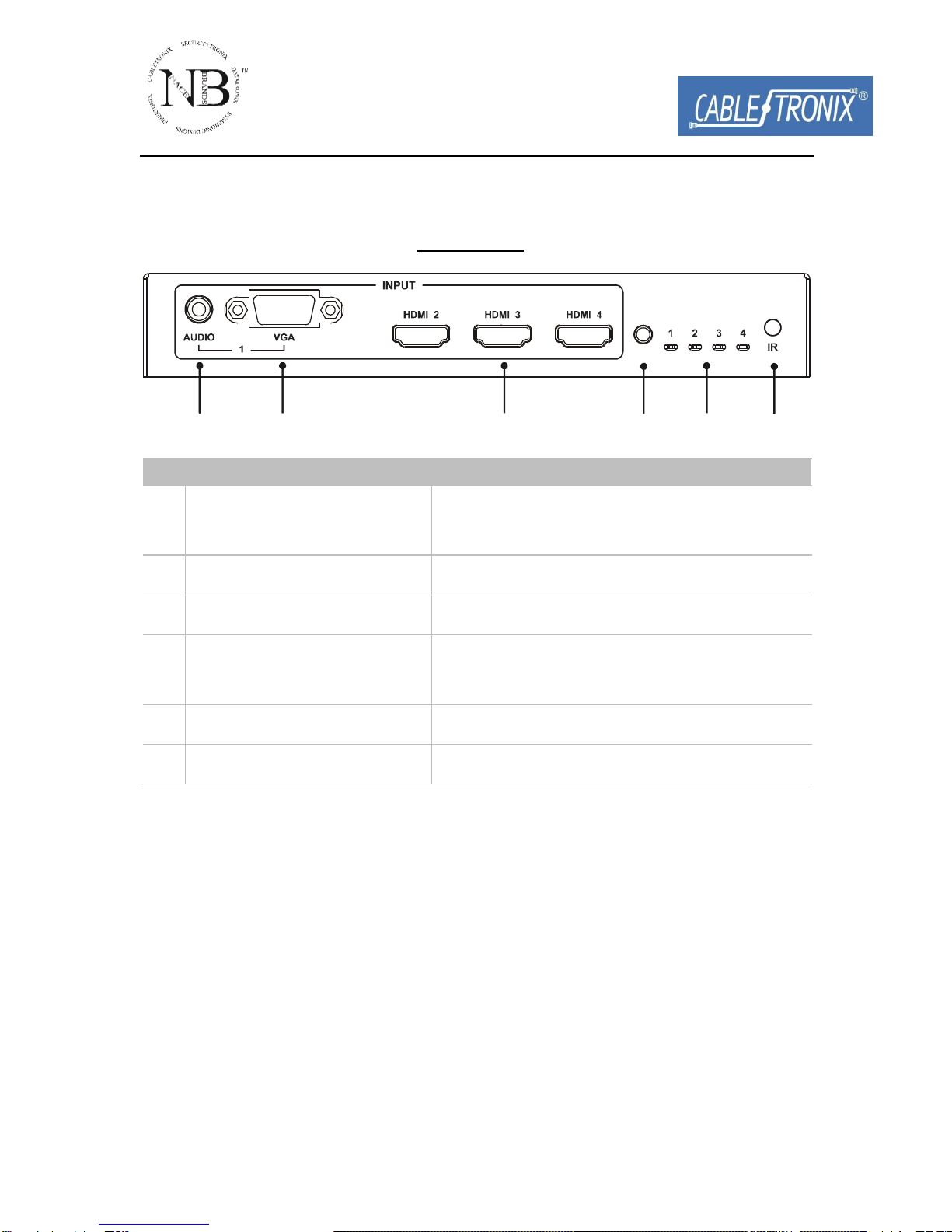
Front Panel
1 32 4 5 6
ID
Name
Description
1
Audio Input
Binding VGAchannel, embedded in HDMI
signal output
2
VGA Input
Connect to VGA source
3
HDMI 2~4
Connect to HDMI source
4
Select button
Press to scroll between connected
sources
5
Indicators
Lit when source selected
6
IR Receiver Sensor
Accept IR signal
7
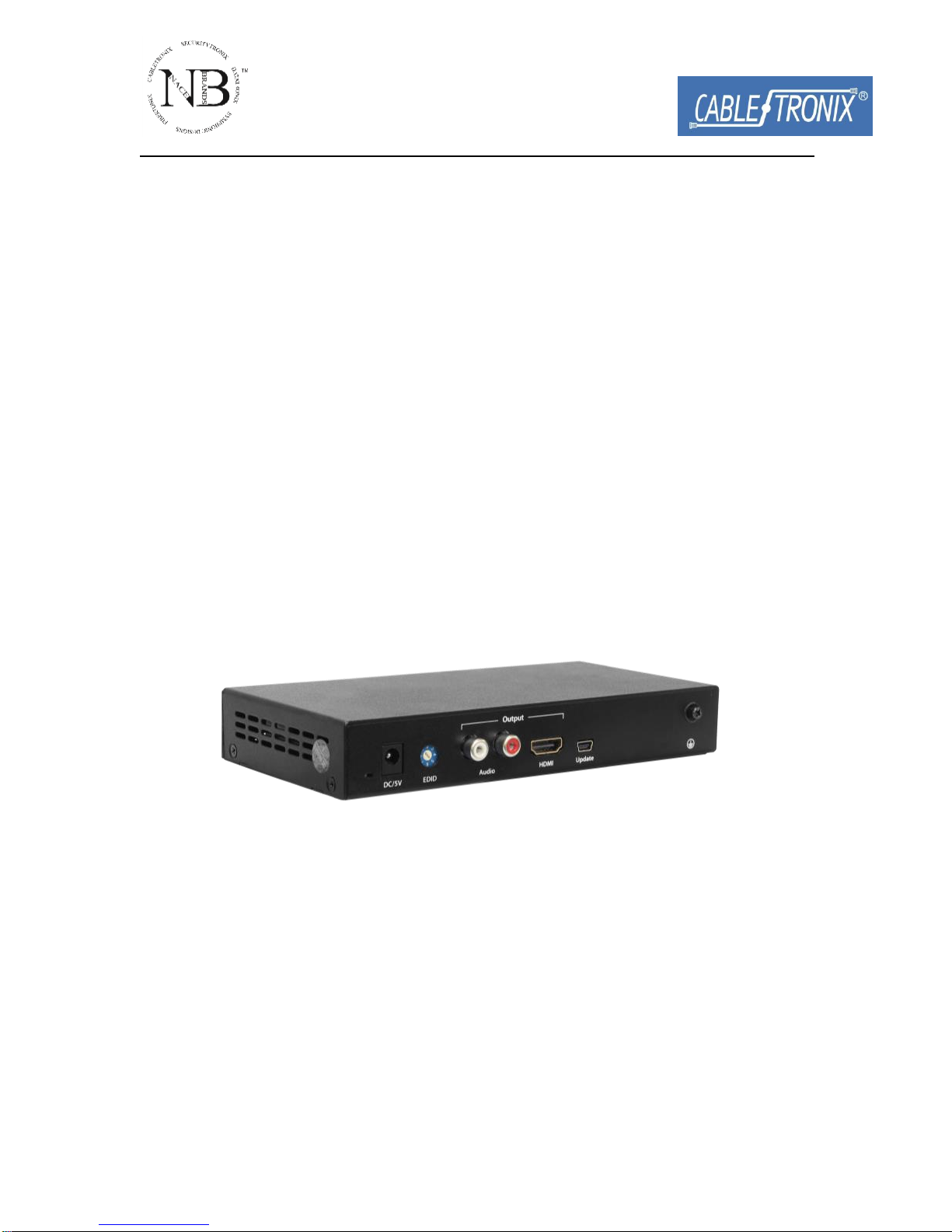
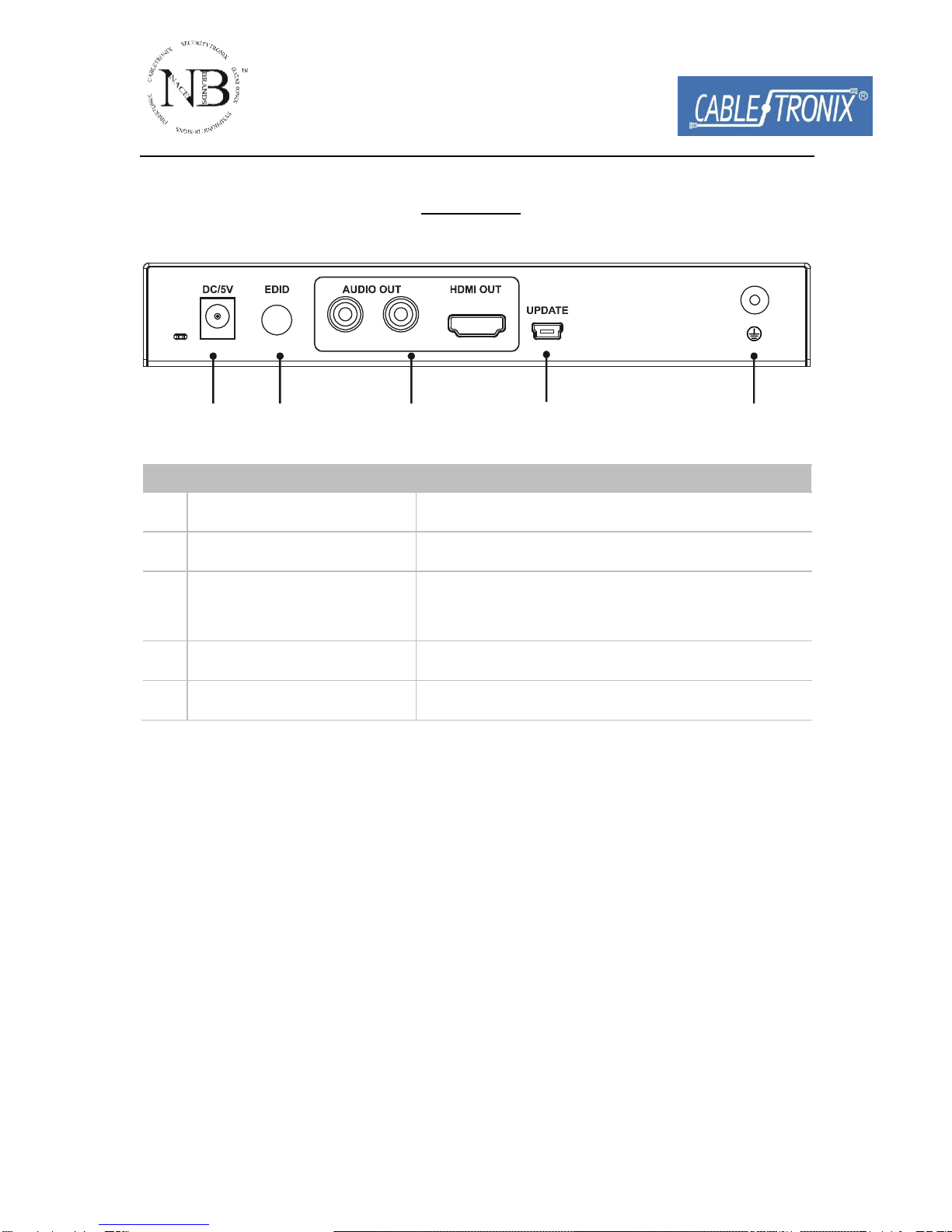
Rear Panel
1 32 4 5
ID
Name
Description
1
Power
5V 2A DC power input
2
EDID DIP Switch
For adjustment of EDID settings
3
Audio and HDMI
outputs
Connect to audio system and HDMI sink
4
Mini USB
Update the firmware
5
GND
Grounding

8
Hardware Installation
1. Connect the HDMI or VGA input source (such as DVD Player, Apple TV,
and STB) to CT-HDVD-4X14K-SW.
2. Connect the HDMI source (such as HD-LCD) to HDMI and Audio output
of CT-HDVD-4X14K-SW.
3. Connect the A/V Receiver to CT-HDVD-4X14K-SW.
4. Power on all the devices.
5. Control CT-HDVD-4X14K-SW by pressing front panel buttons or the
provided remote.
Inhaltsverzeichnis


