
Ninglu SIM999 Bedienungsanleitung

Speed Log Simulator
and NMEA0183 Tester
SIM999
O
p
eration Manual
Document: NLT-SIM999-SSEN
Edition: V140825

Contents
Introduction...........................................................................1
Features .............................................................................1
Functions ...........................................................................1
Packing List.......................................................................3
Button Description............................................................3
Specifications........................................................................5
Summary............................................................................5
Analog Parameters............................................................5
Operation...............................................................................6
Charge................................................................................6
Menu...................................................................................7
Language Selection ....................................................8
Speed Log Simulator ..................................................9
Speed Log Test............................................................9
Simulator Set.............................................................10
Simulator Run............................................................ 11
NMEA0183 Test..........................................................14
Connection ..........................................................................15
Connection with Doppler Speed Log.............................15
Connection with NMEA0183 Interface...........................16

1
Introduction
SIM999 is a handheld portable tester for Doppler speed log,transducer
and NMEA0183 (IEC61162-1).
Doppler speed log tester
SIM999 can measure the output of a Doppler speed log, and if required,
reply with a user defined signal to simulate operation of the transducer.
NMEA0183 tester
SIM999 receives and displays the NMEA0183 signal.
Features
◆Doppler speed log simulator & transducer tester & NMEA0183 tester
◆Connect with PC and used in Doppler log teaching system
◆Built-in rechargeable battery
◆Big screen green with black words on LCD display
Functions
Doppler speed log simulator
Test the transmitting frequency, transmitting pulse width and transmitting
amplitude of the speed log. Simulate the operation of the speed log
transducer to send navigation signal, including speed, step time and
frequency set by users to speed log, which is used for the installation,
debugging and trouble removal.
Transducer tester
Measure the impedance and phase angle of transducer under the set
frequency by users and calculate the resonant frequency, resonant
frequency and resonant phase angle. Compare with the resonant
parameters to determine whether the transducer can work normally.

2
NMEA0183 tester
Receive and display the NMEA0183 signals output from the connected
device.
Doppler speed log teaching system (optional)
Optional part for speed log teaching system, please contact NINLGU if you
need to this function.

3
Introduction
Packing List
Button Description
Description Comment Specification Qty Function
Simulator
data cable
2m length 1 connect speed log
with this unit
NMEA cable 0.5m length 1 connect NMEA signal
with this unit
Battery
charger
(110/220V)
12.6V/350mA 1 charge build-in battery
NMEA interface
Charging port
PC RS232 interface
LED indicators
Power on/off
Menu
navigation
buttons
Doppler speed log interface
Transducer interface

4
Introduction
LED Indicators:
Pulse yellow light will flash when receiving the input from speed log.
Echo red light will flash when outputting bottom echo signal.
Note: The echo light will not flashing until the pulse light flashing.
Power on/off: Switch on/ off power.
Menu Navigation Buttons:
Flashing cursor key, change the location of flashing cursor
Increase/decrease key, increase/decrease parameter value
Start/pause key, start/pause simulation
ESC key, return to the previous menu
Enter key, enter into the selected menu
NMEA interface: DB-9P male connector, connected to the tested device.
Computer RS232 interface: DB-9P female connector, used for the teaching
system only.

5
Specifications
Summary
Display screen:128×64dot-matrixLCD
Dimension:235mm×135mm×55mm
Weight(battery included):700g
Build-in rechargeable lithium battery:12.6VDC 1500mAh
Battery charger:12.6V/350mA
Working temperature:-15~55℃
Analog Parameters
Parameters Range Resolution Accuracy
Input Frequency 900 kHz - 2100 100 kHz ±10 kHz
Input Width 9,000 us - 60,000 100 us ±100 us
Input Amplitude 50 V - 400 V N/A N/A
Center Frequency 1000 kHz - 2000 1 kHz ±1 kHz
Output Depth 0 m - 9 m 1 m ±0.1 m
Output Width 0 ms - 20 ms 1 ms ±0.1 ms
Output Angle 20Deg - 80 Deg 1 Deg ±0.5 Deg
Low Speed -10 kn - 40 kn 1 kn ±0.5 kn
High Speed -10 kn - 40 kn 1 kn ±0.5 kn
Step Frequency 0 kn - 10 kn 1 kn ±0.5 kn
Step Time 0 min - 5 min 1 min ±0.1 min

6
Operation
Note: This manual introduces the operation of SIM999 by taking an
example of Ninglu DS99 Doppler speed log, but the SIM999 is not limited
to connect with the DS99 and it can also be applied to other logs within the
parameter ranges on Page 4 (Analog parameters).
Charge
Please charge when the battery is too low for extend the battery's life.
7
Operation
Menu
After the power-on, display the product's software version number and
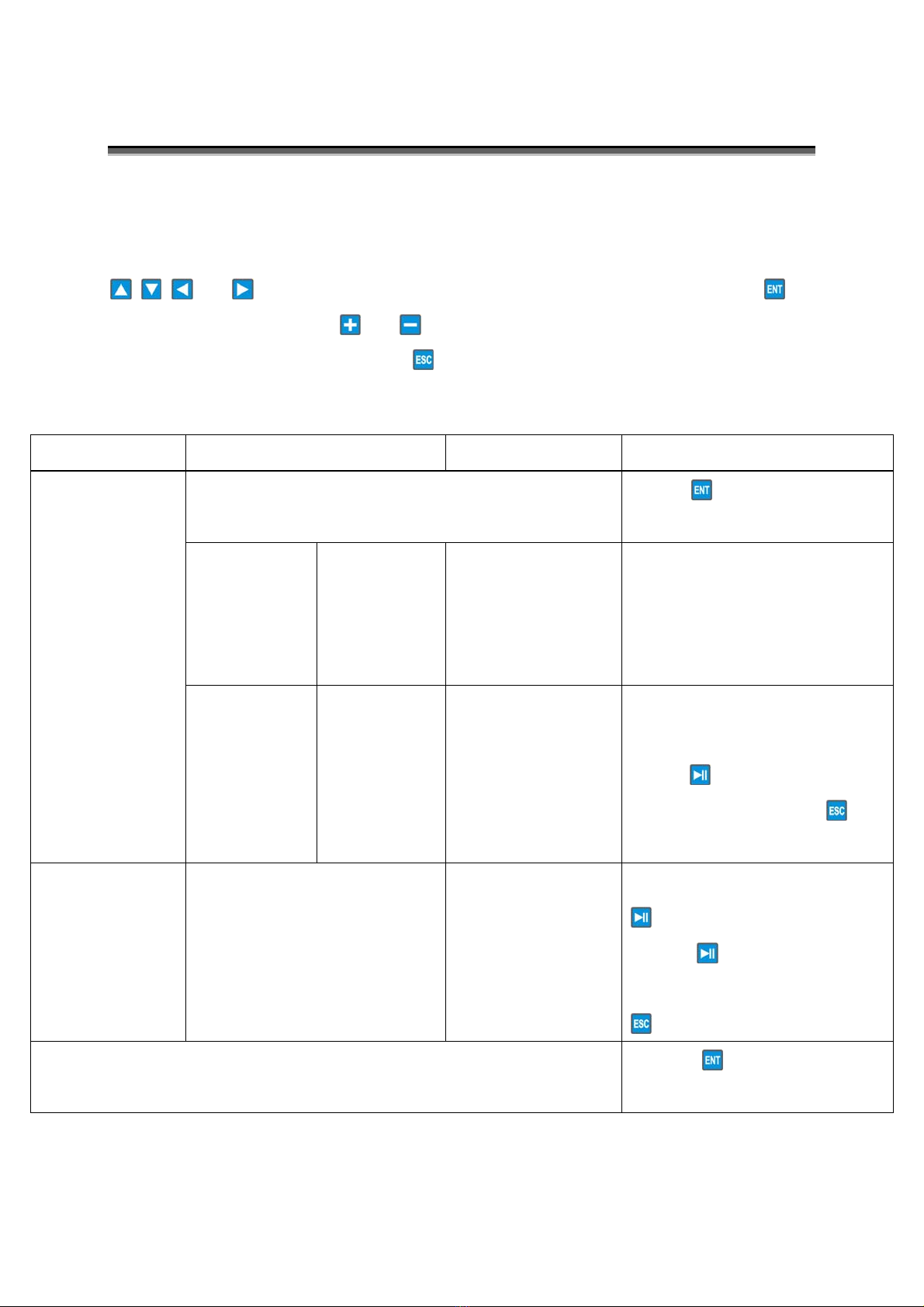
welcome words first, and then enter the main menu with 1-3 options. Press
or to change the location of the flashing cursor, press to
enter the option, press or to change the parameters which will be
saved automatically, and press to return to the previous menu.
Main menu Second menu Range Instruction
1. SPEEDLOG TEST Press , display tested
results: Freq, Width and Ampl.
2.SIMULATO
R SET
CentFreq
OutDepth
OutWidth
OutAngle
1000kHz-2000kHz
0 m - 9 m
00 ms - 20 ms
20 Deg- 80 Deg
Set parameters according the
log transducer’s specifications
1.
SPEEDLOG
SIMULATOR
3.SIMULATO
R RUN
LowSpeed
HighSpeed
StepFreq
StepTime
-10kn - HighSpeed
LowSpeed- +40 kn
00 kn - 10 kn
0 min - 5 min
Choose “2. SIMULATOR SET”
first, and then set parameters,
press to send the echo
signal, and press to
cancel.
2.
TRANSDUCER
TESTER
StartFreq
FinalFreq
Step
10~5999.9 kHz
10~5999.9 kHz
0~5999.9 kHz
Set parameters and press
to test the transducer.
Press to pause the
frequency scanning and press
to cancel.
3. NMEA0183 TEST Press , display the
NEMA0183 sentences.

8
Operation
Language Selection
After the power-on, display the product's software version number and
welcome words first, and then enter the main menu.
For the change language, Press before you enter the main menu, then
the language selection screen will appear, press or to change the
location of the flashing cursor, and press to enter the selected
language's main menu.
Press
Inhaltsverzeichnis
Andere Ninglu Prüfgeräte Handbücher


Beliebte Prüfgeräte Handbücher anderer Marken

SMART
SMART KANAAD SBT XTREME 3G Series Bedienungsanleitung

Agilent Technologies
Agilent Technologies BERT Serial Bedienungsanleitung

Agilent Technologies
Agilent Technologies N3280A Bedienungsanleitung

Vernier
Vernier Go Direct Voltage Bedienungsanleitung

Lifeloc
Lifeloc R.A.D.A.R. Bedienungsanleitung

Fluke
Fluke T5-600 Bedienungs- und Montageanleitung


PCB Piezotronics
PCB Piezotronics 8159-0112A Bedienungsanleitung

BW Technologies
BW Technologies MicroDock II Bedienungsanleitung

Sun Nuclear
Sun Nuclear 1027 Bedienungsanleitung

Biomark
Biomark HPR LITE READER Bedienungsanleitung

Hioki
Hioki 3169-20 Bedienungsanleitung

Ashcroft
Ashcroft ATE-100 Bedienungsanleitung