
Nokia WHP-101 Bedienungsanleitung

EN
AR
DE
ES
FR
RU
TC
SC
NL
PO
RO
UA
Nokia Wireless Headphones
WHP-101
Quick Start Guide / /
Schnellstartanleitung / Guía de inicio
rápido / Guide de démarrage rapide /
Guida Rapida / Краткое вводное
руководство / 快速入門指南 /
快速入门指南 / Snelstartgids / Skrócona
instrukcja obsługi / Ghid de inițiere rapidă /
Стисла вступна інструкція
ﻊﻳﺮﺴﻟاﻞﻴﻐﺸﻟاﻞﻴﻟد
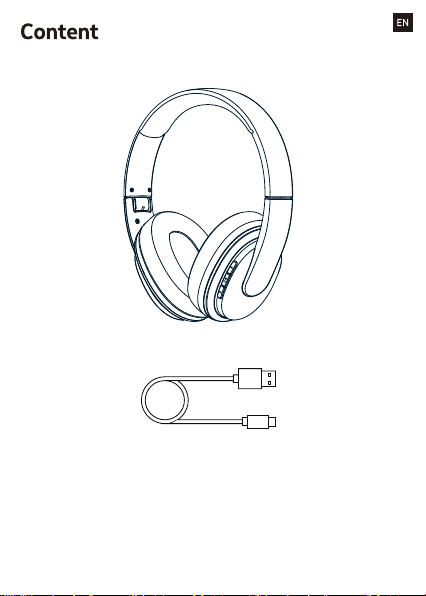
1
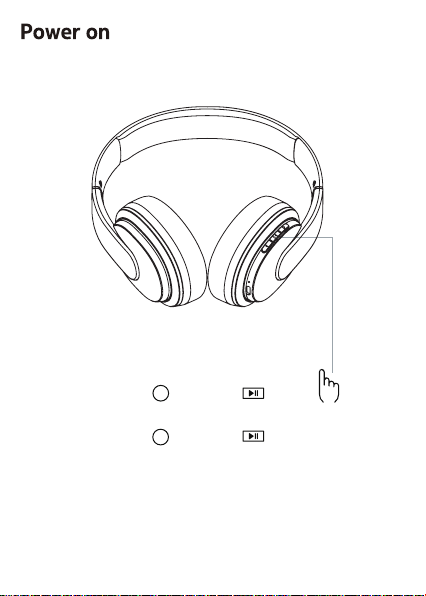
Press and hold
2 seconds to turn ON.
Press and hold
5 seconds to turn OFF.
1
2
2
Nokia
WHP-101
4
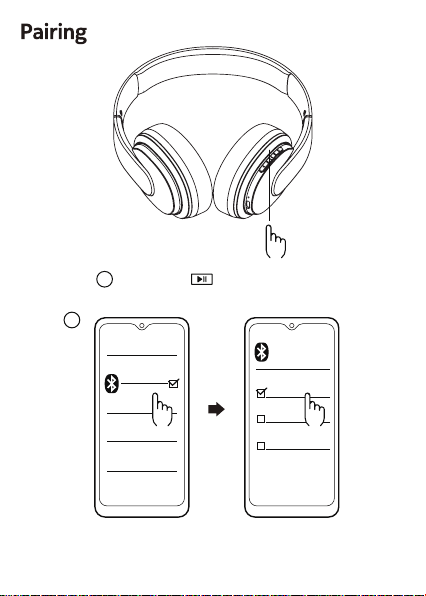
7s to enter pairing mode.
3Press and hold
The LED indicator lights of the headphone
will flash blue every 10 seconds when they
are successfully connected via Bluetooth .
3
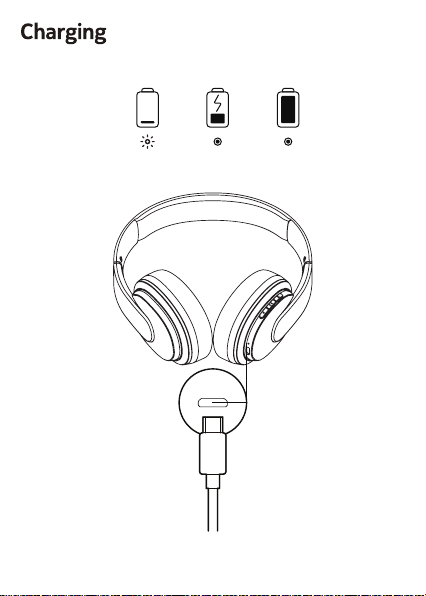
Red flash Red on Blue on
4
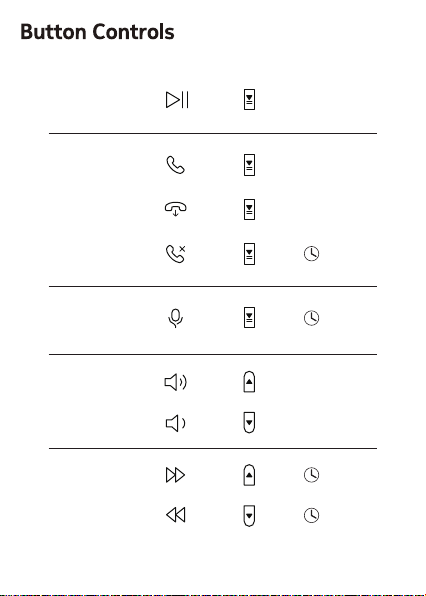
Music
Call
Voice
Assistant
Volume
Tracking
x 1
x 1
x 1
x 1
x 1
2 sec
2 sec
2 sec
2 sec
5
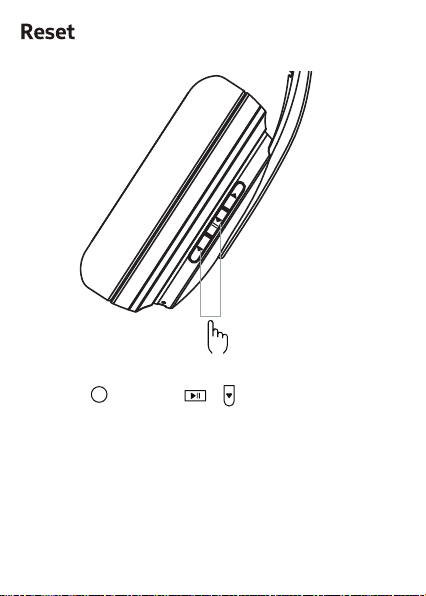
Press and hold at the same time for
5s to reset
5+
6
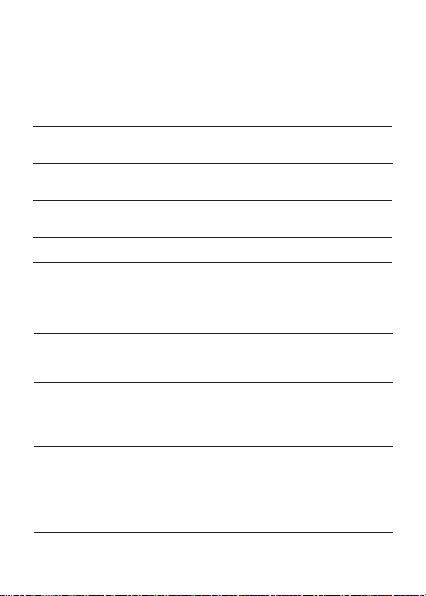
Unable to turn
on earbuds
Battery is low Charge the headphones
for 2 - 3 hours and
restart the headphones
No sound after
paired
Not pairing properly Pair the headphones again
or reset the headphones
Turn off
automatically
Red light ashes
on headphones
Battery is low
Battery is low
Charge the headphones
for 2 - 3 hours
Charge the headphones
Error with power supply Perform a hardware reset
Error with power supply
Failing to charge
Check whether the
charging cable is
plugged in. Ensure
the switch button is
turned on.
Hearing echoes
No light when
charging
Volume is too loud
or the environment
is too noisy
Adjust the volume or go
to a quieter place
Environmental
interference or
out of Bluetooth
transmission range
Change location or
reduce the distance
between the headphones
and devices
Having noise
during a call
Change location to
the place with less signal
interference or reduce
the distance between
the headphones
and device
Sound skips
frequently
Environmental
interference or
out of Bluetooth
transmission range
Sound is too soft Low volume Increase the volume
Problem Reason Solutions
Troubleshooting
7
Safety Guide
Remote control functions may vary depending on the model of your device and
application. Sound track instructions do not respond to iOS devices. Since devices
with Bluetooth wireless technology communicate using radio waves, they do not
need to be in direct line-of-sight. Bluetooth devices must, however, be within 10
meters (33 feet) of each other, although the connection may be subject to
interference from obstructions such as walls or from other electronic devices.
Product and safety information
Frequency Band: 2402 MHz - 2480 MHz
Maximum Radio Frequency Power: 3.23dBm
Important: Read these simple guidelines. Not following them may be
dangerous or against local laws and regulations. For further info, read the
complete user guide.
Switch off in restricted areas
Switch the device off when a Bluetooth headset use is not allowed or when it
may cause interference or danger, for example, in aircraft, in hospitals or
near medical equipment, fuel, chemicals, or blasting areas. Obey all
instructions in restricted areas.
Interference
All wireless devices may be susceptible to interference, which could affect
performance.
Batteries, chargers, and other accessories
Use only batteries, chargers, and other accessories approved by HMD Global
Oy for use with this device. Do not connect incompatible products.
Protect your hearing
To prevent possible hearing damage, do not listen at high volume levels for
long periods.
Hearing
Warning: When you use the headset, your ability to hear outside sounds may
be affected.
Do not use the headset where it can endanger your safety.
Small children
Your device and its accessories are not toys. They may contain small parts.
Keep them out of the reach of small children.
For your safety
8
Handle your device with care. The following suggestions help you keep your device
operational.
- Keep the device dry. Precipitation, humidity, and all types of liquids or moisture can
contain minerals that corrode electronic circuits.
- Do not use or store the device in dusty or dirty areas.
- Do not store the device in high temperatures. High temperatures may damage the
device or battery.
- Do not store the device in cold temperatures. When the device warms to its normal
temperature, moisture can form inside the device and damage it.
- Do not open the device other than as instructed in the user guide.
- Do not drop, knock, or shake the device or the battery. Rough handling can break it.
- Only use a soft, clean, dry cloth to clean the surface of the device.
- Do not paint the device. Paint can prevent proper operation.
Take care of your device
Recycle
Always return your used electronic products, batteries and packaging
materials to dedicated collection points. This way you help prevent
uncontrolled waste disposal and promote the recycling of materials. Electrical
and electronic products contain a lot of valuable materials, including metals (such as
copper, aluminium, steel, and magnesium) and precious metals (such as gold, silver,
and palladium). All materials of the device can be recovered as materials and energy.
Crossed-out wheelie bin symbol
Thecrossed-out wheelie bin symbolon your product, battery, literature, or
packaging reminds you that all electrical and electronic products and
batteries must be taken to separate collection at the end of their working life.
Do not dispose of these products as unsorted municipal waste: take them for
recycling. For info on your nearest recycling point, check with your local waste
authority.
your device has an internal, non-removable, rechargeable battery. Do not attempt to
remove the battery, as you may damage the device. The battery can be charged and
discharged hundreds of times, but it will eventually wear out. Charging time can vary
depending on device capability.
Battery info
If left unused, a fully charged battery will lose its charge over time. Always keep the
battery between 15°C and 25°C (59°F and 77°F) for optimal performance. Extreme
temperatures reduce the capacity and lifetime of the battery. A device may
Battery Safety
9
Inhaltsverzeichnis
Sprachen:
Andere Nokia Kabellose Kopfhörer Handbücher


