
Ocilion IPTV Technologies P550 Switch Bedienungsanleitung
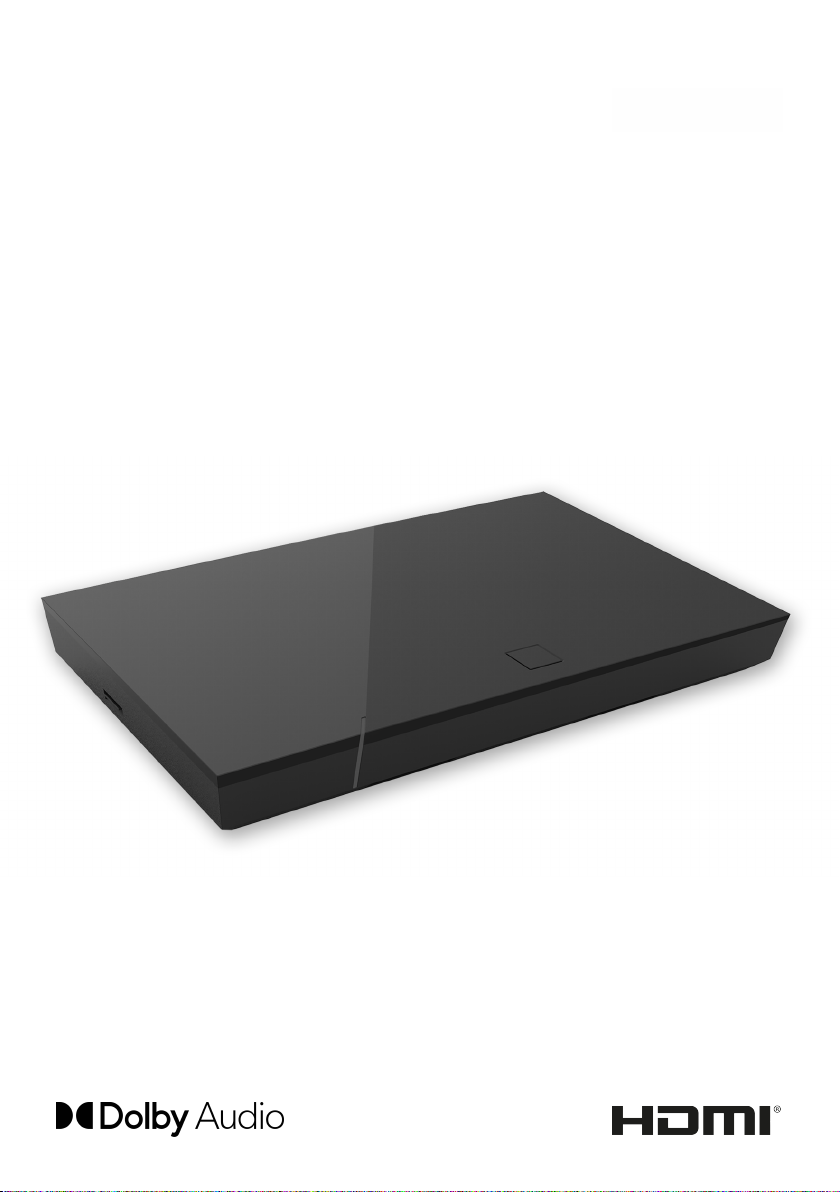
P550 Switch
IPTV set-top box
Instructions for use
Important: Read carefully before use
and retain for future reference.

Table of contents
1 Safety information.................................................................................. 3
1.1 Signs and symbols used.............................................................................. 3
1.2 General safety information.......................................................................... 3
2 Intended use........................................................................................... 5
3 Connections........................................................................................... 5
4 Getting started....................................................................................... 6
4.1 Connection sequence for power supply with PoE.................................. 6
4.2 Connection sequence for power supply with external power supply
unit.................................................................................................................... 7
4.3 Software updates........................................................................................... 7
5 Cleaning................................................................................................. 8
6 Returning used devices.......................................................................... 8
7 Troubleshooting...................................................................................... 9
8 Legal notes............................................................................................. 10
8.1 Registered trademarks and notes on licences........................................ 10
8.2 Open Source Software.................................................................................. 10
9 Declaration of conformity....................................................................... 10
10 Technical specifications......................................................................... 11
11 Optional accessories.............................................................................. 12
2 | P550 Switch

1 Safety information
Please read the following information carefully before you start using the product.
This helps prevent misuse and resulting personal injury, faults and/or damage to
the hardware and software.
Save these instructions for use in case of future questions and pass them on to
future users.
1.1 Signs and symbols used
Please make yourself familiar with the signs and symbols used in this instructions
for use.
WARNING
Indicates a potential risk. If not avoided, it can result in serious injury or death.
ATTENTION
Indicates a potentially damaging situation. If not avoided, the component or
an object in its vicinity may be damaged.
Additional information
1.2 General safety information
xThe set-top box is for indoor use only.
xRegularly check the cable of the power supply unit for damage. In case of
damage, disconnect the power supply unit from the mains network and contact
your provider.
xAlways replace damaged cables with equivalent cables.
xOnly connect the power supply unit of the set-top box to the specified mains
voltage.
xThe set-top box has to be connected to an outlet that is easily accessible. You
must be able to disconnect the set-top box from the mains network at any
time.
xMaintain the following minimum clearances around the set-top box: 10 cm
above, 5 cm behind, 2 cm on the sides.
xNever put the set-top box into a cabinet or shelf with insufficient ventilation.
xDo not let the set-top box fall on the floor. Do not install the set-top box more
than 2metres above the floor.
P550 Switch | 3

xDo not let the devices fall on the floor. Do not install the set-top box more than
2metres above the floor.
xDo not try to repair the set-top box yourself. Doing so could put electrical safety
at risk. If the set-top box was dropped or if water got into the unit, disconnect
the set-top box from the mains network immediately and contact your provider.
xProtect the set-top box against moisture and dripping or splashing water.
xDo not place objects filled with liquids, such as a vase, on top of the set-top
box.
xOnly operate the set-top box in a dry, dust-free environment.
xProtect the set-top box and the power supply unit against direct sunlight, open
flames and other heat sources, such as radiators.
xDo not place objects such as other devices or candles on top of the set-top box.
xIn case of an extended absence and during thunder storms, disconnect the
power supply unit of the set-top box from the mains network.
xAlso disconnect all devices connected to the set-top box.
xKeep the set-top box out of reach of children.
Heating of the set-top box
xThe heating of the set-top box is in the permissible range. However,
sensitive furniture finishes may become discoloured over time due to
ongoing heat exposure.
xThe base can cause discolouration of furniture finishes. Place the set-
top box on a suitable underlay if needed.
4 | P550 Switch

2 Intended use
The set-top box is intended to receive TV and radio signals in conjunction with
IPTV systems. Any other use constitutes improper use. The manufacturer
assumes no liability for errors, faults or damage caused by improper use. This
includes the following in particular:
■Improper connection and operation
■Use of unsuitable data media or accessories
■Failure to comply with the installation and storage conditions
■Infection of software components with computer viruses
■Modification of the hardware and software
3 Connections
Figure 1: Connections
LAN with PoE
LAN
RJ12 (RS232 and IR Input)
S/PDIF optical / 3.5mm jack 1)
HDMI® output
USB 2)
Power
Micro SD card slot 2)
On/off, remote control pairing
(Bluetooth mode) 3)
1) Combined connection for 3.5mm jack (e.g. for headphones) and optical TOSLink (S/
PDIF)
2) For service use only, or as instructed by your provider. The connection of media can
influence the serviceability of the set-top box.
3) Depending on the configuration of the IPTV system, the set-top box and the operating
mode of the remote control.
P550 Switch | 5
4 Getting started
WARNING
Danger due to electrical voltage and resulting fire hazard
xThe cables must not be kinked or trapped.
ATTENTION
Risk of malfunctions or defects of the device
Incorrect installation
xConnect the cables to the set-top box in the correct order. Make sure that
the network cable engages audibly.
Interrupting the power supply during installation
xNever disconnect the power to the set-top box box during installation or
when updating the software. This avoids possible damage.
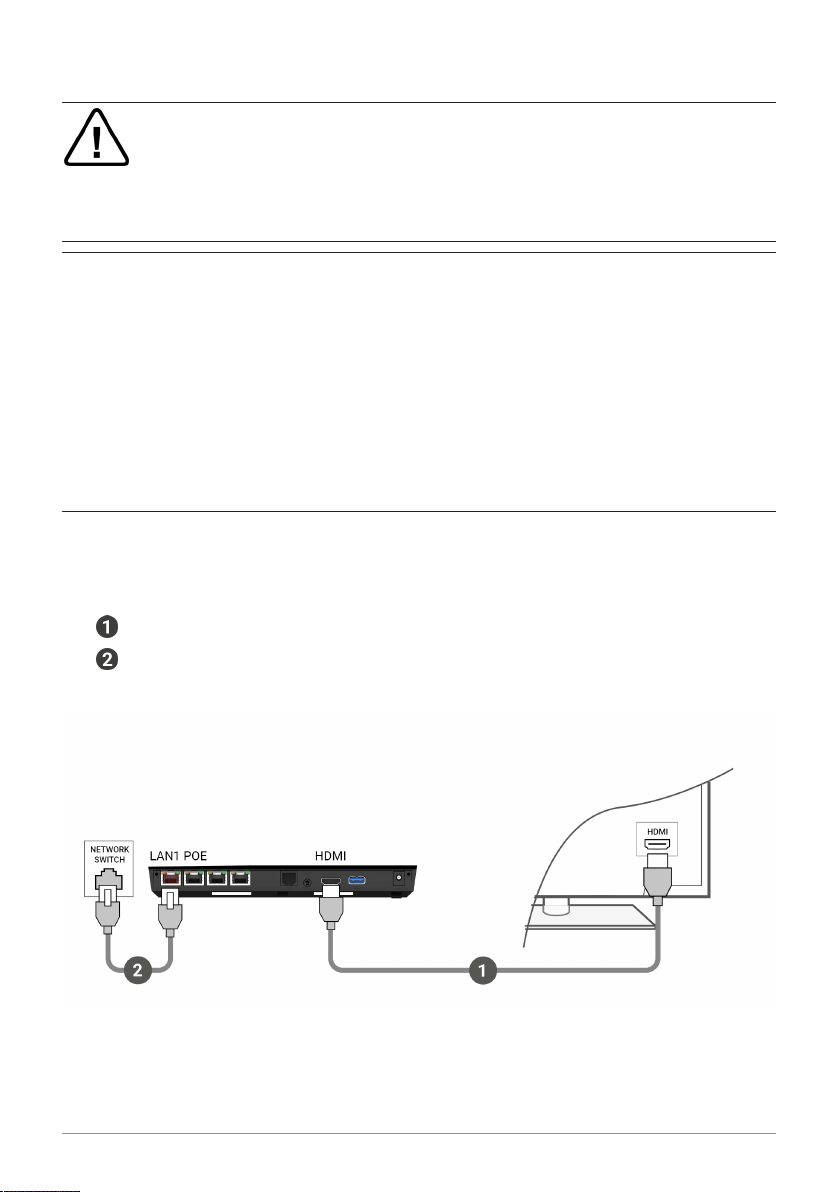
4.1 Connection sequence for power supply with PoE
1. Connect the set-top box as shown in Figure 2 on page 6. Observe the
correct connection sequence:
HDMI® cable
Network cable
2. Turn on your TV set.
Set-top box TV set
Figure 2: Cable connections - PoE
6 | P550 Switch

4.2 Connection sequence for power supply with external power supply
unit
1. Connect the set-top box as shown in Figure 3 on page 7. Observe the
correct connection sequence:
HDMI® cable
Network cable
Power supply
2. Turn on your TV set.
Set-top box TV set
Figure 3: Cable connections - external power supply
4.3 Software updates
Software updates are installed automatically. If a software update is already
available when you first start using the product, you have to install the software
update first. To do so, follow the instructions on the TV set.
P550 Switch | 7

5 Cleaning
WARNING
Danger due to electrical voltage and resulting fire hazard
xDisconnect the set-top box from the mains power supply before cleaning.
xClean with a dry, lint-free cloth.
xOnly clean the surface of the device.
xNever open the device.
xDo not use cleaning agents that contain solvents.
6 Returning used devices
Applicable in the European Union and other European states with systems for the
separate collection of recyclable materials.
Disposing of electronic equipment in household waste is not
permitted. At the end of its life, return the device to the appropriate
public collection centre or the point of sale. Details are governed by
the respective national laws. The symbol on the product, the instruc-
tions for use or the packaging points out these provisions.
Reusing materials and recycling used devices makes an important contribution to
protecting our environment.
8 | P550 Switch

7 Troubleshooting
Problem Possible cause Remedy
Support info 30 – 34 is
shown for more than 3
minutes
Technical error while
establishing the network
connection.
Disconnect the set-top
box from the mains
network for about
5minutes. Contact your
provider if necessary.
Support info 40 – 85 Technical error during a
software update.
Disconnect the set-top
box from the mains
network for about
5minutes. Contact your
provider if necessary.
Support info 65 No connection to the
NTP server.
Check the network
settings of the router.
Contact your provider if
necessary.
The set-top box does not
respond to the remote
control
The Bluetooth receiver
on the set-top box has
crashed.
Disconnect the set-top
box from the mains
network for about
5minutes. Contact your
provider if necessary.
No mains connection. Check that the power
supply unit and cable are
properly connected.
Defective cable
connection.
Check cable connections
to make sure they are
tight.
No picture
Incorrect HDMI source. Configure the HDMI
source of the TV set on
the set-top box.
Poor picture quality Incompatible HDMI
cable.
Only use the supplied
high-speed HDMI® cable.
Table 1: Troubleshooting
In case of further issues, contact your network operator.
P550 Switch | 9

8 Legal notes
8.1 Registered trademarks and notes on licences
Dolby, Dolby Audio and the double-D symbol are registered trade-
marks of Dolby Laboratories Licensing Corporation.
The terms HDMI and HDMI High-Definition Multimedia Interface,
and the HDMI Logo are trademarks or registered trademarks of
HDMI Licensing Administrator, Inc. in the United States and other
countries.
Customer notes on MPEG LA licences are available on
www.ocilion.com/lizenzhinweise
8.2 Open Source Software
The product also contains open source software. This software was developed by
a third party and is subject to copyright. You are entitled to use the open source
software in line with the applicable licence conditions.
For details of the licence conditions and further information, see
www.ocilion.com/opensource
9 Declaration of conformity
The manufacturer hereby declares that the CE marking has been affixed to this
device in accordance with the essential requirements and other relevant provi-
sions of the following directives:
■2014/53/EU - RED Directive
■2009/125/EG - Ecodesign Directive
■2011/65/EU - RoHS Directive
The full text of the EU Declaration of Conformity is available at
www.ocilion.com/ce
10 | P550 Switch
Inhaltsverzeichnis
Andere Ocilion IPTV Technologies Set-Top-Box Handbücher

Ocilion IPTV Technologies
Ocilion IPTV Technologies P570 Hybrid Bedienungsanleitung

Ocilion IPTV Technologies
Ocilion IPTV Technologies P510E IP Bedienungsanleitung

Ocilion IPTV Technologies
Ocilion IPTV Technologies P510 IP Bedienungsanleitung

Ocilion IPTV Technologies
Ocilion IPTV Technologies P580 Hybrid CM Bedienungsanleitung

Ocilion IPTV Technologies
Ocilion IPTV Technologies P520 IP Bedienungsanleitung


