
Radium Radium 216MHz Bedienungsanleitung
user guide
920SR speaker
921T body-worn transmitter
922T handheld transmitter
923C charging stand
216MHz
3850 Radium216 Syste User Guide 3/19/04 3:08 PM Page 2

contents
922T handheld transmitter
operation . . . . . . . . . . . . . . . . . . . . . . . .34-39
connecting to auxiliary devices . . .40-42
additional accessories . . . . . . . . . . . .43-44
troubleshooting . . . . . . . . . . . . . . . . .45-46
Radium channel numbers and
corresponding frequencies . . . . . . . . . . . .47
product specifications . . . . . . . . . . . . .48-50
warranty . . . . . . . . . . . . . . . . . . . . . .51-53
code of federal regulations . . . . . . . . .54-55
regulatory approvals . . . . . . . . . . . . . .56-57
introduction . . . . . . . . . . . . . . . . . . . . . . .1
understanding sound field . . . . . . . . . . . .2
installation tips . . . . . . . . . . . . . . . . . . . . .3
basic system guidelines . . . . . . . . . . . . . .4
accessories included with system . . . . . .5-6
920SR column speaker features . . . .7-10
921T body-worn transmitter features . .11-12
922T handheld transmitter features . . . .13
923C charging stand features . . . . . . . . .14
basic system setup
and operation . . . . . . . . . . . . . . . . . . .15-23
920SR speaker placement
and mounting . . . . . . . . . . . . . . . . . . .24-27
921T body-worn transmitter
operation . . . . . . . . . . . . . . . . . . . . . . . .28-33
3850 Radium216 Syste User Guide 3/19/04 3:08 PM Page 6

introduction
Congratulations on the purchase of your new Radium sound field system! With proper care
and use it will become one of your most valuable classroom educational tools. Students will
be able to consistently and easily understand the teacher, regardless of their location in the
classroom, or competing internal or external background noise. Teachers can speak all day
in their normal voice, and will suffer far fewer vocal problems and absenteeism.
Numerous studies show that classrooms using sound field enjoy better student comprehen-
sion, increased student participation, better grades and fewer behavioral referrals.
Read this manual carefully to become familiar with your system and to get the most out of
it’s many features and options.
1
3850 Radium216 Syste User Guide 3/19/04 3:08 PM Page 7
2
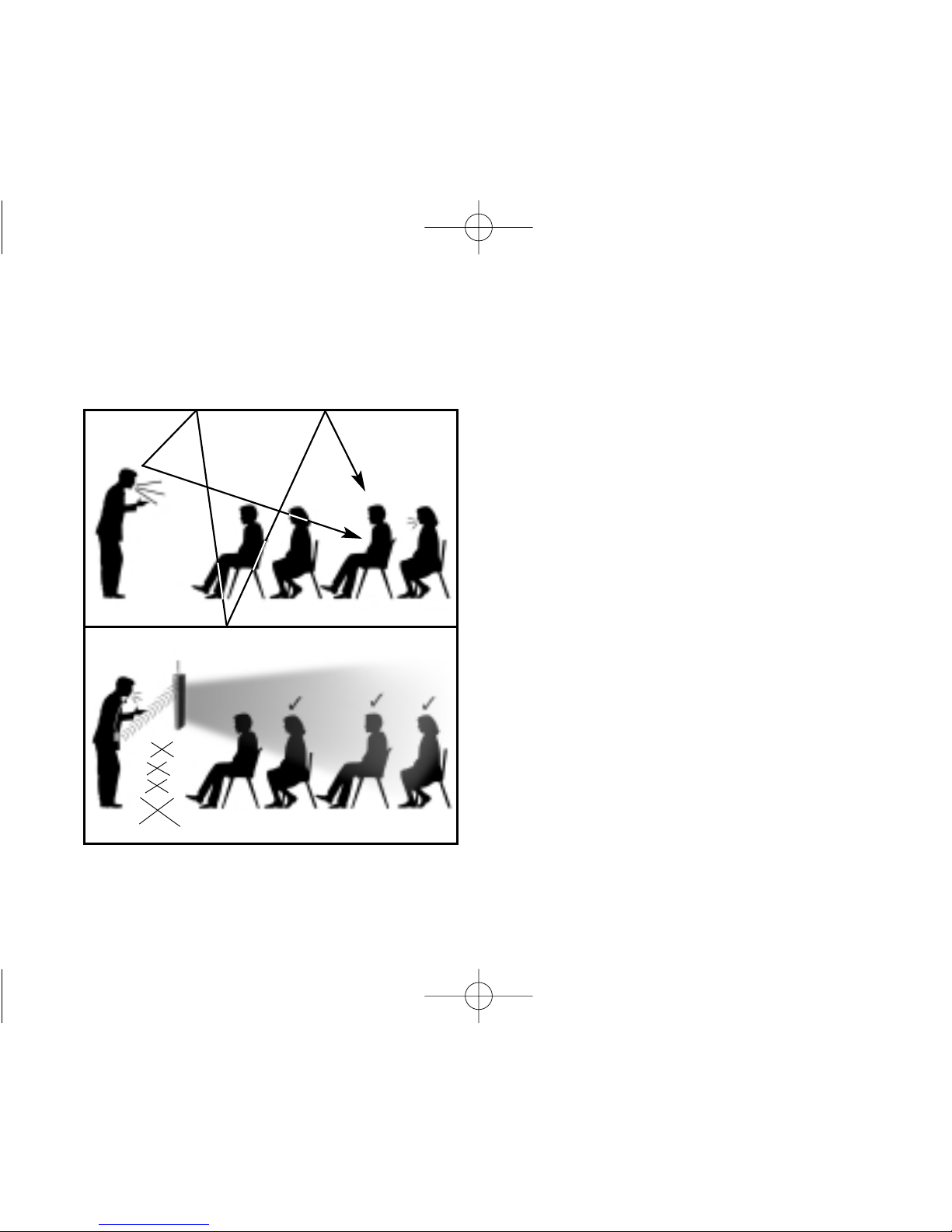
understanding sound field and its benefits
?
• distance
• noise
• echo
• vocal
fatigue
cough!
• distance
• noise
• echo
• vocal
fatigue
?
without sound field
with sound field
3850 Radium216 Syste User Guide 3/19/04 3:08 PM Page 8
3
Before you set your system up, take a good look around your room. Where are the outlets
located? Where are the computers and other electronic equipment? Where can you put your
speaker so it's easy for you to reach, but out of the way of students and main traffic areas?
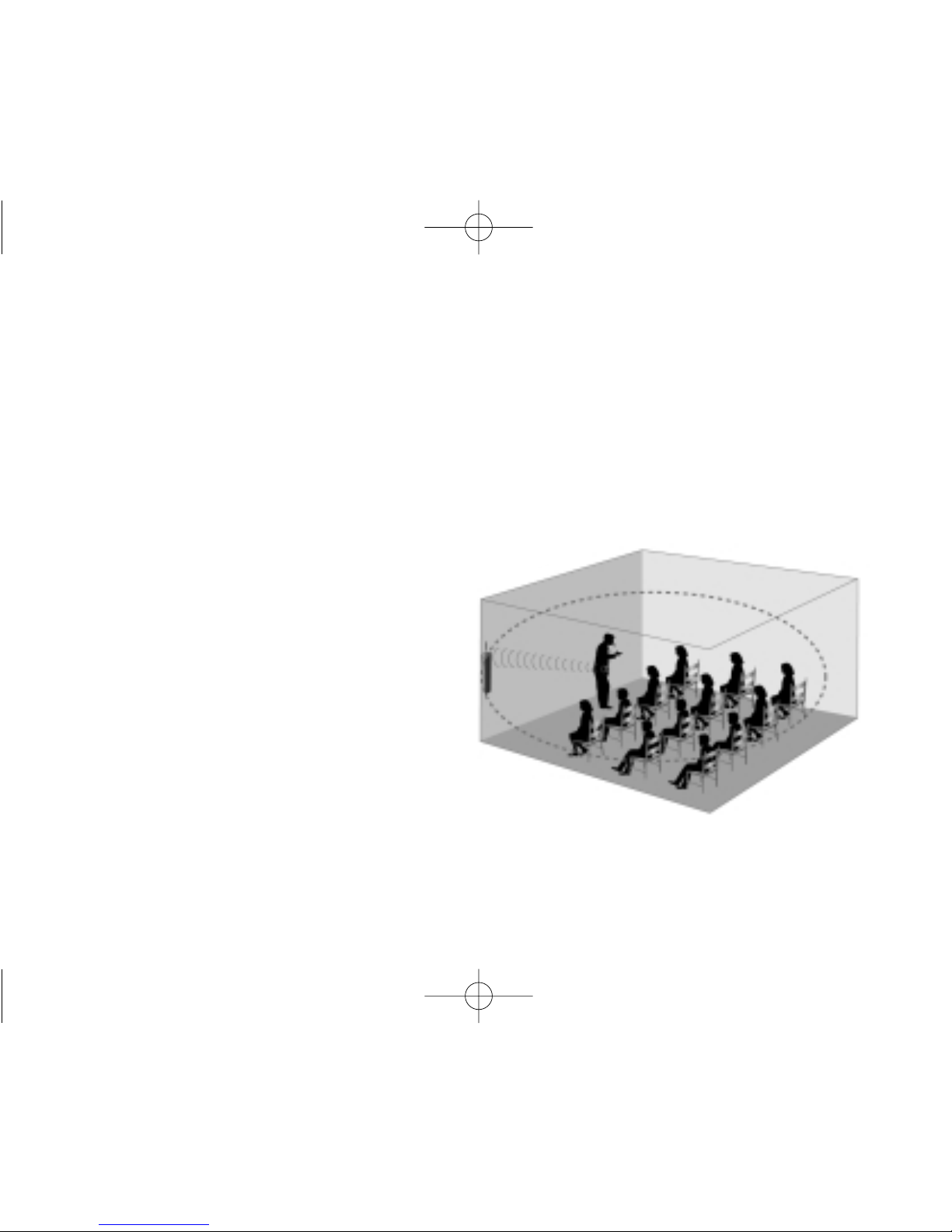
Though each classroom is different, there are some general
guidelines for speaker placement:
The speaker should be at the front of the
classroom at least 6 feet/1.8 meters away
from where the teacher stands. Try to
keep it at least six feet away from
computers or other electronic equipment,
since there may be interference if placed
too closely together.
installation tips
3850 Radium216 Syste User Guide 3/19/04 3:08 PM Page 9

basic system guidelines
To help ensure that you get the most from this system, we have put together a list of sug-
gested guidelines.
Charge transmitter batteries every night. Our rechargeable Nickel Metal Hydride
batteries last approximately 12 hours between charges, but should be recharged every
night so they are ready to go in the morning. Plan on buying new NiMH batteries after
12 months of use. Alkaline batteries can also be used, and they will last approximately
15 hours. NEVER attempt to recharge alkaline batteries! This will cause damage to the
transmitter units and may invalidate product warranty.
Charge the 920SR receiver batteries every night. The column speaker rechargeable
battery lasts approximately 5- 8 hours between charges, but should be recharged every
night so it’s ready to go in the morning. For daily use, we recommend unplugging the
power supply cord, allowing the battery to power the unit. Continuous, daily operation with
the power supply cord plugged in will reduce the life of the battery significantly.
Do not coil the microphone cord. Since it also acts as your antenna, coiling or wrap-
ping the cord will affect its range and may also reduce its life.
Speak at a normal level — the system is projecting your voice for you. 4
3850 Radium216 Syste User Guide 3/19/04 3:08 PM Page 10
5
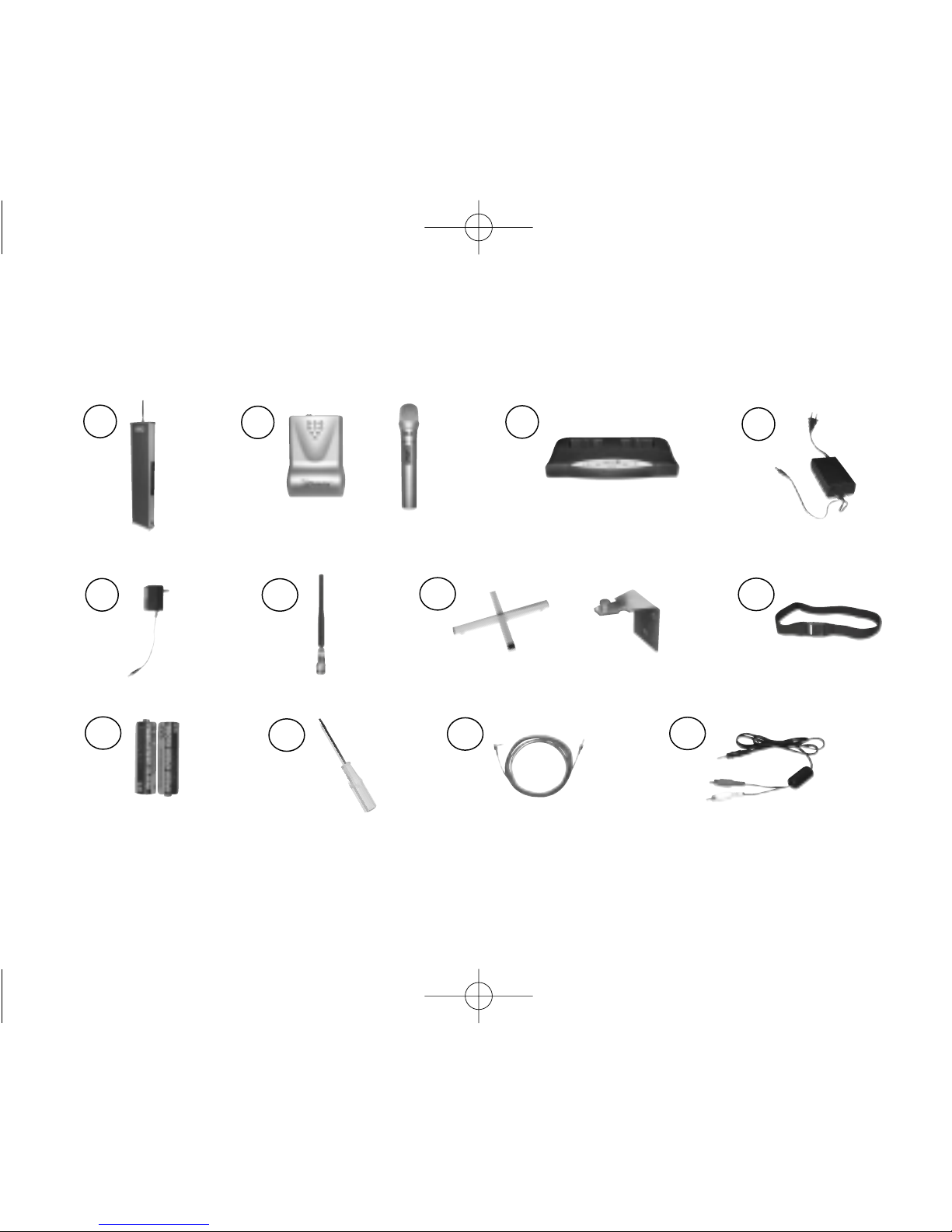
accessories included with system
2
1
67
4
8
3
911 12
5
10
or
or
3850 Radium216 Syste User Guide 3/19/04 3:08 PM Page 11

6
10 channel changer screwdriver
(330-3000-101)
6 receiver antenna
(AT0831)
4 power supply, receiver
(040-7402-106)
9 AA rechargeable NiMH batteries
(AT0807)
5 power supply, charging stand
(040-7402-107)
8 elastic belt
(AT0712)
1 column speaker receiver
(920SR)
2 body-worn transmitter
(921T)
or
handheld transmitter
(922T)
3 charging stand
(923C)
7 speaker table stand
(AT0823)
or
wall mounting bracket (set of 2)
(AT0820)
11 auxiliary input/output cable
(AT0532-05)
12 auxiliary input cable (3.5mm– dual RCA)
(300-6332-107)
3850 Radium216 Syste User Guide 3/19/04 3:08 PM Page 12
7
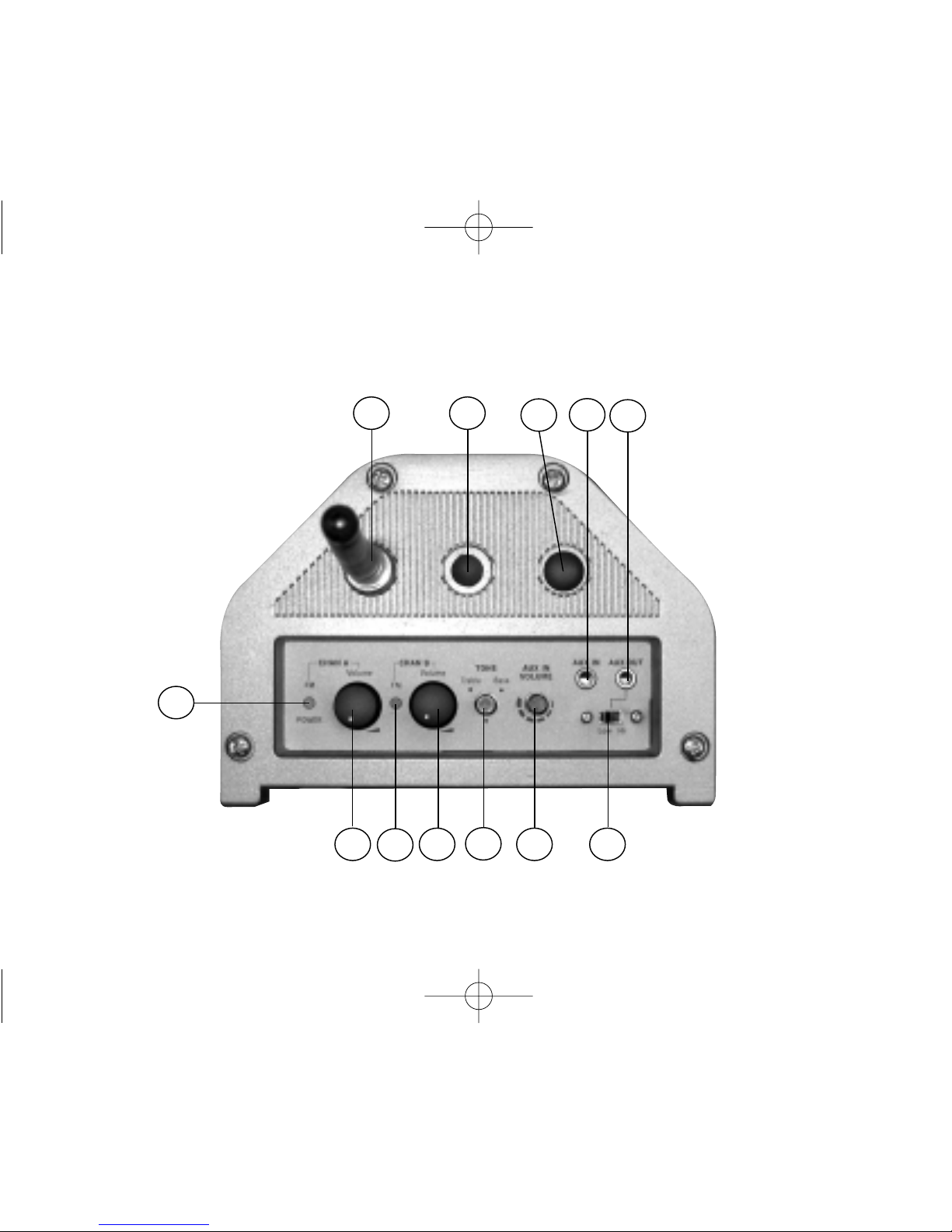
920SR column speaker features (top)
2 4 6 7
8 9
1
35
10 11 12
3850 Radium216 Syste User Guide 3/19/04 3:08 PM Page 13
8
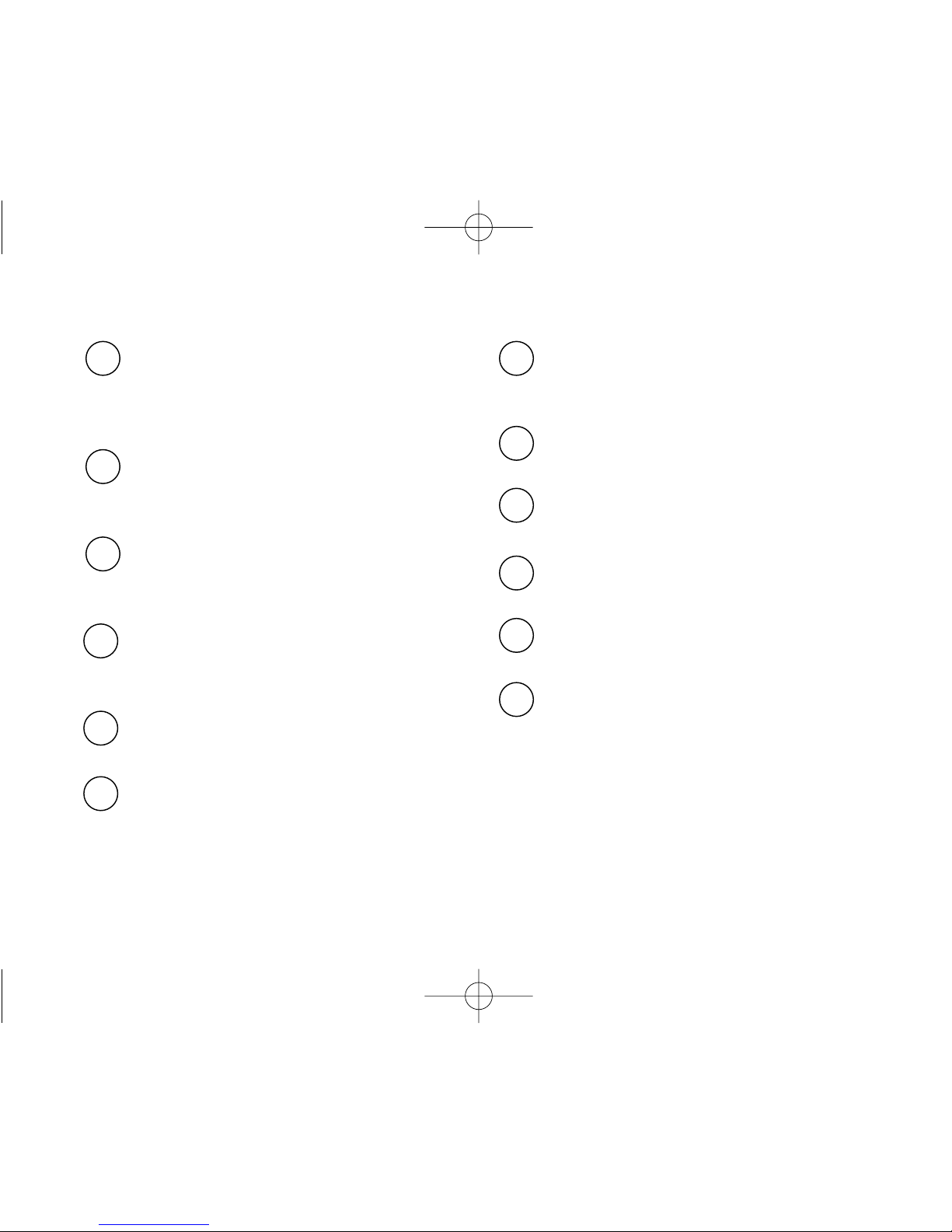
1 power, low battery, and
reception status indicator
for channel A
2 power switch and volume
control for channel A
3 reception status indicator for
channel B
12 aux output jack (3.5mm, mono)
4 power switch and volume
control for channel B
8 antenna
11 aux input jack (3.5mm, mono)
7 aux output level switch
See page 42 for level setting chart
5 tone control
6 aux input volume control
9 wall mount hole
10 extra antenna hole (not used)
3850 Radium216 Syste User Guide 3/19/04 3:08 PM Page 14
Dieses Handbuch passt für folgende Modelle
4
Inhaltsverzeichnis
Beliebte Mikrofonsystem Handbücher anderer Marken


Sennheiser
Sennheiser Evolution Wireless Digital EW-DX EM 2 Bedienungsanleitung

Alpha Technologies
Alpha Technologies RBMS Bedienungsanleitung

SWIT Electronics Co.,LTD.
SWIT Electronics Co.,LTD. CW-S150 Bedienungsanleitung

Shure
Shure UA844 Bedienungsanleitung

Panasonic
Panasonic SHFX70 - DVD HOME THEATER WIRELESS SYSTEM Bedienungsanleitung

Pyle
Pyle PDWM5000 Bedienungsanleitung