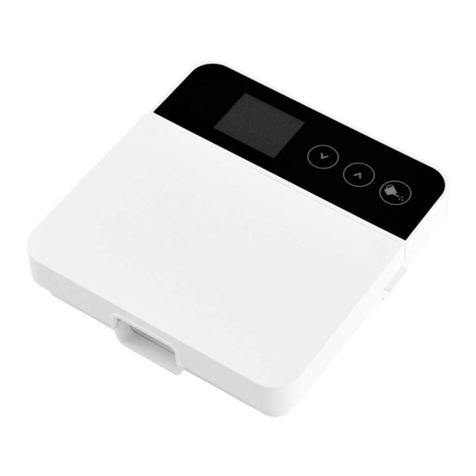
Rainmachine Touch HD-12 Bedienungsanleitung

RainMachineTouchHD12
QuickStartGuide

RainMachineTouchHD12QuickStartGuide
2
TableofContents
WiringDiagram..........................................................................................................3
HardwareInstallation.................................................................................................6
InitialSetup................................................................................................................5
Howitworks…………………………………………………………………………………………………………..7
Operation...................................................................................................................8
Creatingfirstprogram............................................................................................8
Zones....................................................................................................................11
ZonesProperties..................................................................................................12
Dashboard(RainMachinemobileapplication).....................................................14
WeatherData.......................................................................................................15
Snooze..................................................................................................................16
FreezeProtect......................................................................................................17
HotDays...............................................................................................................17
Sensitivity.............................................................................................................18
FieldCapacity.......................................................................................................18
Specifications...........................................................................................................20
Features................................................................................................................20
Environmental......................................................................................................20
Mechanical...........................................................................................................20
Electrical...............................................................................................................20
Certification..........................................................................................................20
WarrantyandLegal..............................................................................................21

RainMachineTouchHD12QuickStartGuide
3
RainMachinedevice(frontview)
24VACpoweradapter(cable1.5mlength)
2drywallsscrews&miniscrewdriver
Userdocumentation
Visitusatwww.rainmachine.comforsupportandtobrowseour
Knowledgebaseorcontactourteam.
UserDoc umentation
InsidetheBox

RainMachineTouchHD12QuickStartGuide
4
WiringDiagram

RainMachineTouchHD12QuickStartGuide
5
Tip:Takeaphotoofyouroldtimerwiringforreference!
ForaninstallationvideopleasevisitourRainMachineYouTube
channel
1.Fasteningunit
•Usingthe2provideddrywallscrewsandtemplatecard,fasten
theunittothewallat4to5feethigh,oreyelevel.
2.Electrical
•Insertyourvalvewirestotheterminalblocksandtighten
screwstosecure(screwdriverincluded).
•Youcanuseanyorbothofthe“C”terminalsascommon.
3.PowerUp
•Connectthepowerleadstotheterminalsmarked“24VAC”
andplugtransformerintoACwallsocket.
Thesystemwillbootupandwillenterintheinitialsetupmode.
InitialSetup

RainMachineTouchHD12QuickStartGuide
6
OnceRainMachinehasenteredtheInitialSetupmode,Followthe
onscreeninstallationstepstoconfigureyourWiFinetwork,
location,andcreateremoteaccessloginaccount.
Sometips:
•Besureyouareconnectingtoyourhomenetworkandnotan
unfamiliaropennetworknearby.
•Enteryourexacthomeaddressforthemostpreciseweather
forecasts.EnteringacityorZIPcodeonlywillreducethe
accuracyoftheweatherdata.
•Besuretoconfirmyourverificationemail!Withoutthisstep,
remoteaccesswillnotwork.
Withyourremoteaccessemailandpasswordconfirmed,download
theRainMachineAppfromtheappstore.Afterlaunchingtheapp,
selectthe3LinesMenuintheupperleft,andthenRemoteAccess.
Thisiswhereyouwilladdyouremailandpassword.
HardwareInstallation

RainMachineTouchHD12QuickStartGuide
7
WeatherAdaptiveWatering
____________________________________________________________________________________________________________________________________________
TheRainMachinewilldynamicallyadjustwateringduration(e.g.
Roses,5minutes)usingEvapotranspirationcalculationsbasedon
weatherdatasuchasforecastedtemperature,wind,rainand
humidity,sunexposure,etc.Inshort,wefollownatural
environmentalconditions,andwhennecessarywedecreaseor
increasewateroutput.
Whencomparedwithregulartimercontrollerswithfixedwatering
duration,theRainMachineallowsyoutosavewaterandmaintain
healthyplants.
ForafullexplanationofhowitworksvisitourKnowledgebaseat
www.rainmachine.com
HowItWorks

RainMachineTouchHD12QuickStartGuide
8
CreatingYourFirstProgram
____________________________________________________________________________________________________________________________________________
Inordertoenableautomaticwatering,youneedtosetupatleast
oneprogram:
1.FromtheRainMachineapp,gotoSettings>Programs>Add
NewProgram
2.Labelyourprogram.Example:“RoseGarden”
3.SelectaFrequency:howoftentheprogramruns
4.SelectaStartTime:whentheprogramstarts
5.Inputabasewateringduration1(CustomorSuggested)foreach
zoneinthisprogram
6.Save
1BaseWateringDuration–durationofwateringrequiredforeachzone,duringa
regularsummerday.Example:RoseGarden,5minutes.TheRainMachinewill
constantlyadjustthisdurationbasedonweatherconditions(temperature,rain,
humidity,wind)andthetimeofyear(basedonsunexposureanddaylighthours).See
nextpagefordetails.

RainMachineTouchHD12QuickStartGuide
9
CustomvsSuggestedDuration
____________________________________________________________________________________________________________________________________________
Wateringdurationsforeachprogrammedzonecanbesetby:
1.Customduration:Theusersetsadesiredwatering
durationforatypicalsummerday.
2.Suggestedduration:calculatedfromthepropertiesof
yourzone(soiltype,planttype,sunexposureand
location)foratypicalsummerday.
TheRainMachinewillthenadjustthesedurationsbasedonthree
choices:liveweather,seasonaladjustments,or“donotadjust”.
Forexample,hotdaysrequiremorewater,cooldaysrequireless,
andonrainydaysitmaynotwateratallachievingsubstantial
watersavings

RainMachineTouchHD12QuickStartGuide
10
ProgramProperties
____________________________________________________________________________________________________________________________________________
AdjustwateringDurationbasedonweather:Whenenabled,the
basewateringdurationwillbeadjusteddailybasedonweather.
RainRestriction:DonotwaterifRainexceedsacertainamount.
Usethisifyouabsolutelydon’twantanywateringactivityduring
rainoveracertainamount.
CycleandSoak:splitsthebasewateringruntimeintomultiple
cyclesseparatedbysoaktimes.Thisfeatureimproveswatering
efficiencybyallowingtimeforthesoiltoabsorbwaterandthus
avoidrunoff.
Delaybetweenzones:setstheamountoftimebetweentwo
consecutivezonesinaprogram,toaccommodatespecificirrigation
systems.(Example:extratimetofillupwatertanksortobuildup
waterpressure).
Inhaltsverzeichnis
Andere Rainmachine Controller Handbücher