
Realtree RT210 Bedienungsanleitung
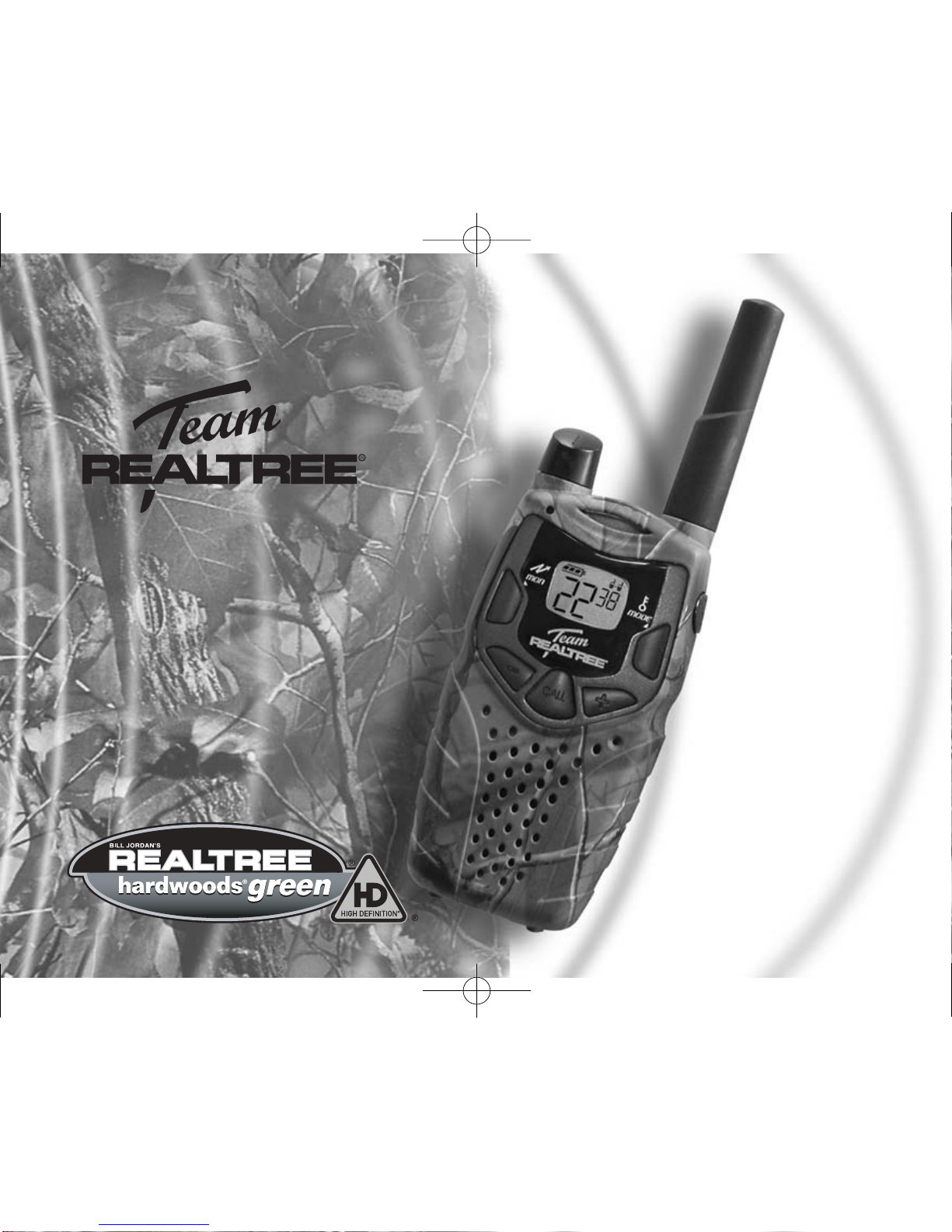
User’s
Guide
Model RT210
FRS/ GMRS Recreational Two-Way Radios
FRS/ GMRS Recreational Two-Way Radios
KEM-PK10751
Realtree 10-01-04.qxd 10/1/04 12:13 PM Page 1

Realtree 10-01-04.qxd 10/1/04 12:13 PM Page 2

Contents
Safety and General Information........................ 2
FCC Licensing Information ..............................10
Control Buttons..................................................11
Getting Started ..................................................12
Installing the AA Batteries..................................12
Installing the NiMH Battery Pack ......................12
Battery Meter ....................................................13
Attaching the Belt Clip ......................................14
Removing the Belt Clip......................................14
Turning Your Radio On and Off ........................14
Setting the Volume ............................................14
Setting a Channel..............................................15
Channels and Frequencies................................15
Talking and Listening ........................................16
Talk Range ........................................................16
Checking the Channel Before Transmitting ......16
Special Features ................................................17
Interference Eliminator Code ............................17
Push to Talk Timeout Timer ..............................17
Locking the Keypad ..........................................17
Scanning Channels ..........................................18
Advanced Scan ................................................18
Alerts ..................................................................19
Channel Busy Indicator ....................................19
Setting and Transmitting Call Tones ................19
Transmitting a Talk Confirmation Tone ..............20
Accessories........................................................21
Using Audio Accessories ..................................21
Hands - Free Use (VOX / iVOX) ......................22
Setting the Sensitivity Level ..............................22
Warranty..............................................................23
Copyright Information ......................................28
1
Contents
Contents
Realtree 10-01-04.qxd 10/1/04 12:13 PM Page 3
Important Information on Safe and Efficient Operation
Read This Information Before Using Your Radio
The information provided in this document supersedes the general safety information in
user guides published prior to December 1, 2002.
Transmit and Receive Procedure
Your two-way radio contains a transmitter and a receiver. To control your exposure and
ensure compliance with the general population/uncontrolled environment exposure
limits, always adhere to the following procedure:
uTransmit no more than 50% of the time.
uTo transmit (talk), press the Push to Talk (PTT) button.
uTo receive calls, release the PTT button.
Transmitting 50% of the time, or less, is important because the radio generates
measurable RF energy exposure only when transmitting (in terms of measuring
standards compliance).
Exposure To Radio Frequency Energy
Your two-way radio complies with the following RF energy exposure standards and
guidelines:
uUnited States Federal Communications Commission, Code of Federal Regulations;
47CFR part 2 sub-part J
2Safety and General Information
Safety and General Information
Realtree 10-01-04.qxd 10/1/04 12:14 PM Page 4

uAmerican National Standards Institute (ANSI) / Institute of Electrical and Electronic
Engineers (IEEE) C95. 1-1992
uInstitute of Electrical and Electronic Engineers (IEEE) C95.1-1999 Edition
uInternational Commission on Non-Ionizing Radiation Protection (ICNIRP) 1998
uMinistry of Health (Canada) Safety Code 6. Limits of Human Exposure to
Radiofrequency Electromagnetic Fields in the Frequency Range from 3 kHz to 300
GHz, 1999
uAustralian Communications Authority Radiocommunications (Electromagnetic
Radiation --- Human Exposure) Standard, 2003
uANATEL ANNEX to Resolution No. 303 of July 2, 2002 "Regulation of limitation of
exposure to electrical, magnetic and electromagnetic fields in the radio frequency range
between 9 KHz and 300 GHz" and "Attachment to Resolution No. 303 from July 2, 2002"
To assure optimal radio performance and make sure human exposure to radio frequency
electromagnetic energy is within the guidelines set forth in the above standards, always
adhere to the following procedures.
Portable Radio Operation and EME Exposure
Antenna Care
Use only the supplied or an approved replacement antenna. Unauthorized antennas,
modifications, or attachments could damage the radio and may violate FCC
regulations.
DO NOT hold the antenna when the radio is “IN USE”. Holding the antenna affects the
effective range.
Safety and General Information
Safety and General Information 3
Realtree 10-01-04.qxd 10/1/04 12:14 PM Page 5

Two-way Radio Operation
When using your radio as a traditional two-way radio, hold the radio in a vertical
position with the microphone 1 to 2 inches (2.5 to 5 cm) away from the lips.
Body-Worn Operation
To maintain compliance with FCC/Health Canada RF exposure guidelines, if you wear a
radio on your body when transmitting, always place the radio in a supplied or approved
clip, holder, holster, case, or body harness for this product. Use of non-approved
accessories may exceed FCC/Health Canada RF exposure guidelines.
If you do not use one of the supplied or approved body-worn accessories, and are not
using the radio held in the normal use position, ensure the radio and its antenna are
at least 1 inch (2.5 cm) from your body when transmitting.
Data Operation
If applicable, when using any data feature of the radio with or without an accessory cable,
position the radio and its antenna at least 1 inch (2.5 cm) from the body.
Electromagnetic Interference/Compatibility
This device complies with Part 15 of the FCC Rules. Operation is subject to the condition
that this device does not cause harmful interference.
Note: Nearly every electronic device is susceptible to electromagnetic interference
(EMI) if inadequately shielded, designed, or otherwise configured for
electromagnetic compatibility.
4Safety and General Information
Safety and General Information
Realtree 10-01-04.qxd 10/1/04 12:14 PM Page 6

Facilities
To avoid electromagnetic interference and/or compatibility conflicts, turn off your radio in
any facility where posted notices instruct you to do so. Hospitals or health care facilities
may be using equipment that is sensitive to external RF energy.
Aircraft
When instructed to do so, turn off your radio when on board an aircraft. Any use of a
radio must be in accordance with applicable regulations per airline crew instructions.
Medical Devices - Pacemakers
The Advanced Medical Technology Association recommends that a minimum separation
of 6 inches (15 cm) be maintained between a handheld wireless radio and a pacemaker.
These recommendations are consistent with the independent research by, and
recommendations of the U.S. Food and Drug Administration.
Persons with pacemakers should:
uALWAYS keep the radio more than 6 inches (15 cm) from their pacemaker when the
radio is turned ON.
uNot carry the radio in the breast pocket.
uUse the ear opposite the pacemaker to minimize the potential for interference.
uTurn the radio OFF immediately if you have any reason to suspect that interference is
taking place.
Safety and General Information
Safety and General Information 5
Realtree 10-01-04.qxd 10/1/04 12:14 PM Page 7

Medical Devices - Hearing Aids
Some digital wireless radios may interfere with some hearing aids. In the event of such
interference, you may want to consult your hearing aid manufacturer to discuss
alternatives.
Other Medical Devices
If you use any other personal medical device, consult the manufacturer of your device
to determine if it is adequately shielded from RF energy. Your physician may be able to
assist you in obtaining this information.
Safety and General Use While Driving
Check the laws and regulations on the use of radios in the area where you drive.
Always obey them. When using your radio while driving, please:
uGive full attention to driving and to the road.
uUse hands-free operation, if available.
uPull off the road and park before making or answering a call if driving conditions so
require.
Operational Warnings
For Vehicles with an Air Bag
Do not place a portable radio in the area over an air bag or in the air bag deployment
area. Air bags inflate with great force. If a portable radio is placed in the air bag
deployment area and the air bag inflates, the radio may be propelled with great force
and cause serious injury to occupants of the vehicle.
6Safety and General Information
Safety and General Information
Realtree 10-01-04.qxd 10/1/04 12:14 PM Page 8

Potentially Explosive Atmospheres
Turn off your radio prior to entering any area with a potentially explosive atmosphere,
unless it is a radio type especially qualified for use in such areas as “intrinsically safe”.
Do not remove, install, or charge batteries in such areas. Sparks in a potentially
explosive atmosphere can cause an explosion or fire resulting in bodily injury or
even death.
Note: The areas with potentially explosive atmospheres referred to above include
fueling areas such as below decks on boats, fuel or chemical transfer or storage
facilities, areas where the air contains chemicals or particles, such as grain,dust,
or metal powders, and any other area where you would normally be advised to
turn off your vehicle engine. Areas with potentially explosive atmospheres are
often but not always posted.
Blasting Caps and Areas
To avoid possible interference with blasting operations, turn off your radio when you are
near electrical blasting caps, in a blasting area, or in areas posted: “Turn off two-way
radio.” Obey all signs and instructions.
Operational Cautions
Antennas
Do not use any portable radio that has a damaged antenna. If a damaged antenna
comes into contact with your skin, a minor burn can result.
Safety and General Information
Safety and General Information 7
Realtree 10-01-04.qxd 10/1/04 12:14 PM Page 9

Batteries
All batteries can cause property damage and/or bodily injury such as burns if a
conductive material such as jewelry, keys, or beaded chains touch exposed terminals.
The conductive material may complete an electrical circuit (short circuit) and become
quite hot. Exercise care in handling any charged battery, particularly when placing it
inside a pocket, purse, or other container with metal objects.
Battery Charger Safety Instructions
Save these Instructions
1. Do not expose the charger to rain or snow.
2. Do not operate or disassemble the charger if it has received a sharp blow, or has
been dropped or damaged in any way.
3. Never alter the AC cord or plug provided with the unit. If the plug will not fit the
outlet, have the proper outlet installed by a qualified electrician. An improper
condition can result in a risk of electric shock.
4. To reduce the risk of damage to the cord or plug, pull the plug rather than the cord
when disconnecting the charger from the AC receptacle.
5. To reduce the risk of electric shock, unplug the charger from the outlet before
attempting any maintenance or cleaning.
6. Use of an attachment not recommended or sold with unit may result in a risk of fire,
electric shock, or personal injury.
8Safety and General Information
Safety and General Information
Realtree 10-01-04.qxd 10/1/04 12:14 PM Page 10
Inhaltsverzeichnis


