
SeaLevel HazPAC R9-8.4 ARM9 Bedienungsanleitung
Sealevel Systems, Inc.
Sealevel.com
Phone 864.843.4343
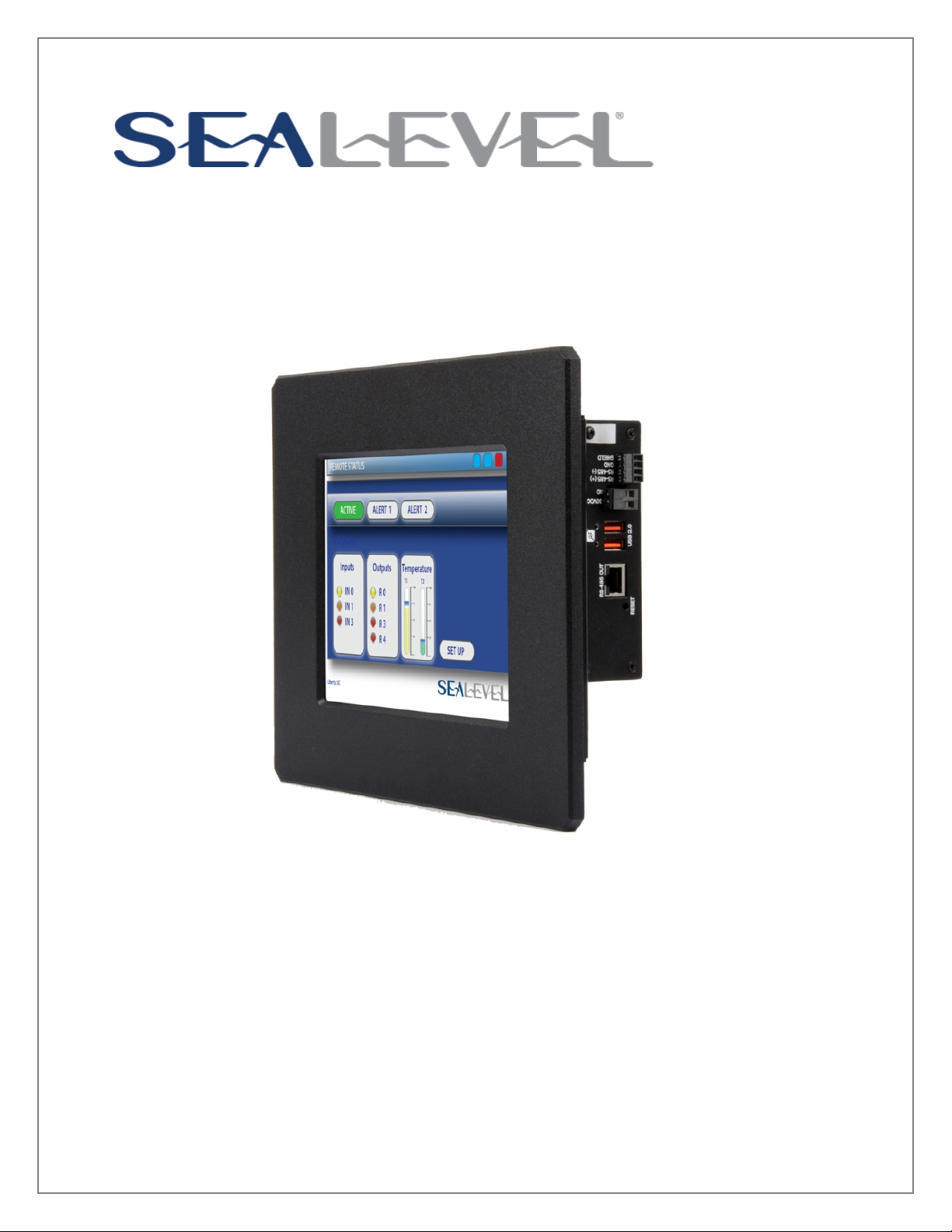
HazPAC R9-8.4 ARM9 Touchscreen Computer
USER MANUAL
ITEM# H95101-8R

©Sealevel Systems, Inc. HazPAC R9-8.4 Manual 2
SL9257 8/2015
Contents
Contents................................................................................................................................... 2
Introduction.............................................................................................................................. 4
Features ................................................................................................................................ 4
Before You Get Started.............................................................................................................. 5
What’s Included ..................................................................................................................... 5
Advisory Conventions ............................................................................................................ 5
Optional Items....................................................................................................................... 6
Cables ................................................................................................................................... 6
Power Supply ......................................................................................................................... 6
Technical Description ............................................................................................................... 7
Memory ................................................................................................................................. 7
Ethernet................................................................................................................................. 7
USB........................................................................................................................................ 8
Display and touchscreen........................................................................................................ 9
Serial Communications .......................................................................................................... 9
Open Collector Outputs ....................................................................................................... 13
RS-485 Expansion................................................................................................................ 15
Debug port .......................................................................................................................... 17
Reset button........................................................................................................................ 18
Software ................................................................................................................................. 19
HazPAC R9-8.4 Quick Start .................................................................................................. 19
Windows Device Center........................................................................................................ 21
Windows ActiveSync for XP .................................................................................................. 22
Connection Complete .......................................................................................................... 23
Programming using the .NET Compact Framework............................................................... 24
Application Development..................................................................................................... 24
Application Debugging ........................................................................................................ 29
Introduction......................................................................................................................... 29
Requirements....................................................................................................................... 29
Debugging an Application.................................................................................................... 29
Attach the Debugger ............................................................................................................ 30
Breakpoints.......................................................................................................................... 32
Watching Variables............................................................................................................... 34
Target Deployment and Execution ....................................................................................... 35
Boot Sequence ..................................................................................................................... 36

©Sealevel Systems, Inc. HazPAC R9-8.4 Manual 3
SL9257 8/2015
OS File Restoration .............................................................................................................. 36
Using the Debug Port........................................................................................................... 36
Upgrading the OS Runtime Image on NAND Flash ................................................................ 41
Network Configuration ........................................................................................................ 45
Appendix A – Resources ......................................................................................................... 49
Books .................................................................................................................................. 49
Websites .............................................................................................................................. 49
Appendix B – Application Debugging over Ethernet................................................................. 50
Appendix E – How to Get Assistance ....................................................................................... 52
Technical Support................................................................................................................ 52
Warranty ................................................................................................................................. 53
Warranty Policy ....................................................................................................................... 53
Non-Warranty Repair/Retest................................................................................................. 53
How to Obtain an RMA (Return Merchandise Authorization) ................................................. 53
©Sealevel Systems, Inc. HazPAC R9-8.4 Manual 4
SL9257 8/2015
Introduction
The HazPAC R9-8.4 is an application-ready platform for your next product design. The system is
based on the 400MHz Atmel AT91SAM9G45 microcontroller boasting a 32-bit ARM® instruction
set for maximum performance. With 128MB DDR2 RAM and 256MB NAND Flash memory, the
unmatched I/O features of the HazPAC R9-8.4 extend the possible uses beyond traditional ARM
applications.
To provide the fastest time to market, the Windows CE 6.0 BSP binary and low-level drivers for
system I/O are included. Additionally, the HazPAC R9-8.4 software package is equipped with the
Sealevel Talos I/O Framework, which offers a high-level object-oriented .NET Compact
Framework (CF) device interface. This interface provides an I/O point abstraction layer with
built-in support for the specific needs of analog and digital I/O such as gain control and
debouncing.
The HazPAC R9-8.4 is housed in a rugged, small enclosure suitable for mounting in hazardous
locations (see Classification section for details) and is rated for a –30°C to +60°C operating
temperature range. The HazPAC R9-8.4 power input accepts 9-30VDC voltage levels.
FEATURES
• 8.4” 400 nit TFT LCD with LED backlight
• Durable resistive touchscreen
• Atmel AT91SAM9G45 ARM® Processor
• 128MB DDR2 and 256MB NAND Flash
Memory
• (1) 10/100 BaseT Ethernet
• (2) USB 2.0 Ports
• (1) USB Device Port
• (2) Isolated RS-485 serial ports
• (1) Dedicated RS-485 serial port
(expansion)
• (1) RS-232 serial port
• (8) Open-collector digital outputs
• 9-30VDC input power via removable terminal block
• Power 15W Max
• Compatible with Windows Embedded CE 6.0 and Linux
©Sealevel Systems, Inc. HazPAC R9-8.4 Manual 5
SL9257 8/2015
Before You Get Started
WHAT’S INCLUDED
The HazPAC R9-8.4 is shipped with the following items. If any of these items are missing or
damaged, please contact Sealevel for replacement.
• HazPAC R9-8.4 ARM9 Touchscreen Computer with CE runtime image
• CD with Talos .NET Framework, application samples, setup files, and
documentation
• Microsoft® Windows® CE 6.0 Core license
ADVISORY CONVENTIONS
Warning - The highest level of importance used to stress a condition where damage
could result to the product or the user could suffer serious injury.
Important– The middle level of importance used to highlight information that might not
seem obvious or a situation that could cause the product to fail.
Note – The lowest level of importance used to provide background information,
additional tips, or other non-critical facts that will not affect the use of the product.

©Sealevel Systems, Inc. HazPAC R9-8.4 Manual 6
SL9257 8/2015
OPTIONAL ITEMS
Depending upon your application, you are likely to find one or more of the following items
useful with the HazPAC R9-8.4. All items can be purchased from our website
(www.sealevel.com) or by calling our sales team at (864) 843-4343.
CABLES
SeaLatch USB Type A to USB Type B, 72" Length - Device Cable (Item# CA355)
The CA355 is a 72" standard USB device cable. The metal
thumbscrew on the type A connector ensures secure
connection. The CA355 is USB 2.0 compliant and is
compatible with USB 1.1 and 1.0 devices.
USB Type A to SeaLatch USB Type B, 72" Length - Device Cable (Item# CA356)
The CA356 is a 72" USB device cable that securely
connects USB device port (metal thumbscrew lock) to a
host computer. The CA356 is USB 2.0 compliant and is
compatible with USB 1.1 and 1.0 devices.
CAT5 Patch Cable, 7' in Length – Blue (Item# CA246)
Standard 7' CAT5 UTP Patch Cable (RJ45).
HazPAC R9 Serial Debug Cable, 6ft Length (Item# CA452)
The CA452 is a 6ft serial debug cable with standard
DB9F connector on both ends, wired straight through.
The DB9F connector is compatible with any standard RS-
232 DB9M serial port.
POWER SUPPLY
100-240VAC to 12VDC @ 4.0A LPS, Desktop Power Supply (Item# TR135)
The TR135 is a desktop (brick style) power supply rated
for 100-240VAC input and 12VDC output at 4.0 amps
LPS. The cable has tinned leads for use with products
that have screw terminals for input power.

©Sealevel Systems, Inc. HazPAC R9-8.4 Manual 7
SL9257 8/2015
Technical Description
MEMORY
The HazPAC R9-8.4 is offered with 128MB DDR2 SDRAM operational memory and 256MB NAND
SLC Flash for storage.
ETHERNET
The HazPAC R9-8.4 includes a 10/100 BaseT Ethernet interface accessed via the RJ45 connector
located on the front of the enclosure.
The RJ45 port on the left side of the HazPAC R9-8.4 is a RS-485 Expansion Port (labeled
“RS-485 OUT”) and is NOT an Ethernet port. Damage to Ethernet networking equipment
can result if connected to the RS-485 RJ45 connector.
Pin
Signal
1
TX+
2
TX-
3
RX+
4
NC
5
NC
6
RX-
7
NC
8
NC

©Sealevel Systems, Inc. HazPAC R9-8.4 Manual 8
SL9257 8/2015
USB
The HazPAC R9-8.4 provides two SeaLATCH USB 2.0 host ports, and one USB device port. The
USB host ports are located on the left side of the enclosure. The USB device port is located on
the front of the enclosure.
Connector: SeaLATCH USB 2.0 Host Port
Manufacturer: Samtec
Description: Standard USB Type A
Mates with: SeaLATCH USB Type A, or Standard USB Type A
Connector: USB 2.0 Device Port
Manufacturer: Samtec
Description: Standard USB Type B
©Sealevel Systems, Inc. HazPAC R9-8.4 Manual 9
SL9257 8/2015
DISPLAY AND TOUCHSCREEN
The HazPAC R9-8.4 features a bright 8.4” TFT LCD with LED backlight, and a durable 5-wire
resistive touchscreen with glass top.
SERIAL COMMUNICATIONS
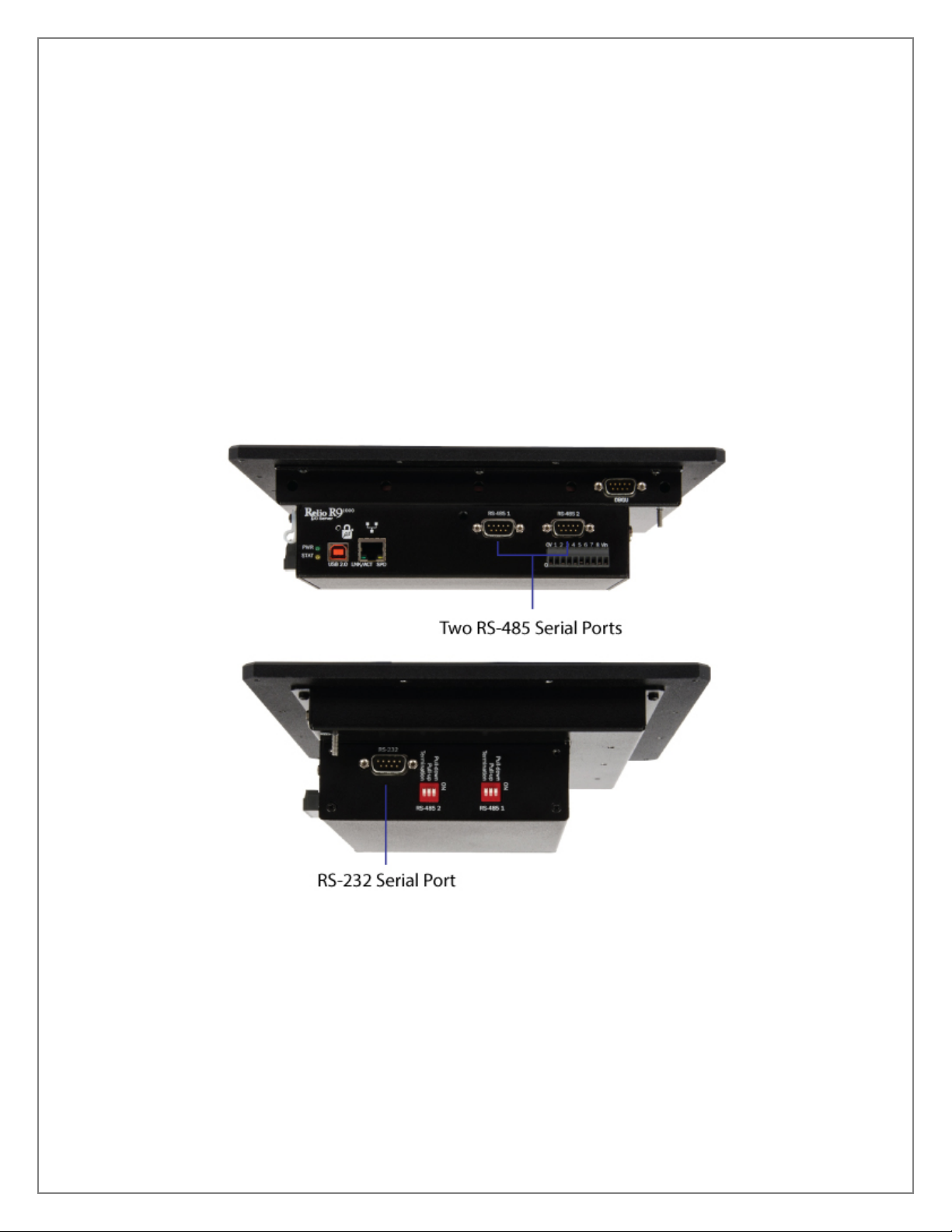
Connect to a variety of serial peripherals via the HazPAC R9-8.4’s serial ports. Two isolated RS-
485 serial ports are provided, via DB9 male connectors, labeled “RS-485 1” and “RS-485 2” on
the lower front panel of the unit. Switch settings are provided to control the termination and
pull-up/pull-down resistors.
Also provided is a RS-232 serial port with full modem control, labeled “RS-232” on the right side
panel. The interface is via DB9 male connector.
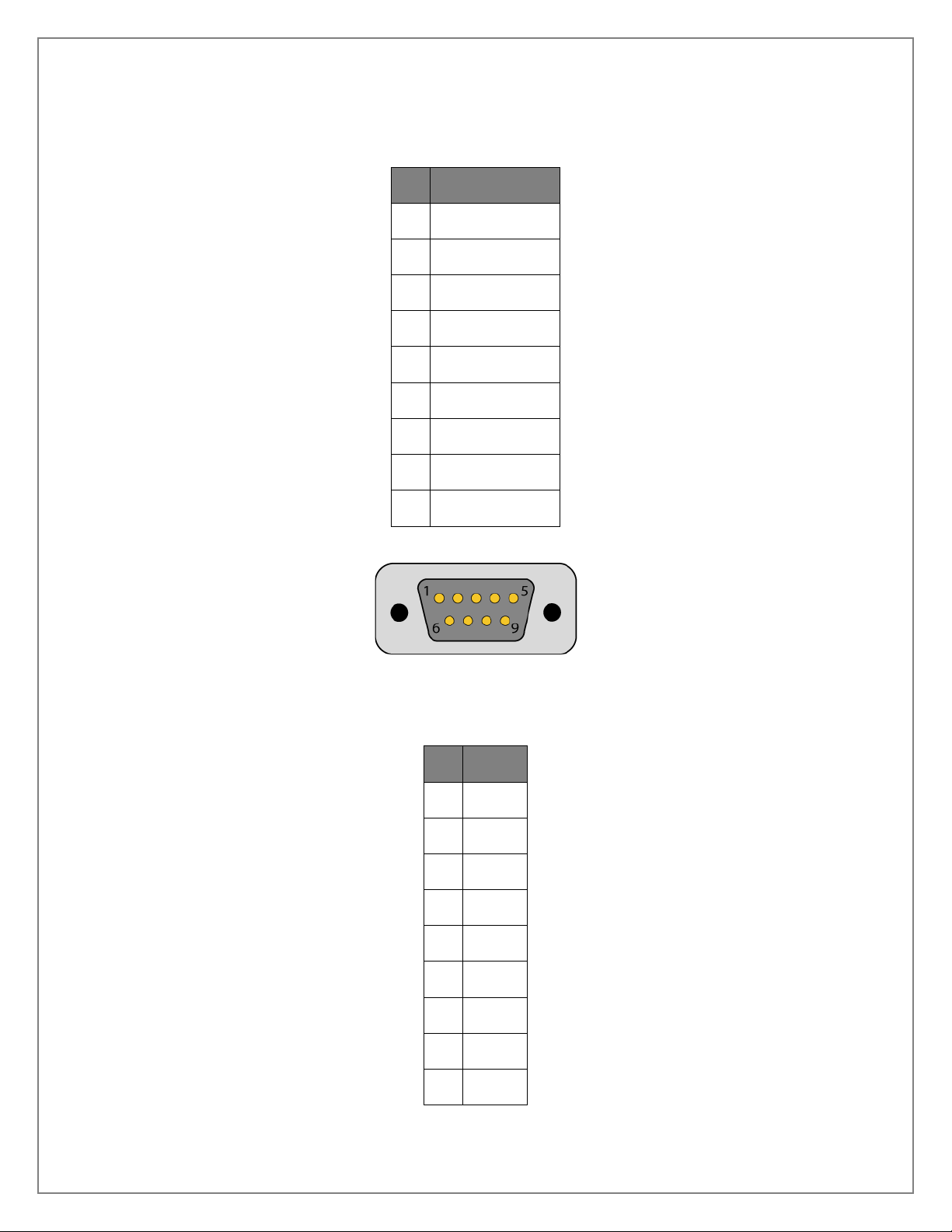
©Sealevel Systems, Inc. HazPAC R9-8.4 Manual 10
SL9257 8/2015
Connectors: RS-485 1 and RS-485 2
Description: DB-9 Male
PIN
RS-485 Isolated
1
NC
6
NC
2
NC
7
NC
3
DATA-
8
NC
4
DATA+
9
NC
5
GND
Connector: RS-232
Description: DB-9 Male
PIN
RS-232
1
DCD
6
DSR
2
RX
7
RTS
3
TX
8
CTS
4
DTR
9
RI
5
GND
Andere Handbücher für HazPAC R9-8.4 ARM9
1
Inhaltsverzeichnis
Andere SeaLevel Touch-Screen Handbücher


Beliebte Touch-Screen Handbücher anderer Marken

Elecro Engineering
Elecro Engineering Poolsmart Plus Montageanleitung

Johnson Controls
Johnson Controls IQ4 HUB Bedienungsanleitung

Elo TouchSystems
Elo TouchSystems ET2270L Bedienungsanleitung

Elo TouchSystems
Elo TouchSystems ET1002L Bedienungsanleitung

Elo TouchSystems
Elo TouchSystems 3201L Bedienungsanleitung

Duratec
Duratec S15 Bedienungsanleitung


