
Senal AWS-2000 Bedienungsanleitung
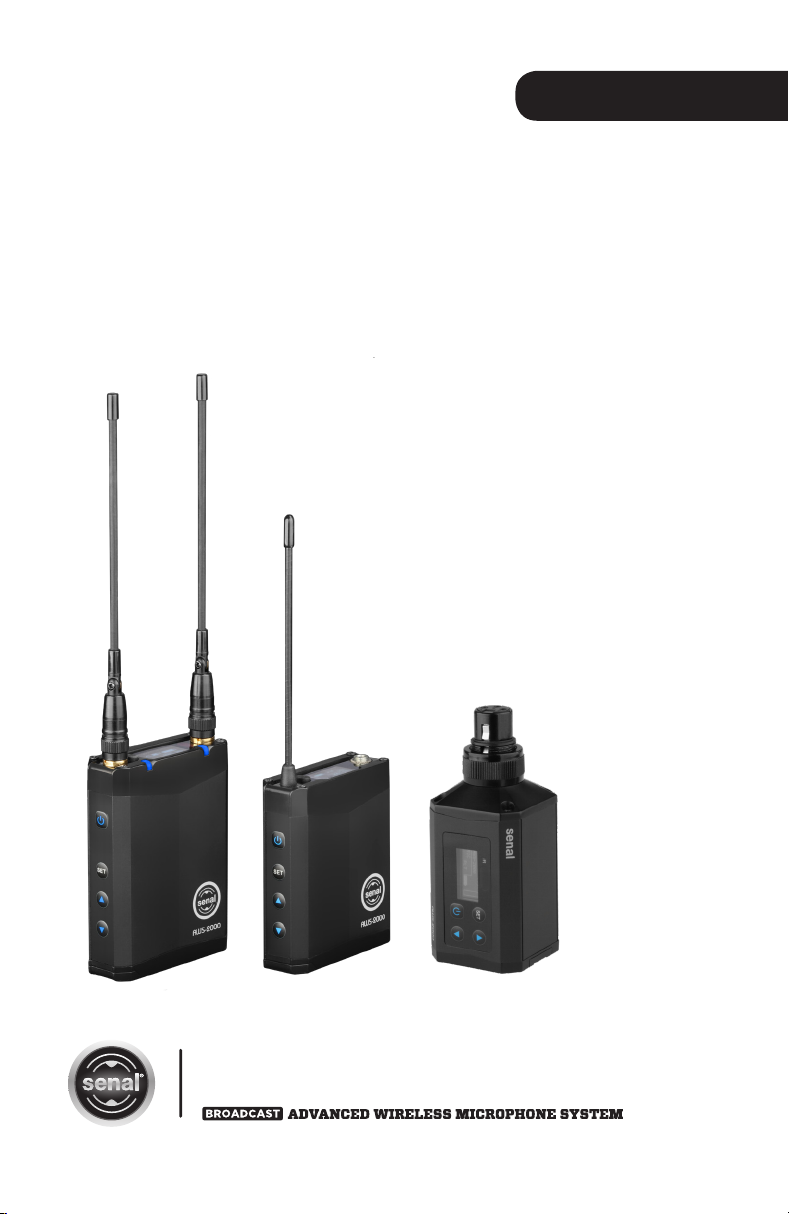
USER’S GUIDE
AWS-2000
Table of Contents:
Introduction .......................................................2
Precautions ........................................................3
Box Contents ....................................................3
Overview .......................................................4-9
Getting Started ........................................10-12
Basic Operation ....................................... 13-18
Setting Input Levels .....................................19
Setting Output Levels .........................20-24
Advanced Functions ............................ 25-29
Common Advanced Functions.........30-32
Frequency Chart ........................................... 33
Troubleshooting ..................................... 33-34
Specifications ................................................ 35
Warranty ..........................................................36

▪ ▪ ▪ ▪ ▪ ▪ ▪ ▪ ▪ ▪ ▪ ▪ ▪ ▪ ▪ ▪ ▪ ▪ ▪ ▪ ▪ ▪ ▪ ▪ ▪ ▪ ▪ ▪ ▪ ▪ ▪ ▪ ▪ ▪ ▪ ▪ ▪ ▪ ▪ ▪ ▪ ▪ ▪ ▪ ▪ ▪ ▪ ▪ ▪ ▪ ▪ ▪ ▪ ▪ ▪ ▪ ▪ ▪ ▪ ▪ ▪ ▪ ▪ ▪ ▪ ▪ ▪ ▪ ▪
Introduction
Thank you for choosing Senal.
The Senal AWS-2000 is a versatile, lightweight, yet rugged
wireless system that is ideal for a wide variety of professional
uses such as ENG, interviews, conferences, lectures, and
live theater production. The included AWS-2000T beltpack
transmitter, AWS-2000R camera mount receiver, and
optional AWS-2000P plug-on transmitter have an operating
range of up to 500 feet. Each component is packed with
features that will enable production sound mixers and ENG
camera operators to capture broadcast-quality audio. The
intuitive design and an uncomplicated menu structure make
the AWS-2000 system easy to set up and effortless to use.
The portable receiver features a one-touch frequency scan
and infrared sync that allows you to effortlessly find a clear
channel for your devices. This true-diversity receiver uses
dual antennas and reception circuits that eliminate audio
dropouts and RF interference. To further protect audio from
unwanted interference, the AWS-2000 system includes
3-level squelch and pilot tone. Other features such as
selectable mic/line input and variable RF power output give
this wireless system the ability to deliver clean, accurate, and
pristine audio.
Each component is powered by two AA batteries.
An integrated Micro-USB port can be used to charge
NiMH batteries without removing them from the battery
compartments. Advanced OLED display technology provides
easy-to-see screens, even in dim lighting conditions. Top
display orientation assures that the displays are easy to read
regardless of where they’re mounted or carried. Removable
antennas make this wireless system compact and easy to
transport, and allows you to easily change an antenna if
it’s damaged. Rugged metal housing on each component
makes the AWS-2000 system ideal for travel or location use
and able to withstand the rigors of the most demanding
environments.
2

Precautions / Box Contents
▪ ▪ ▪ ▪ ▪ ▪ ▪ ▪ ▪ ▪ ▪ ▪ ▪ ▪ ▪ ▪ ▪ ▪ ▪ ▪ ▪ ▪ ▪ ▪ ▪ ▪ ▪ ▪ ▪ ▪ ▪ ▪ ▪ ▪ ▪ ▪ ▪ ▪ ▪ ▪ ▪ ▪ ▪ ▪ ▪ ▪ ▪ ▪ ▪ ▪ ▪ ▪ ▪ ▪ ▪ ▪
Precautions
• Please read and follow these instructions, and keep this
manual in a safe place.
• Keep this unit away from water and any flammable
gases or liquids.
• Use only the correct, recommended voltage.
• Do not attempt to disassemble or repair the
equipment—doing so will void the warranty, and Senal
will not be responsible for any damage.
• Clean the units with only a soft, dry cloth.
• Use only parts, accessories, and attachments provided
by the manufacturer.
• Make sure that this product is intact and that there are
no missing parts.
• To avoid damage to this product, be careful not to
overtighten or improperly thread any of the
threaded fittings.
• Exposure to high sound levels can cause permanent
hearing loss. Avoid listening at high volumes for
extended periods of time.
• All images are for illustrative purposes only.
Box Contents
• AWS-2000T Beltpack transmitter
• AWS-2000R Portable true-diversity receiver
• Balanced locking Mini-to-XLR output cable
• Locking Mini–to-Mini output cable
• Camera mount for AWS-2000R
• Dual mounting bracket
• Carry case
• Antennas (×2)
• AA batteries (×4)
3

▪ ▪ ▪ ▪ ▪ ▪ ▪ ▪ ▪ ▪ ▪ ▪ ▪ ▪ ▪ ▪ ▪ ▪ ▪ ▪ ▪ ▪ ▪ ▪ ▪ ▪ ▪ ▪ ▪ ▪ ▪ ▪ ▪ ▪ ▪ ▪ ▪ ▪ ▪ ▪ ▪ ▪ ▪ ▪ ▪ ▪ ▪ ▪ ▪ ▪ ▪ ▪ ▪ ▪ ▪ ▪ ▪ ▪ ▪ ▪ ▪ ▪ ▪ ▪ ▪ ▪ ▪ ▪ ▪
Overview
Overview AWS-2000T Body-Pack Transmitter
Antenna
Mute switch
IR port
Microphone
input
Power
button
OLED
display
Up/Down
buttons
Set
button
Belt clip
Battery compartmentMicro-B USB port
4

Overview
▪ ▪ ▪ ▪ ▪ ▪ ▪ ▪ ▪ ▪ ▪ ▪ ▪ ▪ ▪ ▪ ▪ ▪ ▪ ▪ ▪ ▪ ▪ ▪ ▪ ▪ ▪ ▪ ▪ ▪ ▪ ▪ ▪ ▪ ▪ ▪ ▪ ▪ ▪ ▪ ▪ ▪ ▪ ▪ ▪ ▪ ▪ ▪ ▪ ▪ ▪ ▪ ▪ ▪ ▪ ▪ ▪ ▪ ▪ ▪ ▪ ▪ ▪ ▪ ▪ ▪ ▪ ▪
GR.06-CH.08
AWS-2000
MIC
LC PLT
L
2
4 987 105 6
31
1. Group number
2. Channel number
3. Transmission power indicator
4. Device name
5. Low cut filter
6. Input level indicator
7. Pilot tone indicator
8. Lock indicator
9. Battery level indicator
10. Audio input level meter
5

6
▪ ▪ ▪ ▪ ▪ ▪ ▪ ▪ ▪ ▪ ▪ ▪ ▪ ▪ ▪ ▪ ▪ ▪ ▪ ▪ ▪ ▪ ▪ ▪ ▪ ▪ ▪ ▪ ▪ ▪ ▪ ▪ ▪ ▪ ▪ ▪ ▪ ▪ ▪ ▪ ▪ ▪ ▪ ▪ ▪ ▪ ▪ ▪ ▪ ▪ ▪ ▪ ▪ ▪ ▪ ▪ ▪ ▪ ▪ ▪ ▪ ▪ ▪ ▪ ▪ ▪ ▪ ▪ ▪
Overview
Overview AWS-2000R True Diversity Receiver
Antenna A
Antenna B
AFS button
IR port
Power
button
Peak
indicator
RF
indicator
OLED
display
Up/Down
buttons
Set
button
Headphone
jack
Micro-B
USB port
Battery
compartment
Balanced 3.5 mm
output jack

7
Overview
▪ ▪ ▪ ▪ ▪ ▪ ▪ ▪ ▪ ▪ ▪ ▪ ▪ ▪ ▪ ▪ ▪ ▪ ▪ ▪ ▪ ▪ ▪ ▪ ▪ ▪ ▪ ▪ ▪ ▪ ▪ ▪ ▪ ▪ ▪ ▪ ▪ ▪ ▪ ▪ ▪ ▪ ▪ ▪ ▪ ▪ ▪ ▪ ▪ ▪ ▪ ▪ ▪ ▪ ▪ ▪ ▪ ▪ ▪ ▪ ▪ ▪ ▪ ▪ ▪ ▪ ▪ ▪
GR.06-CH.08
AWS-2000
T R
2
4 6 75
31
1. Group number
2. Channel number
3. Antenna reception level indicator
• Icons for left and right antenna reception
level should appear as pictured. If they
don’t, refer to the Troubleshooting
section at the end of this manual.
4. Device name
5. Transmitter battery level indicator
• The transmitter’s battery level indicator
will not appear on the receiver screen
unless pilot tone is turned on (see Pilot
Tone on page 25).
6. Receiver battery level indicator
7. Audio input level meter

Overview AWS-2000P Plug-On Transmitter
Locking ring
OLED
display IR port
XLR connector
Up/Down
buttons
Set button
Power
button
Battery
compartment
Micro-B USB port
▪ ▪ ▪ ▪ ▪ ▪ ▪ ▪ ▪ ▪ ▪ ▪ ▪ ▪ ▪ ▪ ▪ ▪ ▪ ▪ ▪ ▪ ▪ ▪ ▪ ▪ ▪ ▪ ▪ ▪ ▪ ▪ ▪ ▪ ▪ ▪ ▪ ▪ ▪ ▪ ▪ ▪ ▪ ▪ ▪ ▪ ▪ ▪ ▪ ▪ ▪ ▪ ▪ ▪ ▪ ▪ ▪ ▪ ▪ ▪ ▪ ▪ ▪ ▪ ▪ ▪ ▪ ▪ ▪
Overview
8

Overview
▪ ▪ ▪ ▪ ▪ ▪ ▪ ▪ ▪ ▪ ▪ ▪ ▪ ▪ ▪ ▪ ▪ ▪ ▪ ▪ ▪ ▪ ▪ ▪ ▪ ▪ ▪ ▪ ▪ ▪ ▪ ▪ ▪ ▪ ▪ ▪ ▪ ▪ ▪ ▪ ▪ ▪ ▪ ▪ ▪ ▪ ▪ ▪ ▪ ▪ ▪ ▪ ▪ ▪ ▪ ▪ ▪ ▪ ▪ ▪ ▪ ▪ ▪ ▪ ▪ ▪ ▪ ▪
GR.06-CH.08
AWS-2000
MIC
LC 48V
PLT
L
2
4 10 1187 965
31
1. Group number
2. Channel number
3. Transmission power indicator
4. Device name
5. Low cut filter
6. Input level indicator
7. Phantom power indicator
8. Pilot tone indicator
9. Lock indicator
10. Battery level indicator
11. Audio input level meter
9

▪ ▪ ▪ ▪ ▪ ▪ ▪ ▪ ▪ ▪ ▪ ▪ ▪ ▪ ▪ ▪ ▪ ▪ ▪ ▪ ▪ ▪ ▪ ▪ ▪ ▪ ▪ ▪ ▪ ▪ ▪ ▪ ▪ ▪ ▪ ▪ ▪ ▪ ▪ ▪ ▪ ▪ ▪ ▪ ▪ ▪ ▪ ▪ ▪ ▪ ▪ ▪ ▪ ▪ ▪ ▪ ▪ ▪ ▪ ▪ ▪ ▪ ▪ ▪ ▪
Getting Started
Getting Started
Installing the Batteries
1. Open the battery compartment by
sliding the battery compartment
door in the directions indicated by
the arrow.
2. Install the batteries into the
battery compartment. Make sure
to match the polarity indicated
on the inside of the battery
compartment door.
3. Press the battery compartment
door down, and slide it back into
place until it locks shut.
Selecting the Battery Type
The first time the batteries are installed, the battery
selection window will appear.
Select the setting that matches the type of battery you’re
using (Alkaline, Lithium, or rechargeable NiMH) by following
these steps:
1. Use the Up/Down buttons to scroll to the appropriate
battery type. [ BATTERY ALKALINE ]
2. Press the Set button.
Note: If you select the wrong battery type, the unit will still
function, but the battery meter will be inaccurate.
To change the battery type from the main menu during use,
see the Battery section under Common Advanced Functions
on page 31.
Powering On the Units
Press and hold the power button. The OLED screen and LED
indicators will illuminate.
10
Dieses Handbuch passt für folgende Modelle
3
Inhaltsverzeichnis
Andere Senal Mikrofonsystem Handbücher

Beliebte Mikrofonsystem Handbücher anderer Marken


Sennheiser
Sennheiser Evolution Wireless Digital EW-DX EM 2 Bedienungsanleitung

Alpha Technologies
Alpha Technologies RBMS Bedienungsanleitung

SWIT Electronics Co.,LTD.
SWIT Electronics Co.,LTD. CW-S150 Bedienungsanleitung

Shure
Shure UA844 Bedienungsanleitung

Panasonic
Panasonic SHFX70 - DVD HOME THEATER WIRELESS SYSTEM Bedienungsanleitung

Pyle
Pyle PDWM5000 Bedienungsanleitung