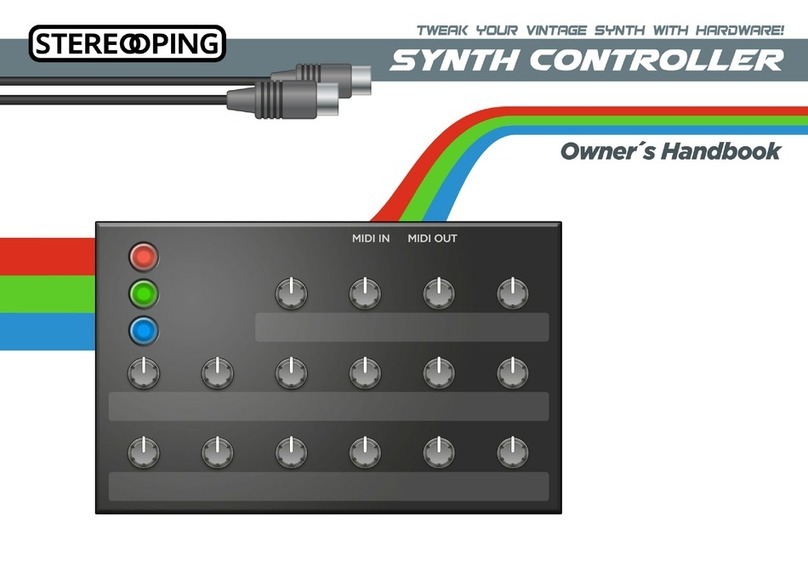
Stereoping Synth Controller Bedienungsanleitung

Synth Controller
Operation Manual
Operation Manual 'Stereoping Synth Controller'
V1.2 - 12.2014
© Stereoping Germany, Hattingen 2014

Welcome
Hello an thanks for buying a 'Stereoping Synth Controller'. We will use 'SSC' as an
abbreviation for 'Stereoping Synth Controller' in this manual. If you purchase a DIY-
assembly kit an are looking for the buil ing instruction ... this is the operation
manual for the finishe Controller. To get the buil ing instructions please visit
www.stereoping.com -> Pro ucts -> Synth Controller -> Downloa s
This manual oes not give a etaile intro uction into the worl of Mi i. To fully
un erstan the manual, we assume you have at least a basic knowle ge about Mi i.
If you experience problems using this pro uct, have feature wishes, fin things
annoying, are missing an SSC-e ition for your favourite synth or just want to tell us
you LOVE this pro uct, go ahea . We are looking forwar to receiving your Mail!
support@stereoping.com
The manual is ivi e into the following sections:
1. Overview of the SSC's features
2. Integrating the SSC into your setup
. Operation
4. The Midi data filter and the Midicontroller change message to SysEx
translator
5. Technical limitations
6. Updating firmware
7. Synth specific addendum
8. Understanding Midi timelags and how to minimize them
9. Troubleshooting
10. Changes to recent versions
11. Imprint
Operation Manual 'Stereoping Synth Controller'
V1.2 - 12.2014
© Stereoping Germany, Hattingen 2014

1. Overview of the SSC's features
What is the SSC actually good for?
The SSC is a Synthesizer Har ware E itor which helps you to change the parameters
of your music synthesizer in a very comfortable way. Instea of e iting on the synth's
frontpanel with it's limite an enoying user interface, you have 16 knobs an 3
buttons to quickly tweak the soun in a comfortable way. When you ial a knob, the
SSC sen s the appropriate message in Mi i SysEx-format over the Mi icable into your
synth, causing the synth to change it's soun imme iately.
Features
•Synthesizer har ware realtime e itor
•Frontpanel esigne to suit visually to the appropriate synth
•Easy operation, avoi ing cryptic 'Shift' or 'Alt' operations
•Beautiful lighte colore buttons of urable quality
•Tough an han some steelcase without ol fashione woo en si es
•Protection io e to avoi electronic amage from PSUs with wrong polarity
•Built in 'Mi i Control Change to SysEx'-translator for changing an automating
your synths parameters with stan ar Mi i Control Change messages
•Mi i-ban with optimization 1: blocks incoming SysEx- ata, realtime- ata an
Mi i messages on Mi ichannels not use
•Mi i-ban with optimization 2: pots altering parameters with few values (like e.g.
LFO waveform) sen only real changes of that value to avoi re un ant
messages
•Han y 'move pot without sen ing messages'-feature to prevent excessive
parameter jumps
•Useful 'Bypass Mo e' letting all Mi i ata pass unfiltere for smallest latency
an ignoring pot changes at the same time
•Funny 'Letter Dial Mo e' - use the pots to ial in the patchname, save a lot of
time, fin funny names by chance (only on synths offering SysEx-patchname
changes)
•Learnt Mi ichannel permanently store in memory
•Firmwareup ate via SysEx- ump
Operation Manual 'Stereoping Synth Controller'
V1.2 - 12.2014
© Stereoping Germany, Hattingen 2014

Editions
At the moment we offer e itions for the following synthesizers
•e ition '8P' for Rolan JX-8P
•e ition 'Alpha' for Rolan Alpha Juno 1/2 an MKS 50
•e ition 'K3' for Kawai K3 an K3m
•e ition '8000' for Korg DW-8000 an EX-8000
•e ition 'Microwave' for Wal orf Microwave 1 (Software V 2.0)
•e ition '1006R' for Matrix 1000 an Matrix 6 / 6r
Operation Manual 'Stereoping Synth Controller'
V1.2 - 12.2014
© Stereoping Germany, Hattingen 2014

Setting the Midichannel
This is the point, the or inary musician stops rea ing the manual. Please, continue
with at least this paragraph an the technical info how to kill your SSC by using a
wrong power supply.
Before the SSC can fulfill your soun tweaking-wishes, it must be set onto the same
Mi ichannel as the synth itself (an exception here is the Microwave e ition. The
Microwave oes not take Mi ichannels into account when being e ite by SysEx-
messages). How to set the Mi ichannel is escribe in chapter '3. Operation -> Button
Combinations an special mo es -> Mi ichannel learn mo e'.
Technical handling
The SSC was built to be use in a comfortable music stu io environement. You can
operate it un er free skies of course. But please keep in min , it uses electricity for
proper operation an therefore is quite sensitive to water, rinks or other flui s.
Excessive heat or exposition to sunlight is also not a vise .
Operation Manual 'Stereoping Synth Controller'
V1.2 - 12.2014
© Stereoping Germany, Hattingen 2014

Power supply
You can use any or inary 9 Volt DC
powersupply to operate the SSC. The
connector shoul have Plus on the outsi e
an Groun - sometime labele as 'Minus' -
on it's centerpin. Most guitar effects
walwarts for Boss, Ibanez an other bran s
use this pin-stan ar . The SSC has a
protection io e for not oing any harm if
the polarity of the power supply is wrong. So
if the SSC's buttons won't light up after
pluging in the wallwart, it is most probably
of wrong polarity.
The current of the PSU shoul at least offer
about 200 mA. If it supplies more current
(e.g. 500mA) this is fine an won't cause
problems. The SSC gently just takes the
current it nee s.
The right picture shows a suitable power
supply with the important properties marke
by green rectangles.
Please do NEVER use a powersupply on
the SSC which has an 'AC'-Output. AC
means alternate current.
If you happen to encounter strange behaviour like unlighte buttons although power
is attache or you smell something burnt coming out of the SSC, please unplug
powersupply an consult the troubleshooting gui e or contact support.
Operation Manual 'Stereoping Synth Controller'
V1.2 - 12.2014
© Stereoping Germany, Hattingen 2014

2. Integrating the SSC into your setup
There are several ways to patch the SSC into your setup. Here are the three most
common examples. The term 'SysEx' use in the iagrams escribes the Mi i
messages generate by the SSC to alter the parameters in your synth.
Example 1 - SSC together with a single Keyboardsynth
You might have a single keyboar synth (e.g. Korg DW-8000, Rolan JX-8P), stan ing in
your be room an want to play it together with the SSC. Put the SSC on a free space
on your keyboar , patch a Mi icable from the SSC's Mi i Out into your synths Mi i In:
Now you can play on the keyboar or - if your synth offers one - let the arpeggiator
fi le while using the SSC to change the soun . You might have to enable 'SysEx
receiving' in your synths menu first (e.g. Kawai K3 Master Parameter 44 to value 5, or
on Korg DW-8000 Parameter 85 to value 2).
Operation Manual 'Stereoping Synth Controller'
V1.2 - 12.2014
© Stereoping Germany, Hattingen 2014

Example 2 - Midi-Sequencer/ AW into SSC into Synth
If you sen Mi i ata from your sequencer to a synth mo ule an wish to e it the
mo ule at the same time with the SSC, plug it this way:
The SSC merges incoming Mi i ata like notes, velocity, (unuse ) Mi i Control Changes
or pitchben with it's own messages in Mi i SysEx-format an han s the ata to the
synth through it's Mi i Out jack - which therefore in fact can also be consi ere to be a
filtere Mi i Through jack.
Operation Manual 'Stereoping Synth Controller'
V1.2 - 12.2014
© Stereoping Germany, Hattingen 2014

Example 3 - SSC into Midi-Sequencer/ AW into Synth
You can recor the SysEx messages of the SSC into your sequencer to automate
soun changes in your composition - with some limitations concerning Mi ibus
ban with. Although we recommen another setup escribe below, you coul plug
the evices like this:
Many sequencers are filtering Mi i SysEx by efault because it eats a lot of the small
ban with of the Mi i bus an is in most cases not use in the normal music
pro uction process. So please ig into your sequencers settings to isable SysEx
filtering if necessary. Keep in min the SysEx-message which change the parameters
in your synth are quite 'big' an might jam the Mi ibus.
Better alternative to example : The SSC has a built in ata-translator to convert
Mi i Control Change ata into the SysEx- ata which your synths likes to receive for
parameter changes. For automation of parameter changes we recommen pluging
the SSC between sequencer an synth an to use or inary Mi i Control Change
messages being sent from the sequencer/DAW into the SSC for automation. Mi i
Control Change messages are by far more easy to han le an e it than SysEx ata.
The wiring is exactly as shown in example 2.
Operation Manual 'Stereoping Synth Controller'
V1.2 - 12.2014
© Stereoping Germany, Hattingen 2014

3. Operation
Using the SSC is quite simple. After setting the suitable Mi ichannel once, all
operation will be performe by just 3 buttons an 16 pots. In the following you'll be
explaine in etail how to use them.
Colorcoded parameters
In the upper left corner are 3 colore lighte buttons represention 3 e it mo es.
Pressing a button causes the SSC to switch into the appropriate color mo e. Some
a aptions of the SSC have the colors Re , Green, Yellow, some have Re , Green, Blue.
There are even a aptions using other color combinations.
Now each color mo e has a set of parameters
printe in that color on the frontpanel, which are
sent out on the MIDI Out jack when the
appropriate pot is iale . For example if you
press the green button it will light up an the
parameters on the frontpanel printe in green
will be sent to the synth as you move the pots. If
you fin a parameter you want to change next,
have a look at it's color an change into that
color mo e with one of the 3 buttons - if it is not alrea y selecte .
Front panel parameters printed in neutral colors
Some very common parameters - accor ing to
the a aption you purchse - like 'Volume' or
'Cutoff' might be printe in a neutral color
(white, black or grey). These parameters are
always use when ialing this pot, regar less of
the selecte color mo e. Exception: if the SSC is
in Bypass Mo e, these parameters are ignore
like any others.
Front panel in general
In rare cases you will fin some parameters printe twice on the frontpanel. The 'K3'-
E ition e.g. offers 'Lowcut' an 'LFO Spee ' in the re AND the green parameterset.
The reason: after all synth-parameters were laye out, we still ha parameter slots left
over which we i not want to leave unuse .
Some parameters have a small '0' or a ot printe above their knob. These parameter
Operation Manual 'Stereoping Synth Controller'
V1.2 - 12.2014
© Stereoping Germany, Hattingen 2014
Andere Handbücher für Synth Controller
2
Inhaltsverzeichnis
Andere Stereoping Musikequipment Handbücher