
Tunstall THE VIBBY Bedienungsanleitung
The Vibby
Installation
Guide
Page 2of 24
V3.6
Contents
Introduction 3
Exiting from Storage Mode ................................................................................4
Entering Program mode .....................................................................................5
Configuration Selection .....................................................................................6
Radio Protocol Selection ...................................................................................7
Wearing Mode Selection ....................................................................................8
Checking Wearing Mode Configuration ...........................................................9
Demo Mode........................................................................................................10
Simulating a fall in active mode. .....................................................................11
Alarm Cancellation ...........................................................................................14
Putting Vibby into Storage Mode ....................................................................15
Battery Replacement ........................................................................................16
Removing the Wrist Strap ................................................................................19
Fitting a replacement Wrist Strap ...................................................................20
Ensuring the Wrist Strap is Correctly Installed .............................................21
Fitting a neck cord to the Vibby ......................................................................22
Spares and Accessories ..................................................................................23
Low Battery Calls..............................................................................................24
Technical Details...............................................................................................24

Page 3of 24
V3.6
Introduction
The Vibby is a new fall detector, designed and manufactured by
Telecom Design and incorporating Tunstall’s licenced radio protocol.
It is lighter and more ergonomic than previous generations of fall
detector. The Vibby sets the benchmark for reliability with its new
algorithm.
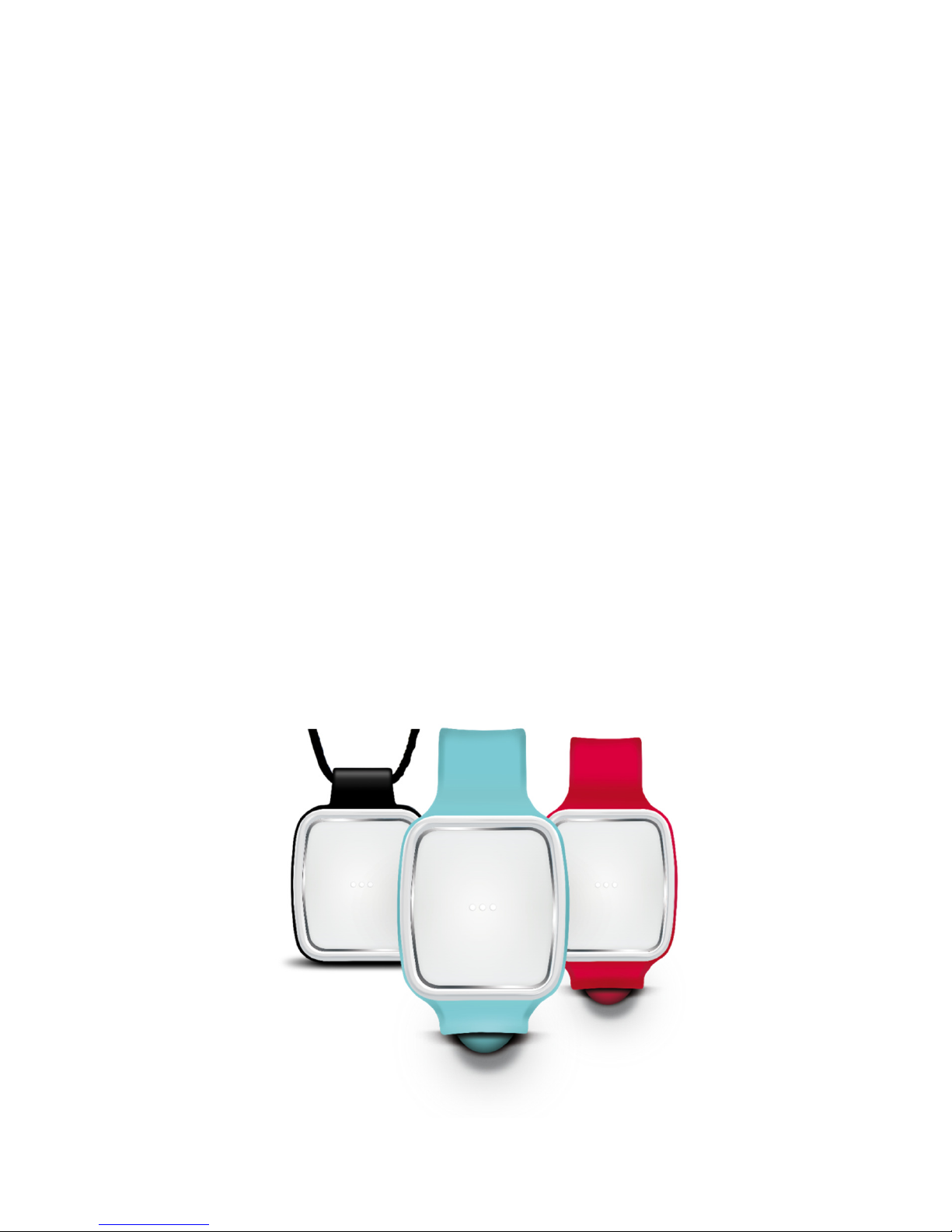
The Vibby comes pre-programmed with the Tunstall Radio Protocol,
which enables it to work with the Tunstall Lifeline (400, 4000+,
Connect/Connect+ Vi/Vi+, Lifeline GSM and Telecare enabled
schemes). The Vibby is also IP67 (dust and water resistance) and
IK4 & IEC 62599-1 2010 Class2 (shock and impact).
The Vibby is supplied in Storage Mode to preserve battery life, to exit
storage mode and start using the Vibby see page 4. The Vibby is
pre-configured to be worn on the wrist.
Page 4of 24
V3.6
Exiting from Storage Mode
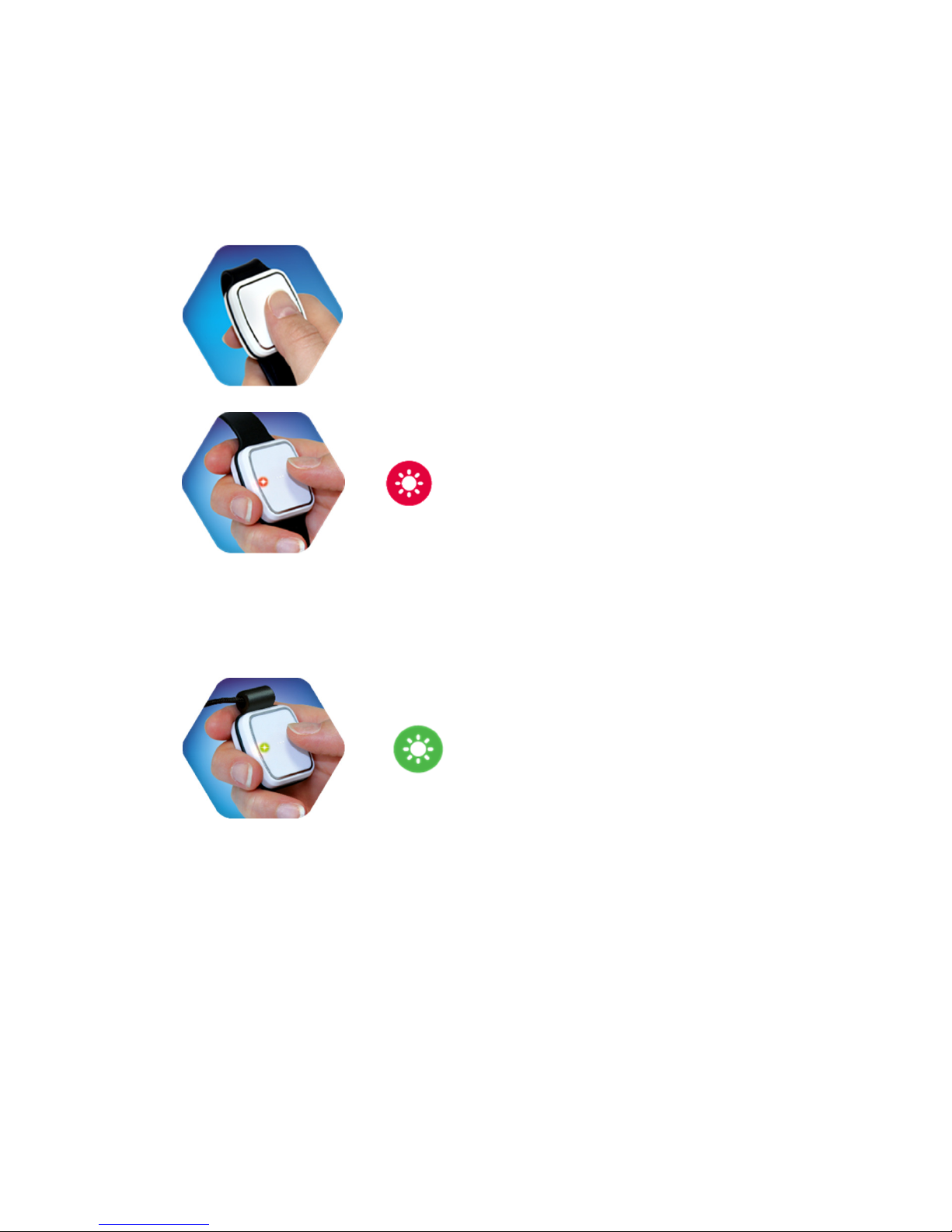
The Vibby is shipped in Storage Mode, it is important to exit Storage
Mode by following the instructions below.
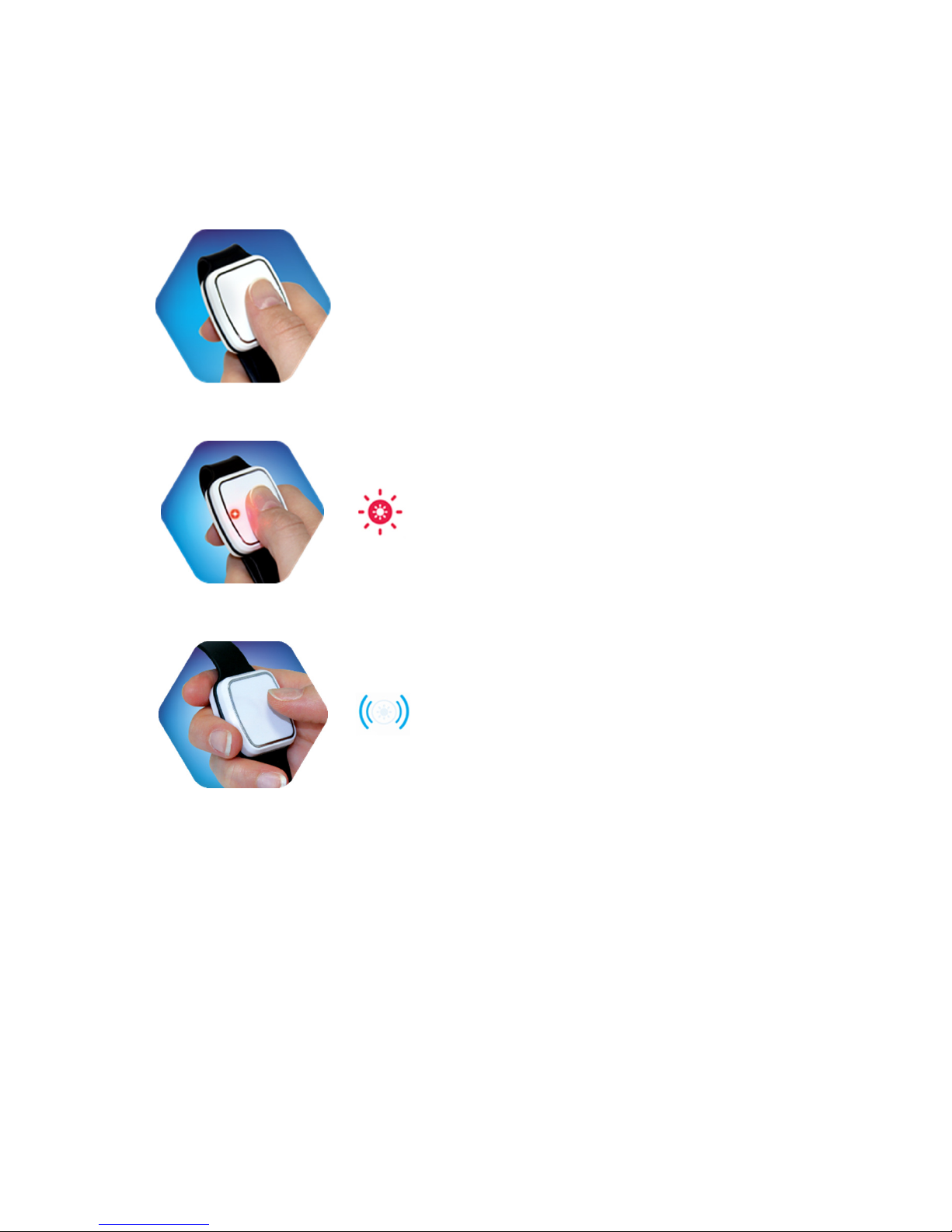
1)
Press and hold the button.
2)
Release the help button when the
red LED starts flashing.
3)
The Vibby will vibrate and the LED
will be off. You have now exited
storage mode.
After exiting Storage Mode, the Vibby will automatically enter Demo
Mode for 5 minutes before entering Active Mode (e.g. ready for use).
Page 5of 24
V3.6
Entering Program mode
The Vibby must be in Storage Mode before entering Program Mode.
To check the Vibby is in Storage Mode briefly press the button for 0.5
second. If the red LED illuminates the Vibby is not in Storage mode.
To enter Storage Mode see page 15.
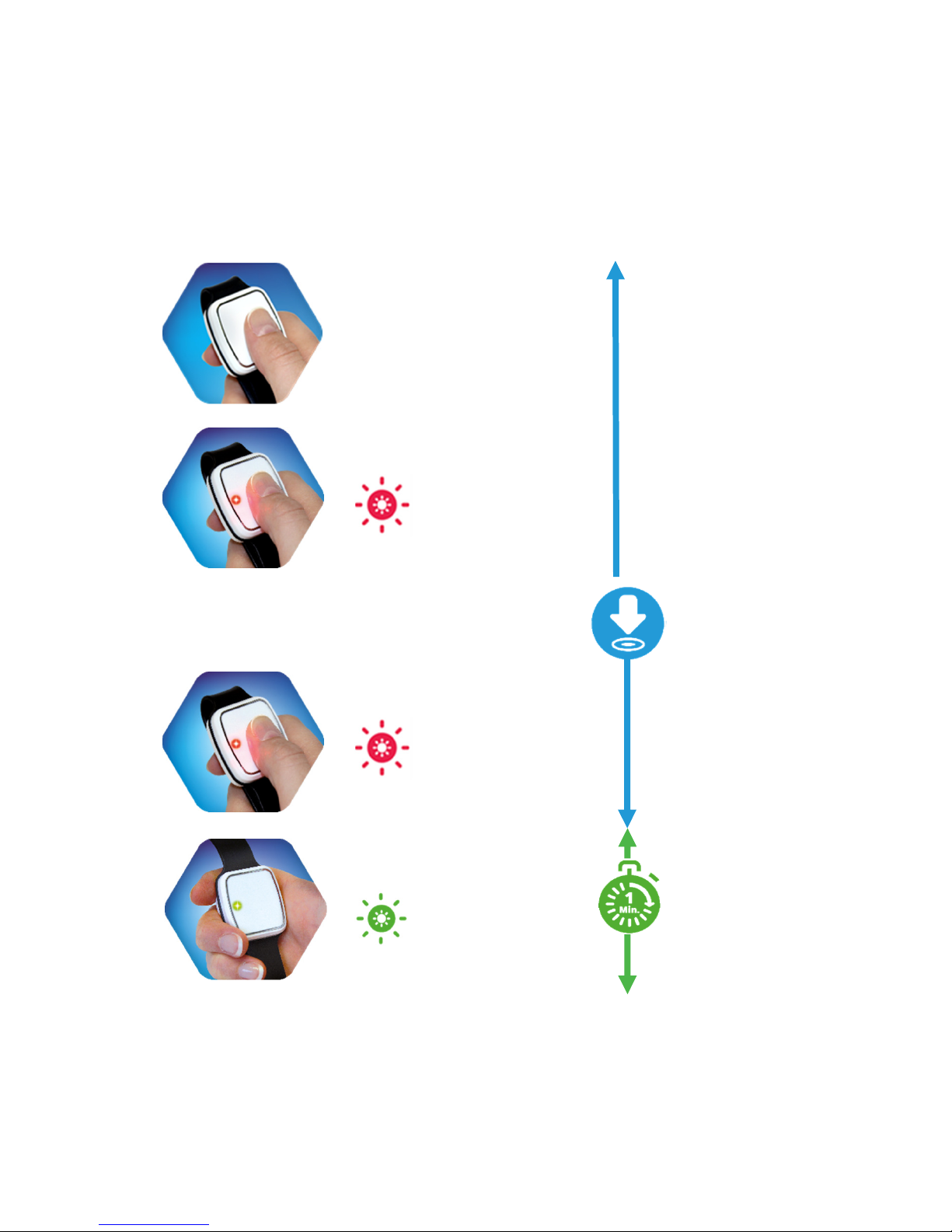
1)
LED is off
(3s).
Press and
hold the
button
2)
Red LED
flashes six
times (3s).
LED
switches off
(8s).
3)
Red LED
flashes up
to six times
(3s).
When the
red LED
flashes
quickly
release the
button
4)
The green
LED Will
quickly flash
for 1
minute.
Once the Vibby is in Program Mode it will exit Program Mode
automatically after 1 minute. Next move to the ‘Configuration
Selection’ step.

Page 6of 24
V3.6
Configuration Selection
It is possible to change the wearing option from the wrist strap to
neckcord and change the radio protocol. The radio protocol step
should only be performed if this has previously been changed by
mistake. Once in Program Mode follow the steps below.
1)
Press and hold the
button.
2)
Keep pushing the
button until the
green LED lights
steadily and then
turns off.
3)
When the Vibby
vibrates release
for Radio Protocol
selection.
Radio Protocol
selection page
7.
4)
When the red LED
lights steadily
release for wearing
mode selection.
Wearing Mode
selection page
8.

Page 7of 24
V3.6
Radio Protocol Selection
This step is only needed if the protocol selection has been changed.
The Vibby comes pre-programmed with the Tunstall Radio Protocol,
which enables it to work with the Tunstall Lifeline (400, 4000+,
Connect/Connect+ Vi/Vi+, Lifeline GSM and Telecare enabled
schemes).
Each red LED flash corresponds to a protocol.
1)
The LED should not be
lit.
2)
Press and hold the button
and release on the 1
st
flash of the red LED.
Once the radio protocol has been changed, the unit will automatically
return to Storage mode.
Page 8of 24
V3.6
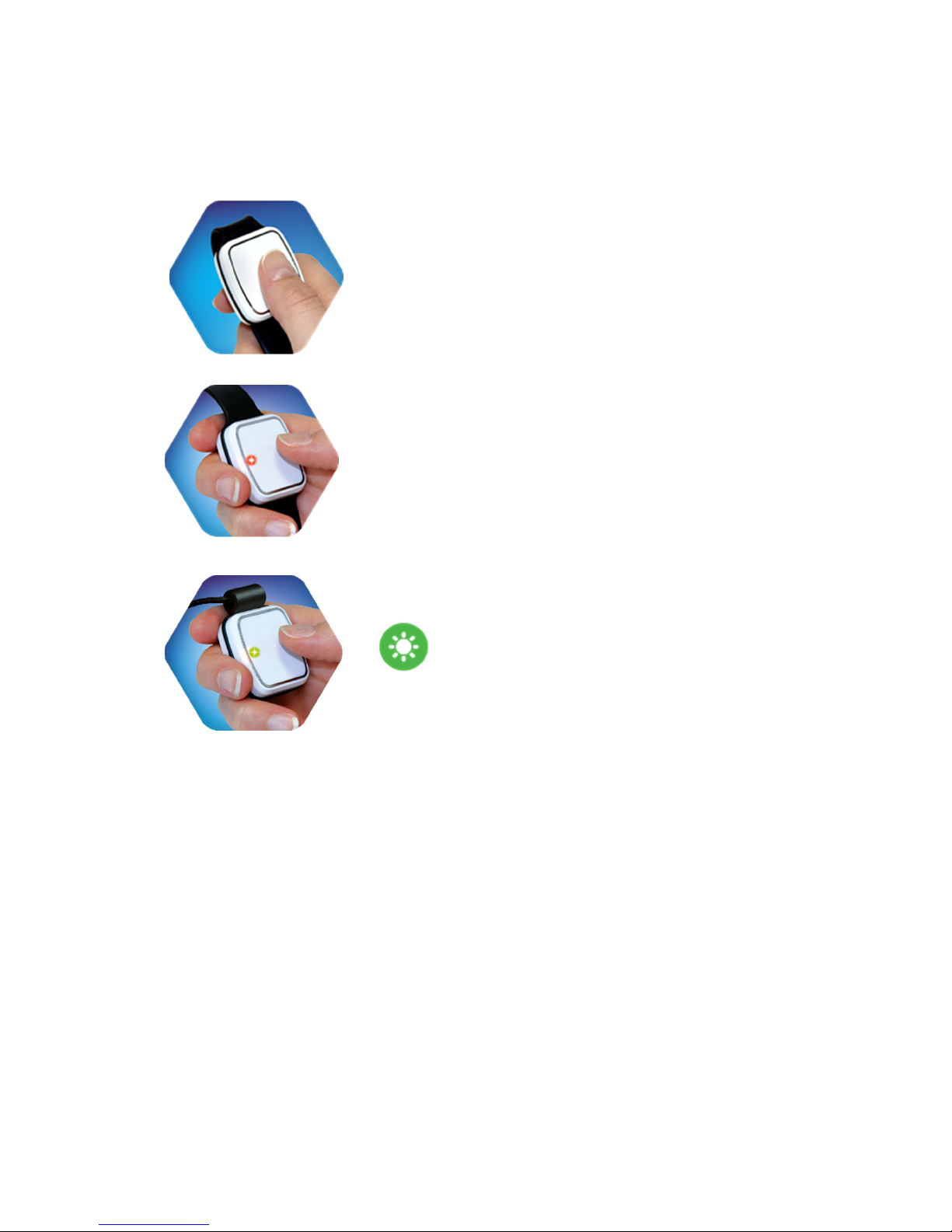
Wearing Mode Selection
The Vibby is supplied pre-configured to wrist wearing mode with a
wrist strap fitted. If the wearing option needs to be changed follow the
steps below. To check the Wearing Mode see page 9.
1)
Press and hold the button.
2)
The red LED will illuminate and
the Vibby will vibrate. Release
the button on the red LED for
Wrist strap mode.
3)
Continue pressing the button for
Neckcord mode.
4)
The LED will illuminate Green
and the Vibby will vibrate.
Release the button on the green
LED for Neckcord mode.
Once the wearing mode has been set the Vibby will return to storage
mode.
Page 9of 24
V3.6
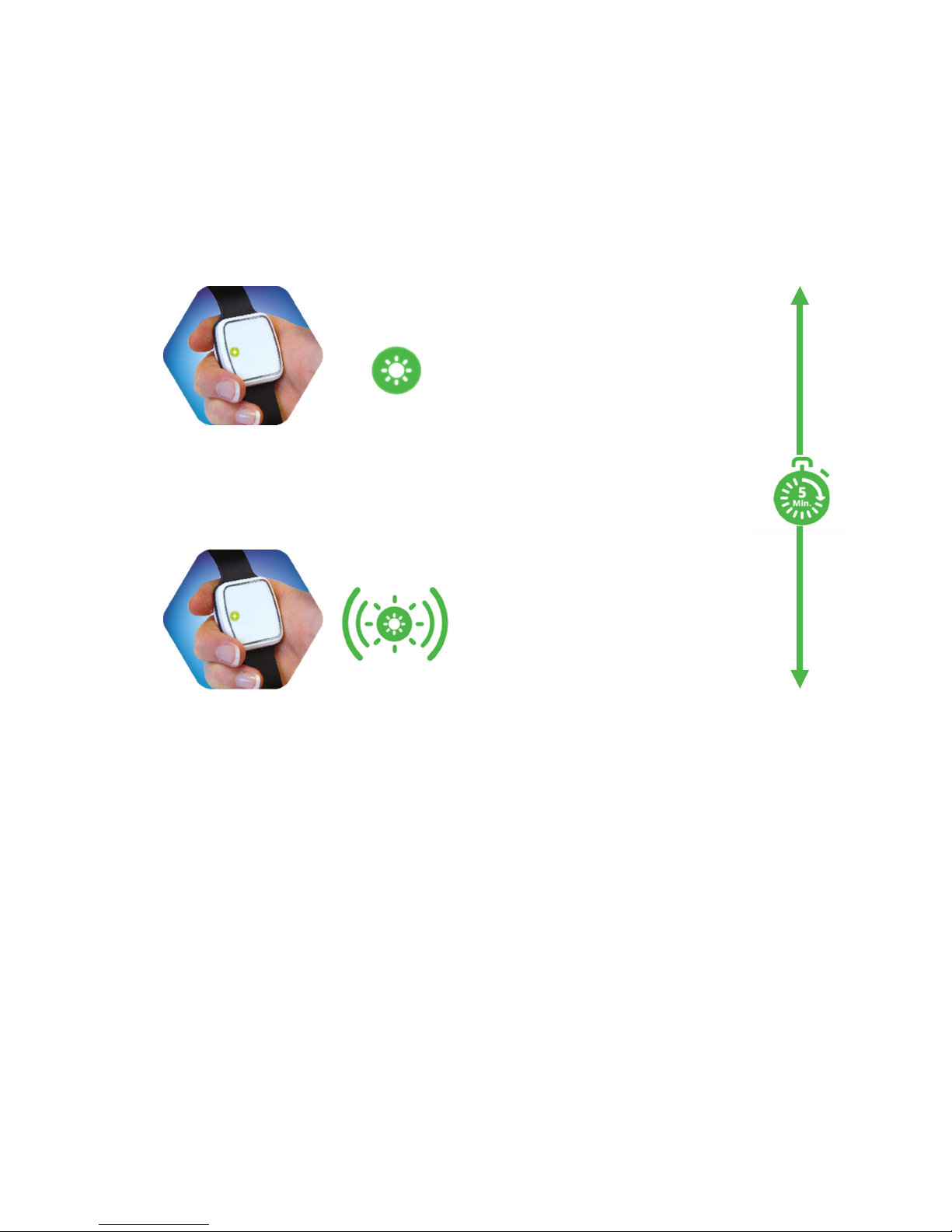
Checking Wearing Mode Configuration
It is possible to check the wearing mode the Vibby is configured to,
follow the steps:
1)
Quickly press the button twice
2)
The red LED will illuminate and
the Vibby will vibrate. This
indicates the Vibby is configured
for a Wrist strap.
3)
The green LED will illuminate and
the Vibby will vibrate. This
indicates the Vibby is configured
for a Neckcord.
Page 10 of 24
V3.6
Demo Mode
Vibby has an integrated Demo Mode built in, making multiple
simulations of a fall easier. Demo Mode is automatically entered after
exiting Storage Mode. Throughout this time the LED will continually
flash green. Demo Mode will continue running even after a fall has
been simulated.
1)
The green LED will
flash every 5 seconds.
2)
When the green LED
flashes 6 times and
vibrates Demo Mode
has ended.
When in Demo Mode, simulate a fall by fastening the wrist strap,
then hold the wrist strap with the Vibby facing down and at a
minimum of 60cm above the ground. Hold in this position for at least
30 seconds. Drop the Vibby avoiding it twisting so that it lands on its
face on the floor. Leave it on the floor for at least 20 seconds whilst it
analyses the fall. Once the fall has been detected the red LED will
begin to flash and the Vibby will begin to vibrate.. Leave the Vibby on
the floor and after a further period (20-30 seconds) the Vibby will
transmit the alarm; indicated by the red LED illuminating for a short
period.
The Vibby will automatically exit Demo Mode and enter Active Mode
after 5 minutes of exiting Storage Mode.
Andere Handbücher für THE VIBBY
2
Inhaltsverzeichnis
Andere Tunstall Betrachten Handbücher


