
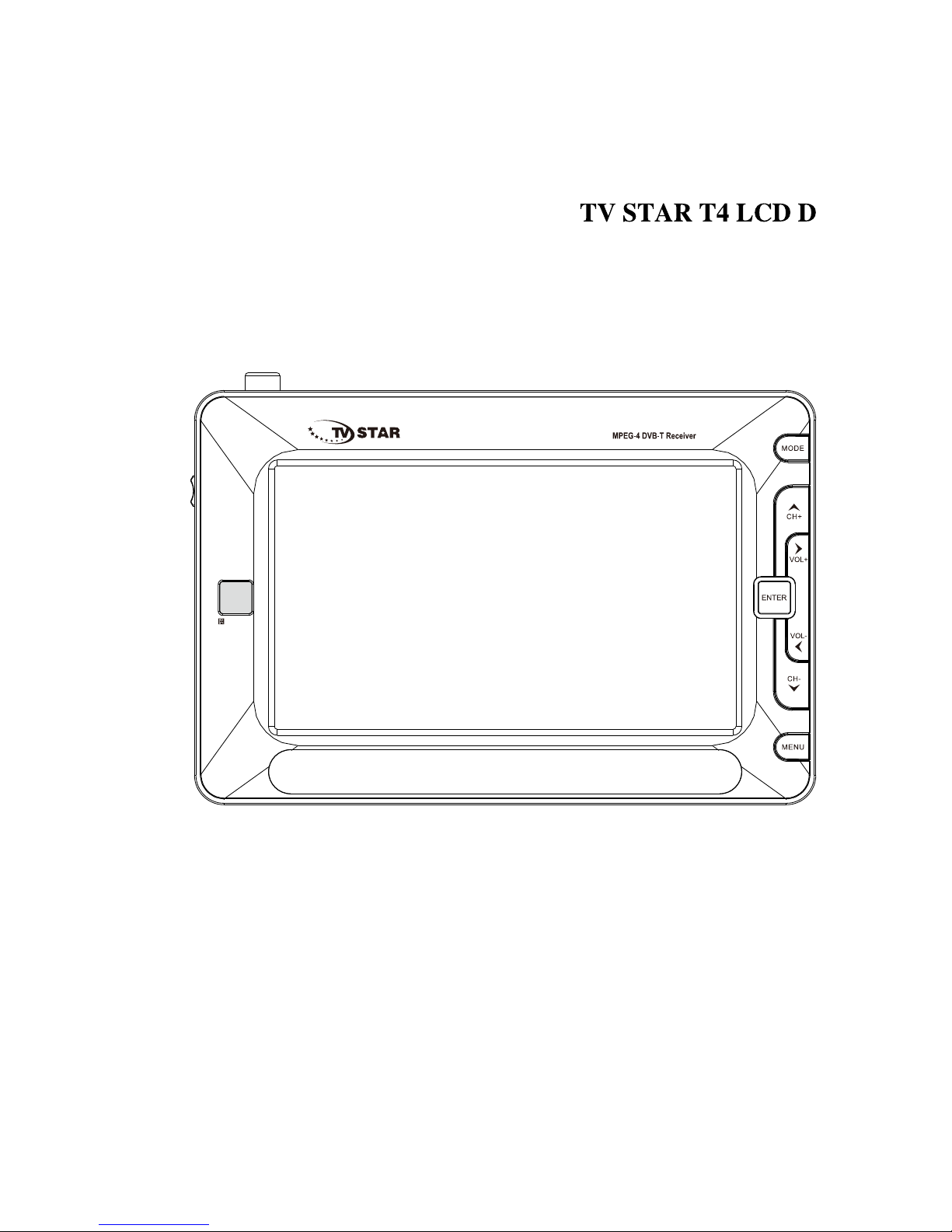
TV Star T4 LCD D Bedienungsanleitung
EN
PORTABLE TV PLAYER
USER'S GUIDE

CONTENIDO
POINT FOR ATTENTION................................................................
FEATURES......................................................................................
OPERATION INTERFACE...............................................................
SYSTEM CONNECTION.................................................................
BASIC OPERATIONS
WELCOME PAGE...........................................................................
EDIT CHANNEL..............................................................................
INSTALLATION................................................................................
SYSTEM SETUP..............................................................................
TOOLS.............................................................................................
GAME...............................................................................................
REC.................................................................................................
HOTKEY...........................................................................................
TROUBLE SHOOTING....................................................................
SPECIFICATIONS...........................................................................
3-5
6
7-8
9
10
10-13
13-14
15-19
19-20
20
20-23
23-28
29
30
Point for attention
Precautions
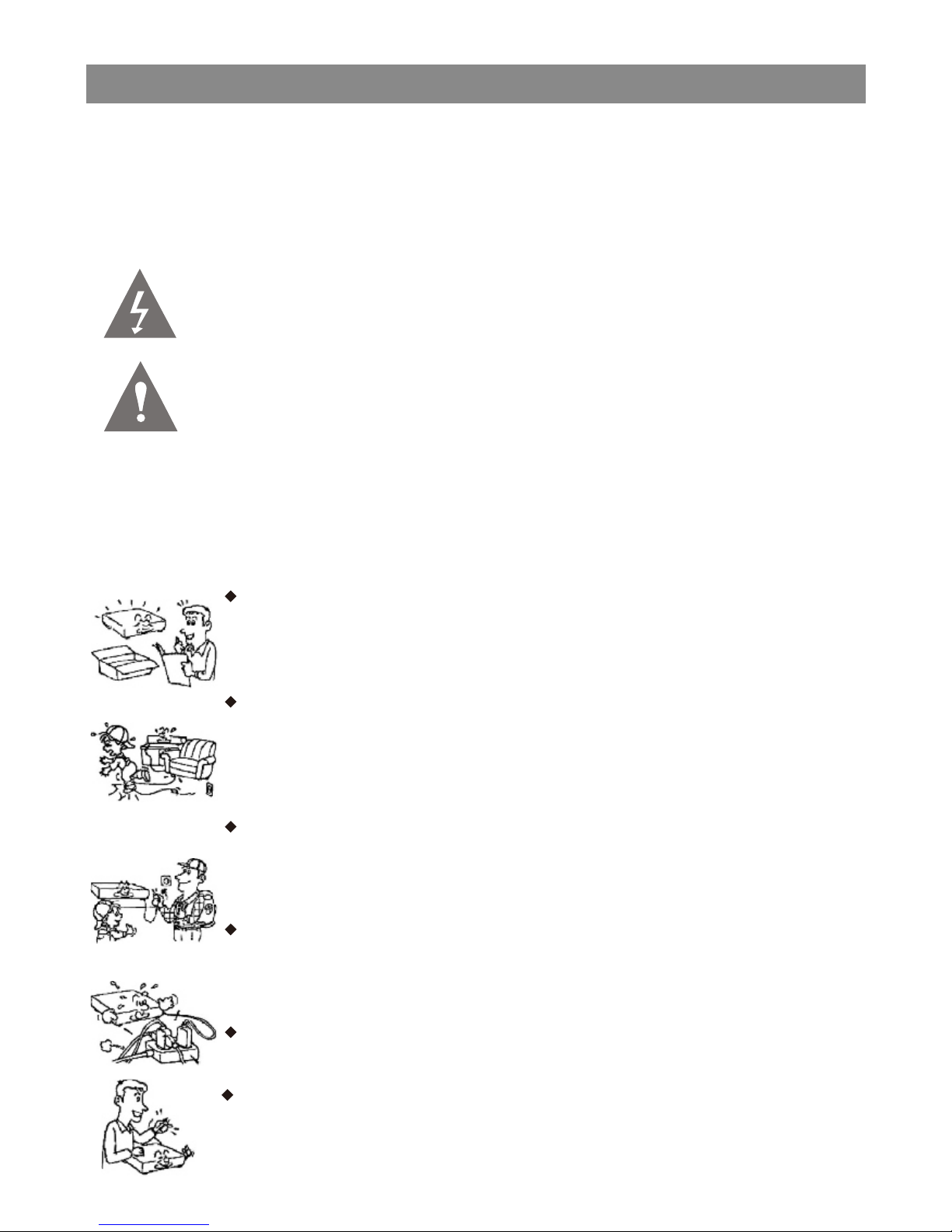
To prevent electric shock or fire hazard do not expose the unit to rain or
moisture.Warning To avoid electric shock or fire hazard,do not open the
cabinet,refer servicing to qualified person only.
This symbol is intended to alert the user to the presence of
uninsulated “dangerous voltage”within the product’s enclosure that
may be of sufficient magnitude to constitute a risk of electric shock
to persons.
This symbol is intended to alert the user to the presence of
important operating and maintenance servicing instructions in the
literature accompanying the appliance. warning to avoid electric
shock please ensure plug is inserted completely.
Please read this safety&operation manual before you install
and use the unit,and please follow the instruction.Pay attention
to warning and do follow them.
Route the power cord so that it is not likely to be walked on or
pinched by items placed upon or against them,paying particular
attention to the plugs,receptacles,and the point where the cord
exists from the appliance.
Please disconnect the unit under these conditions:Lightning,
Rainstorm or you won't use it for a long time,this can avoid
electric shock.
Do not overload wall outlets,extension cords or convenience
receptacles beyond their capacity,since this can result in fire or
electric shock.
Do not use suitable outlet,it might be dangerous.
Warning: for safety we advise that it is not allowed to watch video
during driving!
The power requirement of this unit is 100~240VAC,50Hz/60Hz.
and the power source in China and Hong Kong mainland is
220V AC/50Hz.
3
Point for attention
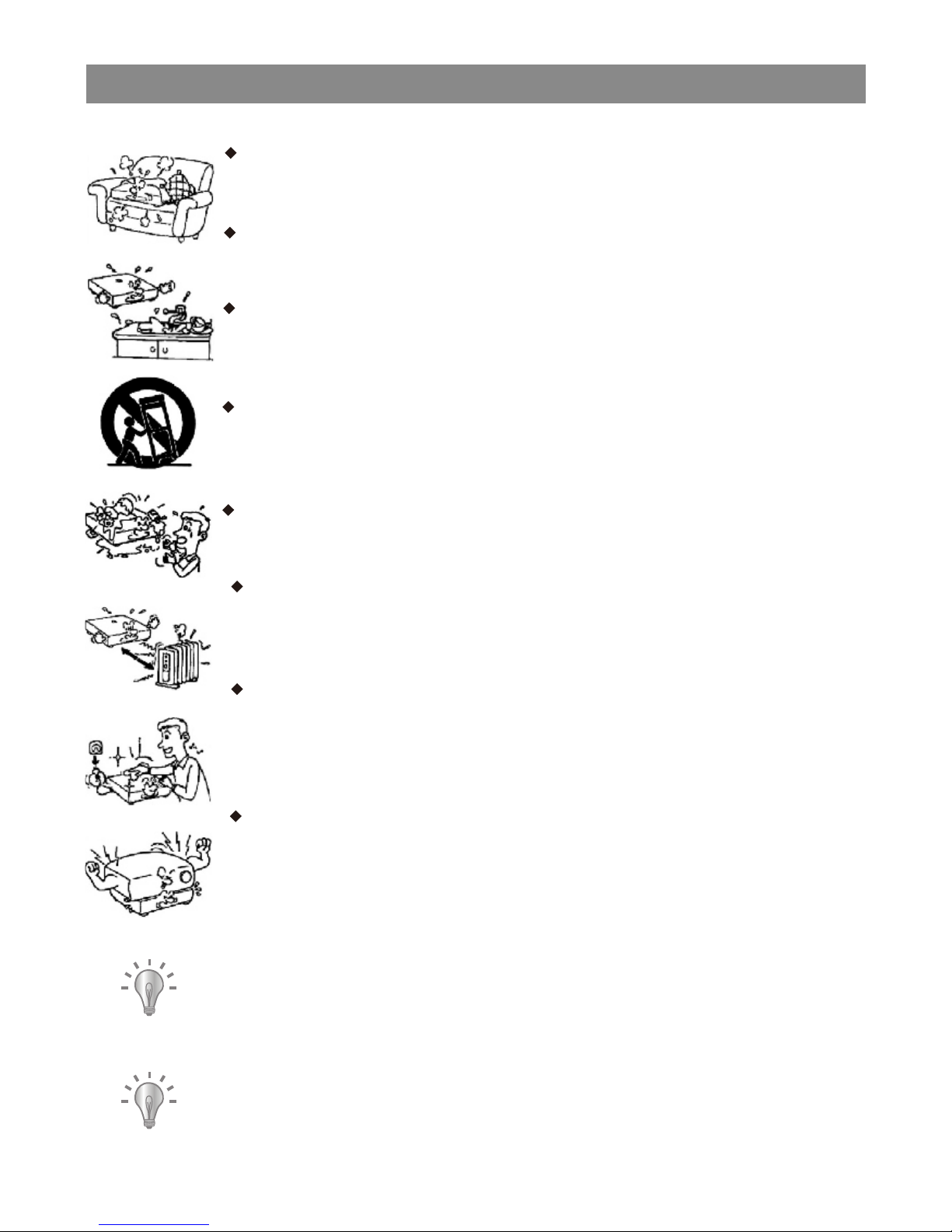
Never place the unit near or over such objects:for example,
radiator, heat register,stove or other heat sources
(including amplifier).
Unplug the unit from the wall outlet before cleaning or
polishing it.Do not use liquid cleaners or aerosol cleaners,use
a cloth lightly dampened with water for cleaning the exterior of
the unit.
Never place heavy object on the unit.
Notice:
Keep safety utilization of electric power. electrical wire of
peripherals should marked with safety label.and the wire cannot
be lose its security feature for random replacement.following
this can avoid electric shock or fire hazard,in case such
accident happens,you should contact qualified technician.
copyrights:
the copyright protected content cannot be copied.broadcasted,
screened,cablecasted, played publicly and rented,unless it is
authorized.
Check the connection reguarly.If any rupture of failure in
insulation,call for a maintenance man to replace them.
To ensure reliable operation,and to protect it from overheating,
the unit must be put in somewhere well ventilated
Do not use power-line operated sets near water-for example,
near a bathtub, washbowl,kitchen sink,or laundry tub,in a wet
basement,or near a swimmingpool,etc.
Do not place the unit on an unstable object,the set may fall,
causing serious injury to a child or an adult,and serious
damage to the unit.
Never let any liquid spattered on the unit.It might cause electric
shock or fire hazard.
4
Point for attention
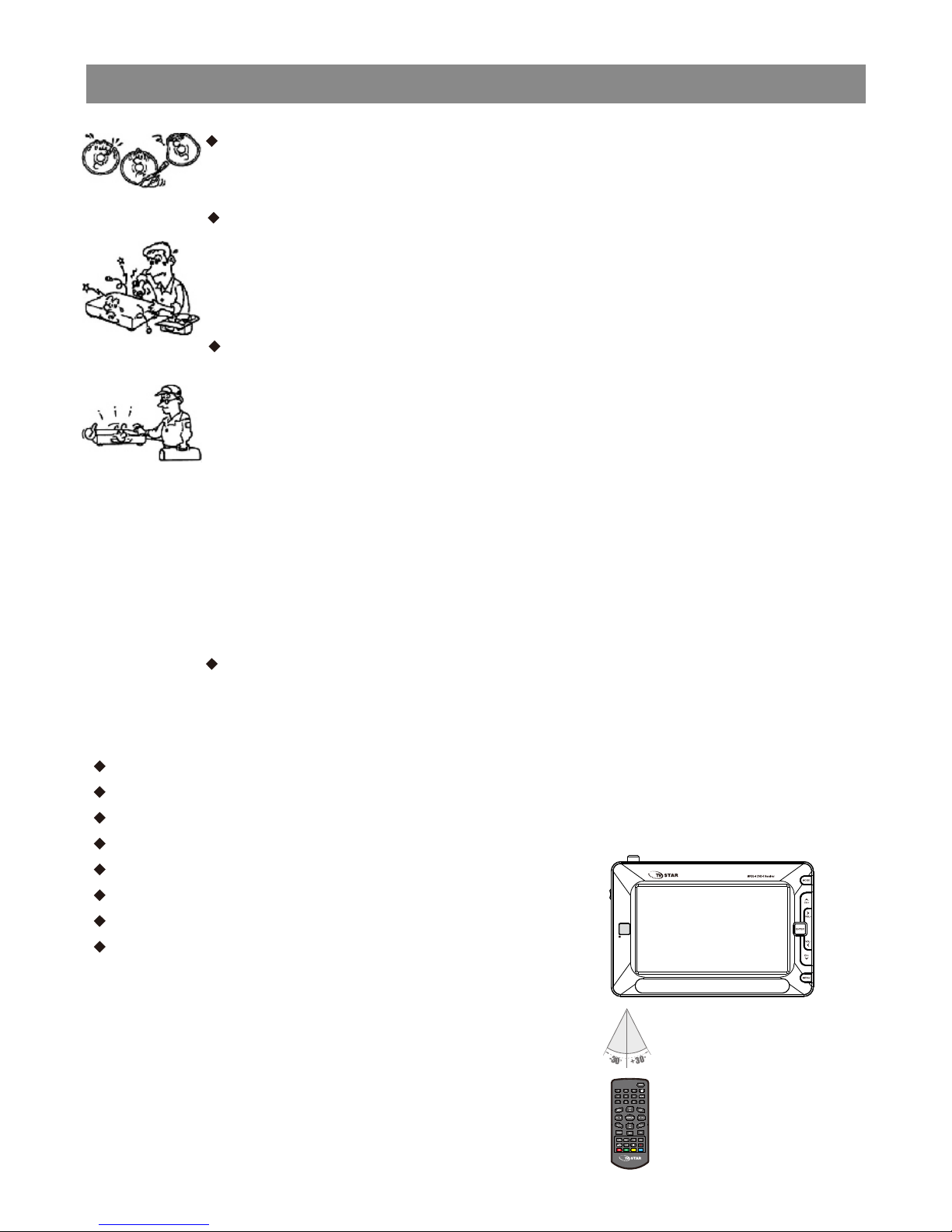
Do not use cracked or anamorphic discs, or it might damage the
loader.
Do not repair the unit yourself,opening or removing the cover
may expose you to dangerous voltage or other hazards, refer all
servicing to qualified service
personnel.
Unplug the unit and refer servicing to qualified service
personnel under the following conditions:
A.when the power cord or plug is damaged or frayed.
B.If liquid has been spilled or objects have fallen into the unit.
C.The unit has been exposed to rain or water.
D.If the unit does not operate normally when following the
operating instructions.
E.If the unit has fallen or the cabinet has been damaged.
F.When the unit exhibits a distinct change in performance-this
indicates a need for service.
Tips:Upon completion of any service or repairs to the set,ask the
service technician to perform routine safety checks to determine
that the unit is in safe operating condition.
REMOTE FUNCTIONS
Aim the remote directly at the receiver on the unit while operating.
Do not drop the remote control on the floor or impact any other object.
Do not place the remote in a hot or moist location.
Do not let any water or other liquid fall on the remote.
Do not open the remote.
Distance about 7m from the receiver.
Angle about 30 left/right from the axle wire.
Do not expose the remote control to direct
sunlight or other heating sources.
The remote control may get damaged.
From 3 to 7 meters
5

Features
Features
● 7 inch TFT LCD
● 16:9 or 4:3 aspect ratio
● Built in speaker;Earphone output.
● Three kinds of power supply:Power Adapter,Li-Nion polymer chargeable
battery and car adapter.
● Li-Nion polymer chargeable battery.one fully charged battery can last for 2
hours.
● Intelligent charging function.
● Use Power Adapter,Li-Nion polymer chargeable battery,you can charge while
playing.
● 75 ohms antenna jack
● Antenna for DVB-T
● Remote control
● Audio/Video cable
● Earphones (3,5 mm jack)
● Digital DVB-T TV tuner
● Support AUTO-search and MANUAL search.
● Support EPG.
● Support Multi-language OSD.
● Support CHANNEL CONTROL, EDIT, TIMER, HIDEN SUBTITLE.
● Support TELETEXT function.
● USB input with possibility to record and play files: MP3/WMA/JPEG/MPEG.
6
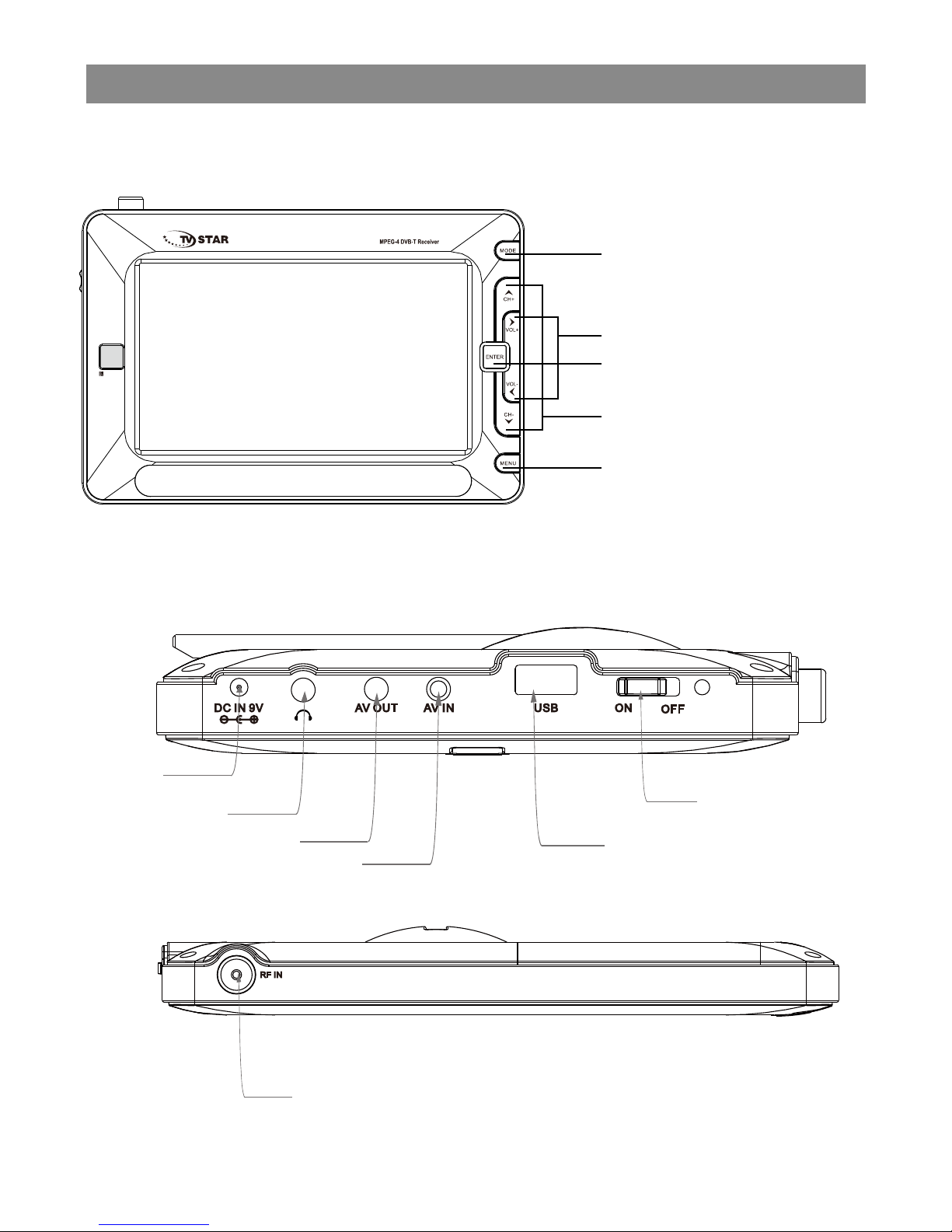
Operation interface
Mainbody operation interface
Switch DVB-T/AV button
Direction function in setup
condition,Volu me up/down
button
Direction function in setup
condition/Change channels
by "UP" and "DOWN" in
mode.
Switch MENU button
Channel list /OK(Enter)
Connection interface
DC INPUT
Earphone output
AV output
AV input
USB
POWER BUTTON
RF ANT 75ohm
7
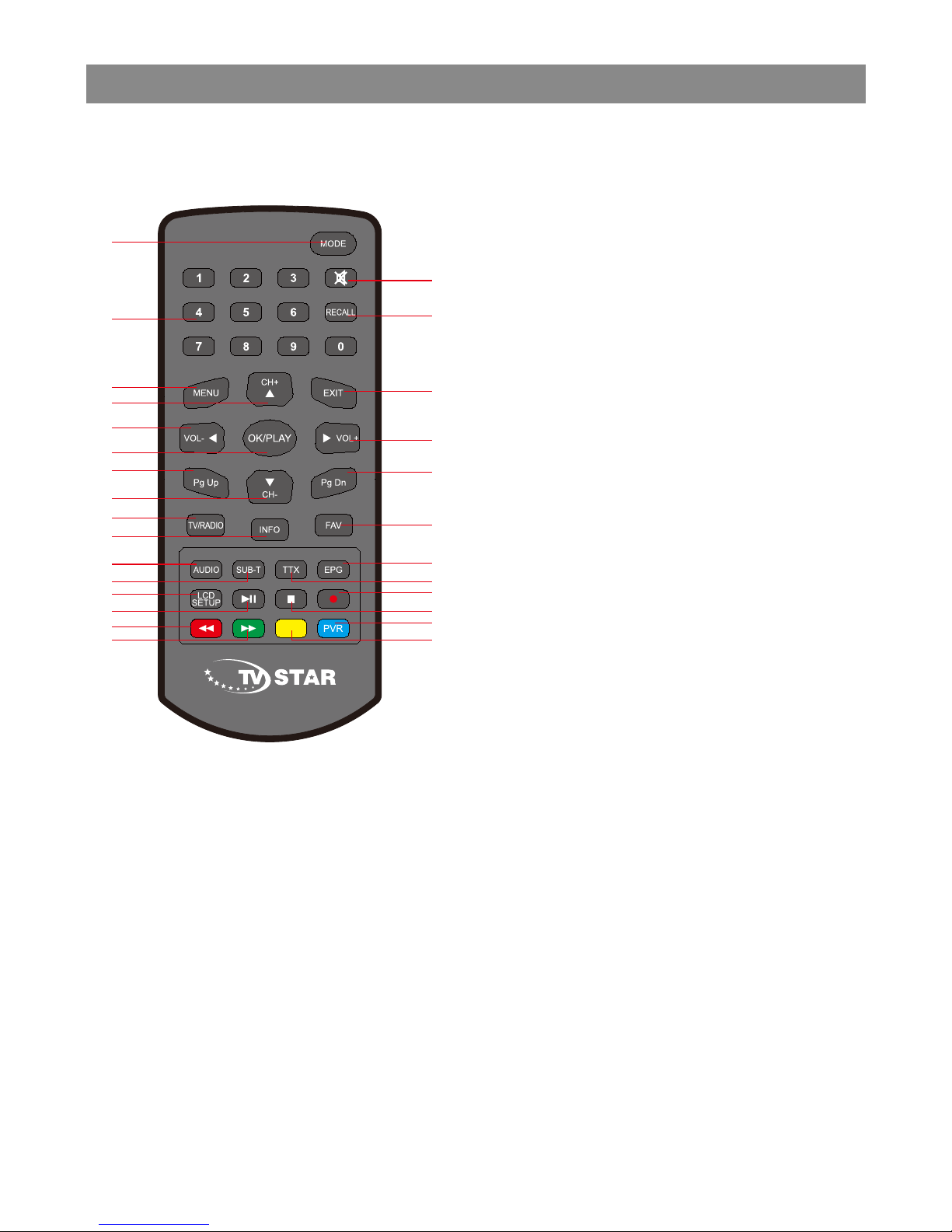
Operation interface
5
6
7
9
11
10
13
12
14
15
16
17
23
22
24
25
26
27
28
18
8
19
1
2
3
4
20
21
1. Mode
2. Number keys
3. Menu
4. Channel up
5. Left / Volume DOWN
6. OK/PLAY
7. Pg up
8. Channel down
9. TV/RATIO
10. Info
11. AUDIO
12. Subtitle function
13. LCD Setup
14. PLAY/PAUSE
15. Fast backward/RED BUTTON
16. Fast forward/GREEN BUTTON
17. Switch Sound/Soundless button
18. Recall
19. Exit
20. Right / Volume UP
21. Pg Dn
22. FAV
23. EPG
24. TTX
25. RECORD
26. STOP
27. PVR/BLUE BUTTON
28. YELLOW BUTTON
8
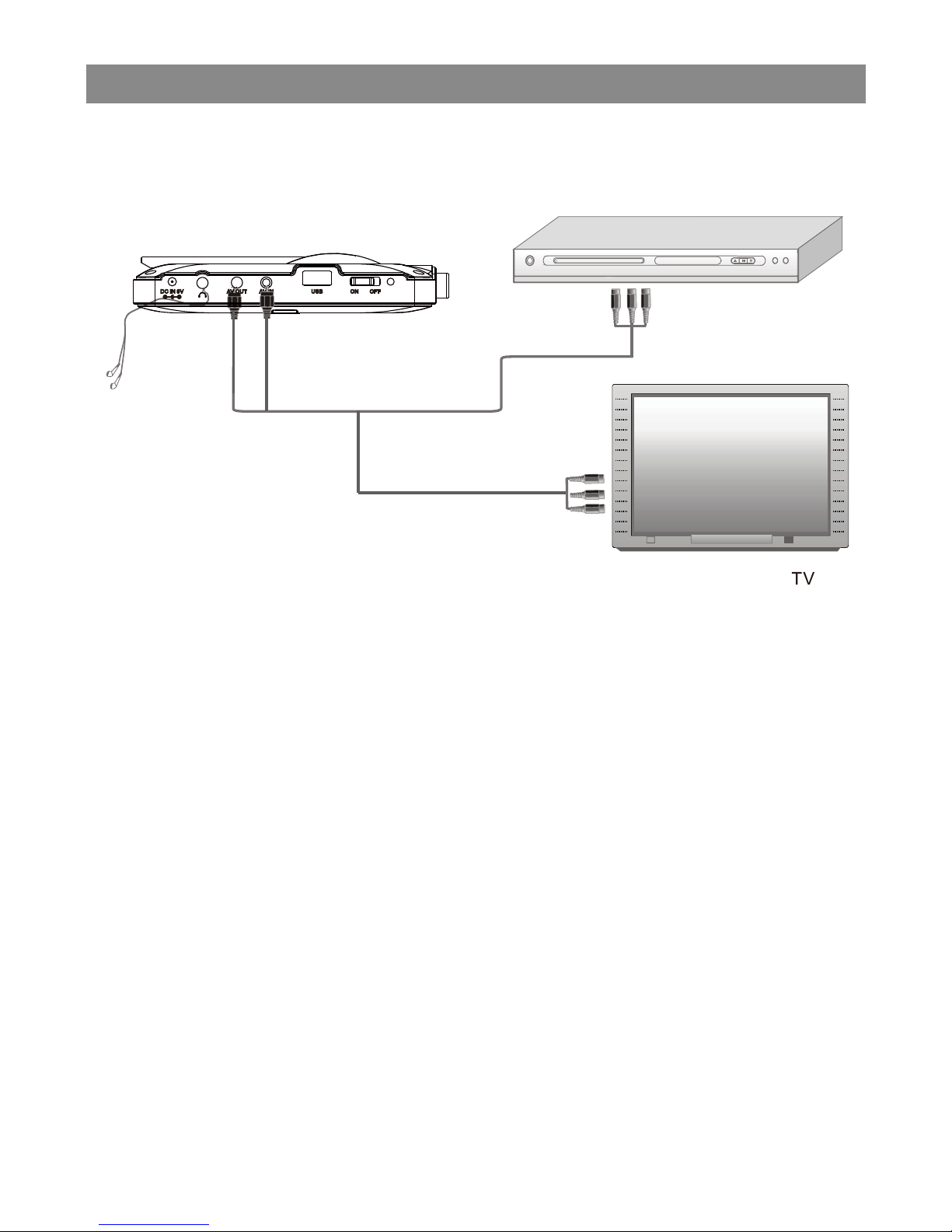
System connection
AV input/output and earphone connection
AV connect
Yellow Red white
VCD, DVD play/VCR
Ye llow
Re d wh tie
Notice:Please turn off all devices before connection.
● As per the picture, use the A/V cable to connect the portable TV player
to a TV or other devices.
● Turn on the portable TV player and the other unit to which connection
has been made.Press the mode button on the portable TV player or on
the remote control to enter in A/V mode.
● Note:The audio output only supports Analogue output.
Use the AV cable in the accessory bag,connect the audio/video output
on this unit to the corresponding Input on TV or stereo amplifier.
9
Basic Operations
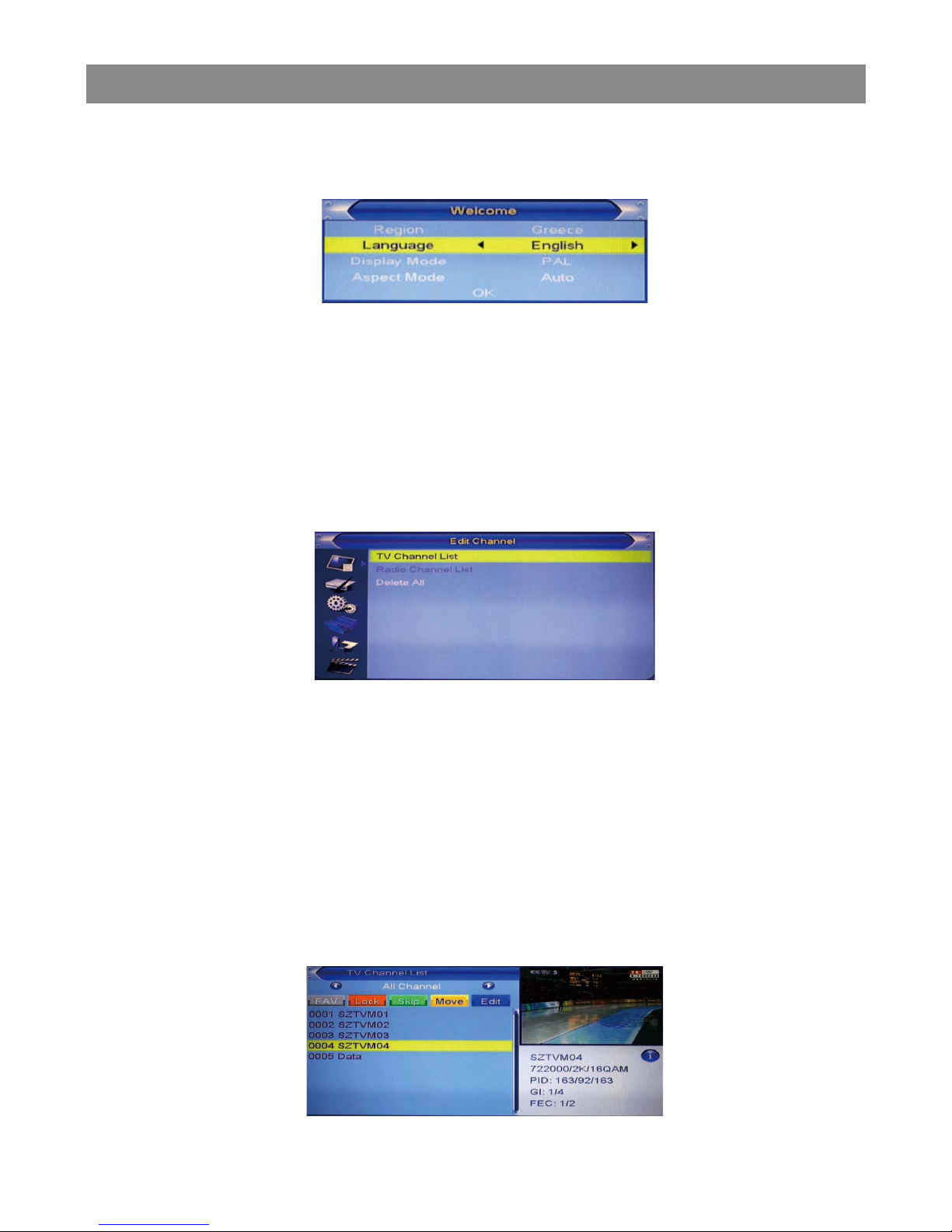
4. Welcome Page
When turn on the power for the first time, the welcome page will be
shown as below:
1 Press [Up/Down] key to move highlight.
2 Press [Left/Right] key to select region, language,Display mode, Aspect
mode.
3 Move highlight to [OK] button and press [OK] key to begin the auto scan.
4 Press [Exit] key to exit wecome page and enter into main menu.
5. Edit Channel
When pressing the [SETUP] key to enter the main menu, which shows as
below:
1 Press [Up/Down] key to select menu pages among Edit Channel,
Installation, System Setup, Tools, Game,and REC.
2 Press [OK] or [Right] key to enter the “Edit Channel”. If Menu Lock is
“On”, a dialogue inquires the password, “0000” is for default.
3 Press [Up/ down] key to select menu items among TV Channel List,
Radio Channel List and Delete All.
4 Press [Left] key or [Exit] key to go back to main menu.
5.1 TV Channel List
When entering the “TV Channel List” menu, the window shows as below.
10
Inhaltsverzeichnis


