
Unitech Tashi MT688 Bedienungsanleitung

Copyright 2009 Unitech Electronics Co., Ltd.
All rights reserved. Unitech is a registered trademark of Unitech Electronics Co., Ltd.
Multi-Function Versatile Controller
MT688
Quick Reference Guide
400791G Version 1.0
Multi-Function Versatile Controller

Copyright 2009 Unitech Electronics Co., Ltd.
All rights reserved. Unitech is a registered trademark of Unitech Electronics Co., Ltd.

Copyright 2010 Unitech Electronics Co., Ltd.
All rights reserved. Unitech is a registered trademark of Unitech Electronics Co., Ltd.
English Deutsch Español Français
中文(简体) 中文(繁體) 日本語 영어
Tour of the MT688
Please make sure the following contents are in the MT688 box. If anything
appears missing or damaged, please contact a Unitech representative.
MT688 Power Adapter (Optional)
Terminal Block Plug (2) QRG paper note
NOTE: The MT688’s display ships with two transparent protection films. It is
not recommended to remove the second lower film, because the
screen will be more susceptible to scratching without it. The screen is
more legible without the film.
If your MT688 is provided with RFID reader, you will see the RFID
reader logo on the front panel of MT688.

Copyright 2009 Unitech Electronics Co., Ltd.
All rights reserved. Unitech is a registered trademark of Unitech Electronics Co., Ltd.
English Deutsch Español Français
中文(简体) 中文(繁體) 日本語 영어
The following sections describe the main components and features of the
MT688.
Front Panel
Connecting Power
Connect power to the MT688 through the following instruction:
Plug the Power Adapter Cable into the MT688’s DC input jack and then
connect the other end of the Power Adapter into an electrical outlet.
Emergency Button
Speaker
Function Buttons
Power LED
Microphone
2.0 Megapixel
CMOS Camera
RS232/485 Switch (for Port) RS232/485 Switch (for Terminal Block)
Ethernet Por
t
RS232/485 Por
t
DC Input Jack
Telephone Jack
USB Port (Client)
USB Port (Host)
Copyright 2010 Unitech Electronics Co., Ltd.
All rights reserved. Unitech is a registered trademark of Unitech Electronics Co., Ltd.
English Deutsch Español Français
中文(简体) 中文(繁體) 日本語 영어
Powering On the MT688
The MT688 automatically powers on when the Power Adapter plugs into an
external power source. The MT688 welcome screen appears, followed by the
Windows CE screen.
Using the Touch-screen
1. Tap the screen to choose a menu option.
2. Double tap to open programs.
3. Use the Windows CE Keyboard to type letters or numbers into a data field
or on a form.
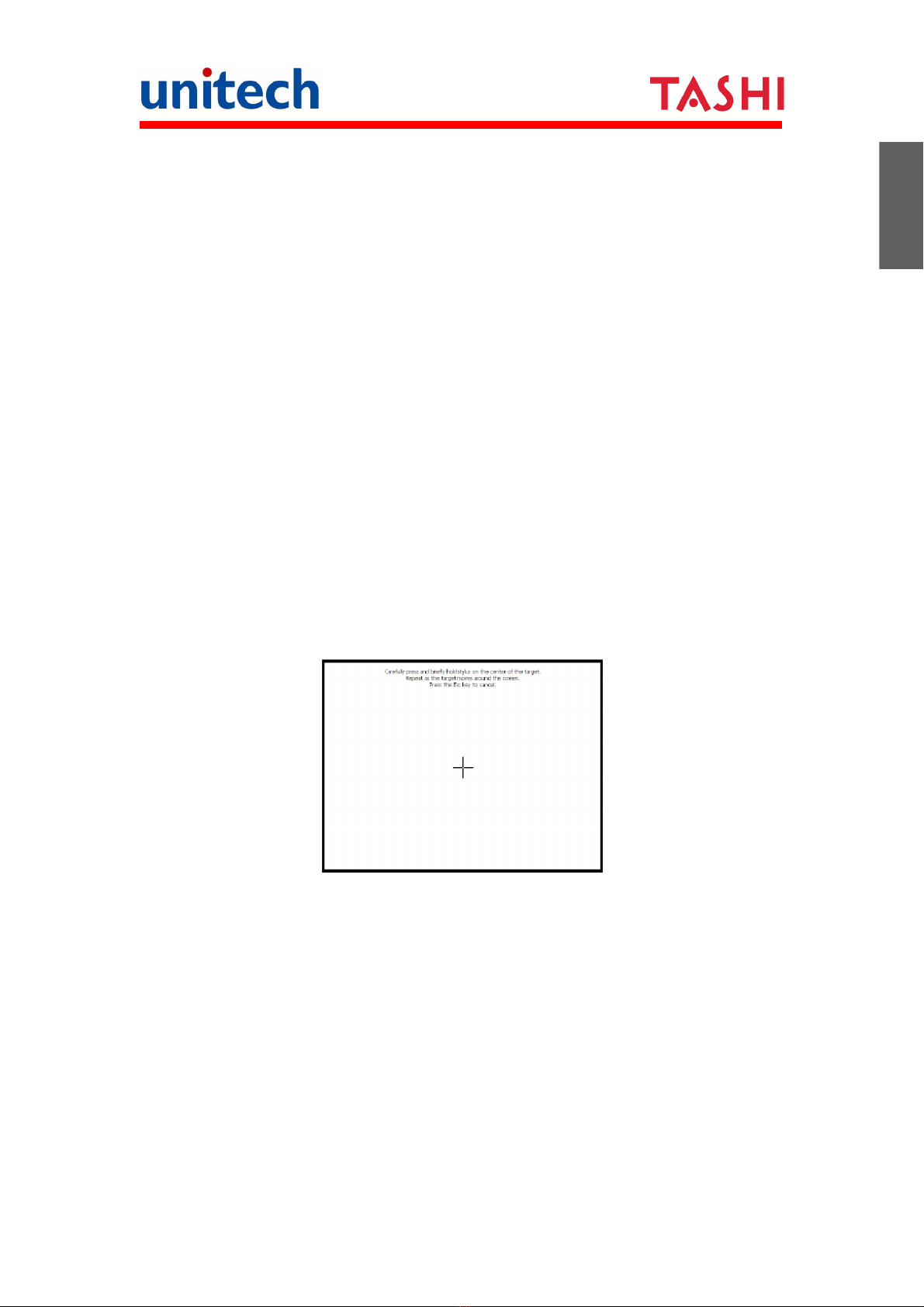
Calibrating the Screen
The calibration screen automatically appears when the MT688 is powered ON
for the first time or when the system is reset.
Tap a sequence of target marks across the screen. Tap gently, but firmly by
touching the screen.
The Date/Time properties screen will appear after the screen calibration has
been confirmed.
Setting the Date and Time
In the Date/Time Properties window, touch the screen to select the current
date/time, time zone and daylight saving time option.
Tap the Left or Right arrows to scroll through the desired year and month,
or directly tap the year or month to change the setting.
Tap on the Hr/Min/Sec AM/PM to input the Hr/Min/Sec to set the time.

Copyright 2009 Unitech Electronics Co., Ltd.
All rights reserved. Unitech is a registered trademark of Unitech Electronics Co., Ltd.
English Deutsch Español Français
中文(简体) 中文(繁體) 日本語 영어
Tap the arrow and set the correct time zone from the drop-down menu.
Check the box to enable Windows to automatically adjust for day-light
saving time.
Tap Apply to save the settings and exit the Date/Time Properties dialog, or
tap to exit without saving.
Using the Terminal Block
The MT688 provides two 12-position terminal blocks for input/output signals.
Insert the wire’s stripped end into the desired terminal block position. Tighten
the lock screw to secure the wire.
Terminal Block Pin Assignment
J2 Terminal Block Port
Pin Name Description Pin Name Description
1 D1+ Photo-IN Anode (+) 7 D4+ Photo-IN Anode (+)
2 D1- Photo-IN Cathode (-) 8 D4- Photo-IN Cathode (-)
3 D2+ Photo-IN Anode (+) 9 PLC TX PLC TX
4 D2- Photo-IN Cathode (-) 10 PLC RX PLC RX
5 D3+ Photo-IN Anode (+) 11 12V External DC 12V input
6 D3- Photo-IN Cathode (-) 12 GND GND
Date Setting
Time Setting
Time Zone Setting
Daylight Saving

Copyright 2010 Unitech Electronics Co., Ltd.
All rights reserved. Unitech is a registered trademark of Unitech Electronics Co., Ltd.
English Deutsch Español Français
中文(简体) 中文(繁體) 日本語 영어
J3 Terminal Block Port
Pin Name Description
1 R1-C Relay 1 Common
2 R1-NO Relay 1 Normal Open
3 R1-NC Relay 1 Normal Close
4 R2-C Relay 2 Common
5 R2-NO Relay 2 Normal Open
6 R2-NC Relay 2 Normal Close
7 R3-C Relay 3 Common
8 R3-NO Relay 3 Normal Open
9 R3-NC Relay 3 Normal Close
10 R4-C Relay 4 Common
11 R4-NO Relay 4 Normal Open
12 R4-NC Relay 4 Normal Close
Relay Output
RL1-CTRL →High R1 (C & NO Linked)
RL1-CTRL →Low R1 (C & NC Linked)
RL2-CTRL →High R2 (C & NO Linked)
RL2-CTRL →Low R2 (C & NC Linked)
RL3-CTRL →High R3 (C & NO Linked)
RL3-CTRL →Low R3 (C & NC Linked)
RL4-CTRL →High R4 (C & NO Linked)
RL4-CTRL →Low R4 (C & NC Linked)
Digit Input
D1+ and D1- are the positive and negative nodes of the external signal inputs.
D1+ = 3V ~ 12V,
D1- = GND DIGIT-INPUT1 = High
D1+ = 0V ~ 2V,
D1- = GND DIGIT-INPUT1 = Low
D2+ and D2- are the positive and negative nodes of the external signal inputs.
D2+ = 3V ~ 12V,
D2- = GND DIGIT-INPUT2 = High
D2+ = 0V ~ 2V,
D2- = GND DIGIT-INPUT2 = Low

Copyright 2009 Unitech Electronics Co., Ltd.
All rights reserved. Unitech is a registered trademark of Unitech Electronics Co., Ltd.
English Deutsch Español Français
中文(简体) 中文(繁體) 日本語 영어
D3+ and D3- are the positive and negative nodes of the external signal inputs.
D3+ = 3V ~ 12V,
D3- = GND DIGIT-INPUT3 = High
D3+ = 0V ~ 2V,
D3- = GND DIGIT-INPUT3 = Low
D4+ and D4- are the positive and negative nodes of the external signal inputs.
D4+ = 3V ~ 12V,
D4- = GND DIGIT-INPUT4 = High
D4+ = 0V ~ 2V,
D4- = GND DIGIT-INPUT4 = Low

Copyright 2010 Unitech Electronics Co., Ltd.
Alle Rechte vorbehalten. Unitech ist eine eingetragenes Markenzeichen von Unitech Electronics Co., Ltd.
English Deutsch Español Français
中文(简体) 中文(繁體) 日本語 영어
MT688 Beschreibung
Bitte kontrollieren Sie, dass die folgenden Inhalte im MT688 Paket enthalten
sind. Wenn ein Bestandteil fehlt oder beschädigt sein sollte, kontaktieren Sie
bitte einen Vertreter von Unitech.
MT688 Netzteil (Optional)
Anschlussblockstecker (2) Kurzanleitungshinweis
HINWEIS: Der Bildschirm des MT688 wird mit zwei transparenten
Schutzfolien ausgeliefert. Wir empfehlen Ihnen, die zweite untere
Folie nicht zu entfernen, da der Bildschirm ohne diese Folie
anfälliger für Kratzer ist. Er ist jedoch ohne die Folie besser lesbar.
Falls Ihr MT688 mit einem RFID-Lesegerät ausgestattet ist,
werden Sie das RFID-Leserlogo an der Vorderseite des
MT688 sehen.
Multifunktions-Controller

Copyright 2010 Unitech Electronics Co., Ltd.
Alle Rechte vorbehalten. Unitech ist eine eingetragenes Markenzeichen von Unitech Electronics Co., Ltd.
English Deutsch Español Français
中文(简体) 中文(繁體) 日本語 영어
Die folgenden Abschnitte beschreiben die Hauptkomponenten und Funktionen
von MT688.
Vorderseite
Stromversorgung
So schließen Sie den MT688 an die Stromversorgung an:
Stecken Sie das Netzteilkabel in die DC-Eingangsbuchse des MT688 und das
andere Ende des Netzteils in die Steckdose.
Notruftaste
Lautsprecher
Funktionstasten
Strom-LED
Mikrofon
2,0 Megapixel
CMOS Kamera
RS232/485 Schalter (für Port) RS232/485 Schalter (für Anschlussblock)
Ethernet Por
t
RS232/485 Por
t
DC Eingangsbuchse
Telefonbuchse
USB Port (Client)
USB Port (Host)
Andere Handbücher für Tashi MT688
1
Inhaltsverzeichnis
Sprachen:
Andere Unitech Controller Handbücher

Unitech
Unitech UT-102 Bedienungsanleitung

Unitech
Unitech UNI-335 Bedienungsanleitung

Unitech
Unitech TASHI MT800 Bedienungsanleitung

Unitech
Unitech UT-201 Bedienungsanleitung

Unitech
Unitech UT-1596 Bedienungsanleitung

Unitech
Unitech UT-101 F Bedienungsanleitung

Unitech
Unitech Tashi MT688 Bedienungsanleitung


