Vetta HR409 Bedienungsanleitung

HR409
english

44
ENGLISH
INDEX
1. Congratulations 2
2. Warning 3
3. HR409 Features 3
4. HR409 Components 3
5. Button Functions 5
6. Modes Of Operation 5
7. Setting The Clock 6
8. Determining Your Target Zone 6
9. Setting Your Target Zone 7
10. Setting Alarm Sound On & Off 8
11. Basic Fitness Tips And Target Zone Explanation 8
12. Attaching your HR409 10
13. Exercising with your HR409 12
14. Troubleshooting 12
15. Taking Care Of Your HR409 13
16. Technical Specifications 14
17. Warranty & Service 15
CONGRATULATIONS
Welcome to the future of wireless heart rate technology! Your
purchase today shows that you are serious about your exercise and
are committed to achieving your best. Today, getting the most from
your exercise doesn’t necessarily mean you have to spend longer
periods of time to achieve those goals. With Target Heart Rate
Training, you will increase the effectiveness of your workout by
monitoring and quantifying your results every step of the way. For
most individuals as little as 20 minutes in your target heart rate zone
each session is enough to achieve substantial health improvements.
The Vetta HR409 will act as your personal coach and guide you to
your fitness goals more effectively.
Heart Rate Technology provided by
Acumen, Inc. EZ Set Target Zone™ is
a trademark of Acumen, Inc. EZ-Set
Target Zone and Angled Belt Clip are
patent pending from Acumen, Inc.

5
WARNINGS & CAUTIONS
Overexertion can cause serious injury, including heart attacks. Some
individuals cannot safely elevate their heart rate to the levels of typi-
cally used heart rate training zones. No one should begin an exercise
program without first obtaining medical clearance,
especially if there is a personal or family history of heart disease, high
blood pressure, or if you are over age 40, have diabetes, high cho-
lesterol, smoke cigarettes, are overweight or are taking certain med-
ications. Stop exercising and seek medical attention if you notice
signs of overexertion or heart problems, such as pain or
pressure in the left or mid-chest area or left neck, shoulder or arm,
light-headedness, cold sweat, unusual paleness or fainting. Also note
that the signals used by this monitor may interfere with a
pacemaker or other implanted devices. Consult the manufacturer of
the implant device and/or your physician prior to using this monitor.
HR409 FEATURES
Shock resistant design
Water resistant to 30 meters
EZ-Set Target Zone automatic programming
Target Zone (TZ) audible and visual alarm indicators
Wireless ECG accurate heart rate transmitter
12/24hr. time display with daily alarm
Quick-Release Bike Mount
•
•
•
•
•
•
•
HR409 COMPONENTS:
HEART RATE MONITOR
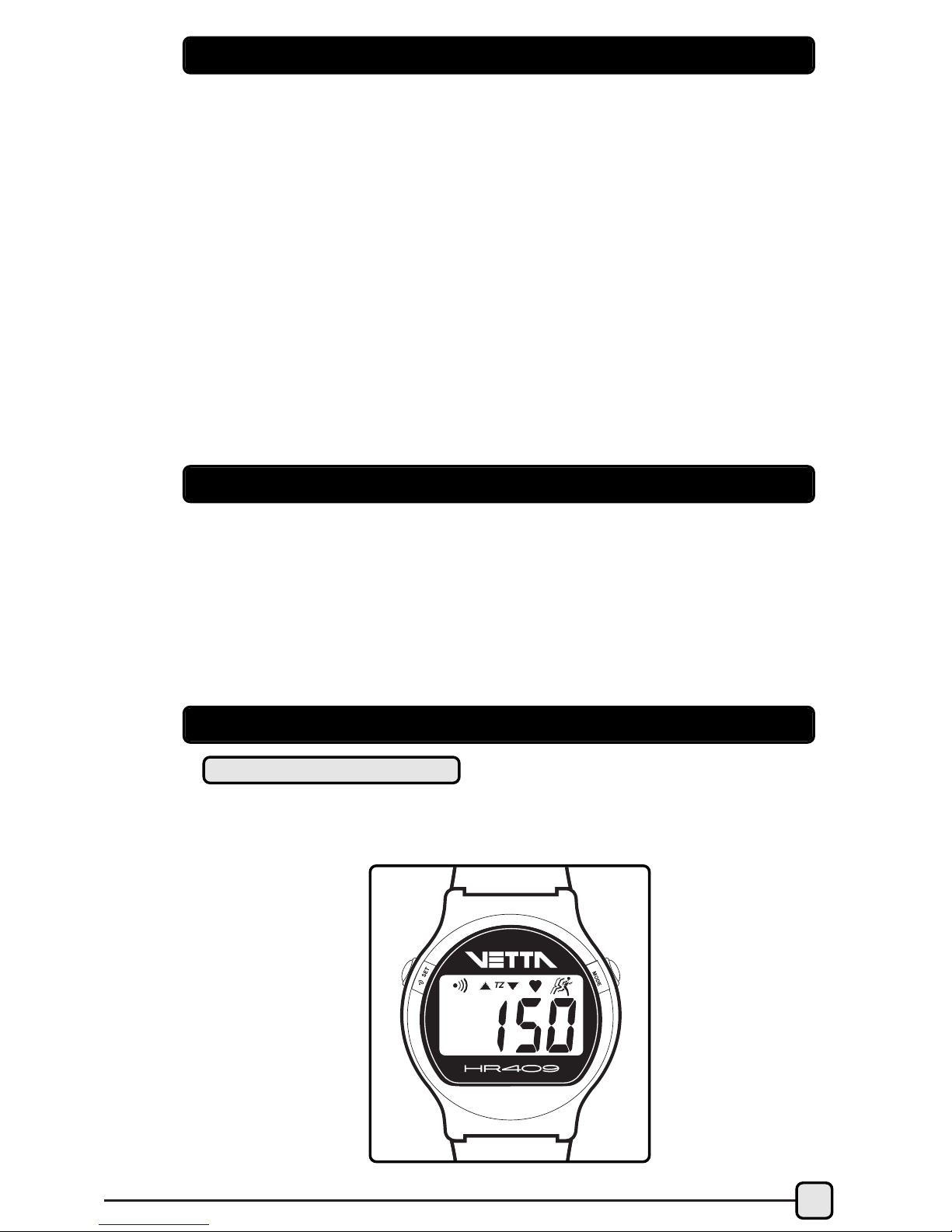
Sleek, sporty styling with an easy-to-read display and comfortable
button locations.

CHEST TRANSMITTER ADJUSTABLE ELASTIC STRAP
WITH EZ-FIT BELT CLIP
Soft flexible electrodes comfortably hug your chest providing
optimum stability. Easy to adjust and includes a unique angled
design patented clip which helps eliminate slippage and provides
added comfort.
VETTA BIKE MOUNT
SET
The head unit of the HR409 can be detached from the wrist strap
mount and inserted into the handlebar mount as shown.
6

7
BUTTON FUNCTIONS
• SET/ALARM Button Press to switch alarm sound ON/OFF
(when in Time or HR Mode).
• MODE Button Press momentarily to change modes.
Note: All buttons produce one short beep when pressed. Press
and hold commands also produce another beep.
MODES OF OPERATION
To switch between different display modes, click the MODE button.
SET TIME
& DAILY
ALARM SET TARGET ZONE
The two Setting modes are accessed from the Time of Day & HR
display modes.
•Press & hold the SET button to enter Setting Mode.
•Adjust blinking digits with the MODE button.
•Press MODE button to increase the digits. Press and hold changes
the digits fast.
•Proceed to the Target Zone Setting option with the SET button.
•To exit Setting Mode when finished, just press and hold the SET
button.
Note: If no button is pressed after 1 minute, the monitor will
automatically exit the Setting Mode.
TIME HEART
RATE
STOPWATCH
Mode
Set
SET
PRESS SET PRESS SET
MODE
DISPLAY MODES
SETTING MODES

8
8
Start from the Time-of-Day Mode.
1. Press & hold the SET button to
enter the time Setting Mode.
2. Hour (blinking) -Set by using the
MODE button. Press the SET button
to proceed to the next item.
3. Minutes (blinking) -Set by using
the MODE button. Press the SET but-
ton to proceed to the next item.
4. 12/24hr. time display(blinking)-Set
by using the MODE button. Press the
SET button to proceed to the next
item.
5. Daily Alarm (blinking) -Set on or
off with the MODE button. Press the
SET button to proceed to the next
item.
6. Alarm hour (blinking) -Set by using
the MODE button. Press the SET
button to proceed to the next item.
7. Alarm minutes (blinking) -Set by
using the MODE button. Press the
SET button to exit the Setting Mode.
SETTING THE CLOCK
DETERMINING YOUR TARGET ZONE
What is Target Zone Heart Rate Training? In order to benefit the
most from your workout, you need to become familiar with your
heart rate training zone. By working within the correct range, you
will achieve your fitness goals and strengthen your cardiovascular
system in less time. Here is basically how it works.
Effective conditioning requires that you maintain your heart rate at
the proper level for at least 20 minutes per workout (or per day). At
too high of a heart rate your activity can become counter effective.
TZ
TZ
TZ
TZ
TZ
TZ
TZ
TZ
TZ
TZ
TZ
TZ
TZ

9
9
For most people, as your heart rate exceeds 85% (the upper limit),
your body begins to become anaerobic and produce acids. This also
burns less fat which can begin to burn and strain muscles, and even
start storing fat.
As for the Lower limit, this number tells you when you have reached
a level of intensity that is productive. A heart rate monitor will tune
you into your body’s internal activity level and help prevent injury or
worse.
To make this part easy for you, this monitor automatically sets the correct
target zone for you, after you enter in your age in the heart rate setup
mode . The internal auto-setting is based on a generally accepted
standard range of 65 to 85% of your max HR (where max HR =220 -
Age).
There are many variations of formulas for calculating target zones.
In most cases they will come up with a range very close to or the
same as the auto-setting of this monitor. If you prefer to fine-tune or
program your own limits, this can be done in the 2nd portion of the
HR Setting Mode (see below). The internal automatic TZ calculation
is based on the following example:
The calculated exercise range for a 30 year old would be a low of
124 and a high of 162 beats per minute. You should never exercise
near your maximum heart rate (max HR) for any period of time.
SETTING YOUR TARGET ZONE
Start from the Heart Rate Mode
1. Press & hold the SET button to enter
the Setting Mode .
2. Age (blinking) -Set using the MODE
button (Range is 7-99, default is 30.).
Press the SET button to
proceed to the next item. (Note: If you
want to use the built-in EZ-Setting of 65-
85% of your maxHR, set only your age
and skip steps 3, 4 & 5 by pressing SET
3 times.)
TARGET ZONE CALCULATION FORMULA
220 - Your Age = max HR
For a 30 year old person, your
calculations would be as follows:
220 - 30 = 190 Maximum Heart Rate
65% of this number = 123.5
85% of this number = 161.5

TZ

10
3. Target Zone Alarm (blinking) -set ON/OFF
using the MODE button. Press the SET but-
ton to proceed to the next item.
4. Target Zone High (blinking) -set using
the MODE button (TZ High
auto-sets based on age Setting;
modifying it is optional.). Press the SET
button to proceed to the next item.
5. Target Zone Low (blinking) -set using
the MODE button (TZ Low also
auto-sets based on age Setting;
modifying it is optional.). Press the SET
button to exit Setting Mode .
Note: Any items not set, will default to standard average val-
ues. The TZ limits automatically set to 65-85% of your max HR
based on your age setting (where max HR = 220 - Age) (every
time the age setting is changed). This monitor will allow you
to program your upper and lower limits within one beat of
each other (for those who want to hear their heart beat con-
tinuously) and will also allow you to set either limit to the "off"
position. But it will not let you set the lower limit higher than
the upper, or the upper to less than the lower.
TZ
TZ
TZ
SETTING ALARM SOUND ON AND OFF
The alarm sound for both the Daily Alarm and the Target Zone
Range can be turned ON or OFF by pressing the ALARM button.
To indicate this, the alarm indicator on the display will switch ON
or OFF.
To switch the Daily Alarm ON or OFF, press the button while in
the Time Mode. When this alarm is beeping it can be silenced by
pressing any button.
To activate or deactivate the Target Zone Alarm Sound, simply press
the button while in the Heart Rate Mode.
BASIC FITNESS TIPS & TARGET ZONE
Depending on your specific goals, individual fitness level or just on
how energetic you feel, you may want to modify your range from
one day to the next based on the following chart:

11
EXERCISE TARGET ZONE CHART
Age: 20 25 30 35 40 45 50 55 60 65+
200
180
160
140
120
100
80
Heart Rate - Beats per Minute
% of Max.
Heart rate
Fat Burning Zone
Anaerobic Zone
Aerobic Zone
Warm-up Cool Down
85% to Max
65% to 85%
55% to 65%
55% to 65%
Begin and end every workout with stretching. Stretching done
before your workout increases flexibility to help prevent muscle
strain or injury, and stretching after loosens tight muscles and helps
prevent soreness.
•Stretch before warm up & after cool down.
•Stretch slowly & gently, never bounce or stretch to a point of pain.
•Hold each stretch 30-60 sec. & exhale as you extend stretches.
Start every exer-
cise with a slow and gradual warm up and end with a slow and
gradual cool down. Smoothly easing into and out of strenuous
activity helps your body prepare your metabolism and blood flow to
efficiently break down fat and change over from one intensity level
to another. Going into your target zone too quickly can cause your
heart rate to increase too rapidly, causing you to loose your energy
too soon, strain yourself or possibly worse.
•Slowly bring your heart rate to a level just below the lower limit
of your target zone.
•Maintain heart rate at this level for 5-10 min.
This range is recommended for those who haven’t worked out in a
long time, are trying to loose weight, those at a high risk for heart
problems or if you’re just not feeling 100% one day. It is intended for
low intensity and/or long duration exercise. The lower intensity helps
you maintain your exercise for longer periods of time. When
exercising for weight loss or starting a new exercise routine, longer
duration is more important and much healthier than higher intensity.
•Build up gradually to 30 to 60 min. per workout.
•Workout 3 or 4 times per week.
STRETCHING
WARM UP & COOL DOWN: 55% OR LESS
THE FAT BURNING ZONE: 55% -65%

12
This range is recommended for those in good physical condition
who have been exercising on a consistent basis for an extended
period of time. Exercising in this range helps improve your fitness
level and prevent injury caused from over training.
•Duration: 20-30 min. per workout.
•Frequency: At least 3 or 4 times per week.
To be used by ultra-athletes only and never recommended without
close medical approval or supervision. This range is used only for
those in extremely good physical condition during races or training
for competition. It is typically used for interval training (or short
sprints) to help improve or measure endurance levels.
THE AEROBIC ZONE: 65% TO 85%
THE ANAEROBIC ZONE: 85% TO MAX HR
MONITOR YOUR PROGRESS
Track yourself to determine how your overall health and fitness
improves. As your cardiovascular system improves your normal
resting heart rate will decrease. It will begin to take longer to reach
your target zone and it will be easier to keep your heart rate steady
during exercise. If you notice your resting heart rate higher than
normal you should take a rest from exercise or at least workout
easier that day. It may be an indication that your body has not
completely recovered from a previous extraneous workout or injury.
It could also be an indication of an illness coming on, stress, or a
good reason for a check up with your doctor.
ATTACHING YOUR HEART MONITOR
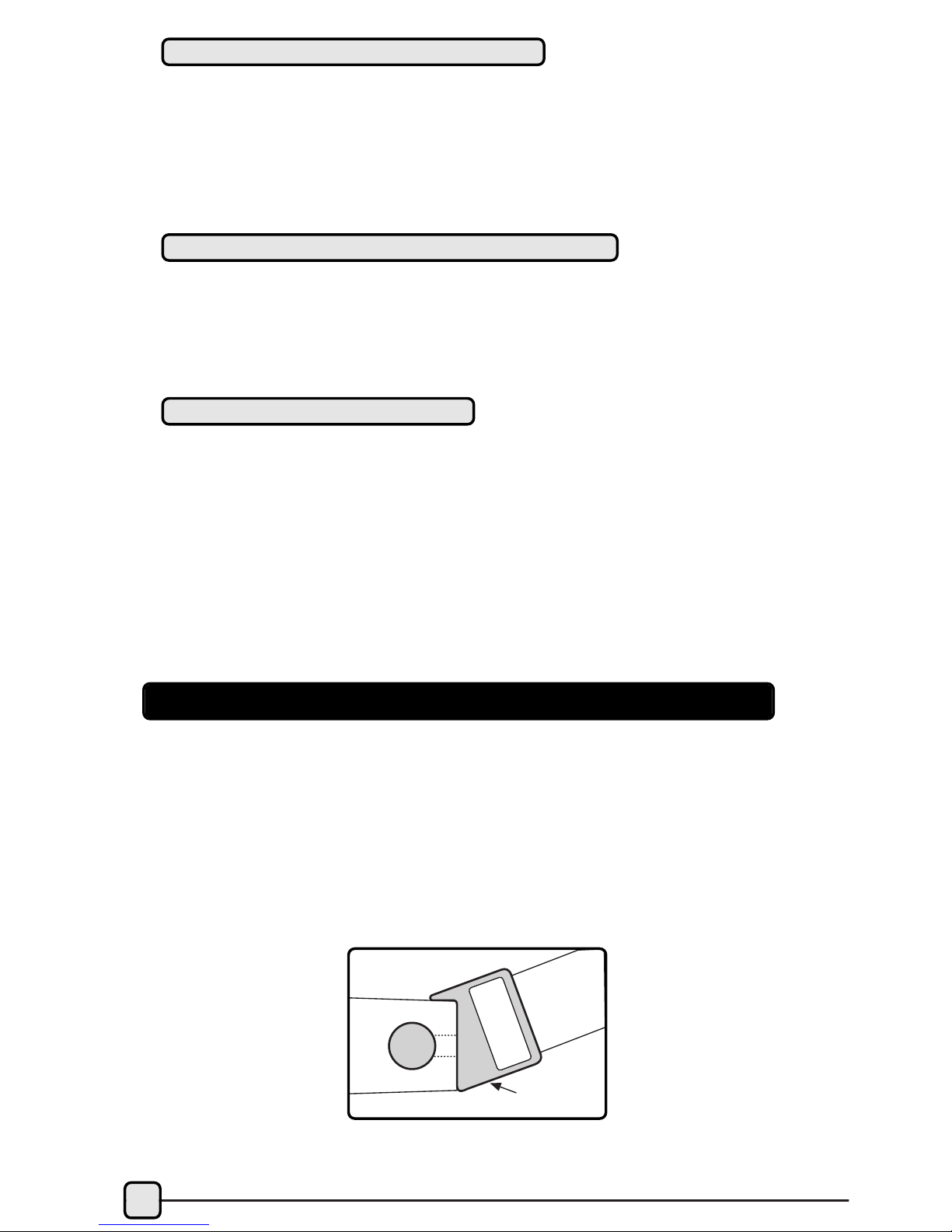
1. Attach the adjustable strap to one side of the transmitter. Push
the round tab of the belt clip through the back side of the attaching
hole on the transmitter and twist it into place (Fig. 1). The unique
angled clip is designed to prevent the belt from slipping down your
chest. It can be attached in either the up or down position (keeping
both the same). Depending on the contour of your torso, one direc-
tion may be more comfortable than the other.
Belt Clip
Transmitter Elastic
Strap
Fig. 1
Andere Handbücher für HR409
1
Inhaltsverzeichnis
Andere Vetta Betrachten Handbücher