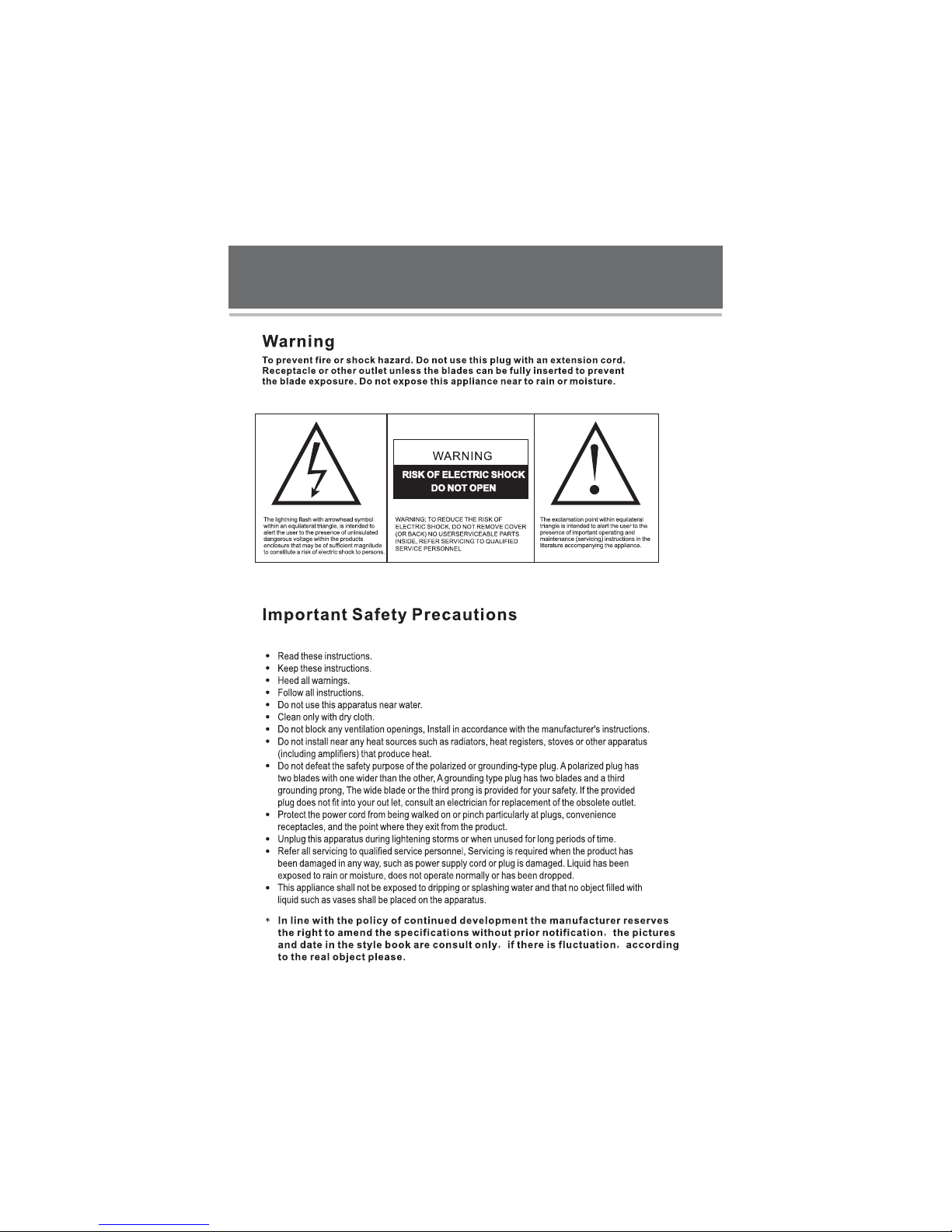
Vivo LEDTV42FHD Gebrauchsanweisung

www.vivotvs.com
42 FULL HD LED LCD TV WITH HD TUNER”
LEDTV42FHD

1
LED LCD TV

2
Thank you for your purchasing the latest generation high definitionLED LCD TV. Endowed with high
display quality and light weight, it is power-saving and radiationless with high sensitivity
reception. This LED LCD TV will bring you safe & comfortable brand-new visual experience.
Applying color active matrix TFT with brand-new technologies, the product can provide high
quality display image, flicker free television, VCD & DVD programs. In addition, it can be used
as definition digital television or computer display. We believe the product will surely make you
satisfied.
television
Product Introduction
Warning...........................................................................................1
Table of Contents..............................................................................2
Product Introduction..........................................................................2
Safety Precaution..............................................................................3
Safety...............................................................................................4
TV Stand Installation..........................................................................6
Control Panel....................................................................................7
Terminal Wiring Diagram....................................................................8
Remote Control.................................................................................9
Battery Replacement.......................................................................10
Antenna Connections.......................................................................11
Channel Selection............................................................................12
Channel Return................................................................................13
TV and DTV Searching......................................................................14
Video...............................................................................................15
Audio..............................................................................................18
TV...................................................................................................20
Setup..............................................................................................24
Parental..........................................................................................26
Multimedia.......................................................................................28
Troubleshooting...............................................................................29
Product Specification........................................................................30
LED LCD TV

Safety Precaution
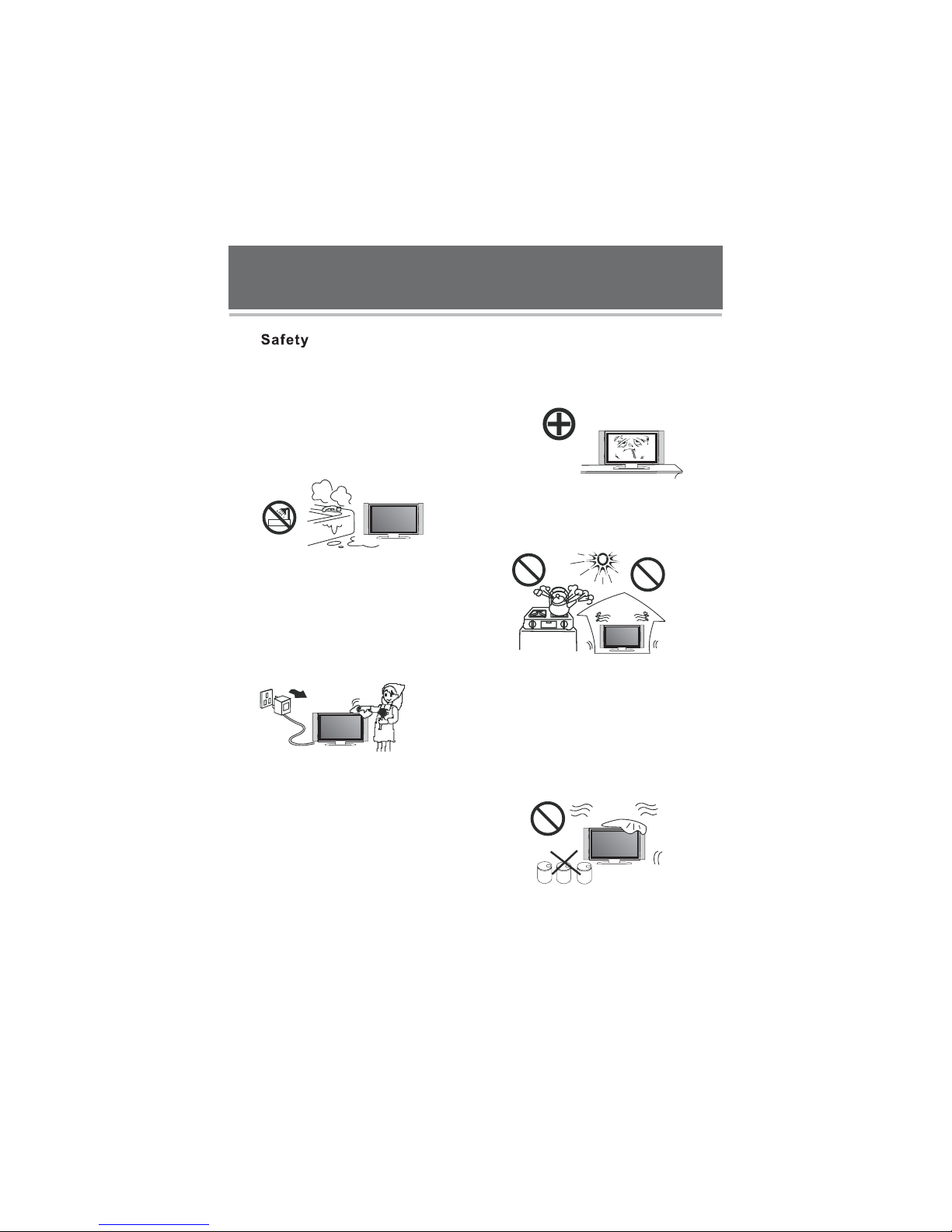
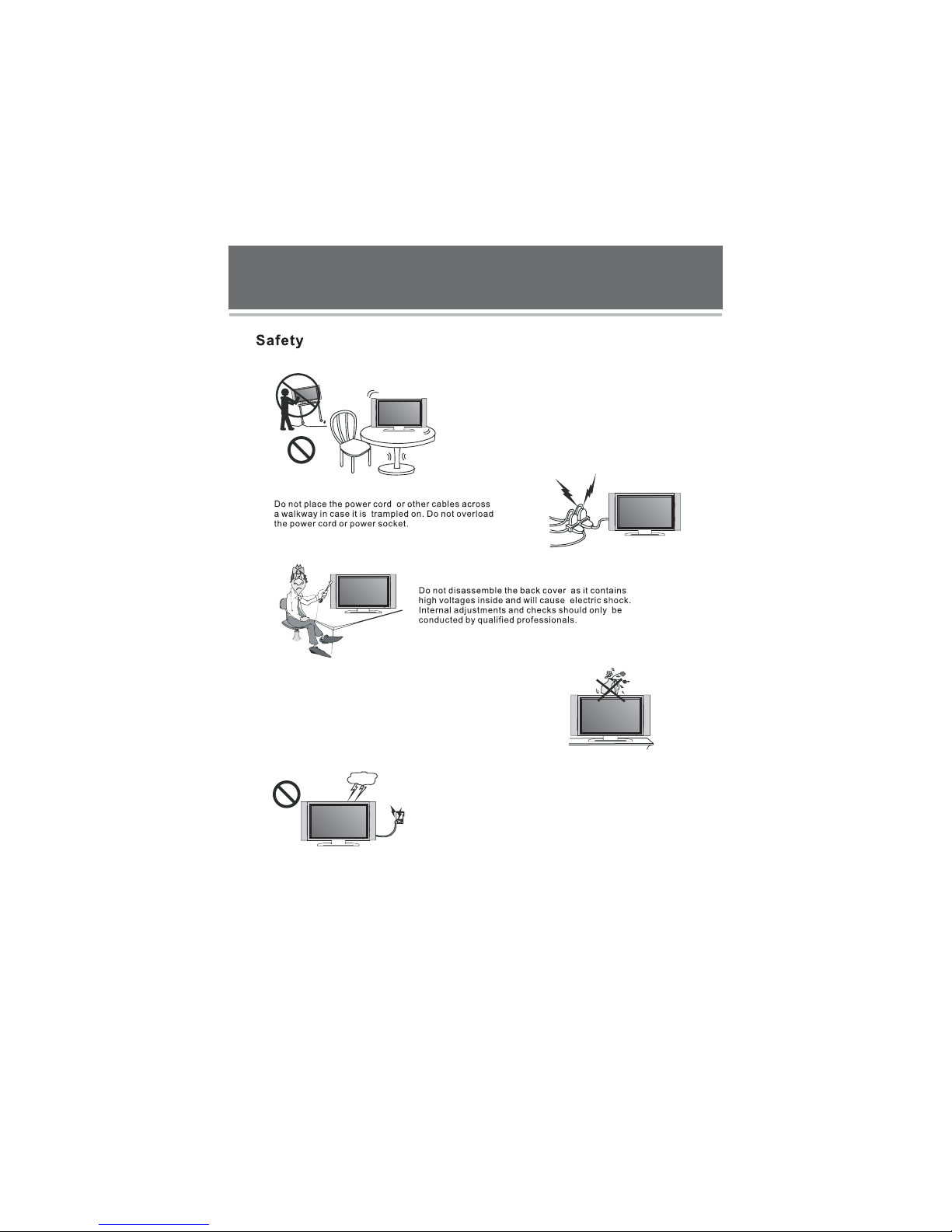
♦Do not place the TV on unstable places, from which it may be fell off.
Do not expose the TV to extreme temperature and humid environment.
♦
♦
♦
♦
♦
♦
♦
♦
♦
♦
♦
♦
♦
♦
♦
♦
♦
Avoid subjecting the TV to direct sunlight and other heat sources.
Do not put the TV into any liquid.
Do not put anything inside the TV, or place water container on top of the TV.
In thunder rainy days (especially with lightening), please plug out the power plug and antenna plug.
Do not step on the power cable, or tangle them together.
Avoid overload of the exterior electric outlet to prevent fire hazard of electric shock.
Clean the TV with dry and soft cloth (without evaporative matter).
If your TV is broken, do not repair it by yourself, but contact the maintenance personnel.
If the remote control is left unused for a long time, please take the batteries out and store them in dry places.
Avoid dropping the remote control.
If the TV is installed for exhibition purpose, please do not place the overheated part on the ground or
carpet to prevent accident.
Please install the TV at proper position, such as wall or ceiling. Please install it under the guidance of
Professional staff. (When used or exhibit, please do not place the TV horizontally or vertically on the ground.)
This device complies with Part 15 of the FCC Rules. Operation is subject to the following two
conditions: (1) this device may not cause harmful interference, and (2) this device must accept
any interference received, including interference that may cause undesired operation.
This equipment should avoid from waterdrops “and” things that fill with liquid, such as vases,
cannot be placed on this equipment.
This equipment is predeterminated to work constantly (unless adding switch on this equipment).
Please disconnect the power cord before long time unused.
Basic Operations
Power on/off
1.UseAC100-240VpoweroutletfortheTV power supply.
2.IfthescreenofTV is not on, please press the power button on the remote control or on the TV.
3.IfyouwanttoshuttheTV temporary,please press the power button on the remote control or on the TV.
4.Ifyourwanttoshutoffthe TV completely,pleaseplugoutthepowerplug.
Auto screen shut off function
Pre-shut off memory
Precaution of signal source application
TheTV will enter idle state if there is no signal input within 5 minutes.
The setting and tuning of picture and sound will be saved when the TV is shut off, which will be working
in the pre-shut off state when the TV is turn on again.
1. If PC signal source is used, please first set the resolution of the PC display card as the following modes:
(1360X768 60Hz, 1280X768 60Hz, 1024X768 60 , 800X600 60 )
2. If there is line-by-line output of the signal used by the user, signal source with line-by-line output is recommended.
Hz Hz
3
LED LCD TV

4
LED LCD TV
Please immediately pull out the AC power plug from
adapter if there is an abnormal sound or smell or the
LED LCD TV has sound but no picture, and contact after
sales support.
The LED LCD TV should be kept free from rain,
damp and dust to prevent electrical shock
and short circuits.
Do not cover the ventilation openings with table
clothes, curtains, newspapers etc.
The LED LCD TV should be kept from high
temperature heating objects or direct
sunlight. It requires good ventilation.
Allow 10cm between the LED LCD TV and
other appliances or built-in cabinet walls.
Do not wipe the LED LCD TV with any petrol, chemical
or alcohol based solvents as it will lead to product
damage of the panel and cabinet.
When you wipe the front cabinet, please make sure the
power plug is pulled out and use a soft, dry, lint-free cloth
and handle it with care. Do not repeatedly wipe the panel,
nor scrape, tap or strike the panel with a hard object.

5
LED LCD TV
Do not place the LED LCD TV on an unstable
surface.
Do not place naked flame sources, such as lit candles
on or near the LED LCD TV.
Please pull out the power plug and contact after
sales support if there are abnormal objects or
water in the TV.
Pull out the power cord and antenna cable during
electrical storms so the LED LCD TV is not damaged by
electrical surges. Keep all people away from the
antenna cable during electrical storms.

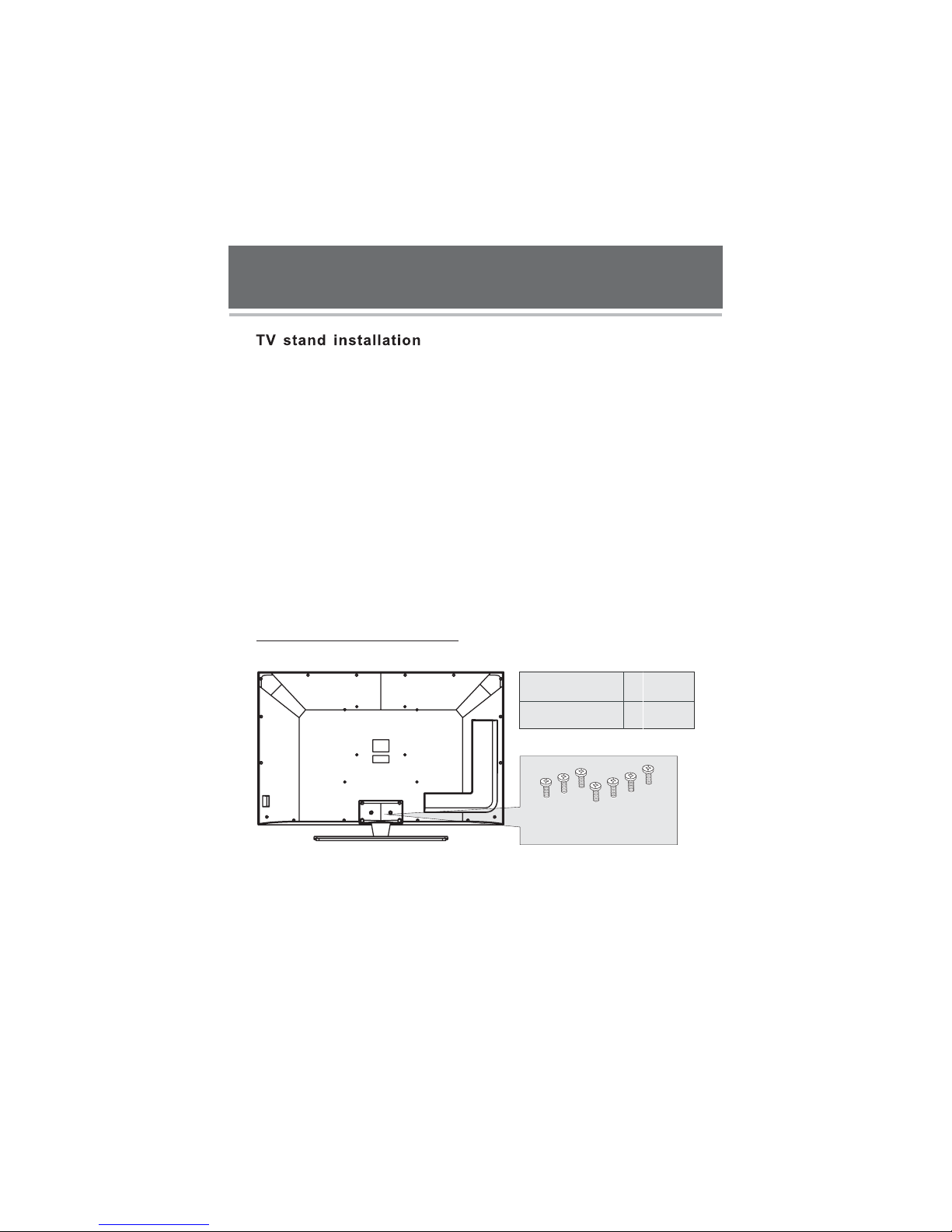
Your television is packaged with the TV stand separated from the cabinet. To setup the
TV table stand, please carry out the installation according to the instructions below.
Step one
Place the TV faced down on a soft cloth or cushion to prevent the panel from being
damaged.
Note:
1. The panel is easy to scratch, so please choose an absolutely flat surface to place
the TV, and use soft cloth or cushion to protect the TV panel.
2. Unplug the AC cord first when installing or removing the TV stand.
Step two
Take the stand. Please align the screw holes of the stand and TV.
Step three
Insert the seven M4 stand screws and tighten them.
Please refer to the picture given below.
6
QuantityScrews Sort
7 pcs
Machine screws
M4 x14mm
M4 x14mm
Machine screws
LED LCD TV

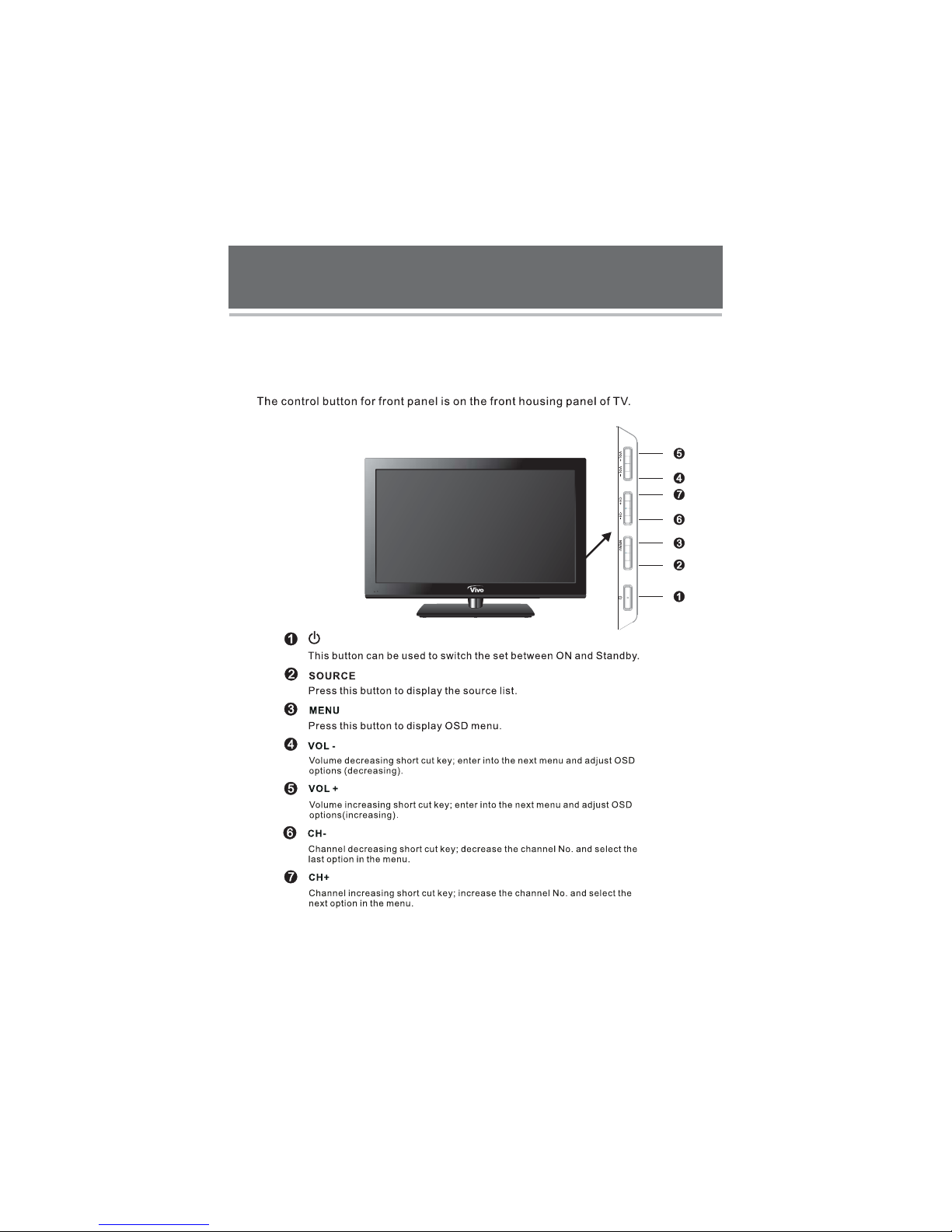
Introduction for each key
7
SOURCE
LED LCD TV
TV Control Panel

8
YPbPr1
Audio
YPbPr2
Audio
10) 11) 12) 13)
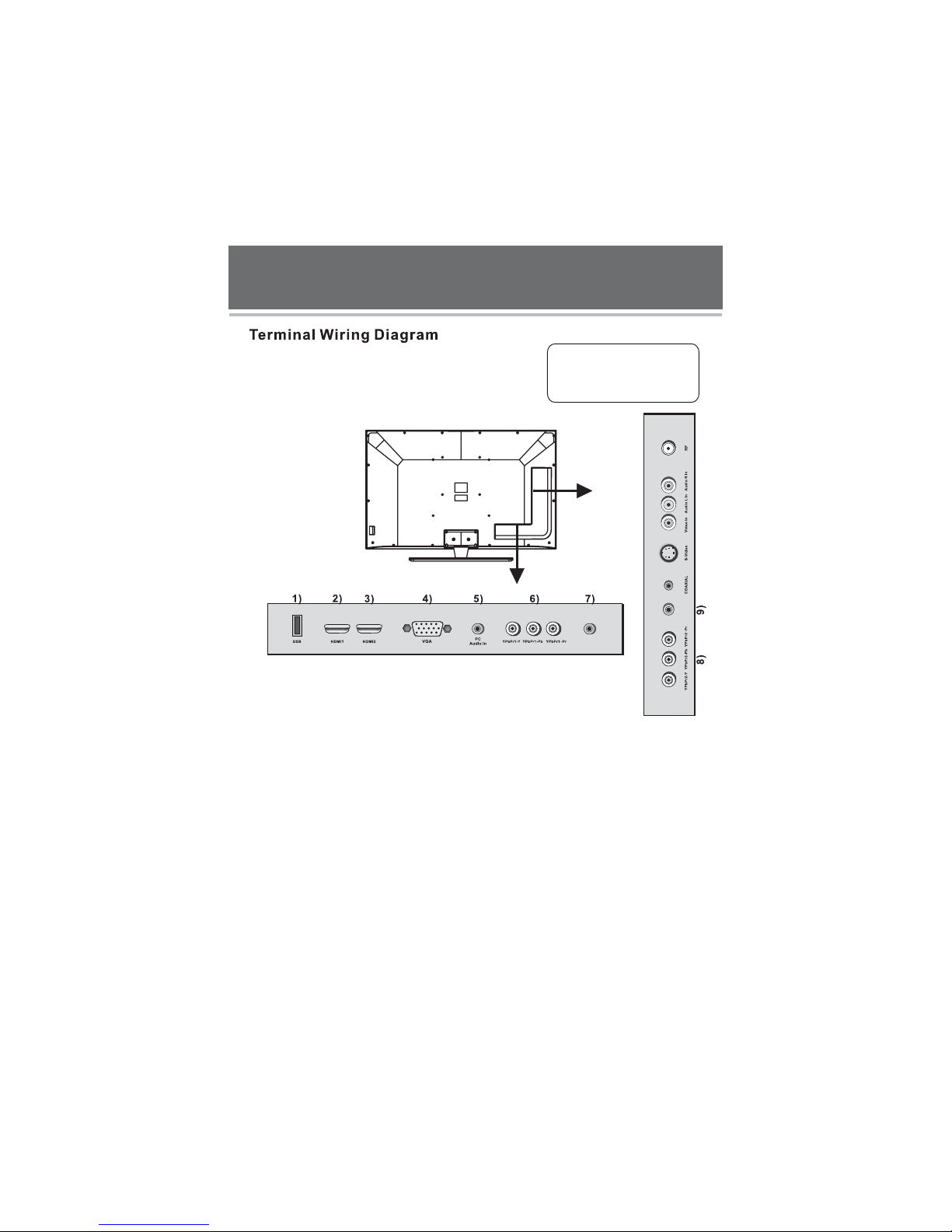
1)USB:
2,3)HDMI1/HDMI2:
Note:
4)VGA:
5)PC Audio In:
6,7,8,9)YPbPr1-Y/Pb/Pr, YPbPr1 Audio, YPbPr2-Y/Pb/Pr, YPbPr2 Audio:
Audio:
10)COAXIAL:
11)S-Video:
12)Video In, Audio R/L In:
13)RF:
USB input jack for Multimedia.
High-definition multimedia interface.
Acceptable video signal 480P/576P/720P/1080I/1080P.
Input terminal of simulation signal of PC.
Sound input terminal of VGA input.
Connect the component video output of your AV devices here.
Connect the audio output of AV devices here.
Digital TV sound output.
Color and brightness separation input terminal.
Video and audio left/right input.
Antenna/close circuit TV or Digital TV terminal.
LED LCD TV
This LED LCD TV has digital multimedia
performance and can be connected
to multiple external devices. The
following diagram presents the
connections to other video and audio
appliances.

9
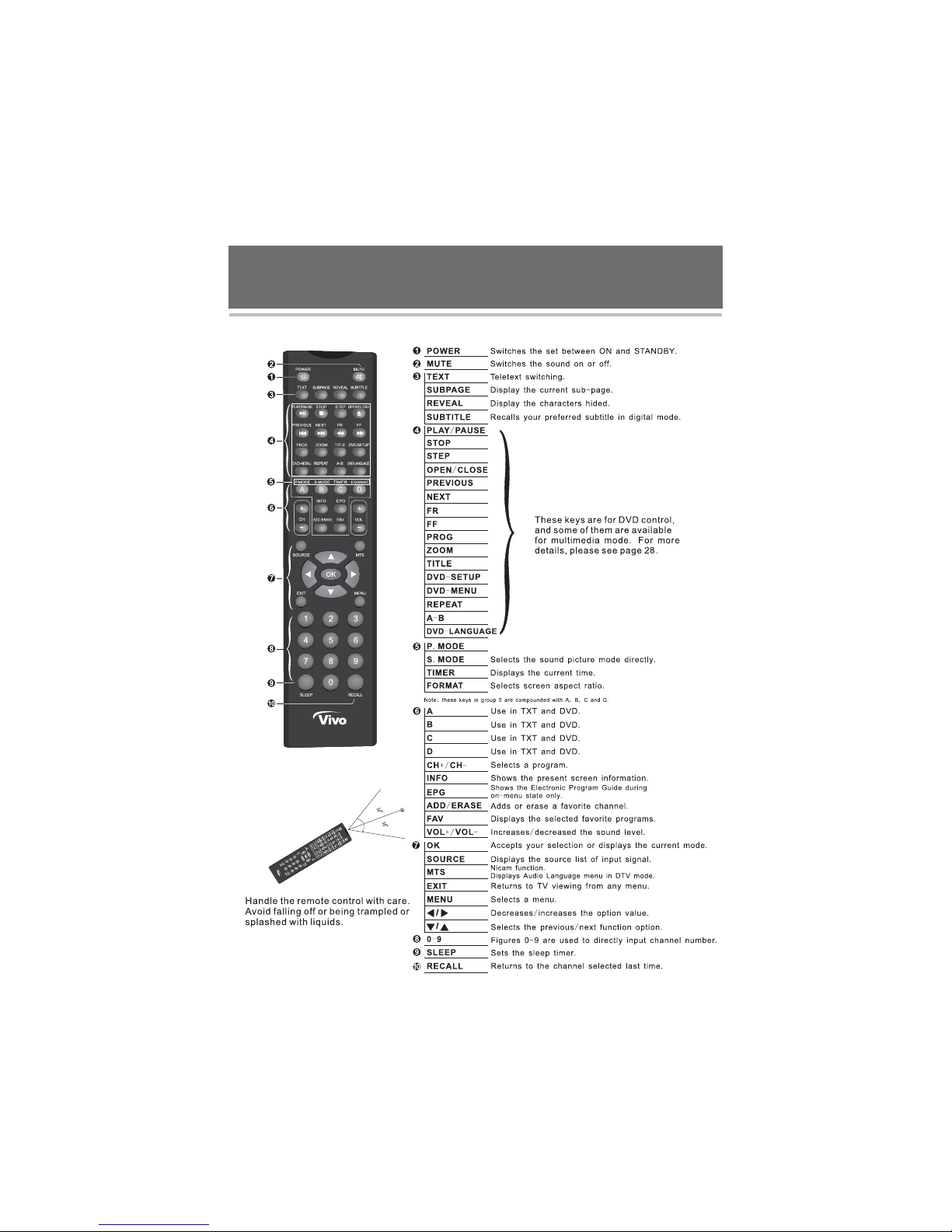
Descriptions of Television Remote Control
Selects the different picture mode directly.
LED LCD TV
Inhaltsverzeichnis
Andere Vivo LCD-Fernseher Handbücher