
WiMe Kurve Bedienungsanleitung

W
ireless Stereo Receive
r
User Guide
www.wimenow.com
Revision 1.0

Page 2 of 32 Copyright © 2007WiMe Pte Ltd
WiMe Kurve Wireless Stereo Receiver User Guide
PLEASE NOTE
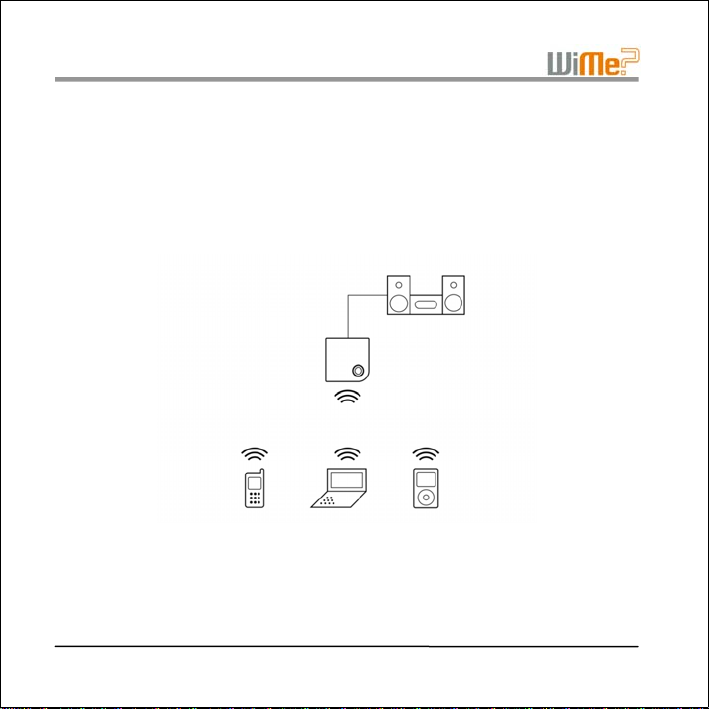
The Kurve Wireless Receiver is an audio device featuring Bluetooth®wireless technology that
will play back stereo music wirelessly from a compatible music device (mobile phone,
notebook PC, or MP3 player), through a hi-fi system or speaker system.
The Kurve will only receive audio from a music device that supports Bluetooth Stereo
features. This is also referred to as A2DP (Advanced Audio Distribution Profile). Please check
that your music device supports this feature. Future references to the term “music device” or
“audio device” in this document will imply a device that supports Bluetooth Stereo features.
To control the playback volume of music being streamed by your music device to the Kurve,
your music device must support the Bluetooth Remote Control feature. This feature is also
referred to as AVRCP (Audio Video Remote Control Profile). Your music device should
support the AVRCP Controller role in order to control the playback volume.
If your music device does not support the BluetoothRemote Control feature, you will have to
adjust the playback volume, using the volume control of your hi-fi or speaker system.

Page 3 of 32
Copyright © 2007WiMe Pte Ltd
WiMe Kurve Wireless Stereo Receiver User Guide
About Bluetooth®Wireless Technology
Bluetooth technology is a wireless technology that can be found in devices such as mobile
phones, computers, personal digital assistants (PDAs), allowing them to be wirelessly
connected to one another, for transfer of information or music.
If you have a device that uses Bluetooth wireless technology, you can:
•Connect to handsfree devices.
•Connect to stereo hi-fi systems or headphones.
•Connect to computers and access the Internet.
•Synchronise information with computers.
•Use remote control applications.
•Use media viewer accessories.
•Exchange items and play multiplayer games.

Page 4 of 32 Copyright © 2007WiMe Pte Ltd
WiMe Kurve Wireless Stereo Receiver User Guide
1WHAT’S IN THE BOX
Thank you for purchasing the Kurve Wireless Stereo Receiver.
The package should contain the following items:
1. the Kurve Wireless Stereo Receiver
2. AC Adapter
3. RCA Cable
4. User Guide (this document)
1 2
3
4

Page 5 of 32
Copyright © 2007WiMe Pte Ltd
WiMe Kurve Wireless Stereo Receiver User Guide
2 SETTING UP FOR USE
Back panel of the Kurve
AC~
AC Adapter
RCA Cable

Page 6 of 32 Copyright © 2007WiMe Pte Ltd
WiMe Kurve Wireless Stereo Receiver User Guide
2.1 Power
•Connect the included 9V AC power adapter to the Kurve's back panel connector
marked .
•The blue light ring on the top of the Kurve should be on if the power connections are
correct and working properly.
2.2 Audio
•Refer to the user manual of your hi-fi system or amplifier for instructions on how to
connect a line input.
•Connect the Kurve into your hi-fi system or audio amplifier using the included RCA
cable.
•If your hi-fi system or audio amplifier only has a single 3.5mm input connector, you can
connect it to the Kurve using the output on the back panel of the Kurve marked .
•The Kurve can also be used with stereo headphones. Connect your headphones to
the output on the back panel of the Kurve marked .
IMPORTANT NOTE
The stereo headphones used MUST come with volume-control feature and
SHOULD be adjusted to the lowest volume before connecting it to the Kurve.

Page 7 of 32
Copyright © 2007WiMe Pte Ltd
WiMe Kurve Wireless Stereo Receiver User Guide
3BLUETOOTH®PAIRING
“Pairing” is a process of linking two devices using Bluetooth wireless technology so that they
are able to communicate with each other within a secured environment. Before the Kurve can
receive streamed audio from your music device (mobile phone, notebook PC or MP3 player),
the Kurve and your music device must first be paired. Before proceeding with the Pairing
process, please refer to the user guide of your music device and familiarize yourself with your
device’s Bluetooth Pairing process.
3.1 To Pair Devices
•Press the button on the top of the Kurve and hold it down for 2 seconds until the
Kurve’s blue light ring starts flashing rapidly. This indicates that the Kurve unit is in
Pairing mode. The Kurve remains in Pairing mode for 60 seconds,
•Within this 60 seconds period, you should use your music device to search for and
pair with the Kurve,
•The Kurve will be identified on your music device as “WiMe Kurve”
•When you are prompted to enter a passcode on your music device, please enter the
code “0000”,
•Once paired, the blue light ring will stop flashing, indicating that the Pairing process
has been completed.
Page 8 of 32 Copyright © 2007WiMe Pte Ltd
WiMe Kurve Wireless Stereo Receiver User Guide
•If for some reason the Pairing process fails, please repeat the steps above. To pair the
Kurve with another music device, follow the same procedure as above. You can pair
with up to 5 devices.
•You will only need to pair the Kurve with your music device once. Once paired with the
Kurve, you do not need to pair it again before playing music.
For more information on pairing of Bluetooth devices, please visit the Bluetooth website at
www.bluetooth.com.

Page 9 of 32
Copyright © 2007WiMe Pte Ltd
WiMe Kurve Wireless Stereo Receiver User Guide
4PLAYING MUSIC
This section shows you how to play music from your music device to the WiMe Kurve. Please
ensure that your music device has been paired with the Kurve before continuing (refer to
Section 3 Bluetooth® Pairing for this). The music playback process is controlled entirely
from your music device.
4.1 Connect & Play
•Before you can play music, you need to make a connection between the Kurve and
your music device. The procedure for connecting your music device varies from device
to device. Please check the user guide for your music device for instructions on how to
start playing music over a Bluetooth connection.
•Once you have established a connection between the Kurve and your music device,
the blue light ring on the Kurve will start a slow flash, indicating that the Kurve is ready
to start playing music.
•To start playing music, press the “play” button on your music device.
•Only one paired music device can play music at a time through the Kurve.
•To play music from another paired music device, disconnect the Bluetooth connection
between the first music device and the Kurve, and then establish a connection
between the next music device and the Kurve.

Page 10 of 32 Copyright © 2007WiMe Pte Ltd
WiMe Kurve Wireless Stereo Receiver User Guide
4.2 Pause
•While playing is in progress, you may pause the music by pressing the “pause” button
on your music device.
4.3 Stop
•While playing is in progress, you may stop the music by pressing the “stop” button on
your music device.
4.4 Other Playback Functions
The following playback functions may be available on your music device. If so, they will also
work with the Kurve.
•fast forward, reverse, next track, previous track, track number select.
•equalizer function (this is a feature on your music device that adjusts the frequency
response, for example, “Rock”; “Classical”).
Inhaltsverzeichnis
Sprachen:
Beliebte Stereo-Receiver Handbücher anderer Marken


Pioneer
Pioneer SX-1000TA Bedienungsanleitung

Yamaha
Yamaha MusicCast TSR-5B3D Bedienungsanleitung

Sony
Sony STR-DE335 - Fm Stereo/fm-am Receiver Bedienungsanleitung

Sony
Sony STR-DG500 - Multi Channel Av Receiver Bedienungsanleitung

Panasonic
Panasonic AJSD955B - DVCPRO50 STUDIO DECK Bedienungsanleitung

Pioneer
Pioneer SX-838 Bedienungsanleitung