
X-Loupe Conceiver series MPG4 PLUS Bedienungsanleitung

Conceiver series
MGP4E
081915
U
In case of any question, please contact your
MPG4_PLUS User Guide
Disclaimer
.Thank you for using this product. While every effort has been made to
ensure that the information contained in this guide is accurate and
complete, no liability can be accepted for any errors or omissions.
.We (Lumos Tech.) reserves the right to change the specifications
described herein at anytime without prior notice.
.No part of this guide may be reproduced, transmitted,transcribed, stored
in a retrieval system, or translated into any language in any Lumos
Technology Co., Ltd.
Trademark Acknowledgments
.Panasonic Lumix DMC-FH10 are either registered trademarks or
trademarks of Panasonic in Taiwan and/or other countries.
.X-Loupe®is a registered trademark of Lumos Technology Co., Ltd. You
are not authorized to use such trademark and service marks for any
purpose unless you receive specific written permission from us (Lumos
Tech.) We reserve the trademark or other intellectual property rights.


- 1 -
Precautions .............................................................................................................. 2
About “X-Loupe® MightyGetter (MGP4_PLUS)” ................................................... 4
Components ............................................................................................................. 5
Light Source ............................................................................................................. 7
Product Assembly .................................................................................................... 8
1 Mounting the lens on Module .......................................................................... 8
2 Mounting the Module with Camera .................................................................. 9
3 Steps in positioning and bonding of L-Square Ruler ......................................10
4 Accessories instructions for use .....................................................................12
Attention/Warning for the Battery Charging ..........................................................13
Notice and Preparation for Micro-Photography ....................................................14
1 X-Loupe® Basic Setup before using ...............................................................14
2 Camera Setup before using / while using for Micro-Photography ....................15
Troubleshooting & Storage.....................................................................................18
Unpacking
Before using
Test-Shooting
Upon receiving the product package, please check for every
item, if there is a shortage or merchandise damaged during
shipping, please contact your local distributor ASAP.
Please ensure that you read and understand the safety
precautions. Please refer to product introduction to prevent
product damaged due to mishandling.
Before taking pictures of any important subject, please do the
test-shooting to make sure the X-Loupe® is perfectly normal
without any damage caused by shipping. In case of any problem,
please contact your local distributor immediately
Contents
【Attention】

- 2 -
WARNINGS
Please ensure that you read and understand the safety
precautions before using.
Precautions
To avoid the re, electric shocks, or result in a body severe injury, please obey the
following instructions.
1. Keep X-loupe® and its accessories away from children and infants.Contact a doctor
if any dangerous situation occurs.
2. Do not aim this product at the Sun or blazed light sources.
Doing so may cause malfunction or damage the image sensor of camera (CCD.)
3. Keep X-Loupe® away from water or other liquids. The usage of damped or drowned
X-Loupe® could result in re or electric shock. Immediately turn off the power of
X-Loupe® and remove the battery.
4. Keep X-Loupe® away from the heat source, and avoid its exposure to the direct
ame or heat.
5. Do NOT disassemble, alter, or apply heat to the battery. Avoid any severe impacts
which could damage the protective casing of the battery.
6. In case of any contact to the leaked substances from the battery, immediately ush
the contacted skin, face, or cloth with large amount of water and ask for medical
assistance.
7. To avoid the re, explosion, or result in a body injury, please keep battery terminals
away from metal or magnetic materials.
8. Before you discard a battery, please use the insulation tape to cover battery
terminals to avoid direct contact with other object. Contact with metal or magnetic
materials in waste container may result in re, explosions, or body injury. Please
recycle when possible.
9. DO NOT STARE INTO THE LED LIGHT ! This product equipped high-brightness
LEDs, the visible and invisible radiation can damage your eyes. Never Stare Into
the Light and DO NOT AIM THE LIGHT AT PEOPLE! Keep the product away from
children!
- 3 -
X-Loupe® is protected by the following patents:(up to 2015/08 )
In the interest of continually improving products, Lumos Tech. reserves the right to update
or modify information contained in this manual without prior notice.
Product image of this manual is for reference only and actual product appearance may vary.
CAUTION
After Reading, Keep the User Guide Handy for Future Reference
If potential hazards are not eliminated, it may result in body injury, property/ nancial
loss, and the malfunction of the product. The following instructions are also applied to
the warning of unsafe operation.
1. Avoid strong impacts or shocks of the equipment. Be careful NOT bump or push
strongly on the lens. Do not touch the LED inside the Lens.
2. Do NOT use, place or store the equipment in a place with strong sunlight or high
temperature.
3. Avoid using the equipment under the airtight or airless condition; otherwise, it may
result in short circuit, overheating, explosion, re, burns, or other accidents. High
temperature could deform the sharp of casing.
4. If not using the equipment for a long period of time, please remove the battery from
the equipment and the battery charger, then store them in a safe place. Improper
usage of the battery could make the battery exhausted in a short time.
5. Use the included charger to charge the battery. Do not charge the battery with
other branded chargers; otherwise, product breakdown, overheating, re, electric
shock, or body injuries might occur.
6. Before you move the equipment rapidly from a cold place to a hot place, please
place the equipment inside a sealed plastic bag to allow its gradual adaptation with
the ambient temperature. As well as avoid the water condensation which cause the
mechanical problems. Moving the equipment rapidly from cold to hot temperatures
may cause condensation (water droplet) to form in the inside or on the surface of
the equipment.
1481234
1959827
1998503
2597665
1006570
3120470
3139250
M292708
M374055
M385006
M411588
M411592
M413885
M315354
US 7,327,526B1
US 7,821,569B2
US 8,597,795B2
China
Patent No.
Japan
Patent No.
Taiwan
Patent No.
US
Patent No.
- 4 -
About “X-Loupe® MightyGetter (MGP4_PLUS)”
Thank you for your purchase of X-Loupe® MightyGetter ( MGP4_PLUS) to take
Latent Print /ngerprints.
This trailblazing tool is with built-in Dual LED Ring light in lens, sustained and stable
high-brightness for feature, it provides the xed working distance of shooting which
efciently makes the size of ngerprint taken normalized, the way of ling photos as
required to be archived in the database is easier than before, therefore enhance the
le quality control. Device interface is simple, setup only need a few seconds to be
done, and easy to operate. Besides the <White + Blue> light sources, other custom-
made light source is available.
MGP4_PLUS is now compatible with Canon PowerShot D10 & GLPH 100HS.
This manual was written to help you enjoy using with your MGP4. Read this manual
thoroughly before using, and keep it where all those who use the product will read it.
Store this guide safely so that you can use it in the future.
For more information or downloading this user guide, please visit our website at
http://www.x-loupe com.tw. Please read the copyright declaration prior to the usage
of any part of the content in this booklet.
MGP4 Module
Objective Lens
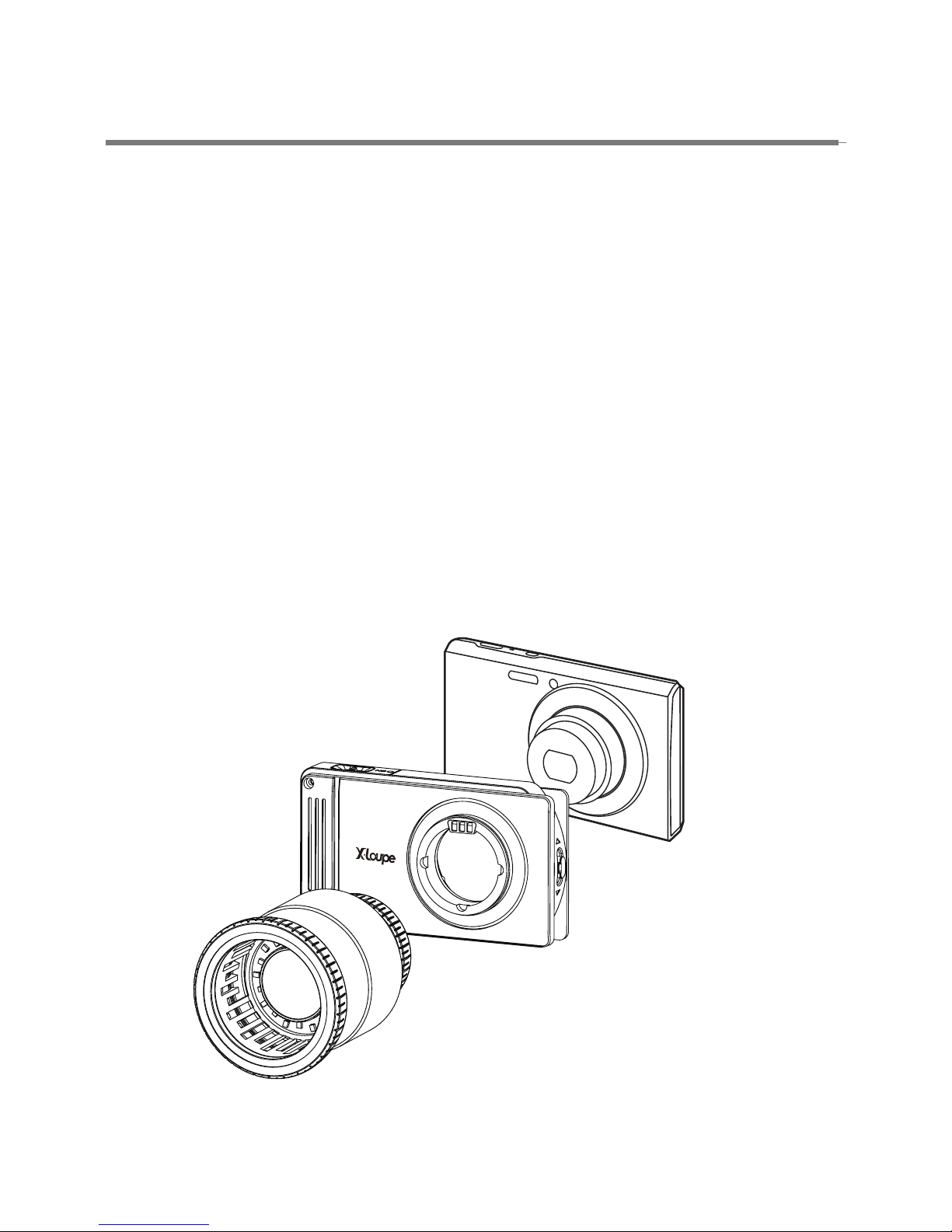
Structure prole of X-Loupe® MGP4_PLUS《Camera not included》
Digital Still Camera
- 5 -
Components
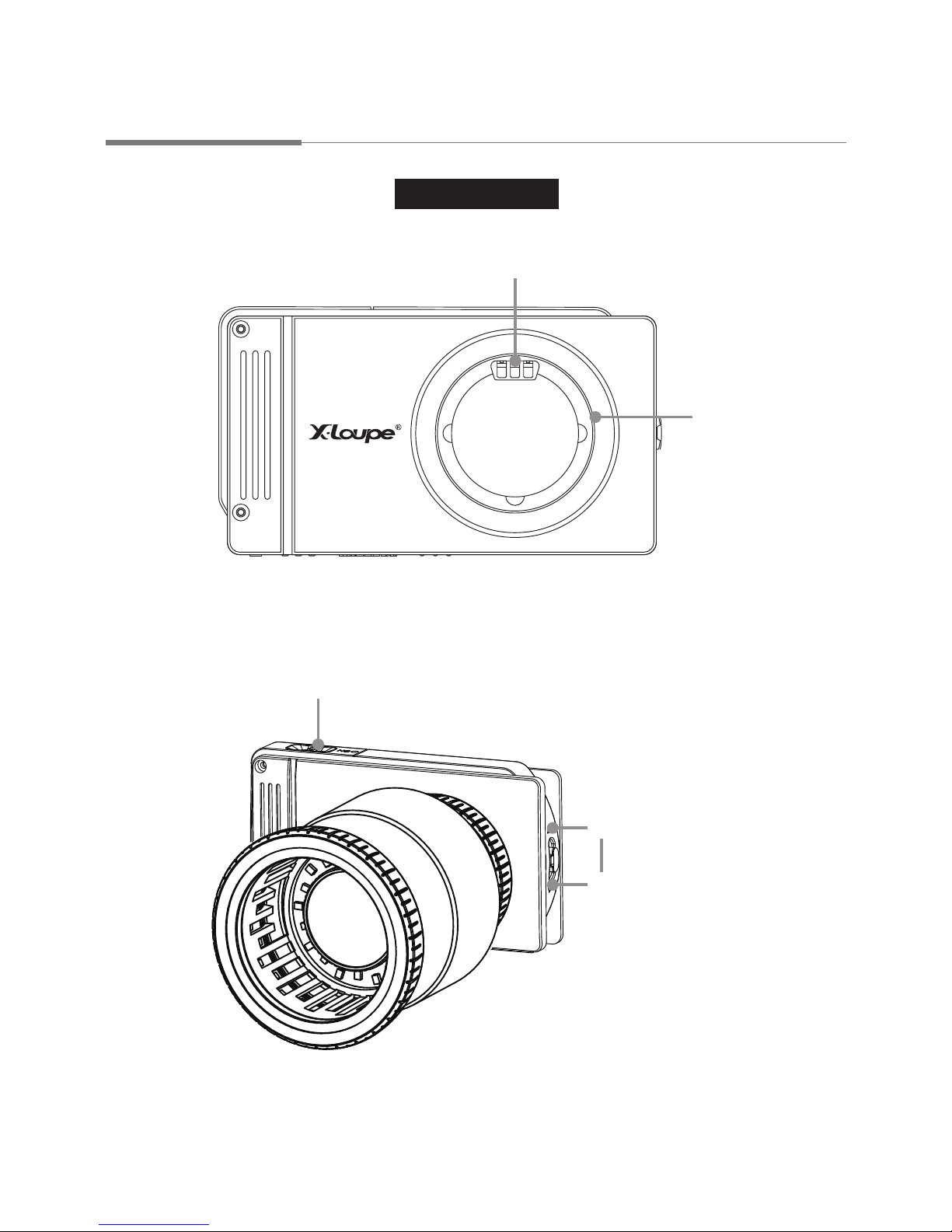
Interchangeable 30X Object Lens for Latent print / Fingerprint Capture
Front of Module
Pogo pin
(female)
<Without Lens>
LED Illumination Control
On
Off
Mount adapter
On (Red dot) / Off switch
- 6 -
Components
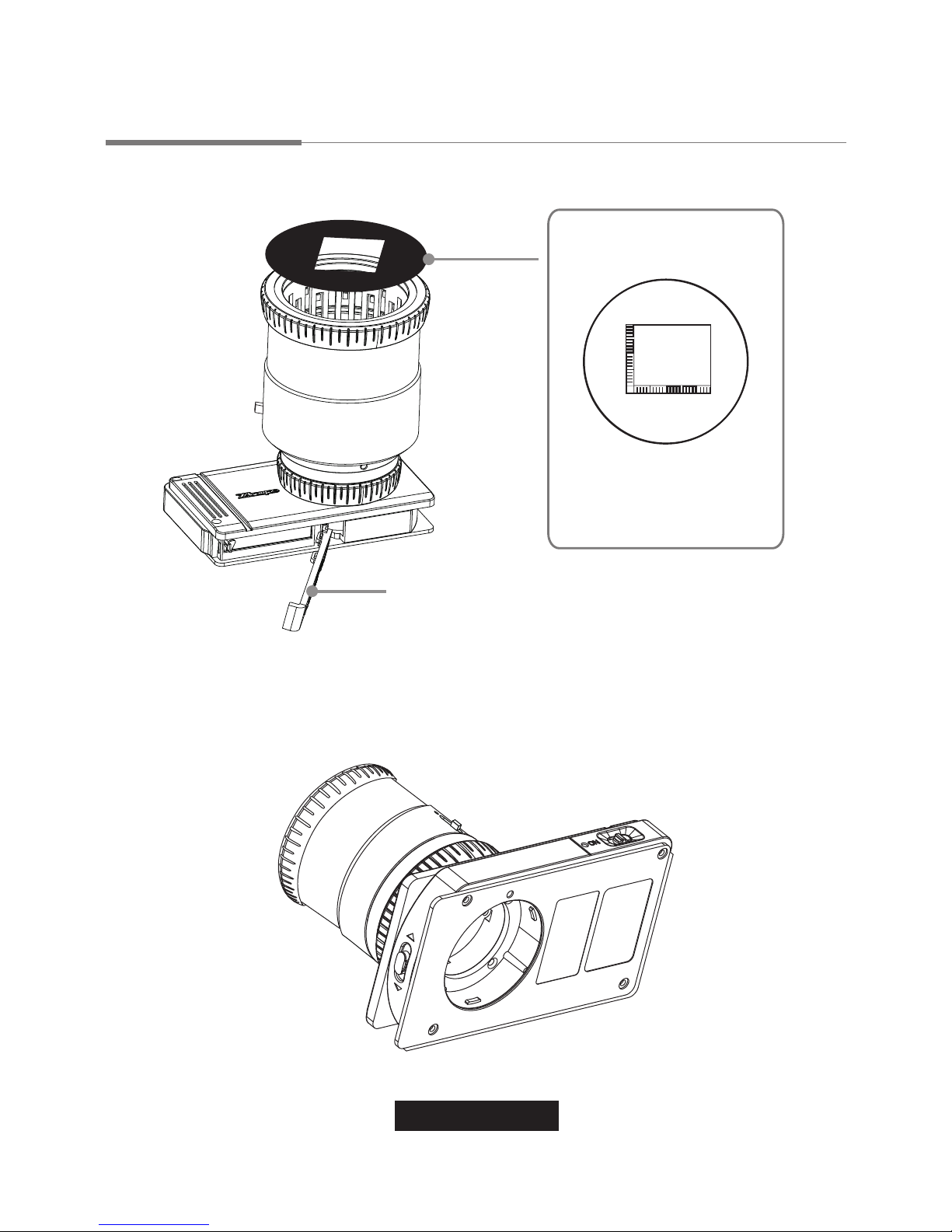
L-Square Ruler sticker
Battery Cassette
With the ruler-side inward.
(see page 10 for function
and operating.)
Back of Module

- 7 -
Light Source
<Tips>
The two illumination positions make the lights are perpendicular to one another.
While the object surface is reective, switch to (Side), do not use the (Core).
Protection Filter
See last page supplement for
mounting and removing.
Slide Switches
shiny surface
shiny surface
Core
Lighting Switch
Side
Side
2. Lighting position:
Core - Parallel lighting from inner
Side - Focus lighting from side
1. Lighting source:
W - White light
F - Functional light

- 8 -
Product Assembly
1 Mounting the lens on Module
(1) Get the lens and align the pogo pin -3 pin male header and 3 bolts on the rear
of lens- A , into the pogo pin female header and 3 notchs- B on lens mount of
module (g. 1), then attach the lens to module.
(2) Rotate the lens spiral tooth clockwise until it is tight. But do not over-tighten!
(3) Open the battery cover on the button ( press C and to slide the battery cover in
the direction indicated by the arrow,) and ll in fully-charged Canon NB-4L Li-ion
battery.(g. 2)
Caution: NB-4L Li-ion battery charging 4 hrs for the rst time; 1.5 hours for
general usage.
(4) Turn on X-Loupe® module power. It will light up if handling is correct.
Pogo pin (male)
Power
Battery Insert
Andere Handbücher für Conceiver series MPG4 PLUS
1
Inhaltsverzeichnis


