
ADT RC845 Bedienungsanleitung
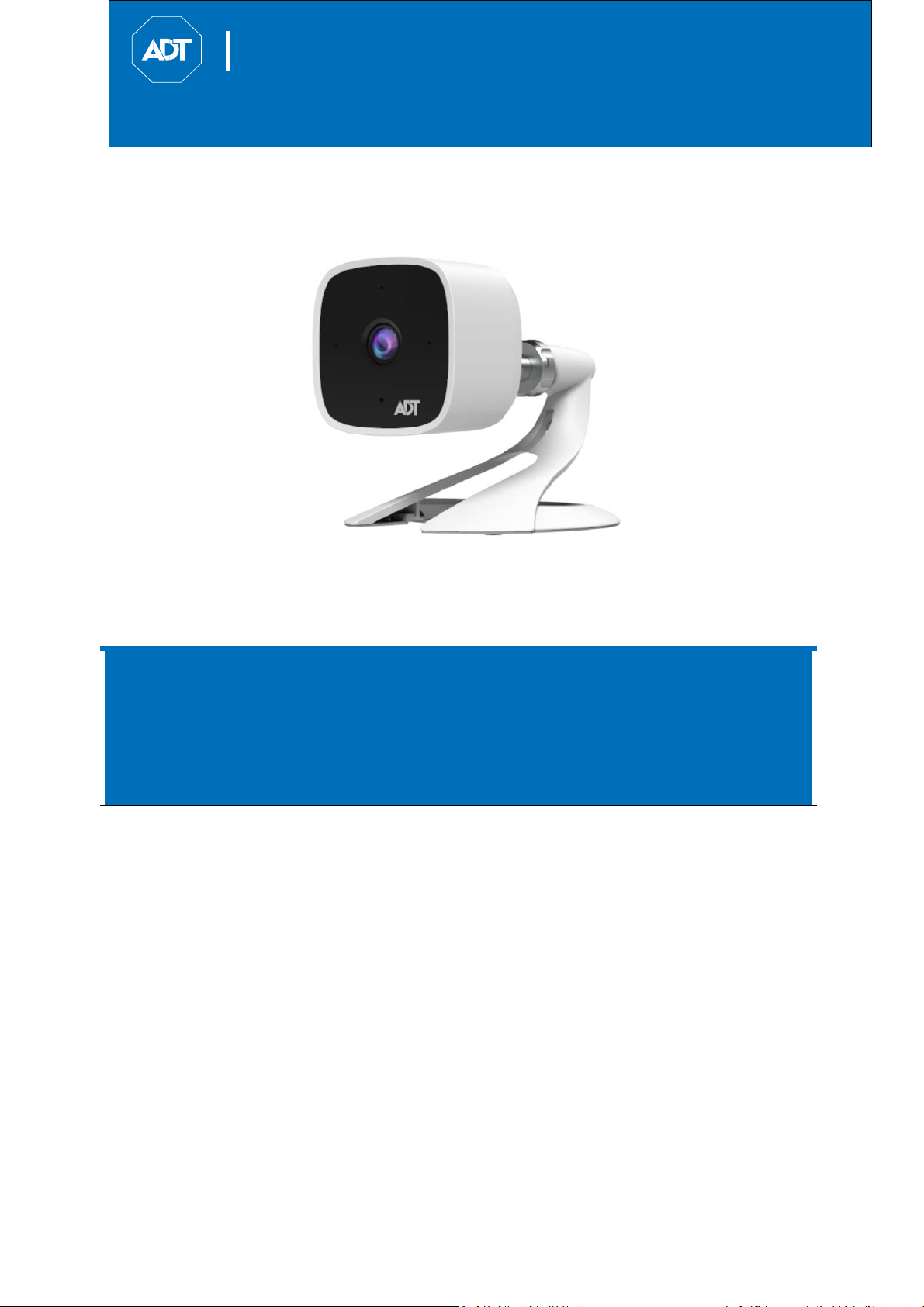
FHDWirelessIndoorCamera
QuickInstallationGuide
FCCID:P27RC845
ADT Interactive Solutions: Control & Pulse
RC845 FHD Wireless Indoor Camera
Property of ADT, LLC. Information accurate as of published date and is provided
“as is” without warranty of any kind.
©2019 ADT LLC dba ADT Security Services. All rights reserved. ADT, the ADT
logo, 800 ADT.ASAP and the product/service names listed in this document are
marks and/or registered marks. Unauthorized use is strictly prohibited.
RC845-QIG (05/19)


ADTHDIndoorCamera
QuickInstallationGuide
Tableof
Contents
FCCID:P27RC845
2 RC845 Indoor Full HD Camera Installation Guide
TableofContents
1Introduction...........................................................................................................3
Overview...................................................................................................................3
Features................................................................................................................3
Physical Details.......................................................................................................4
Front......................................................................................................................4
Rear.......................................................................................................................4
SD Card Slot (Future Enhancement)...............................................................5
Packaging Contents................................................................................................6
2Basic Setup..........................................................................................................7
Installation.................................................................................................................7
Assembling the Camera.....................................................................................7
Power-up..............................................................................................................7
Check the LED Status........................................................................................8
3ADT Control Enrollment.....................................................................................9
UsingSoftAPtoEnrollCamera.................................................................................9
4ADT Pulse Enrollment......................................................................................12
UsingWPSPINtoEnrollCamera.............................................................................12
5Wall Mounting....................................................................................................17
Mounting Suggestion............................................................................................20
Smart IR Function.................................................................................................20
6Troubleshooting.................................................................................................21
If the Camera Continually Goes Offline.............................................................21
AppendixA...................................................................................................................22
Technical Specifications.......................................................................................22
Regulatory Approvals...........................................................................................22
FCC Statement (US).........................................................................................22
IC Statement (Canada).....................................................................................23

ADTHDIndoorCamera
QuickInstallationGuide
Introduction
FCCID:P27RC845
3
RC845 Indoor Full HD Camera Installation Guide
1 Introduction
This section provides information about the RC845 Indoor Day/Night HD
Camera's features, components and capabilities.
Overview
The RC845 is an indoor day/night wireless camera with HD resolution and
802.11n Wi-Fi connectivity intended for use with both ADT Control® and Pulse®.
Features
• Standalone Design. The camera is a standalone system with built-in CPU
and video encoder. It requires only a power source and a connection to the
network (Customer router for Control or ADT Pulse gateway).
• Dual Video Support. The RC845 supports H.264 and MJEPG video
compression.
• Day/Night Switch. With the day/night switching feature, you can view and
record images even at night.
• IR LED Support. The two infrared LEDs can provide illumination for up to 5
meters/16 feet, providing superior video quality under low-light conditions.
• 802.11ac/n Support. The 802.11ac/n standard provides backward
compatibility with the 802.11b and g standards.
• Supports both Soft AP and WPS. Soft AP connectivity is used on the Control
platform. Wi-Fi Protected Setup (WPS) uses a push button to connect to the
Pulse platform.
• Wireless Network. The RC845 is connected to the network wirelessly.

ADTHDIndoorCamera
QuickInstallationGuide
INTRODUCTION
FCCID:P27RC845
4RC845 Indoor Full HD Camera Installation Guide
Physical Details
Front
Light Sensor—This is a hardware sensor to detect daylight level or lux.
Lens—The lens is fixed and cannot be adjusted. Please ensure that the lens
cover remains clean of dust and debris.
Rear
Figure 1-2 Rear Panel
Figure 1-1 Front Panel

ADTHDIndoorCamera
QuickInstallationGuide
Introduction
FCCID:P27RC845
5
RC845 Indoor Full HD Camera Installation Guide
Component Description
DC Power Input Connect the supplied 12V power adapter here. Do not
use other power adapters; doing so may damage the
camera.
Power LED On: (Green) Power on.
Blinking: (Green/Amber)The power LED will blink
green/amber after initial startup is completed. This
indicates that the Soft AP OR WPS PIN mode is ready.
Network/Wireless
LED
(Green, Amber)
Off:
Wireless
network
is
not
connected,
or
camera
is
not
sending/receiving data.
On: (Green) Network connection is available.
Blinking: (Green) Data is being transmitted or received
via wired/wireless connection.
On: (Amber) If the LED is on for 5 seconds and then
turns off, the WPS function has failed.
Blinking: (Amber) The WPS connection is in progress.
WPS/Reset Button This
button
serves
two
functions
on
the
camera.
WPS PIN Mode: When pressed and held for 5 seconds
during the Pulse enrollment process, the camera
creates an encrypted secure wireless connection.
Reset: When pressed and held for 15 seconds, the
camera reboots and settings are restored to default
values.
microSD Card Slot (Future Enhancement)
On the side of the camera is a small plate held in place with a retaining screw.
Beneath this cover is a microSD card slot that will be used in a future software
release.
Note: As the microSD card slot is not functional at this time, please do not
remove this protective cover.
Figure 1-3 microSD Card Slot Location

ADTHDIndoorCamera
QuickInstallationGuide
INTRODUCTION
FCCID:P27RC845
6RC845 Indoor Full HD Camera Installation Guide
Packaging Contents
The following items are included in the package.
Figure 1-4 What's in the Box

ADTHDIndoorCamera
QuickInstallationGuide
BasicSetup
FCCID:P27RC845
7
RC845 Indoor Full HD Camera Installation Guide
2 Basic Setup
This section provides information on how to assemble and
configure the RC845 Indoor HD Camera for enrollment.
Installation
Assembling the Camera
1. Temporarily locate the camera close to the computer for enrollment.
2. Attach the camera stand to the camera and connect the power
cable.
3. Screw/attach the camera onto the camera stand.
Power-up
1. Connect the 12V power adapter to the camera and power up near the
location where you will be performing the enrollment.
Caution: Use the power adapter provided. Using a different power
adapter may result in hardware damage.
Figure 2-1 Attaching the Camera to the Stand
Figure2‐2PowerConnection

ADTHDIndoorCamera
QuickInstallationGuide
BasicSetup
FCCID:P27RC845
8RC845 Indoor Full HD Camera Installation Guide
Check the LED Status
1. Power LED—The power LED lights up solid green during startup, which
takes about one minute. After startup is completed, and prior to
enrollment, the power LED blinks green/amber.
2. Network/WPS LED—At power-up, the Network/WPS LED is off.
o The Network/WPS LED will flash amber when the camera
attempts to connect wirelessly to the Pulse gateway.
o The Network/WPS LED will turn solid green when the wireless
connection is successful.
3. Enroll the camera.
o The process for enrolling the camera on Control is described in
Section 3: ADT Control Enrollment.
o The process for enrolling the camera on Pulse is described in
Section 4: ADT Pulse Enrollment.
4. Mounting the Camera
o Mount the camera in its final permanent location. For mounting
on a wall using the mounting bracket, see Section 5: Wall
Mounting.
Figure 2-3 Location of Status LEDs
ADTHDIndoorCamera
QuickInstallationGuide
ADTControl
Enrollment
FCCID:P27RC845
9
RC845 Indoor Full HD Camera Installation Guide
3 ADT Control Enrollment
This section provides instructions for wirelessly enrolling the RC845 Indoor HD
Camera onto the ADT Control platform. This process uses the Soft AP method
to wirelessly connect the HD Camera to the Customer’s network.
UsingSoftAPtoEnrollCamera
1. Set up the camera as described in the previous section.
2. Connect the camera’s AC power adapter and plug it into a power
outlet.
3. Wait for the power LED to blink green/amber.
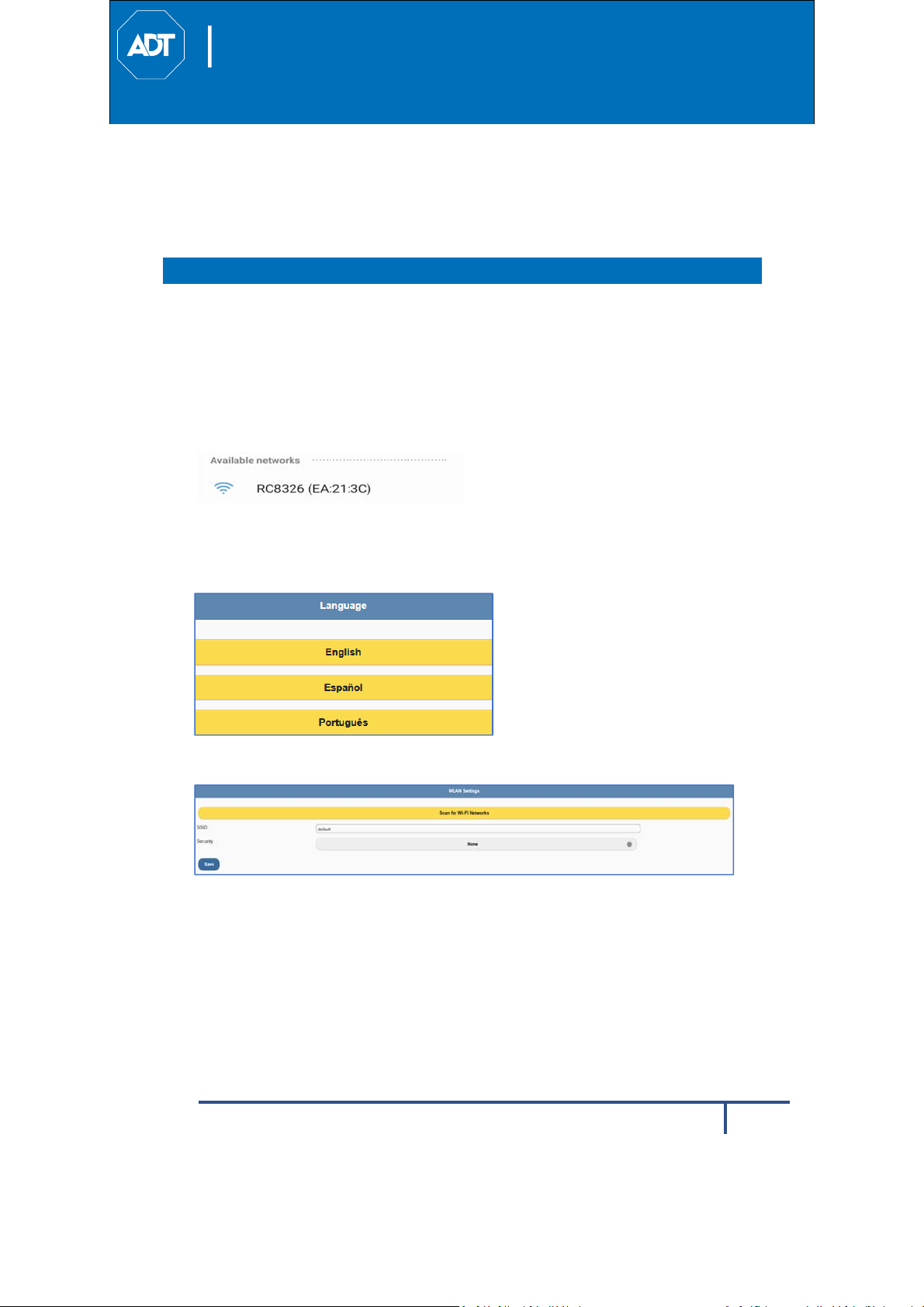
4. Connect to the camera’s network SSID using a laptop or mobile device.
The SSID is the model number of the camera and part of the MAC
address. For example, SSID = RC845 (XX:XX:XX).
5. Open a web browser (IE, Chrome, Firefox, etc.). Type in adtinstall.com
and you will be directed to the install wizard page.
6. Choose a language.
7. Click Scan for Network SSID and select the Customer’s router SSID.
Inhaltsverzeichnis
Andere ADT Sicherheitskamera Handbücher


