DVDO DVDO-Matrix-44-Mini Bedienungsanleitung

Version: V1.0.0
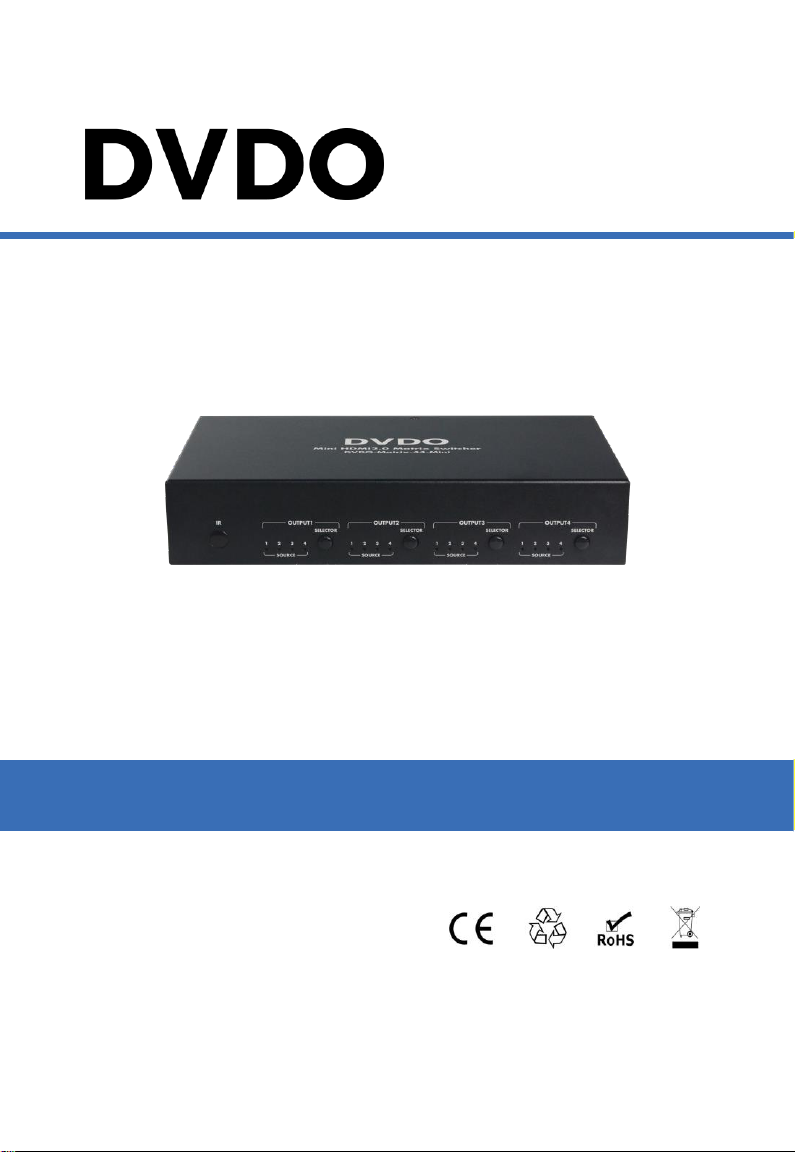
DVDO-Matrix-44-Mini
4x4 HDMI Matrix with Audio Outputs
User Manual

2
DVDO-Matrix-44-Mini_V1.0.0
DVDO-Matrix-44-Mini 4x4 HDMI Matrix with Audio Outputs User Manual
DVDO
Important Safety Instructions
1. Do not expose this apparatus
to rain, moisture, dripping or
splashing. Do not place objects
filled with liquids, such as vases,
on the apparatus.
6. Clean this apparatus
only with dry cloth.
2. Do not install or place this unit
in a bookcase, built-in cabinet or
similar confined space. Ensure
the unit is well ventilated.
3. To prevent risk of electric
shock or fire hazard due to
overheating, do not obstruct
the unit’s ventilation openings
with newspapers, tablecloths,
curtains, and similar items.
4. Do not install near any heat
sources such as radiators, heat
registers, stoves, or other
apparatus (including amplifiers)
that produce heat.
5. Do not place sources of naked
flames, such as lighted candles,
on the unit.
7. Unplug this apparatus
during lightning storms or
when unused for long
periods of time.
8. Protect the power cord
from being walked on or
pinched, especially at
plugs.
9. Only use attachments /
accessories specified by
the manufacturer.
10. Refer all servicing to
qualified service
personnel.

3
DVDO-Matrix-44-Mini_V1.0.0
DVDO
DVDO-Matrix-44-Mini 4x4 HDMI Matrix with Audio Outputs User Manual
Table of Contents
Introduction......................................................................................................4
Overview...................................................................................................4
Features ...................................................................................................4
Package Contents ....................................................................................5
Specifications ...........................................................................................5
Panel Description .....................................................................................7
Installation and Wiring .....................................................................................9
Installation.........................................................................................9
Wiring................................................................................................9
IR Remote Control.........................................................................................11
Access the Web Interface.......................................................................13
Web Interface Introduction......................................................................14
General............................................................................................14
Advanced ........................................................................................17
Warranty Terms and Conditions.....................................................................23

4
DVDO-Matrix-44-Mini_V1.0.0
DVDO-Matrix-44-Mini 4x4 HDMI Matrix with Audio Outputs User Manual
DVDO
Introduction
Overview
The DVDO-Matrix-44-Mini is a 4x4 compact HDMI matrix switcher. In addition to
basic functions such as cross-point switching and control (IR, RS-232, IP), it also
features advanced functions like auto-downscaling for each HDMI output when it
is connected to a 1080p display. There are SPDIF audio breakouts for each
HDMI output, to provide more audio feeds to a multi-zone audio system.
Features
4 HDMI Inputs and 4 HDMI Outputs.
All HDMI inputs and outputs support HDMI with HDR formats including HDR
10, HLG, DOLBY VISION up to 4K60 444.
HDCP2.2 compliant.
With built-in 4K-1080p downscaler for each HDMI Output, the matrix can
downscale 4K 60Hz 444 to 1080p@60 444. 4K downscaler can work
automatically when the matrix is connected to a 1080p display or can be set
to ON/OFF by API commands.
Each HDMI output has a SPDIF audio breakout, and supports formats up to
5CH HBR or 2CH PCM audio.
Supports smart EDID; each input can be assigned to smart EDID mode.
Supports EDID presets, EDID copy and EDID write. By default, each input
EDID is set as 4K60 444 HDR with 5.1CH encoded audio.
Supports audio mute; four SPDIF outputs can be muted separately by API
commands.
Supports upgrading firmware via both micro-USB and web UI (for MCU and
web module).
Rich control options, include RS-232, IR, web UI and front panel buttons.

5
DVDO-Matrix-44-Mini_V1.0.0
DVDO
DVDO-Matrix-44-Mini 4x4 HDMI Matrix with Audio Outputs User Manual
Package Contents
Before you start the installation of the product, please check the package
contents as below:
DVDO-Matrix-44-Mini Matrix x 1
DC 12V 2A Power Adapter (with US, UK, EU,AU Pins) x 1
IR Remote x 1
IR Receiver Cable x 1
Phoenix Male Connector (3.5mm, 3-Pin) x 1
Mounting Brackets (with Screws) x 2
User Manual x 1
Specifications
Technical
Input/Output Port
4 x HDMI IN, 4 x HDMI OUT, 1 x RS-232,
1 x IP Control (RJ45), 4 x SPDIF OUT (Digital),
1 x FW (Micro USB), 1 x DC 12V IN
Input/Output Signal
Type
HDMI with 4K@60Hz 4:4:4, HDR 10, HLG & Dolby
Vision, HDCP 2.2
Note: Dolby vision is not supported in downscaler
mode.
Input/Output
Resolution
Supported
VESA:
800x6008, 1024x7688, 1280x7688, 1280x8008,
1280x9608, 1280x10248,1360x7688, 1366x7688,
1440x9008, 1600x9008, 1600x12008,
1680x10508,1920x12008
SMPTE:
720x576P6, 1280x720P6,7,8, 1920x1080P2,5,6,7,8,
3840x21602,3,5,6,8, 4096x21602,3,5,6,8
2 = at 24 Hz, 3 = at 25 Hz, 5 = at 30 Hz, 6 = at 50
Hz, 7 = at 59.94 Hz, 8 = at 60 Hz
Audio Format
HDMI IN/OUT: Fully supports audio formats in
HDMI 2.0 specification, including PCM 2.0/5.1/7.1,
Dolby TrueHD, Dolby Atmos, DTSHD Master Audio
and DTS:X
S/PDIF OUT: Supports PCM 2.0/5.1, Dolby digital
and DTS up to 5.1 Channel
Maximum Data Rate
18Gbps
Control Method
Front Panel Buttons, RS232, IR, LAN (Telnet &Web
UI)

6
DVDO-Matrix-44-Mini_V1.0.0
DVDO-Matrix-44-Mini 4x4 HDMI Matrix with Audio Outputs User Manual
DVDO
General
Operating
Temperature
0°C to 45°C (32°F to 113°F)
Storage
Temperature
-20°C to 70°C (-4°F to 158°F)
Humidity
10% to 90%, non-condensing
ESD Protection
Human-body Model:
±8kV (Air-gap discharge)/
±4kV (Contact discharge)
Power Supply
DC 12V
Power Consumption
(Max)
10.8W
Device Dimension
(W x H x D)
215mm x 42mm x 120.2mm /
8.46” x 1.65” x 4.73” (Without mounting brackets)”
Product Weight
0.54kg / 1.19lb
Transmission Distance
Cable Type
Range
Supported Video
HDMI
Input: 15m/50ft
Output: 10m/33ft
1080P@60Hz 24bpp
Input/Output: 10m/33ft
4K@30Hz 4:4:4 24bpp
4K@60Hz 4:2:0 24bpp
Input/Output: 3m/10ft
4K@60Hz 4:4:4 24bpp

7
DVDO-Matrix-44-Mini_V1.0.0
DVDO
DVDO-Matrix-44-Mini 4x4 HDMI Matrix with Audio Outputs User Manual
Panel Description
Front Panel
1 2 3 2 3 2 3 2 3
No.
Name
Description
1
IR Window
Receive IR signals.
2
INPUT LED
(1-4)
On: The current HDMI input is selected.
Off: The current HDMI input is not selected.
3
OUTPUT
SELECTOR
Click to select input source for OUTPUT (1-4).
Rear Panel
1 2 3
4 5 6 7 8
No.
Name
Description
1
DC 12V
Connect to the DC 12V power adapter provided.
2
HDMI IN 1-4
Connect to HDMI sources such as Blu-ray Player.
3
HDMI OUT 1-4
Connect to HDMI displays.

8
DVDO-Matrix-44-Mini_V1.0.0
DVDO-Matrix-44-Mini 4x4 HDMI Matrix with Audio Outputs User Manual
DVDO
No.
Name
Description
4
FW
For firmware upgrade.
5
RS-232
Connect to a control PC or control system for
RS232 serial control.
6
IP CONTROL
Connect to local area network or a control system
for telnet or Web UI control.
7
IR Ext.
Connect to the IR receiver cable provided.
8
SPDIF OUT
1-4
Connect to audio devices such as AV system for
digital de-embedded audio output from HDMI OUT
1-4.

9
DVDO-Matrix-44-Mini_V1.0.0
DVDO
DVDO-Matrix-44-Mini 4x4 HDMI Matrix with Audio Outputs User Manual
Installation and Wiring
Installation
Note: Before installation, please ensure the device is disconnected from the
power source.
Steps to install the matrix on a suitable location:
1. Attach the installation bracket to the enclosure using the screws provided in
the package separately.
2. The bracket is attached to the enclosure as shown.
3. Repeat steps 1-2 for the other side of the unit.
4. Mount and affix the unit in the rack mount with the mounting screws.
Wiring
Steps for device wiring:
1. Connect HDMI IN
Connect the HDMI sources (such as PC, Blu-ray player, Apple TV, 4K media
player, etc) to the HDMI IN 1-4.
2. Connect HDMI OUT
Connect HDMI display device (such as TV, projector, LED/LCD display) to
the HDMI OUT 1-4.
3. Connect SPDIF OUT
Connect audio devices to SPDIF OUT (1-4) ports, SPDIF OUT ports can
output audio de-embedding from HDMI OUT 1-4.

10
DVDO-Matrix-44-Mini_V1.0.0
DVDO-Matrix-44-Mini 4x4 HDMI Matrix with Audio Outputs User Manual
DVDO
4. Connect for additional control options:
RS232 control: Connect a control PC or control system to RS232 port
of the Matrix.
IR control: The matrix can be controlled through IR signal by pointing
the IR remote provided at front panel IR window directly. Alternatively,
connect the IR receiver cable provided to IR Ext. of the matrix for IR
extension, and have its head secured in a place accessible to the
matrix remote.
LAN (Web UI/Telnet) Control: Connect the control PC or control
system's network to the matrix through LAN port.
5. Connect the DC 12V power cord provided.
6. Power on all attached devices.
Blu-ray Player
PC Display Display
Display
Amplifier
Ethernet Switch
Control System
HDMIIN HDMIIN HDMI OUT HDMIOUT HDMIOUT
S/PDIF OUT
RS232 IP CONTROL
Inhaltsverzeichnis
Andere DVDO Matrix-Umschalter Handbücher


